Plugin Version
1.4.2
Cura Version
5.2.2
Platform
Windows 10
Printer
Creality Ender 3 Pro with MKS Nano Robin v3.1 and TFT35 v2
Reproduction steps
- Upgraded my printer with MKS Nano Robin v3.1 motherboard and TFT35 v2 screen.
- Updated motherboard firmware.
- Updated WiFi module firmware.
- Installed MKS wifi plugin into Cura from Marketplace.
I did the 1st and 2nd steps according to the procedure in the video https://www.google.com/url?sa=t&rct=j&q=&esrc=s&source=web&cd=&cad=rja&uact=8&ved=2ahUKEwjB8afH5ej9AhWDTOUKHY4yCFAQtwJ6BAgOEAI&url=https%3A%2F%2Fwww.youtube.com%2Fwatch%3Fv%3DVeT12uUBb2g&usg=AOvVaw3g7Q_xP2h08BKxTkj1fls7
I did 3rd and 4th steps according to the procedure in the video https://www.google.com/url?sa=t&rct=j&q=&esrc=s&source=web&cd=&ved=2ahUKEwivk4Gl5uj9AhXH7rsIHfMOBkoQwqsBegQIEBAB&url=https%3A%2F%2Fwww.youtube.com%2Fwatch%3Fv%3D0GKT0hw_K-4&usg=AOvVaw3kzA06-PDieO-1MqtPblbD
Actual results
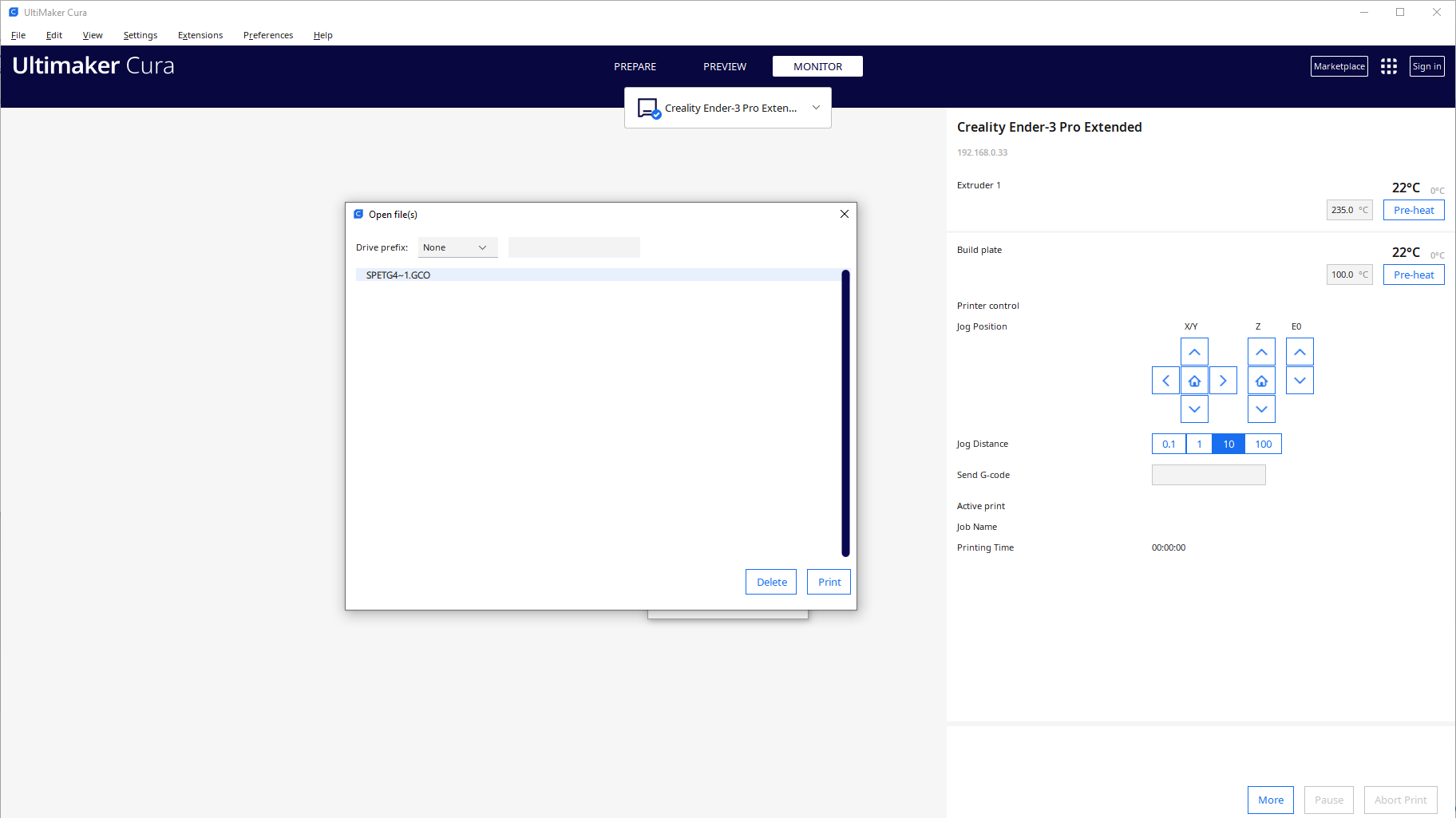
Printer monitor works fine. I also see gcode file on SD card:
When I try to send the file I get an error:

On previous screen you can see that SD card works fine.
Printer reports simple message "Upload error".
Expected results
File uploaded to printer ready for print.
Checklist of files to include
Additional information & file uploads
cura.log

Plugin Version
1.4.2
Cura Version
5.2.2
Platform
Windows 10
Printer
Creality Ender 3 Pro with MKS Nano Robin v3.1 and TFT35 v2
Reproduction steps
I did the 1st and 2nd steps according to the procedure in the video https://www.google.com/url?sa=t&rct=j&q=&esrc=s&source=web&cd=&cad=rja&uact=8&ved=2ahUKEwjB8afH5ej9AhWDTOUKHY4yCFAQtwJ6BAgOEAI&url=https%3A%2F%2Fwww.youtube.com%2Fwatch%3Fv%3DVeT12uUBb2g&usg=AOvVaw3g7Q_xP2h08BKxTkj1fls7
I did 3rd and 4th steps according to the procedure in the video https://www.google.com/url?sa=t&rct=j&q=&esrc=s&source=web&cd=&ved=2ahUKEwivk4Gl5uj9AhXH7rsIHfMOBkoQwqsBegQIEBAB&url=https%3A%2F%2Fwww.youtube.com%2Fwatch%3Fv%3D0GKT0hw_K-4&usg=AOvVaw3kzA06-PDieO-1MqtPblbD
Actual results
Printer monitor works fine. I also see gcode file on SD card:

When I try to send the file I get an error:

On previous screen you can see that SD card works fine.
Printer reports simple message "Upload error".
Expected results
File uploaded to printer ready for print.
Checklist of files to include
Additional information & file uploads
cura.log