Similar to the zoning circular tool, sometimes I have items inside a roundabout I'd like to select, the square marquee tool will select those items, but also may select parts of the roundabout (for putting say a path or another roundabout inside a roundabout so filters don't work in that scenario). Is it possible to get a circular tool to "paint" an area of items to select in a similar way you can paint zones?
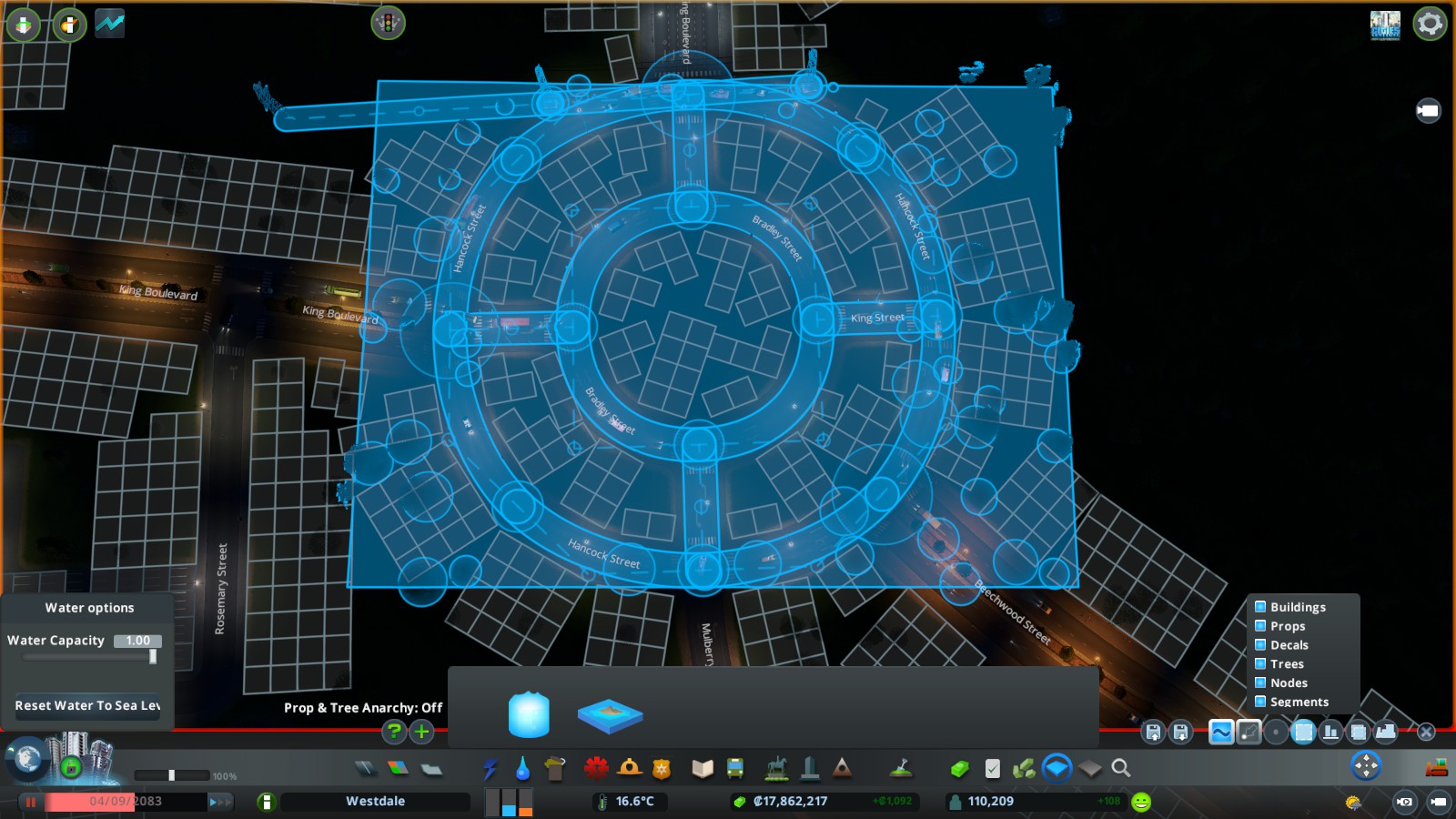
For example, if I wanted to select only the outer ring of my double roundabout here (if I wanted to move the outer ring up or down), I have to manually shift + click all the roundabout nodes, where it'd be nice to have a filtered "painter" tool you can set like the marquee tool, and then paint over the area you want.
I totally understand if this isn't possible due to limits in the game engine though.

Similar to the zoning circular tool, sometimes I have items inside a roundabout I'd like to select, the square marquee tool will select those items, but also may select parts of the roundabout (for putting say a path or another roundabout inside a roundabout so filters don't work in that scenario). Is it possible to get a circular tool to "paint" an area of items to select in a similar way you can paint zones?
For example, if I wanted to select only the outer ring of my double roundabout here (if I wanted to move the outer ring up or down), I have to manually shift + click all the roundabout nodes, where it'd be nice to have a filtered "painter" tool you can set like the marquee tool, and then paint over the area you want.
I totally understand if this isn't possible due to limits in the game engine though.