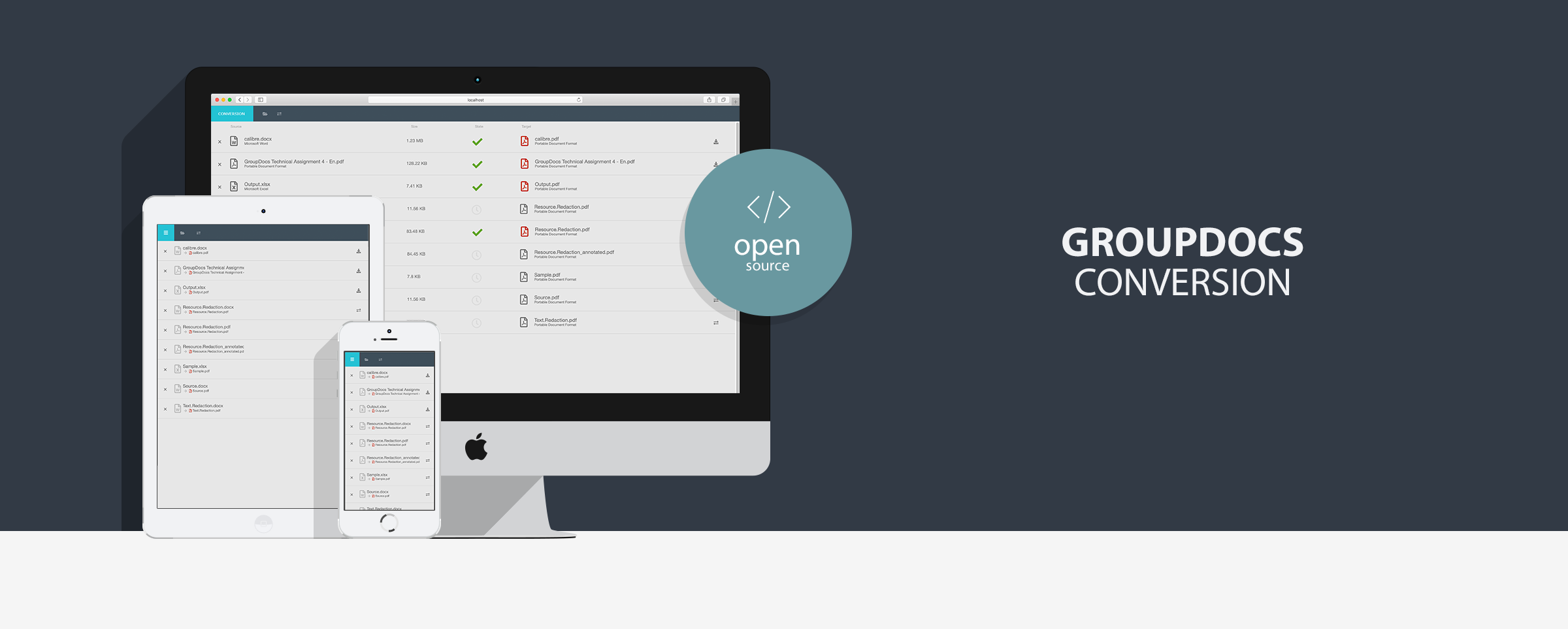
GroupDocs.Conversion for Java Quarkus UI Example

- Java 11
- Maven 3.9.6
GroupDocs.Conversion for Java API is a library that allows you to convert word to PDF, PNG, JPG and to many other document or image formats supported by the library. Using powerful and flexible GroupDocs.Conversion API you will be able to convert multitude document formats with a wide set of different options.
This web application allows you to convert documents between different formats using simple modern UI. While it can be used as a standalone application it also can be integrated as part of your project.
Note: without a license application will run in trial mode, purchase GroupDocs.Conversion for Java license or request GroupDocs.Conversion for Java temporary license.
| Document family | Supported formats | Supported conversions |
|---|---|---|
| Microsoft Word | Doc,Docm,Docx,Dot,Dotm,Dotx,Rtf,Txt,Odt,Ott |
Word to Rtf,Word to Txt,Word to Html,Word to Odt,Word to Ott,Word to Epub,Word to Pdf,Word to Image,Word to Cells,Word to Slides |
| Microsoft Excel | Xls,Xls2003,Xlsb,Xlsm,Xlsx |
Excel to Word,Excel to Pdf,Excel to Epub,Excel to Html,Excel to Image,Excel to Slides |
| Portable Document Format | Pdf |
Pdf to Word,Pdf to Epub,Pdf to Html,Pdf to Image,Pdf to Cells,Pdf to Slides |
| Microsoft PowerPoint | Ppt,Pps,Pptx,Ppsx,Odp |
Slides to Word,Slides to Pdf,Slides to Epub,Slides to Html,Slides to Image,Slides to Excel |
| Microsoft Visio | Vsd,Vsdx,Vss,Vst,Vsx,Vtx,Vdw,Vdx,Svg |
Visio to Word,Visio to Pdf,Visio to Epub,Visio to Html,Visio to Image,Visio to Excel,Visio to Slides |
| Microsoft Project | Mpt,Mpp |
Tasks to Word,Tasks to Pdf,Tasks to Epub,Tasks to Html,Tasks to Image,Tasks to Excel,Tasks to Slides |
| HTML | Html |
Html to Word,Html to Pdf,Html to Epub,Html to Cells,Html to Slides |
| Images | Xps,Tiff,Tif,Jpeg,Jpg,Png,Gif,Bmp,Ico,Dxf,Dwg,Psd |
Image to Word,Image to Pdf,Image to Epub,Image to Html,Image to Image,Image to Cells,Image to Slides |
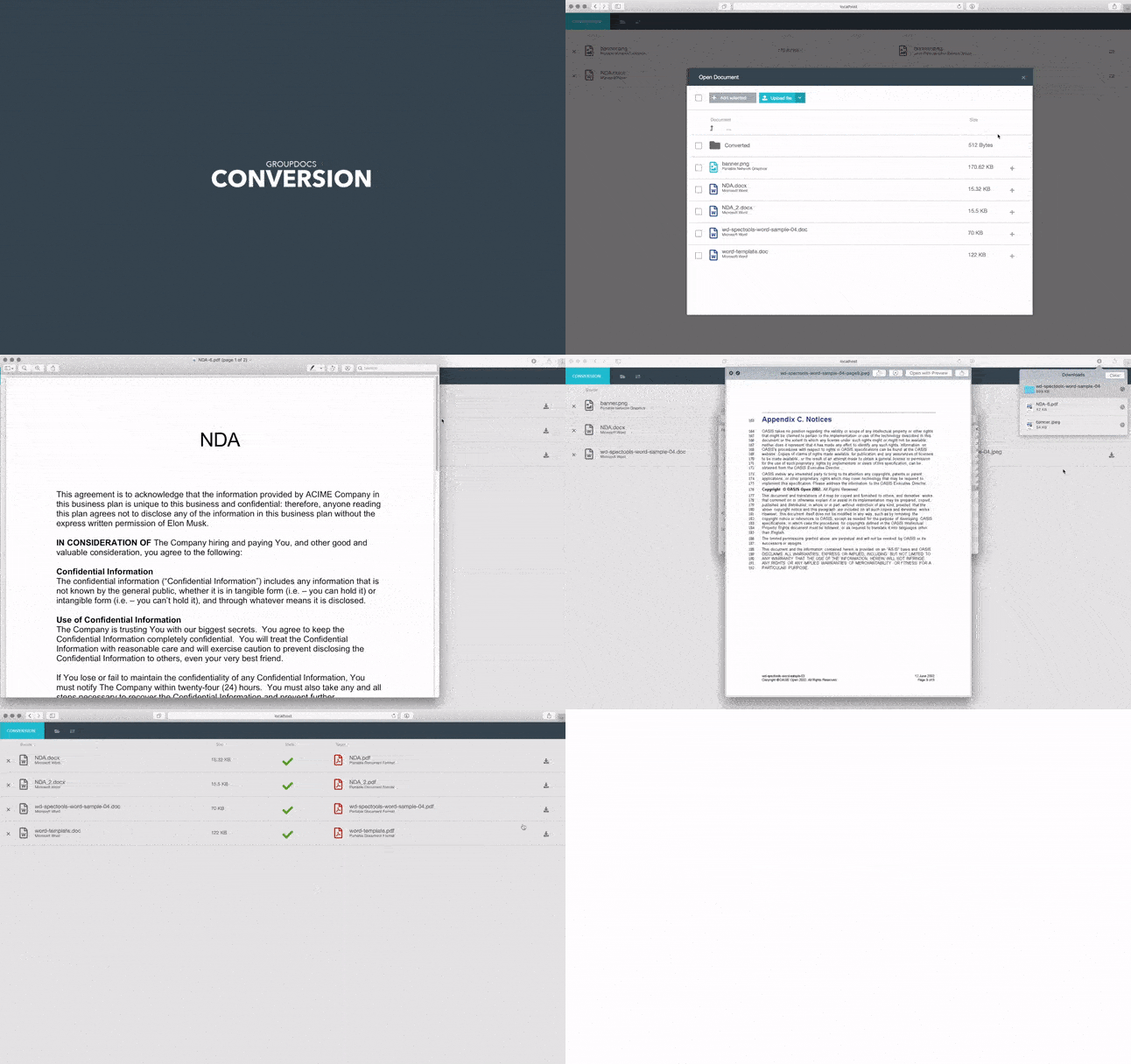
- Clean, modern and intuitive design
- Easily switchable colour theme (create your own colour theme in 5 minutes)
- Responsive design
- Convert individual documents
- Batch convert multiple files
- Mobile support (open application on any mobile device)
- HTML and image modes
- Drag and Drop support
- Upload documents
- Cross-browser support (Safari, Chrome, Opera, Firefox)
- Cross-platform support (Windows, Linux, MacOS)
You can run this sample by one of following methods
Download source code from github or clone this repository.
git clone https://github.com/groupdocs-conversion/GroupDocs.Conversion-for-Java.git
cd GroupDocs.Conversion-for-Java/Demos/Quarkus
./mvnw compile quarkus:dev
## Open http://localhost:8080/conversion/ in your favorite browser.
## Configuration
For all methods above you can adjust settings in `application.properties`. By default in this sample will lookup for license file in `./Licenses` folder, so you can simply put your license file in that folder or specify relative/absolute path by setting `licensePath` value in `application.properties`.

### Conversion configuration options

| Option                             | Type    |   Default value   | Description                                                                                                                                  |
| ---------------------------------- | ------- |:-----------------:|:-------------------------------------------------------------------------------------------------------------------------------------------- |
| **`filesDirectory`**               | String  | `DocumentSamples` | Files directory path. Indicates where uploaded and predefined files are stored. It can be absolute or relative path                          |
| **`resultDirectory`**              | String  |                   | Absolute path to result files directory                                                                                                      |

## License
The MIT License (MIT).

Please have a look at the LICENSE.md for more details

## GroupDocs Conversion on other platforms & frameworks

- [Document converter](https://github.com/groupdocs-conversion/GroupDocs.Conversion-for-Java/tree/master/Demos/Dropwizard) with JAVA Dropwizard
- [Document converter](https://github.com/groupdocs-conversion/GroupDocs.Conversion-for-Java/tree/master/Demos/Spring) with JAVA Spring
- [Document converter](https://github.com/groupdocs-conversion/GroupDocs.Conversion-for-Java/tree/master/Demos/Ktor) with Ktor framework
- [Document converter](https://github.com/groupdocs-conversion/GroupDocs.Conversion-for-.NET/tree/master/Demos/MVC) with .NET MVC
- [Document converter](https://github.com/groupdocs-conversion/GroupDocs.Conversion-for-.NET/tree/master/Demos/WebForms) with .NET WebForms

[Home](https://www.groupdocs.com/) | [Product Page](https://products.groupdocs.com/Conversion/java) | [Documentation](https://docs.groupdocs.com/conversion/java/) | [Demos](https://products.groupdocs.app/Conversion/family) | [API Reference](https://apireference.groupdocs.com/java/Conversion) | [Examples](https://github.com/groupdocs-Conversion/GroupDocs.Conversion-for-Java/tree/master/Examples) | [Blog](https://blog.groupdocs.com/categories/groupdocs.conversion-product-family/) | [Free Support](https://forum.groupdocs.com/c/conversion/11) | [Temporary License](https://purchase.groupdocs.com/temporary-license)


# conversion-quarkus

This project uses Quarkus, the Supersonic Subatomic Java Framework.

If you want to learn more about Quarkus, please visit its website: https://quarkus.io/ .

## Running the application in dev mode

You can run your application in dev mode that enables live coding using:
```shell script
./mvnw compile quarkus:dev
NOTE: Quarkus now ships with a Dev UI, which is available in dev mode only at http://localhost:8080/q/dev/.
The application can be packaged using:
./mvnw packageIt produces the quarkus-run.jar file in the target/quarkus-app/ directory.
Be aware that it’s not an über-jar as the dependencies are copied into the target/quarkus-app/lib/ directory.
The application is now runnable using java -jar target/quarkus-app/quarkus-run.jar.
If you want to build an über-jar, execute the following command:
./mvnw package -Dquarkus.package.type=uber-jarThe application, packaged as an über-jar, is now runnable using java -jar target/*-runner.jar.
You can create a native executable using:
./mvnw package -DnativeOr, if you don't have GraalVM installed, you can run the native executable build in a container using:
./mvnw package -Dnative -Dquarkus.native.container-build=trueYou can then execute your native executable with: ./target/conversion-quarkus-1.0.0-SNAPSHOT-runner
If you want to learn more about building native executables, please consult https://quarkus.io/guides/maven-tooling.