'Calculated Hit Power' is not working as expected #12

Description

I am either using the calculate hit power tool incorrectly or there is a possible issue with it. I've watched your video a few times, particularly at 11:55 where you use the 'Calculate Hit Power' feature. You seem to have better results than I do, but maybe it's because of the large number of sample files I'm working with.
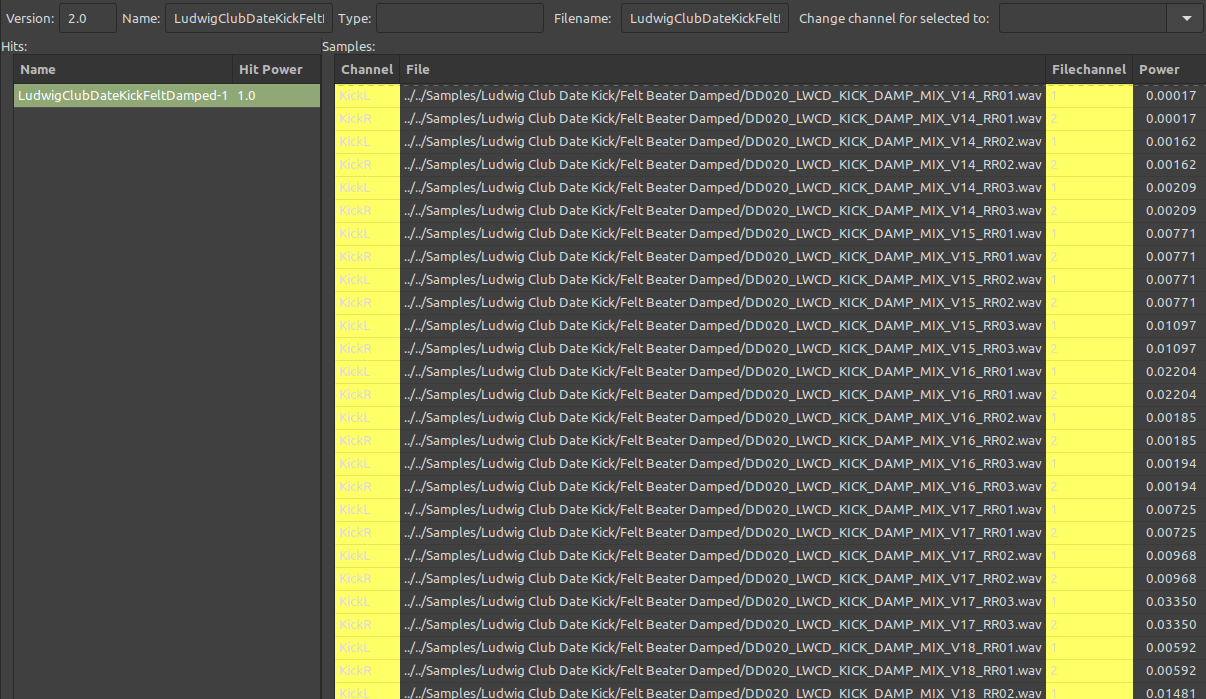
After importing samples into a new instrument file and adding them to their respective channels, I then try to calculate hit power. Since I have Round Robin samples in this kit, I need to make sure all the Round Robin samples for a particular drum hit have a matching hit power/velocity range once the samples are added as new hits in the 'hits' pane. However when pressing 'Calculate Hit Power' the resulting values are inconsistent and also not ordered in a way one might expect (I do understand that the auto calculated number is a not supposed to give a whole number value between 1-127):
Maybe in order for this to work I'm supposed to import only 1 Round Robin group of samples at a time? But even when trying that and then adding the files to hits in the hit pane, the value does not seem to carry over:
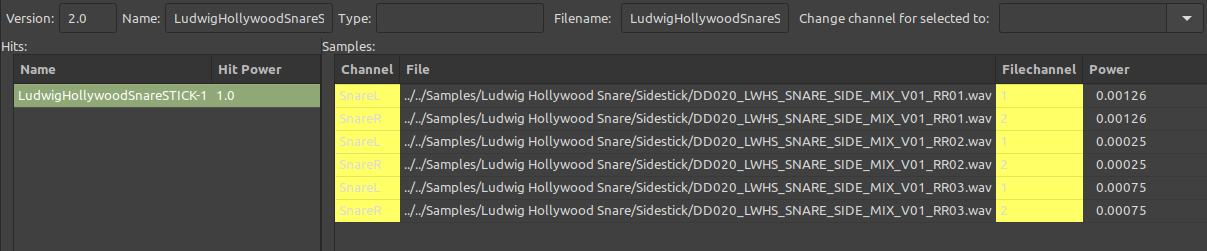
Here you can see they are now added to 3 separate hits, but the hit rating just seems to be the default value that happens when adding a new hit, and not based on the calculated hit number:

Or maybe it is based on the calculated number and I'm simply not understanding how the decimal is converted to the power hit rating shown in the left hand pane. In any case, the hit power rating needs to be manually typed in for each hit. That's not so bad on smaller kits, but for larger kits with many sample files per instrument articulation, it can take quite a long time.
Thanks!