MaxPyLang is a Python package for metaprogramming of MaxMSP that uses Python to generate and edit Max patches. MaxPyLang allows users to move freely between text-based Python programming and visual programming in Max, making it much easier to implement dynamic patches, random patches, mass-placement and mass-connection of objects, and other easily text-programmed techniques.
As a text-based interface to MaxMSP, MaxPyLang enables vibecoding of Max patches. Provide an example to your tool of choice (Claude code, Cursor, etc), and ask for the patch you would like. Tutorial coming soon.
We publish our package on Pypi as MaxPyLang. It is easiest to install from there.
python3 -m venv .venv
source .venv/bin/activate  # On Windows: .venv\Scripts\activate
pip install maxpylangSee this example in examples/hello_world.
To run this, python3 examples/hello_world/main.py will create a Max patch file hello_world.maxpat that contains a simple audio oscillator connected to the DAC.
You can then open this patch in MaxMSP and click the DAC to hear a 440 Hz tone.
import maxpylang as mp

patch = mp.MaxPatch()
osc = patch.place("cycle~ 440")[0]
dac = patch.place("ezdac~")[0]
patch.connect([osc.outs[0], dac.ins[0]])
patch.save("hello_world.maxpat")MaxPy was published as a demo paper for NIME 2023. The package name was updated to MaxPyLang in 2025 to avoid confusion with other similarly named packages.
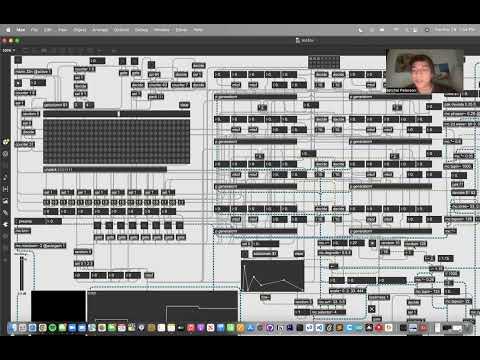
Mark demonstrates the basics of installing MaxPy, creating patches, and placing objects.
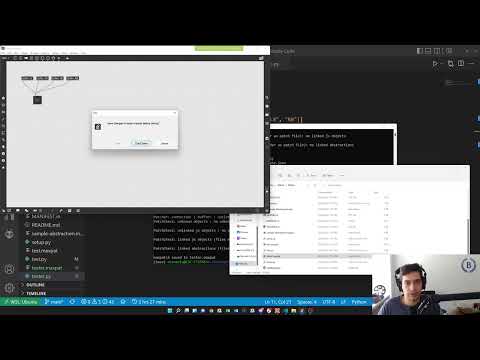
Ranger explains a MaxPy script that dynamically generates an additive synth with a variable number of oscillators. The code for this synth is under examples/variable-osc-synth.
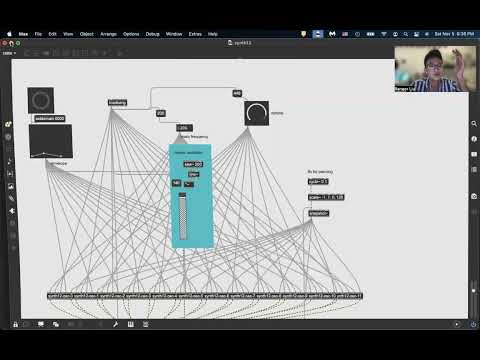
Satch explains using the replace() function to selectively replace objects in a loaded patch to sonify stock data. The code for this is under examples/stocksonification_v1.