


Codestory View is a Visual Studio Code extension that helps you turn large, messy commits into a clean, well-structured commit history using the Codestory CLI (https://cli.codestory.build).
We automatically download the Codestory CLI on your first run. This extension exposes its functionality through a simple, focused UI, includes an interactive webview graph, semantic search, and direct CLI integration to clean and split large commits. Think of Codestory View as a desktop UI for the Codestory CLI — similar to how GitHub Desktop provides a UI for Git.
Watch a short demonstration showing how the extension converts a large working directory into a series of clean commits:
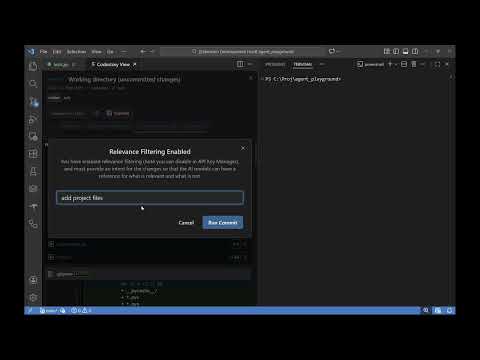
- Interactive graph to visualize branches and commit history
- Semantic search for finding commits quickly
- Convert existing large, messy commits into a clean, linearized commit history (rewrites history, use with care)
- Automatically split a large working directory into a series of logical commits
- Open the Command Palette (Ctrl/Cmd+Shift+P) and run Codestory View: Start.
- If your workspace is a Git repository, it will be selected automatically; otherwise, pick a folder.
- Choose a branch to inspect.
- Configure model and API settings if required (API key is optional; local models are supported).
- Select the commits or working-directory changes you want to clean up and click Fix or Commit to run the Codestory CLI operations.
Important: Fix commands rewrite Git history (similar to
git rebase). Make sure you understand the implications before applying fixes to shared branches.
This project is licensed under GPLv2. See LICENSE.txt for details.