


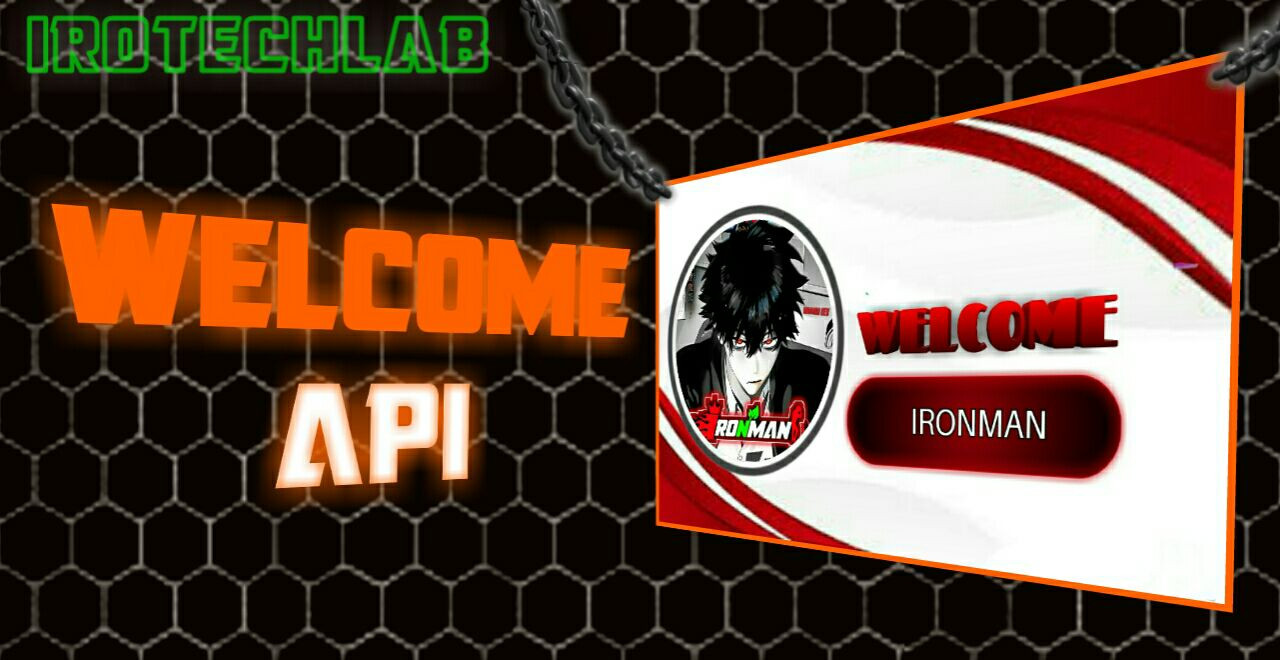
A powerful Flask-based API that generates customized welcome images with user avatars and names. Perfect for Discord, Telegram, WhatsApp bots, or any platform that needs personalized welcome messages.
- 🎯 Dynamic Welcome Images: Generate personalized welcome images with user avatars and names
- 🖼️ Theme System: Easy-to-configure templates with customizable positions and styles
- 📸 Avatar Support: Accepts both URL and file upload for profile pictures
- 🎨 Circular Avatars: Automatically crops avatars into clean circular shapes
- 📝 Auto-scaled Text: Smart font sizing to fit names perfectly within the template
- 🌐 RESTful API: Simple GET and POST endpoints for easy integration
- ⚡ Lightweight: Built with Flask and PIL for fast processing
- 🚀 Vercel Ready: One-click deployment to Vercel
- Python 3.8 or higher
- pip package manager
# Clone the repository
git clone https://github.com/IROTECHLAB/welcome-api.git
cd welcome-api

# Install dependencies
pip install -r requirements.txt

# Run the API
python app.py
The API will start on http://localhost:5000
- Install Vercel CLI
npm install -g vercel- Deploy
vercel- Follow the prompts to complete deployment
The vercel.json file handles the deployment configuration:
{
  "version": 2,
  "builds": [
    {
      "src": "app.py",
      "use": "@vercel/python"
    }
  ],
  "routes": [
    {
      "src": "/(.*)",
      "dest": "app.py"
    }
  ]
}Generate a welcome image using a profile picture URL.
Parameters:
| Parameter | Type | Required | Description |
|---|---|---|---|
name |
string | ✅ | User's name to display |
img_url |
string | ✅ | URL of the user's profile picture |
theme |
string | ❌ | Theme name (default: "default") |
Example:
curl "http://localhost:5000/generate?name=JohnDoe&img_url=https://example.com/avatar.jpg&theme=default"Generate a welcome image using a file upload.
Form Data:
| Parameter | Type | Required | Description |
|---|---|---|---|
name |
string | ✅ | User's name to display |
img_file |
file | ✅ | Profile picture file |
theme |
string | ❌ | Theme name (default: "default") |
Example:
curl -X POST "http://localhost:5000/generate" \
  -F "name=JohnDoe" \
  -F "img_file=@avatar.jpg" \
-F "theme=default"Check if API is running.
Response:
{
  "message": "API Started",
  "status": "running"
}The orange theme is commented out as an example. You can create your own themes in the CONFIG["THEMES"] dictionary:
"your_theme": {
    "BG_IMAGE": os.path.join(BASE_DIR, "theme_bg/your_bg.jpg"),
    "CANVAS_SIZE": (1280, 720),  # (width, height)
    "AVATAR": {
        "POSITION_XY": (297, 338),  # (x, y) center position
        "RADIUS": 236,  # Avatar size in pixels
    },
    "USERNAME": {
        "POSITION_XY": (858, 470),  # (x, y) center position
        "COLOR": (255, 255, 255),  # RGB values
        "OUTLINE_COLOR": (0, 0, 0),  # For text readability
        "FONT_SIZE": 60,  # Starting font size (auto-scaled)
        "MAX_WIDTH": 500,  # Maximum width in pixels
    }
}- Positioning - Use image editing software to find exact pixel positions
- Avatar Size - Ensure
RADIUSmatches your template design - Text Max Width - Prevents text from overflowing outside designated area
- Background Images - Place JPG/PNG files in
/theme_bg/folder
import discord
import requests

@bot.event
async def on_member_join(member):
    avatar_url = member.display_avatar.url
    name = member.name

    response = requests.get(
        f"https://your-vercel-app.vercel.app/generate",
        params={"name": name, "img_url": avatar_url, "theme": "default"}
    )

    if response.status_code == 200:
        with open("welcome.png", "wb") as f:
            f.write(response.content)
await member.guild.system_channel.send(file=discord.File("welcome.png"))from telegram import Bot
import requests
def generate_welcome(name, avatar_url):
response = requests.get(
f"https://your-vercel-app.vercel.app/generate",
params={"name": name, "img_url": avatar_url}
)
return response.content if response.status_code == 200 else Noneimport requests
def generate_welcome_whatsapp(name, avatar_url):
response = requests.get(
f"https://your-vercel-app.vercel.app/generate",
params={"name": name, "img_url": avatar_url}
)
if response.status_code == 200:
# Send image via WhatsApp API
send_whatsapp_image(response.content)welcome-api/
├── app.py # Main application
├── vercel.json # Vercel deployment configuration
├── theme_bg/ # Background images folder
│ ├── default.jpg
│ └── your_theme.jpg
├── requirements.txt # Python dependencies
├── README.md # Documentation
└── LICENSE # MIT License
Flask==3.0.3
Pillow==10.3.0
requests==2.31.0The API returns appropriate error messages for:
- Invalid or missing parameters
- Failed image URL fetches
- Missing background images
- File upload issues
Contributions are welcome! Here's how you can help:
- Fork the repository
- Create a new branch (
git checkout -b feature/amazing-feature) - Make your changes
- Commit your changes (
git commit -m 'Add amazing feature') - Push to the branch (
git push origin feature/amazing-feature) - Open a Pull Request
This project is licensed under the MIT License - see the LICENSE file for details.
IROTECHLAB
- GitHub: @IROTECHLAB
- Flask for the web framework
- Pillow for image processing
- Vercel for easy deployment
- All contributors and users of this API
For issues, questions, or contributions:
- Open an issue
- Star ⭐ the repository to show support
Made with ❤️ by IROTECHLAB