Quick Start Guide
-
Go to http://localhost:5000/
-
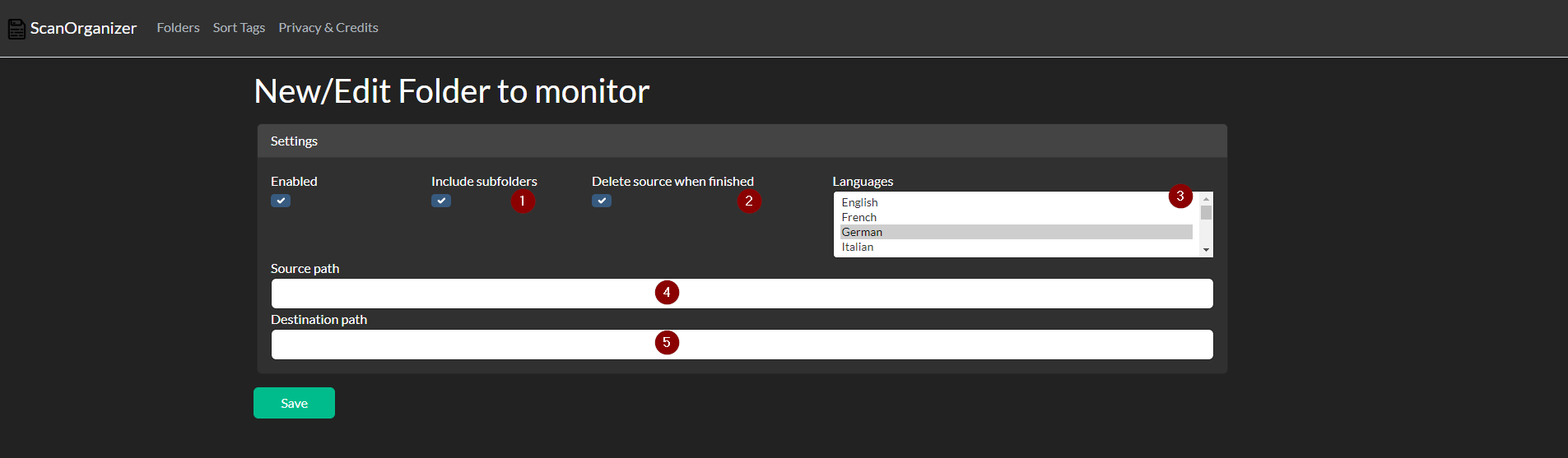
Add a folder to get monitored

-
- Do you want that subfolder also getting Monitored?
-
- Do you want that the source files that get sorted and saved in the new place also to get removed?
-
- Choose the languages for the ocr which will get done when the input files are images. If the input is pdf OCR should be done already!
-
- Enter the path where your scanned files are located
-
- Enter the path where you want that your new folder Structure is made. (The folder will only get made when the first file is scanned that needs it.)
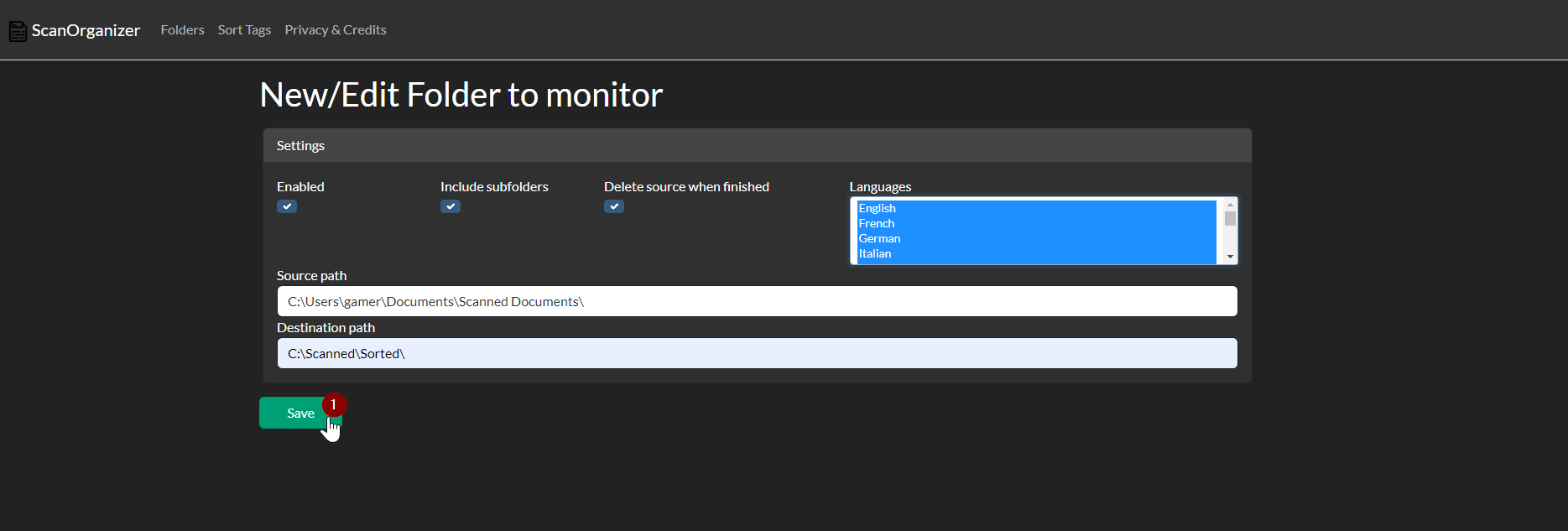
- Save it
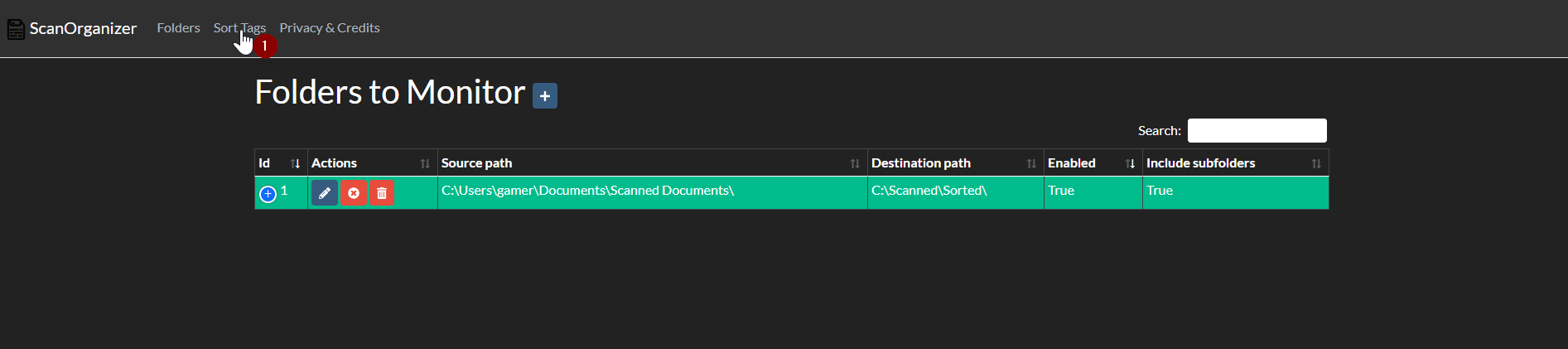
- Go to:
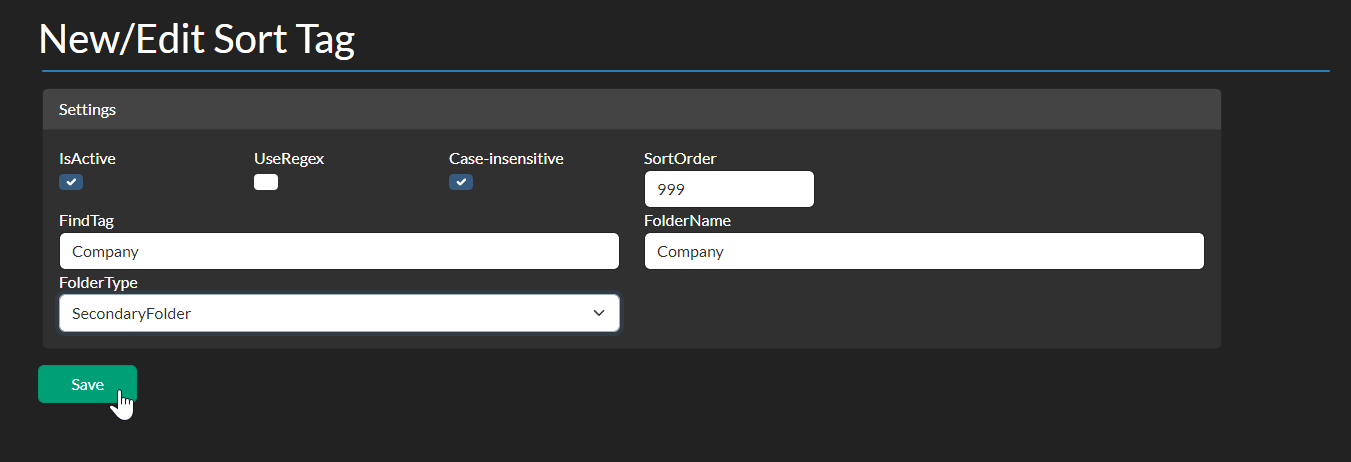
- Add a sort tag
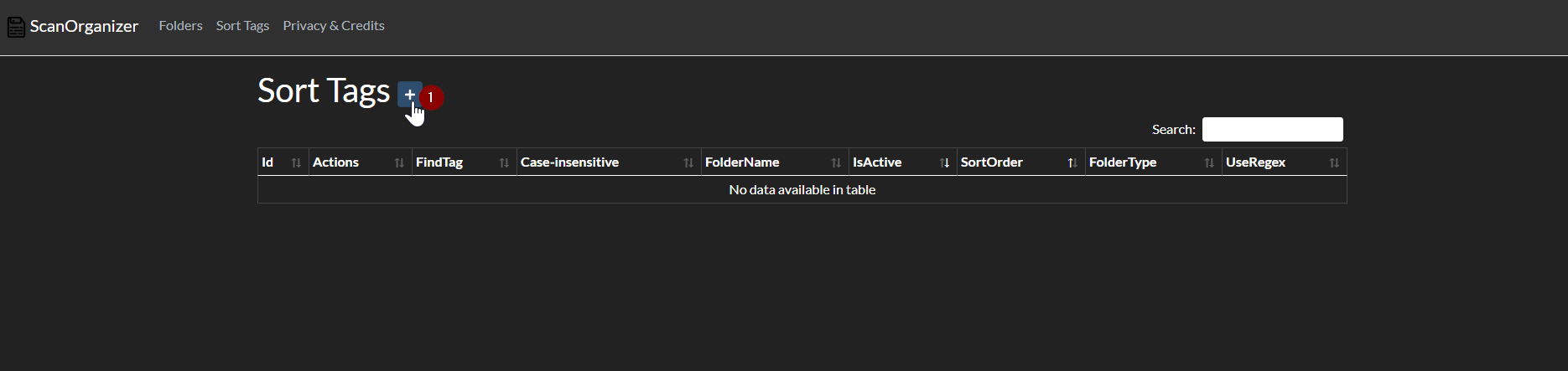
-
- Do you want to search the tags without case sensitivity?
-
- SortOrder (lower means earlier) The first tag that gets found for the primary folder or the secondary folder does get selected. With the sort order, you are able the give some tags more priority.
- Regex is only for advanced users and Case-insensitive bool does not take place here.
-
- Enter the text that should get searched.
-
- Enter the folder that should be used for documents where this text is found in
-
- Choose if this tag is to use for the Primary or Secondary Folder
-
- Save
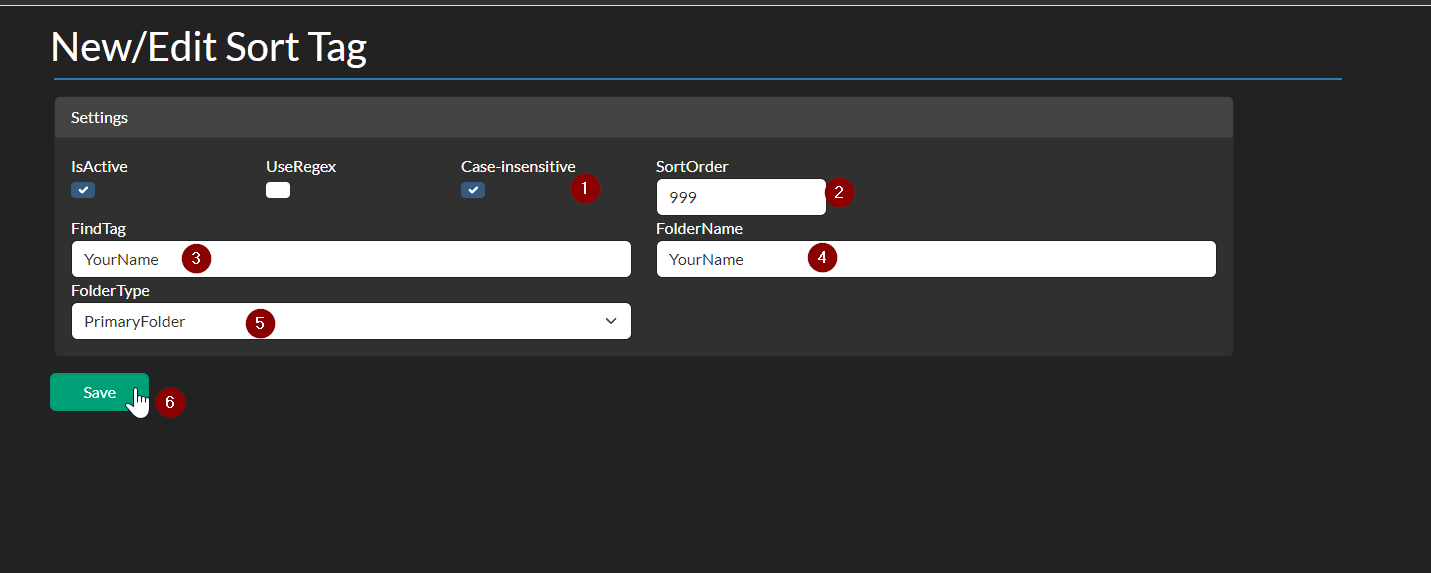
- For having the same structure then I have you have to add a second entry for every company that you get letters from so they can get sorted as secondary folders. That means that you have a folder for every person in your household and a subfolder for every company and the scans get sorted there automatically.