This is a project made by Filip, Leon and Mateo.
We are from a Croatian informatics and robotics club called C.H.A.O.S. Josipovac.
A11Y is an abbreviation for accessibility because there are 11 letters between a and y.
Its a VS Code accessibility extension with daltonism-friendly themes, customizable syntax highlighting, and readability improvements for low-vision users.
| Feature | Explanation |
|---|---|
| Daltonist-friendly syntax highlighting | highlights errors and warnings with adjustable colors |
| Daltonist-friendly themes | Built-in color themes for most common types of daltonists |
| Adjustable minimum terminal font size | QOL feature so you dont have to dig around in vsc settings |
The extension includes both dark and light themes.
Here we'll only showcase the dark ones in pictures.
The syntax highlighting does NOT change with the selected theme.
Normal - for people who dont have daltonism
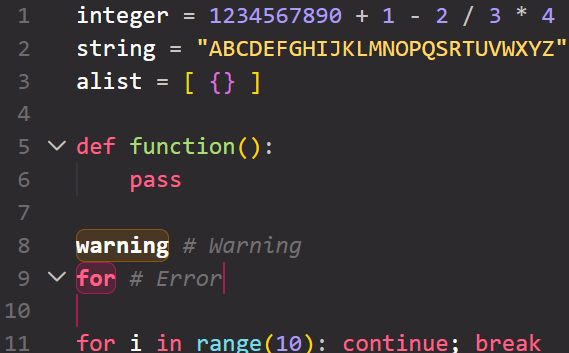
Deuteranopia - red/green and yellow/brown confusion
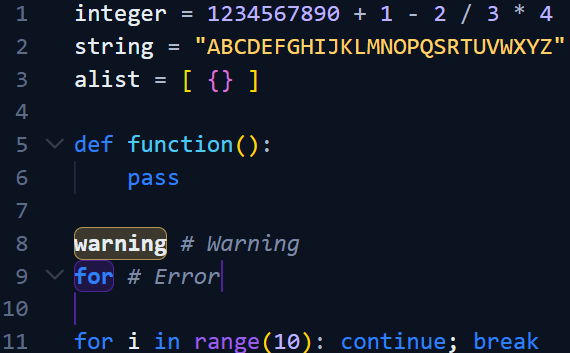
Protanopia - confusing a lot of colors with red
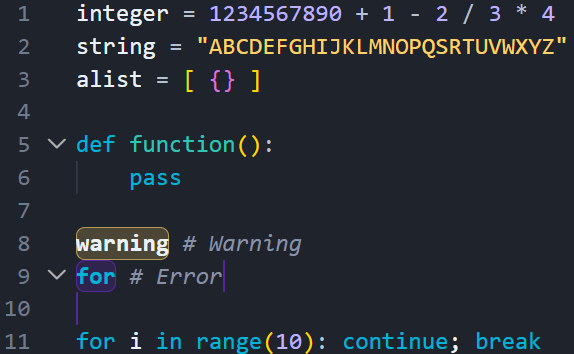
Tritanopia - blue/green and yellow/violet confusion
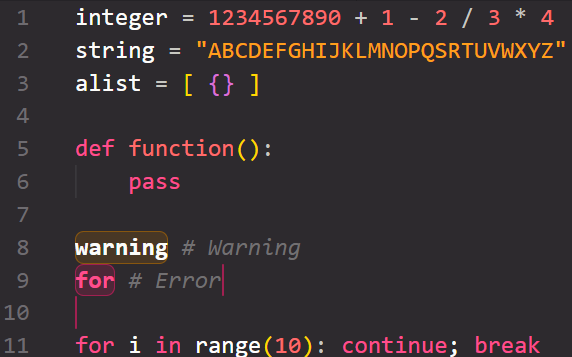
When you install the extension you immediately get the themes with it.
The syntax highlighting is also enabled immediately and you get a new sidebar window to adjust the colors.
The same window is where you can adjust the minimum terminal font size.
Another window is for checking if you are a daltonist.
The syntax highlighting does NOT change with the selected theme.
You can contribute to the project at this github repo.