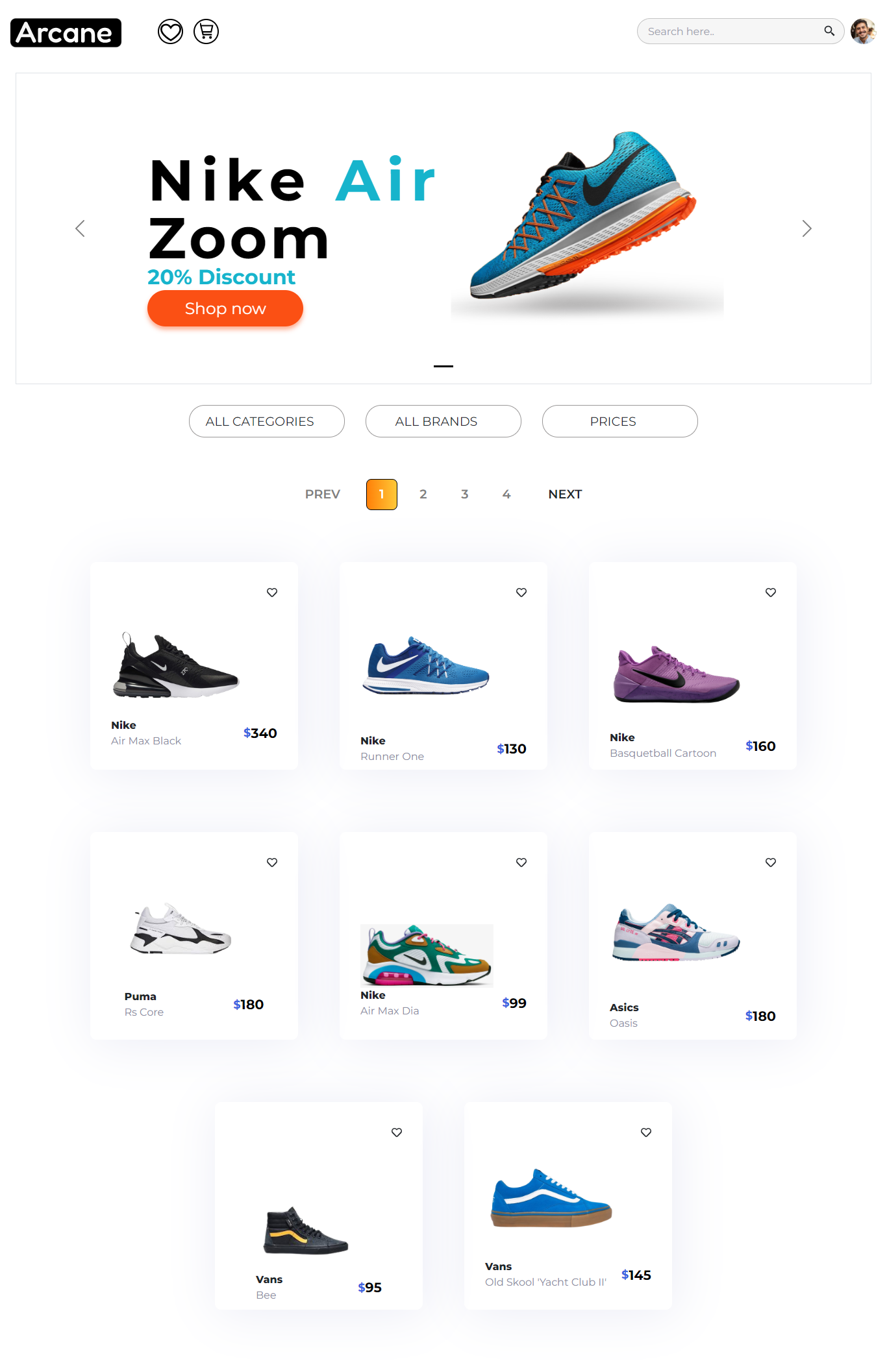
This project consists of the development of a S.P.A (Single Page Application). It is part of the Bootcamp Henry group project, in which a group of 7 developers participated. On this page, you can access as a seller and thus create, edit and delete products that are for sale and view your sales history. As a buyer you have access to a favorites section, shopping cart, profile with your data and purchase history, you can also make purchases using the Stripe payment gateway. Finally, the admin actor will be able to keep track of the categories, the purchases made and the users.
Create a profile with your data.
Create, edit, delete and search products.
Filter by categories and sellers.
Sort alphabetically and by price.
Add products to the shopping cart and buy them.
Add products to the favorite list.
Add comments and rating to a bought product.
Manage users, categories, orders and see statistics graphic of seller orders in admin profile.
Stack of Technologies
Javascript, React, Redux, Material UI, FireBase, Stripe
https://arcanesneakers.netlify.app/
You must create an account in firebase and create a file called: .env that has the following form:
REACT_APP_API=localhost
REACT_APP_FIREBASE_API_KEY=firebase_api_key
REACT_APP_FIREBASE_AUTH_DOMAIN=firebase_auth_domain
REACT_APP_FIREBASE_STORAGE_BUCKET=firebase_storage_bucket
REACT_APP_FIREBASE_PROJECT_ID=firebase_project_id
REACT_APP_FIREBASE_MESSAGING_ID=firebase_messaging_id
REACT_APP_FIREBASE_APP_ID=firebase_app_id
STRIPE_API_KEY=stripe_api_key
REACT_APP_API port must be the same as api.
Connect the data base
Go to api of Markets Center and run it. Replace all .env information with database information
Install the necesary package to run it
Open the project console
Inside client folder, run the command line, npm install.
Run the project
Open the project console
Inside client folder, run the command line, npm start and go to http://localhost:3000/.