The open control platform for astromech builders.




Two Raspberry Pi 4B · UART through slip ring · Full web dashboard · Android app · Bluetooth gamepad · 317 authentic sounds · 48 expressive sequences · Choreography timeline editor
Most astromech builders end up with a pile of shell scripts, a half-working web interface, and a robot that does one thing at a time. This isn't that.
This system was built from the ground up to make your astromech feel alive — not just remote-controlled. A single button press triggers coordinated sound + dome rotation + panel choreography + light sequence simultaneously. The safety system has three independent watchdog layers so the robot cannot run away. Kids Lock limits speed for young pilots. Child Lock blocks all motion when the robot is on display. Everything deploys itself from a single button press on the dome.
If you're building a full-scale astromech (R2-D2, R5-D4, BB-8, custom unit…) and you want a control system actually worthy of the build — this is it.
A complete, production-grade control system for a 1:1 scale astromech droid replica. Two Raspberry Pi 4B communicate over a physical UART through the dome slip ring, with layered safety watchdogs, a REST API, an Android app, Bluetooth gamepad support, and 48 expressive behavioral sequences that give your droid a real personality.
- Master Pi 4B 4GB (dome, rotates) — Flask REST API, web dashboard, dome servos & panels, LED logics, visual editors, BT gamepad. 4GB headroom for future local AI (face detection, voice recognition — all on-device, no cloud)
- Slave Pi 4B 2GB (body, fixed) — Drive motors (dual VESC), body servo panels, dome rotation motor, 317-sound audio system, RP2040 diagnostic LCD. Kept deliberately lightweight — only real-time I/O, no AI workloads
- If the UART link drops for more than 500ms, drive motors cut immediately — no runaway robot, ever
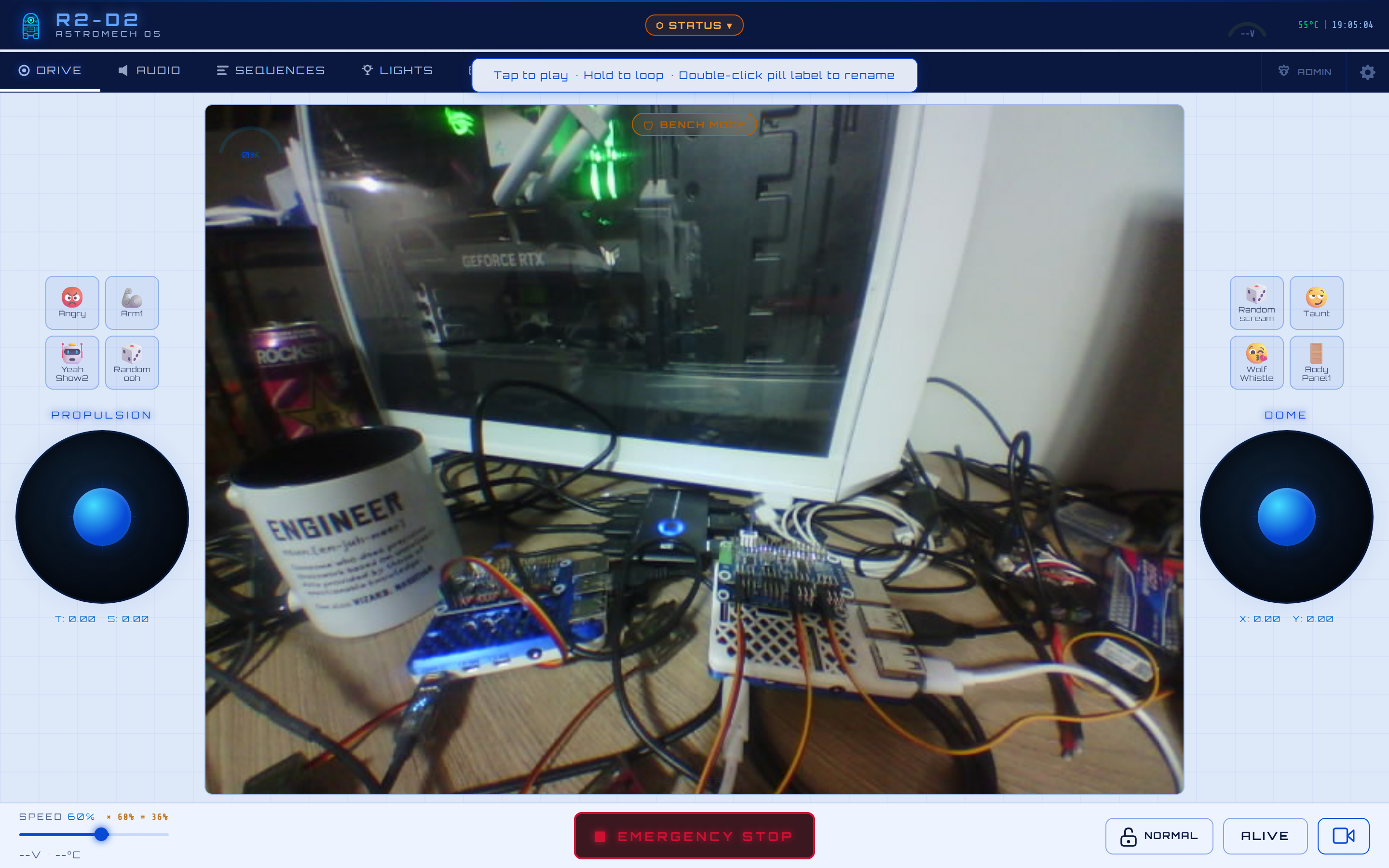
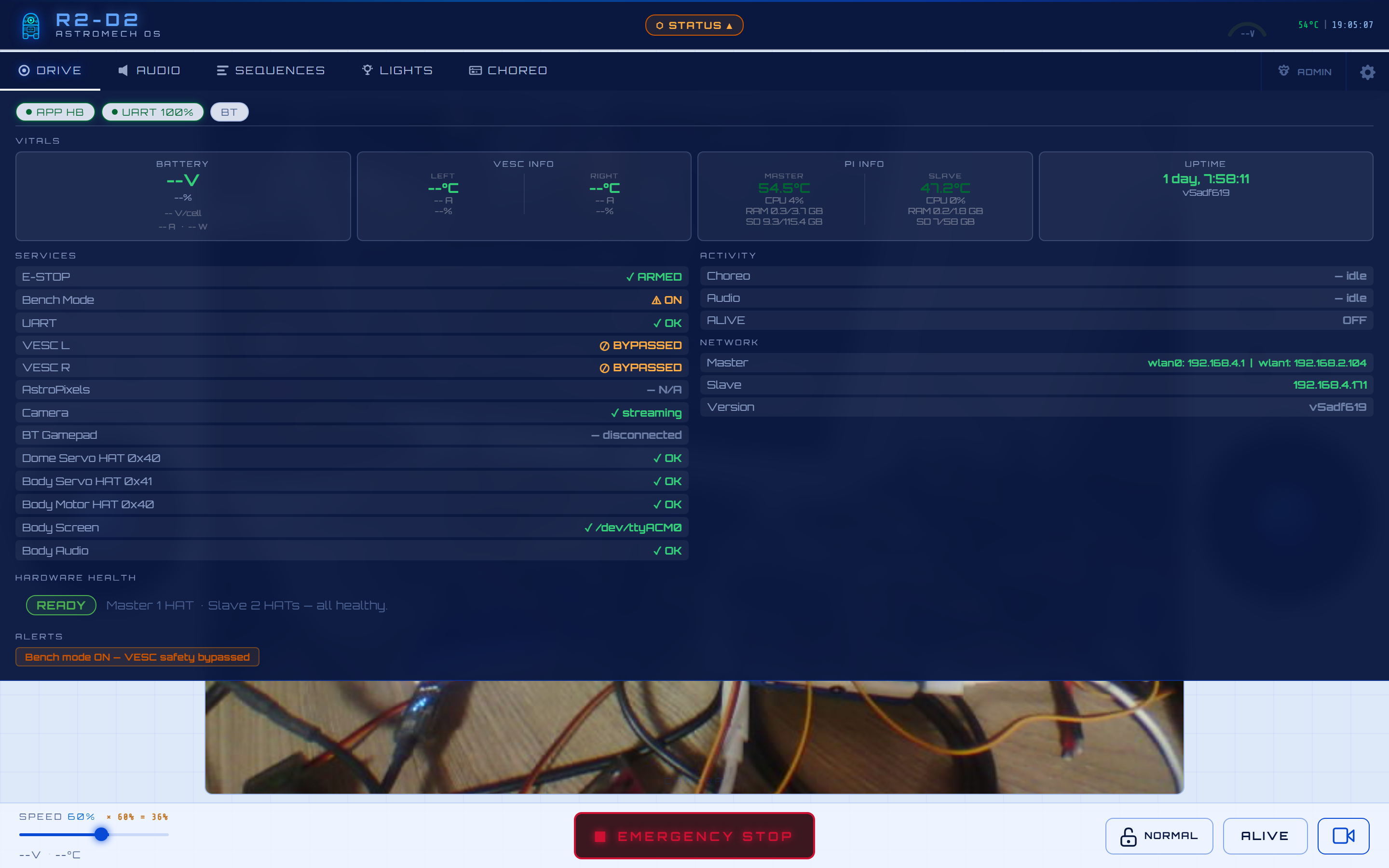
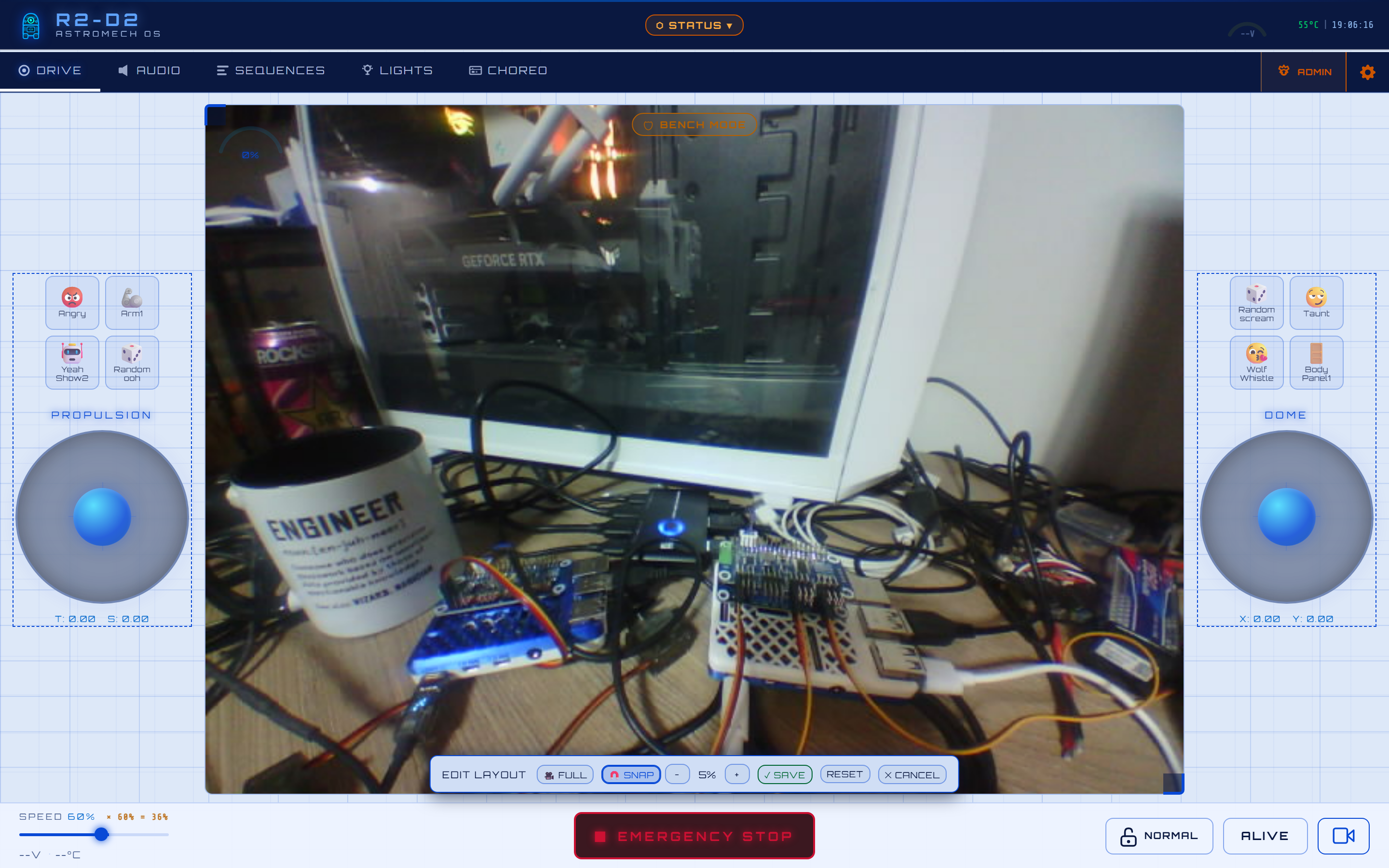
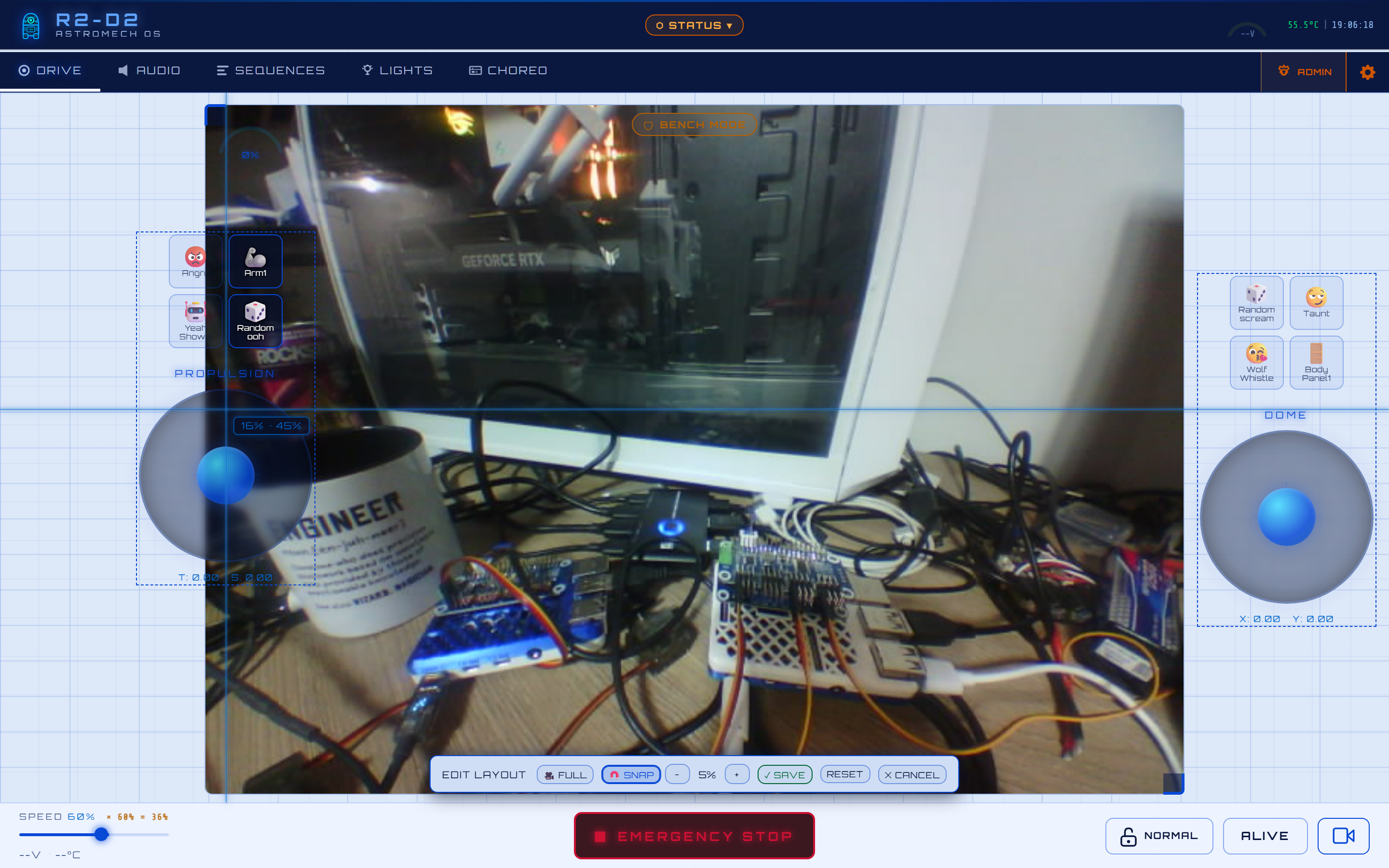
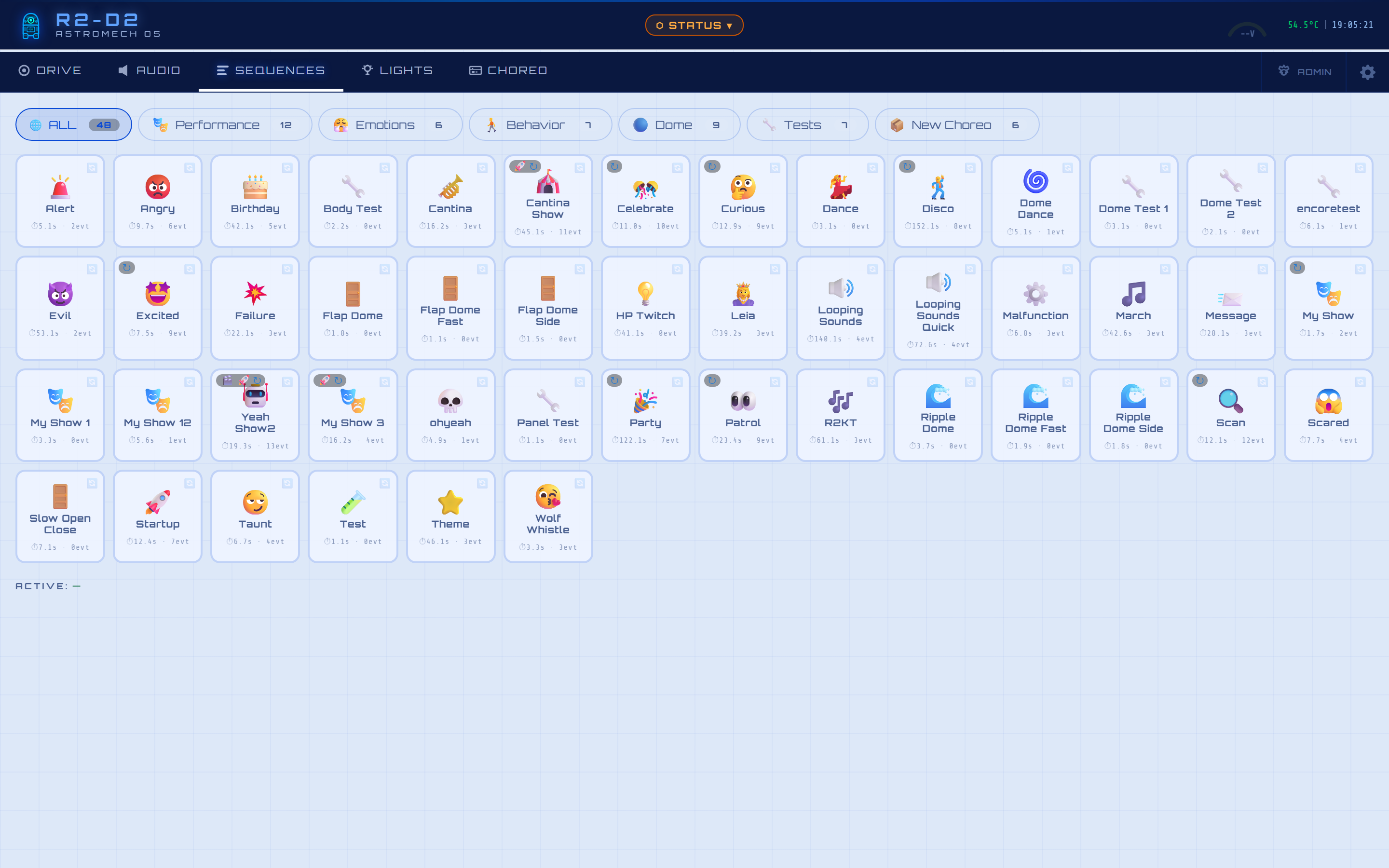
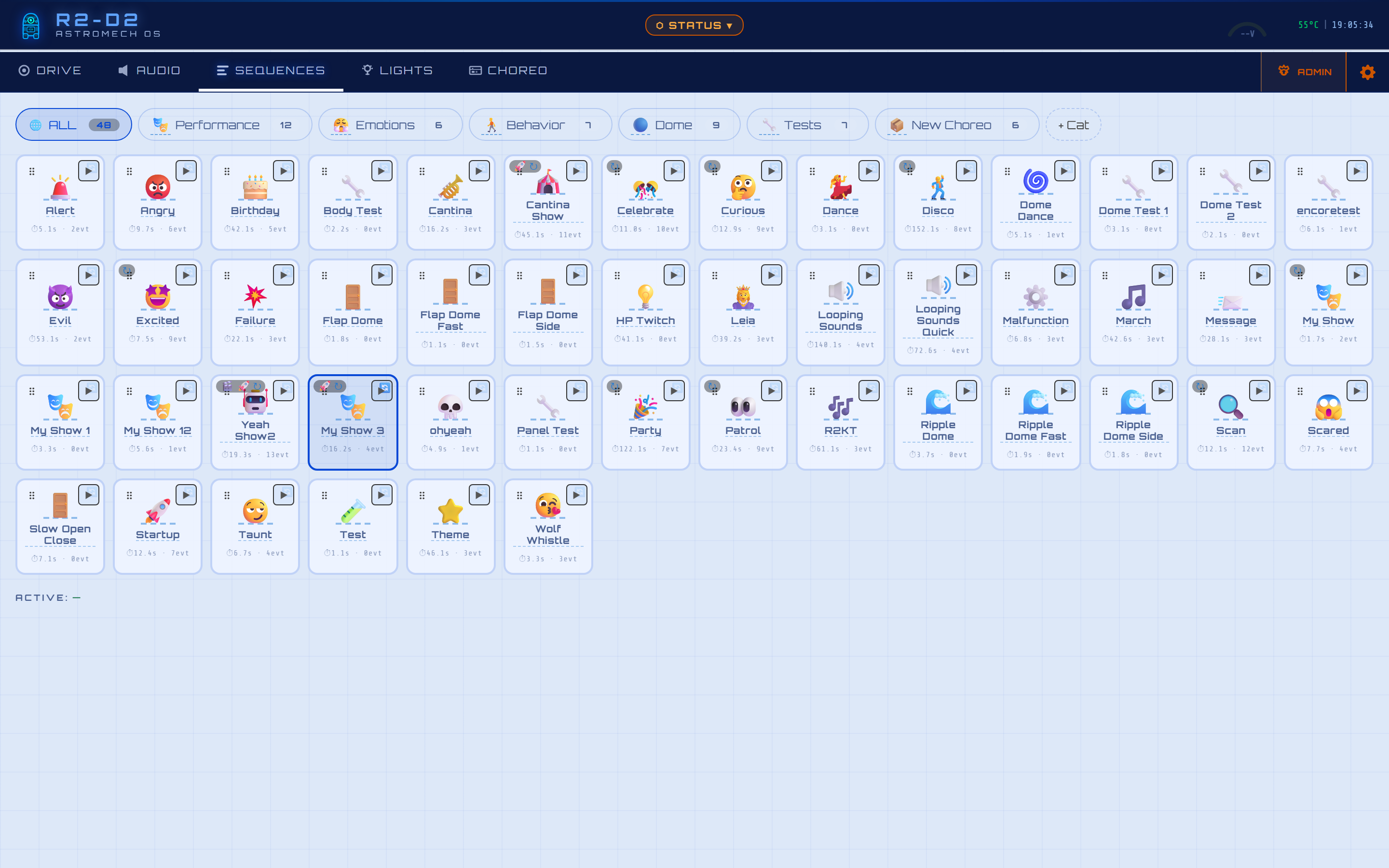
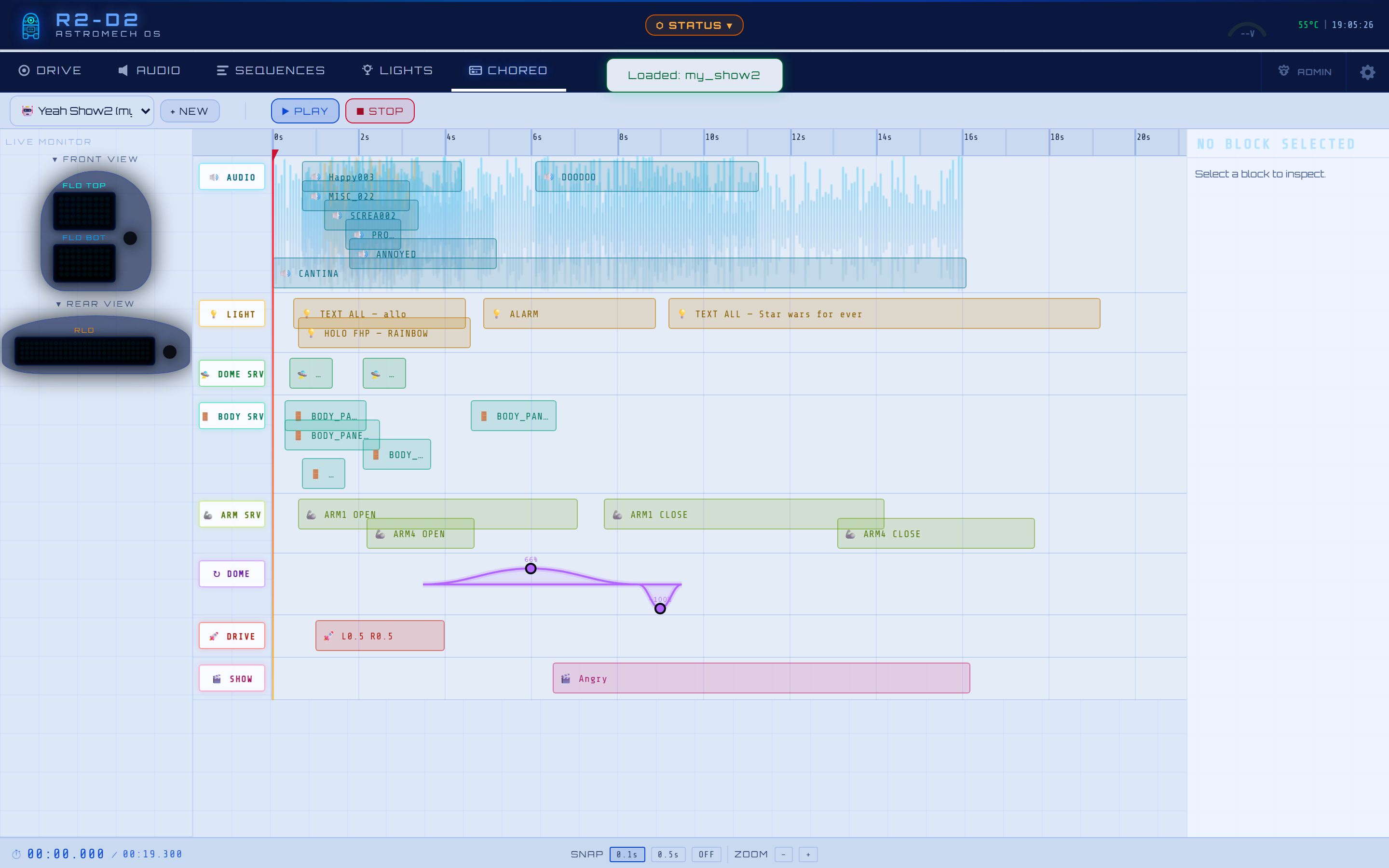
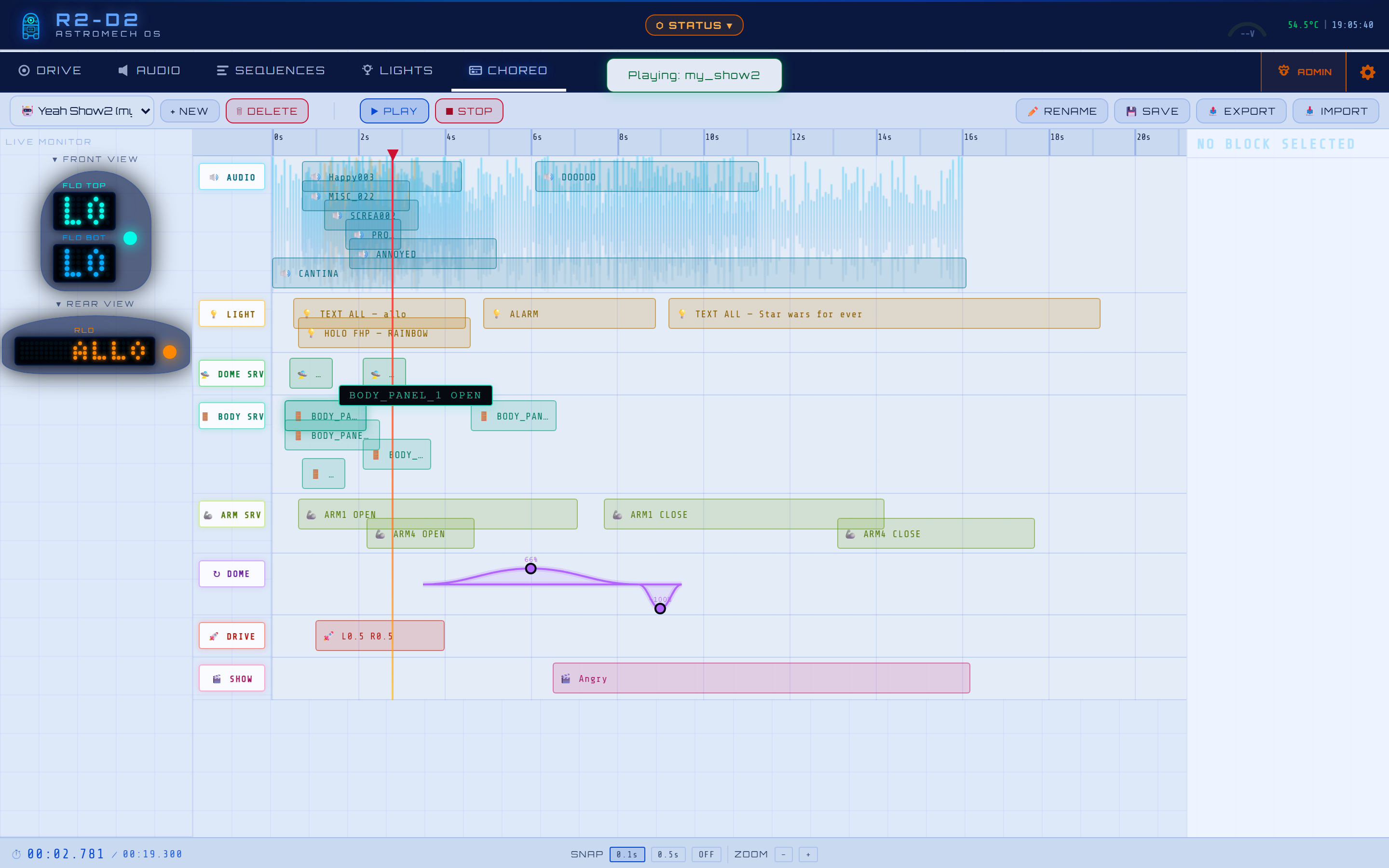
Captured live on the dashboard at Xiaomi Pad 6 resolution (2880 × 1800), in the R2-D2 Light theme. Audio, Sequences and the Choreography editor are shown in both user and admin mode — a single password unlocks the editing/upload controls that stay hidden for guests.
|
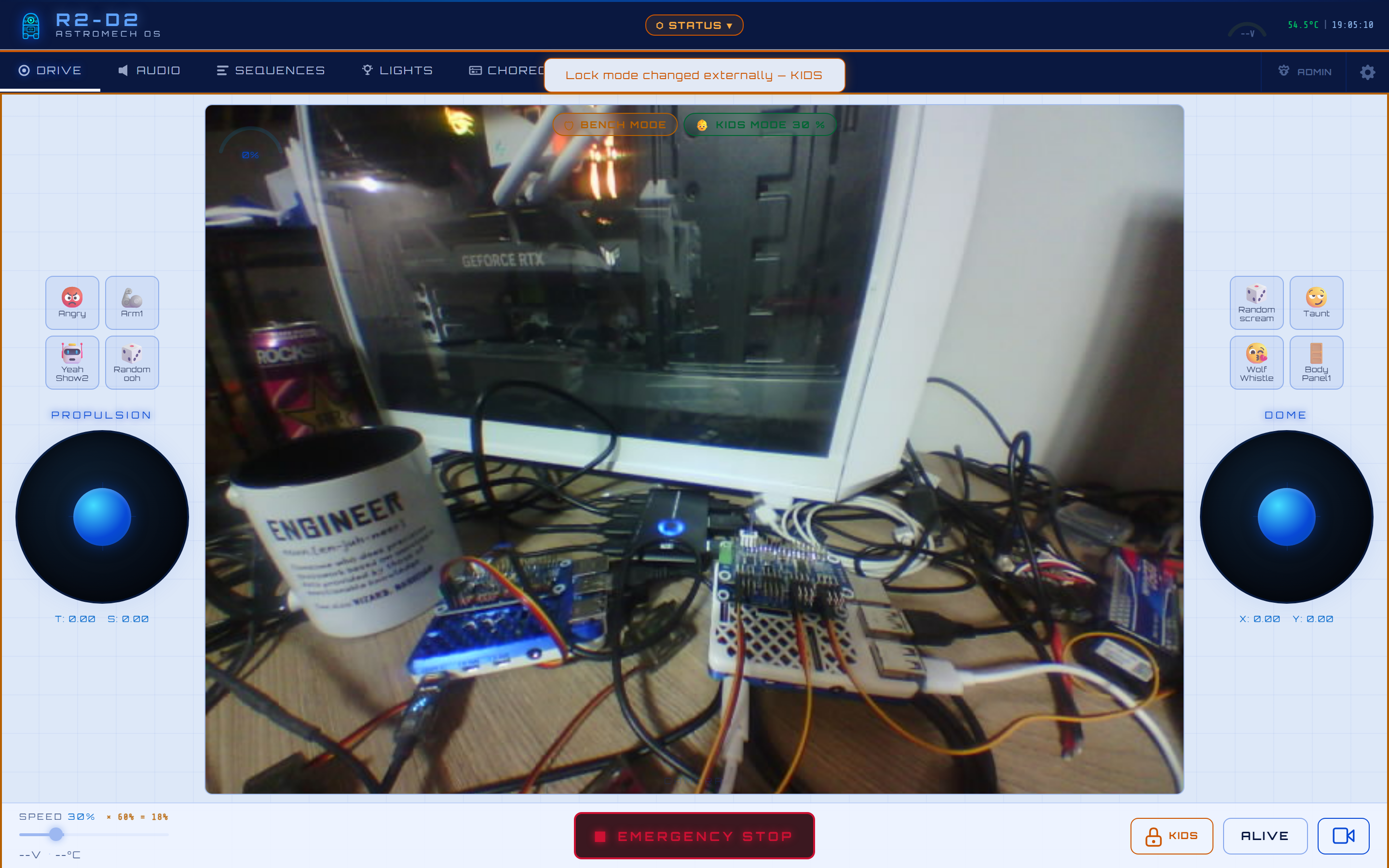
Dual virtual joysticks (propulsion + dome) · WASD / arrow keys · live MJPEG camera feed · speed arc + direction HUD · always-visible E-STOP · the per-axis Shortcuts overlay (up to 16 macro buttons) · and a fully customizable layout (see below).
|
One-tap real-time snapshot from any tab — heartbeat & UART health, both VESCs, every servo/motor HAT, the RP2040 screen, Pi temps/CPU/disk, IP addresses, and active safety alerts (here: bench mode engaged).
|
|
Drag the joysticks, every shortcut button, and the camera anywhere. A live 5 % snap grid (adjustable 1–20 %, or free pixel mode), a resizable + movable camera panel, transparent joysticks so the feed shows through, and a floating Save / Reset / Cancel banner. Saved per device (tablet ≠ PC ≠ phone) and included in your backups.
|
Grab any element and a theme-coloured laser crosshair + live %-position badge locks to its edges (shortcut) or its center (joystick) for pixel-perfect alignment, then fades on release. Buttons dragged over the video auto-switch to a dark high-contrast fill; off the video they keep the theme styling.
|
|
Drive speed capped at a configurable % (amber KIDS pill) — ideal for young pilots at a show. The dome and sounds stay fully free.
|
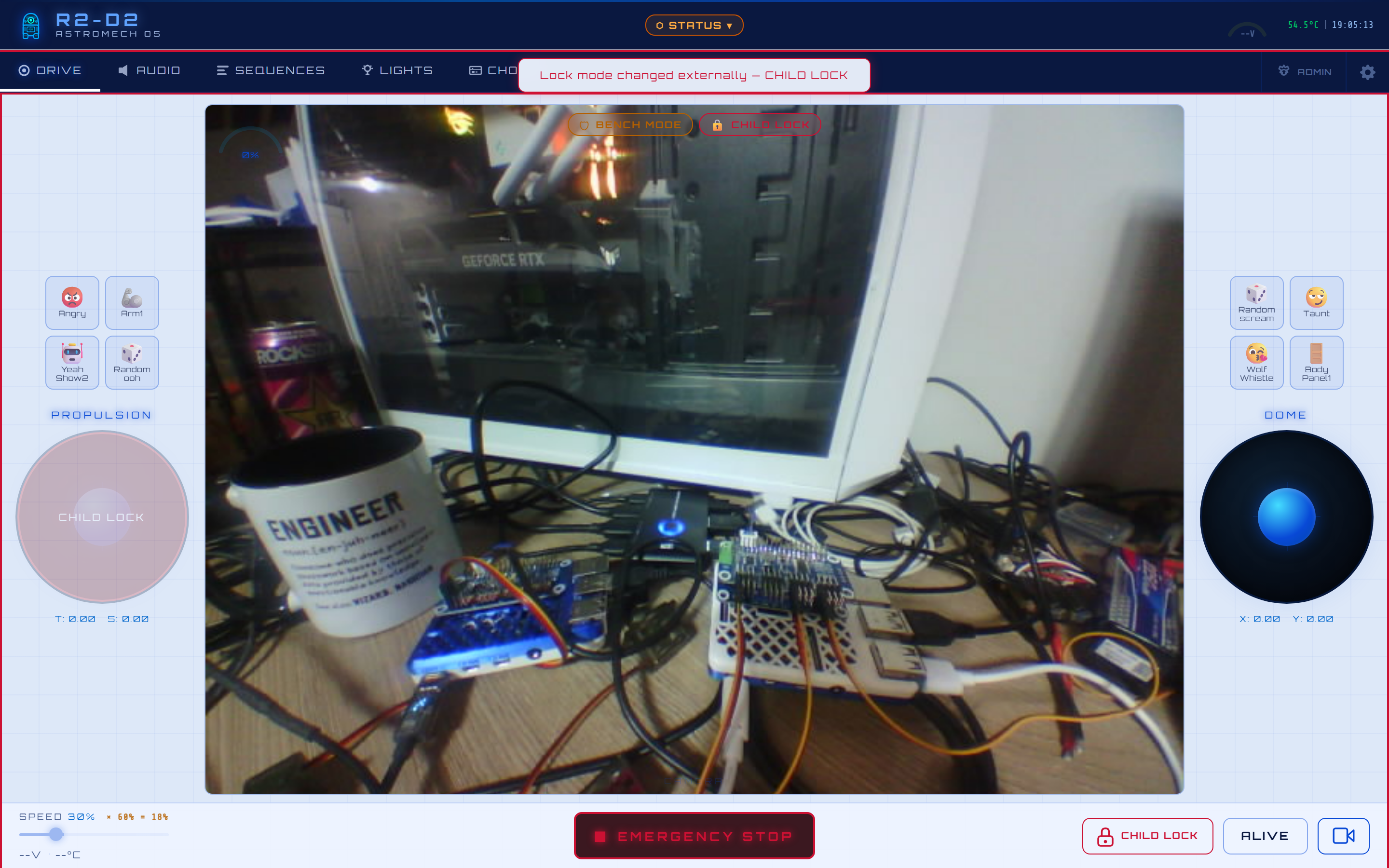
Propulsion blocked (left joystick disabled, red CHILD LOCK pill) while the dome, lights and sounds keep working — hand the tablet to a small child with the droid on display.
|
|
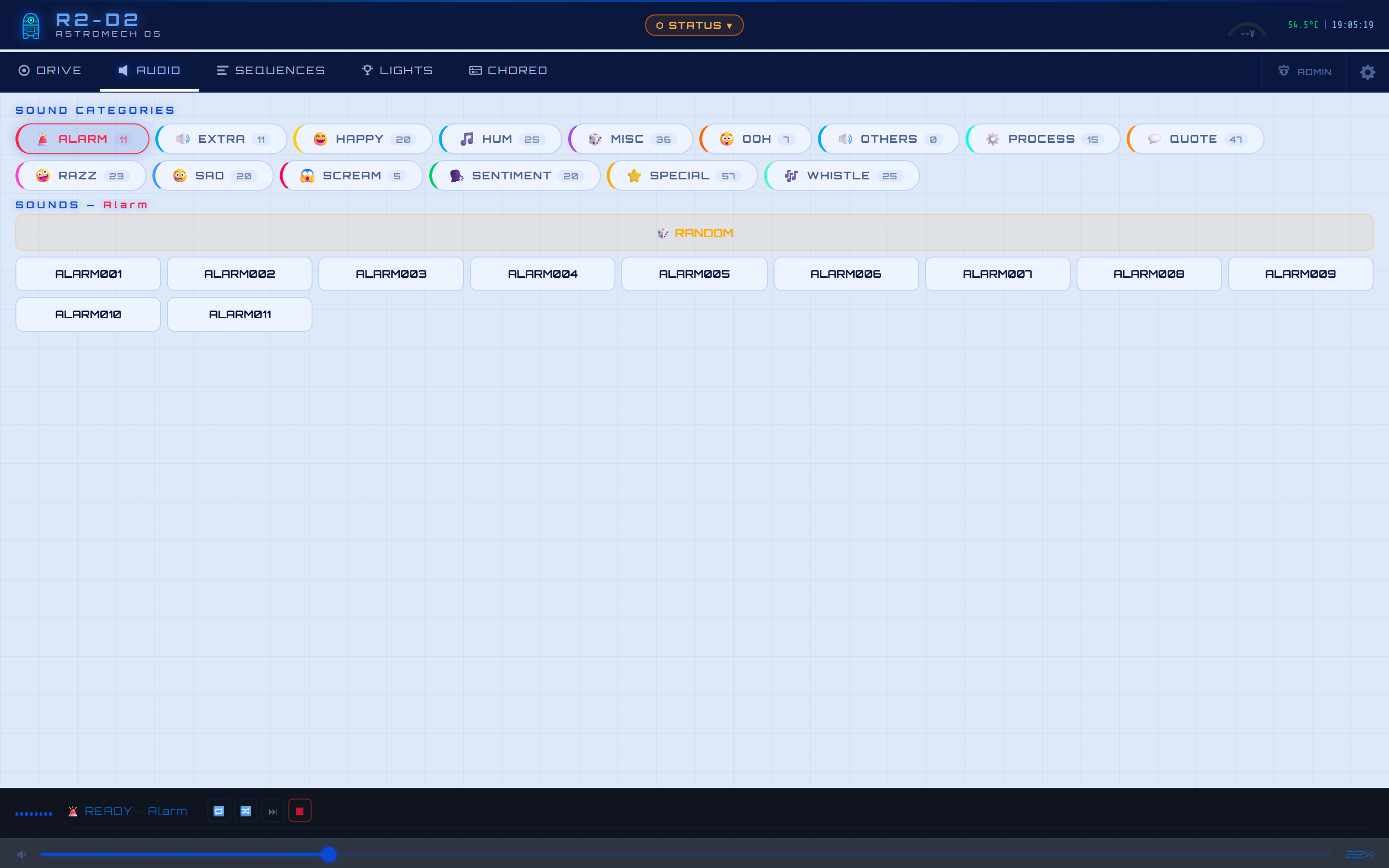
317 authentic sounds across 14 mood categories · animated waveform · perceptual volume curve · one-tap random-by-mood.
|
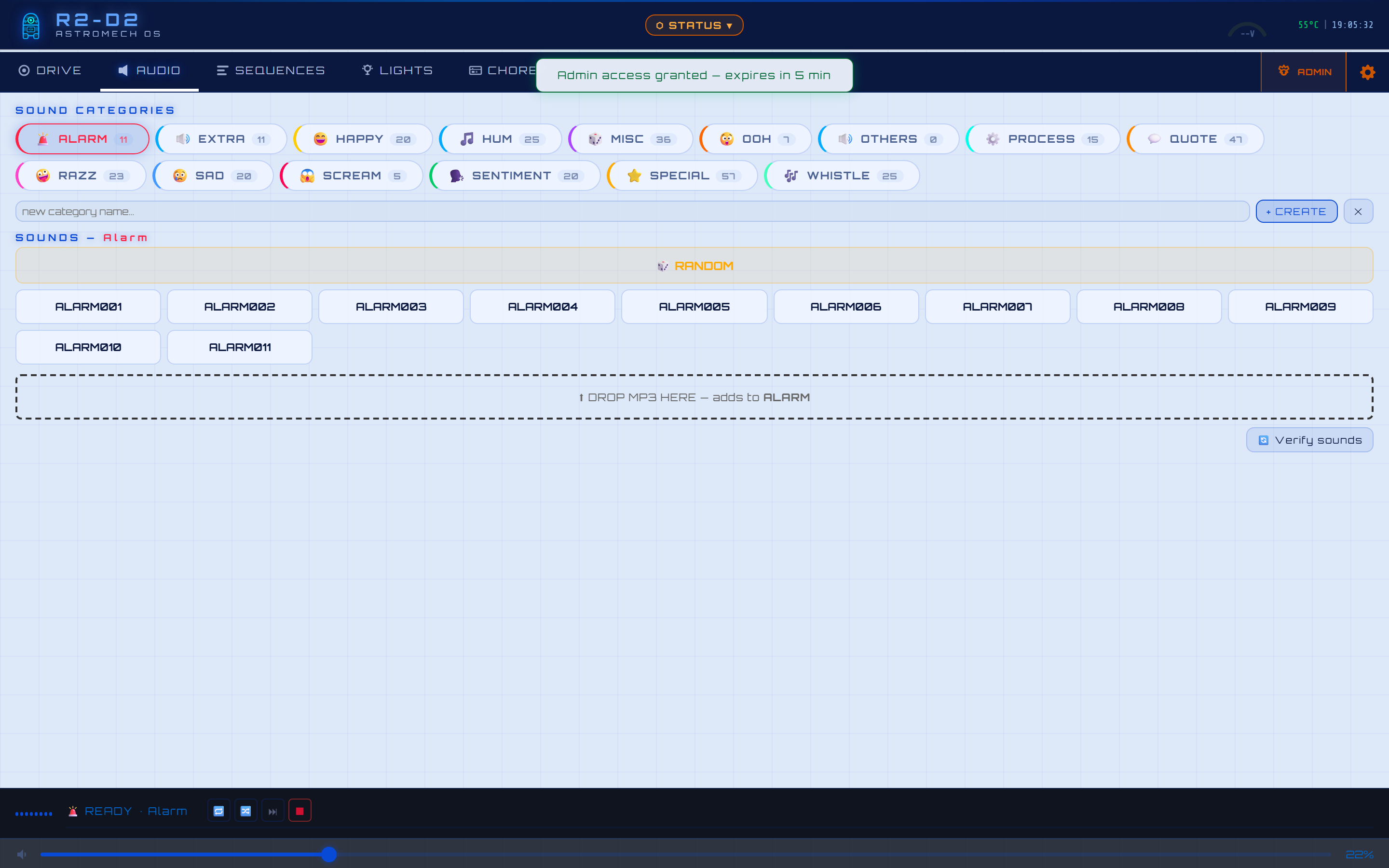
Same tab unlocked: create / rename categories, drag-and-drop MP3 upload, and Verify sounds to reconcile the index against the files actually on the robot.
|
|
48 behavioral sequences as emoji cards in pill categories. Tap to play, press-and-hold to loop. Lock badges warn which joystick a sequence will take over before you trigger it.
|
Unlocked: rename, set emoji, drag cards between categories, and delete — all guarded by the admin password and cascaded to dependent shortcuts.
|
|
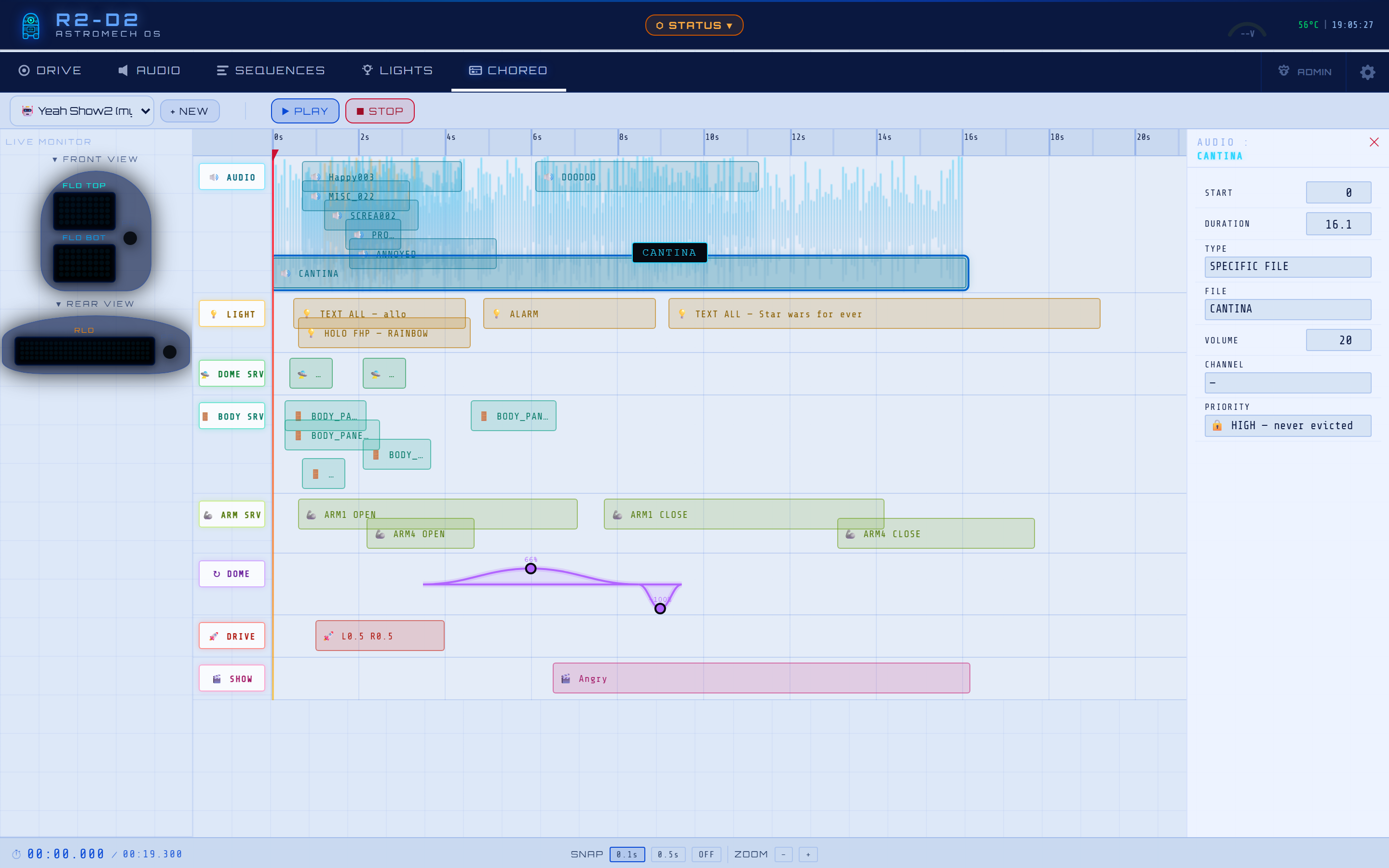
Multi-track timeline — up to 12 simultaneous audio channels · lights · dome keyframes · dome/body/arm servos · drive — with a Digital-Twin dome preview. Here loaded with the "Yeah Show2" demo, packed across every track. Guests can browse and PLAY, but cannot alter a sequence.
|
The same editor unlocked — RENAME, SAVE, DELETE, EXPORT and IMPORT appear once the admin password is entered. Shown mid-playback: the playhead sweeps the timeline while the live dome monitor mirrors the show in real time.
|
|
Click any block to edit it. A sound block exposes specific-file vs random-by-category, volume, priority, channel and timing — synced to the millisecond against the rest of the timeline, so a dozen sounds layer cleanly.
|
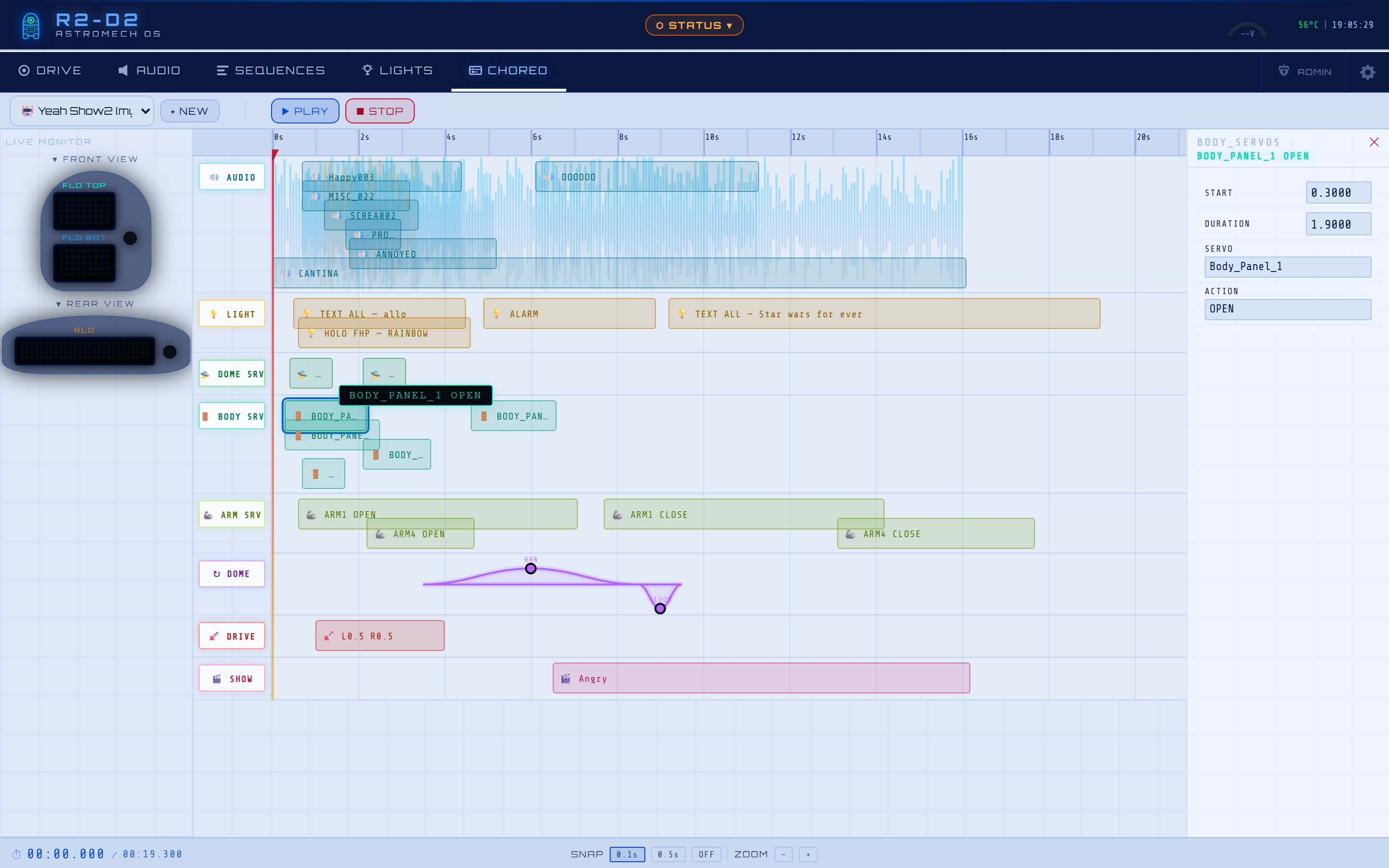
A servo block exposes the target panel, the open/close action, duration and easing — so panels move in perfect sync with audio and lights.
|
|
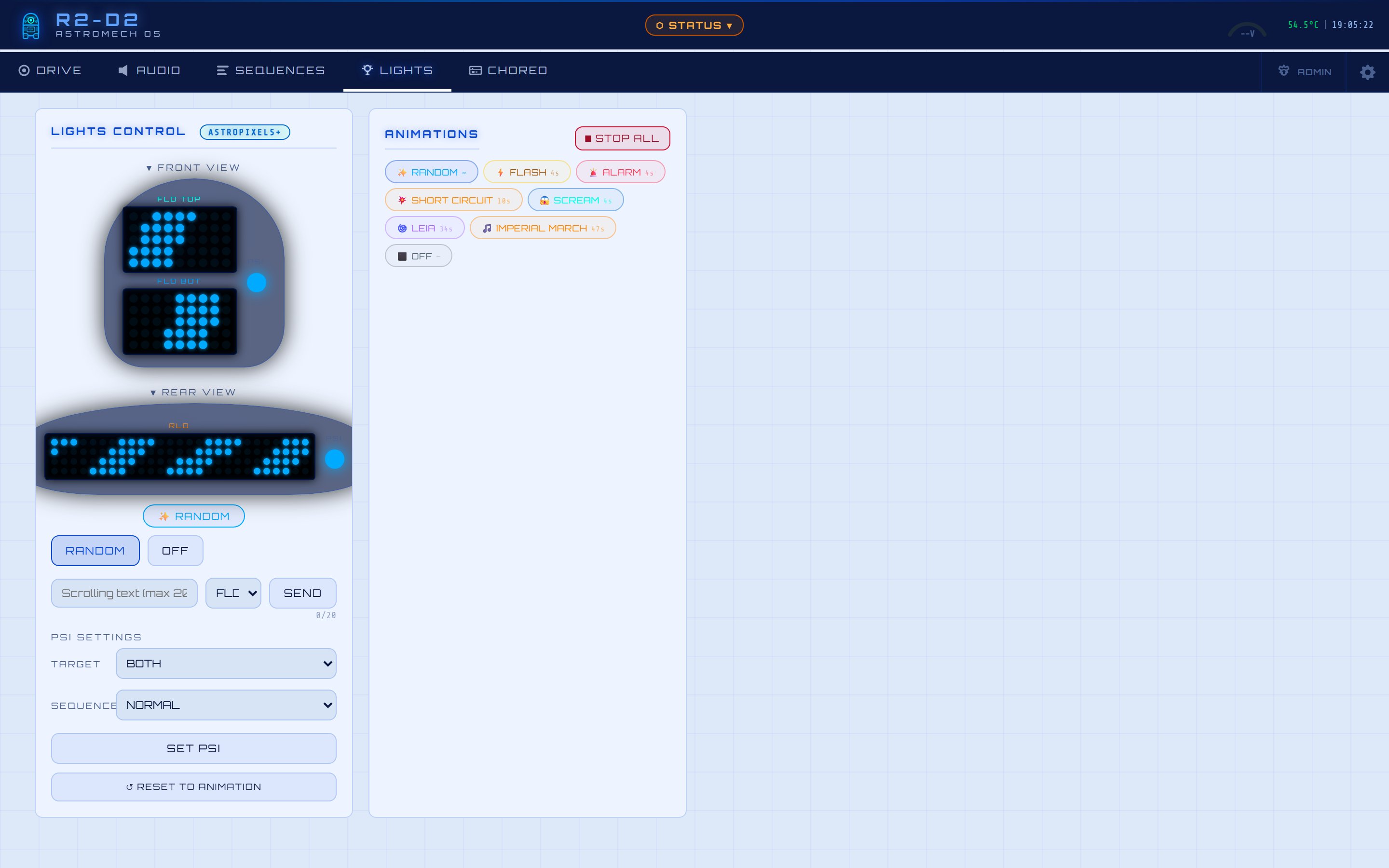
Teeces32 or AstroPixels+ · 22 animations · FLD / RLD / BOTH text targets · PSI sequences · hot-swappable backend without a reboot.
|
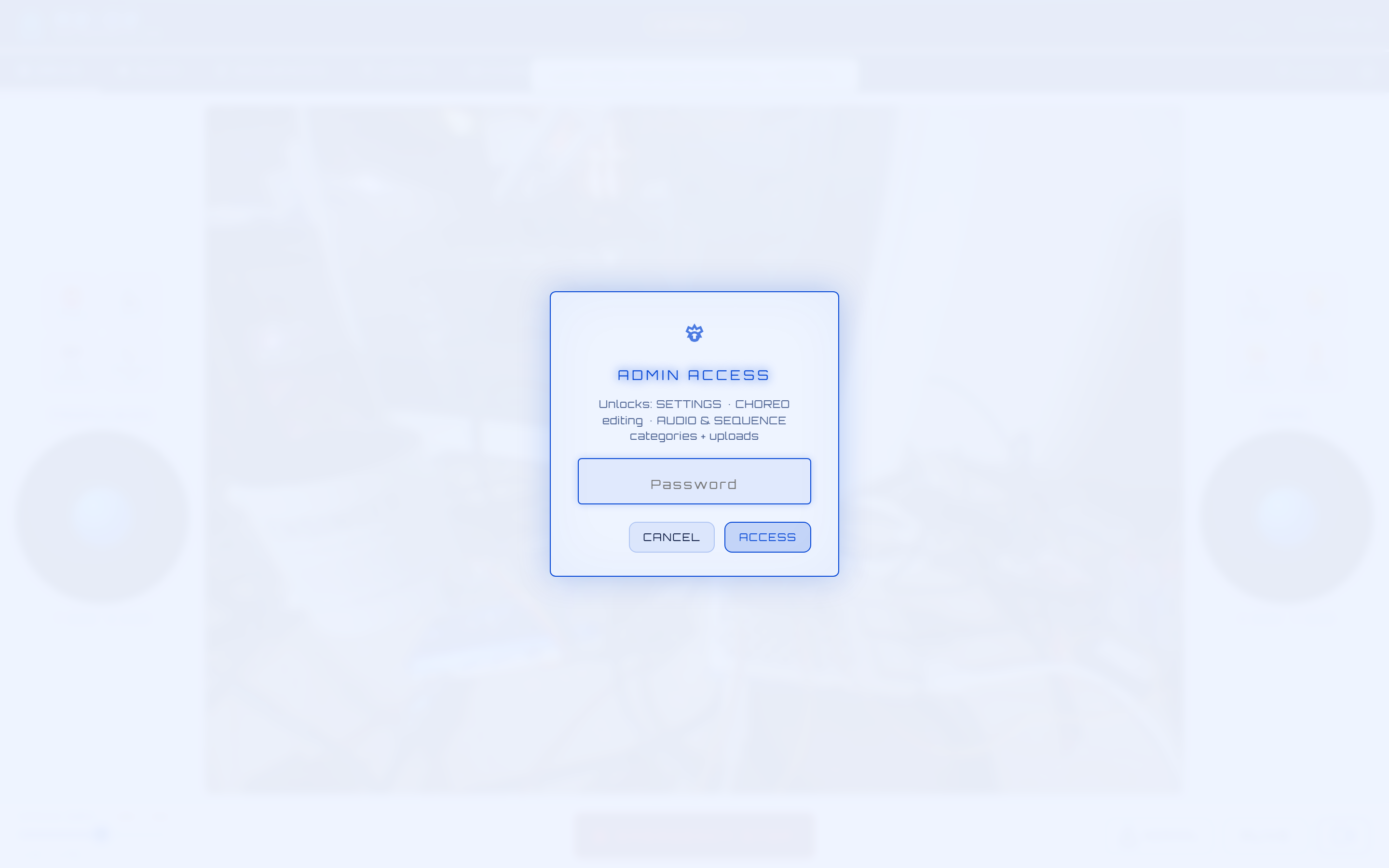
Tap the ADMIN icon from any tab to unlock editing/upload across Settings and the Audio / Sequence / Choreography editors — one password, with a 5-minute inactivity auto-lock (shown throughout the user-vs-admin pairs above).
|
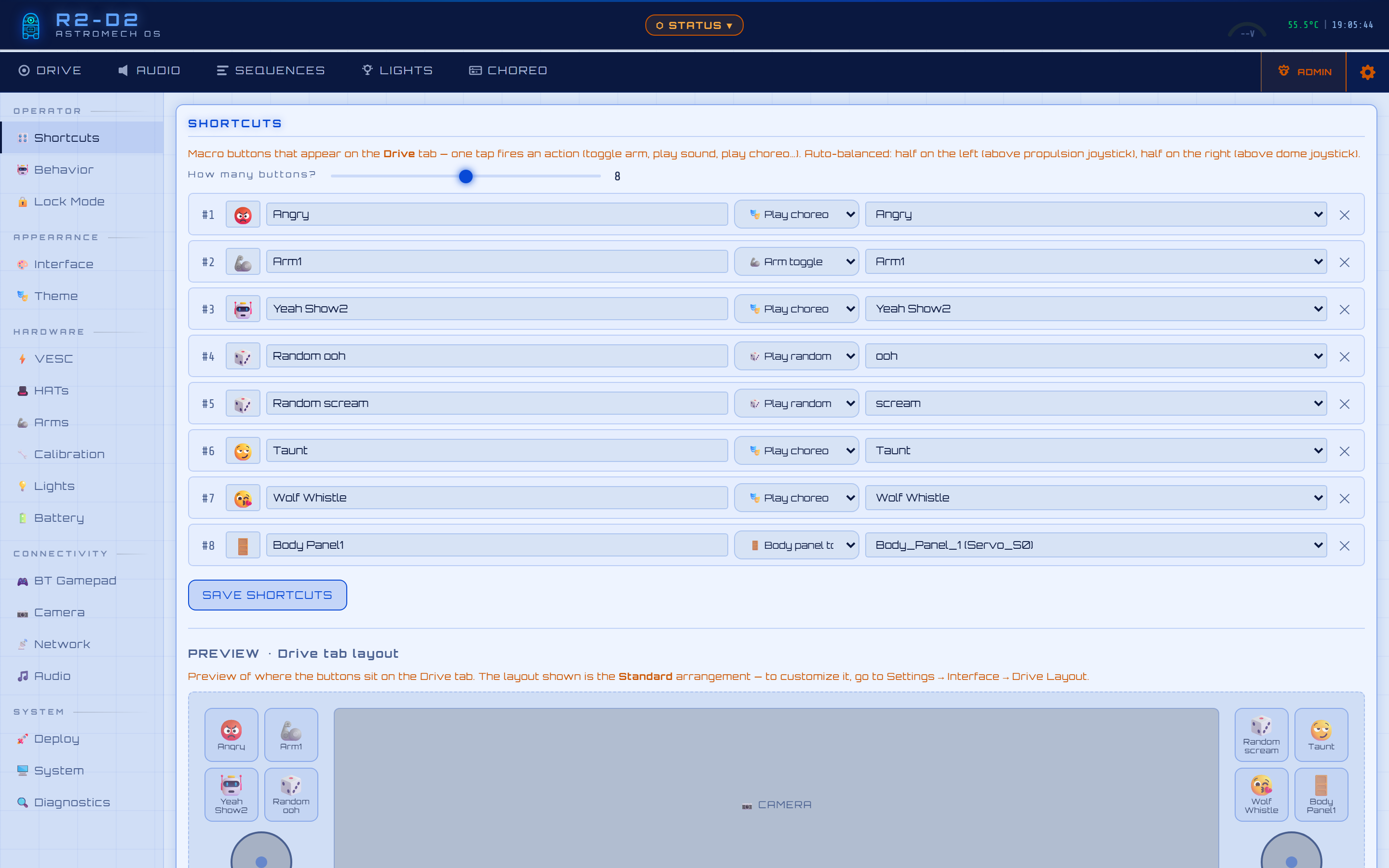
Everything tunable lives in the Settings tab, organised into five nav sections — Operator · Hardware · Connectivity · Appearance · System. As a taste, here's the Shortcuts editor: build up to 12 Drive-overlay macro buttons (toggle arms/panels, play a choreo/sound/random-by-mood), each auto-balanced half over the left propulsion joystick and half over the right dome joystick — with a live preview of exactly where every button lands on the Drive tab.
🧬 Zero-config hardware (chantier G, 2026-05-28) — the HATs sub-panel is now fully auto-discovered. The old generic
0x40..0x77dropdowns are gone: every address selector lists only the addresses thatscripts/detect_hats.pyactually found on the bus during the last scan. Labels + calibrations are anchored to stable HAT identities (Body_HAT_A,Dome_HAT_A, ...) — re-jumpering a PCA9685 from0x41to0x42is a 3-click re-map in the UI; every label and calibration follows automatically. Strict uniqueness rule, defense-in-depth: if you ever pick the same physical address for two identities, (a) both rows turn red instantly, (b) a pulsing red banner reads « Collision d'adresse détectée », (c) the SAVE button is disabled, and (d) if anything bypasses the UI guards the backendPOST /hats/remaprefuses the write with HTTP 400 +"address 0xNN assigned to more than one HAT; each physical address must be unique". Full architecture, the 6 phases (G1→G6), backup/restore semantics, 111 unit tests → docs/MAPPING.md.
🛟 Troubleshooting — HATs panel — click to expand
| Symptom | Cause | Fix |
|---|---|---|
| Amber note « ⚠ No HATs detected on this side. Click 🔄 RESCAN HARDWARE then return to re-map. » in a Re-Map section. | The live hw_layout.json is empty for that side — either the scan never ran or the wiring/power changed since the last scan. |
Click 🔄 RESCAN HARDWARE in the same panel. detect_hats.py re-runs in read-only mode, rewrites hw_layout.json, the dropdown re-populates with whatever the bus reports. |
| Red banner « ⚠ Collision d'adresse détectée » and the SAVE button is grey. | Two HAT identities are pointing at the same physical address. The UI catches it client-side before any POST. | Pick a different address in one of the two highlighted rows. The check re-runs on every dropdown change — the banner disappears + SAVE re-enables the moment the conflict is gone. |
| Calibration row greyed out with HARDWARE NOT FOUND in the Calibration sub-panel. | The HAT identity exists in config_mapping.json but its bound address is not in the live hw_layout.json detected set (e.g. operator re-jumpered but didn't re-map yet). |
Settings → HATs → 🔄 RESCAN HARDWARE, then in the same panel pick the new address from the dropdown for the affected identity and 💾 SAVE MAPPING. Driver hot-reloads; calibration data is preserved by identity. |
Backend returns HTTP 400 "address 0xNN assigned to more than one HAT" from a script / curl. |
Defense-in-depth — the same uniqueness rule that the UI enforces also guards POST /hats/remap. |
Adjust the payload so every address is unique within the side, then retry. |
⚙️ See the 16 other Settings sub-panels — click to expand
| 🤖 Behavior Idle & startup behaviors · next-trigger countdown 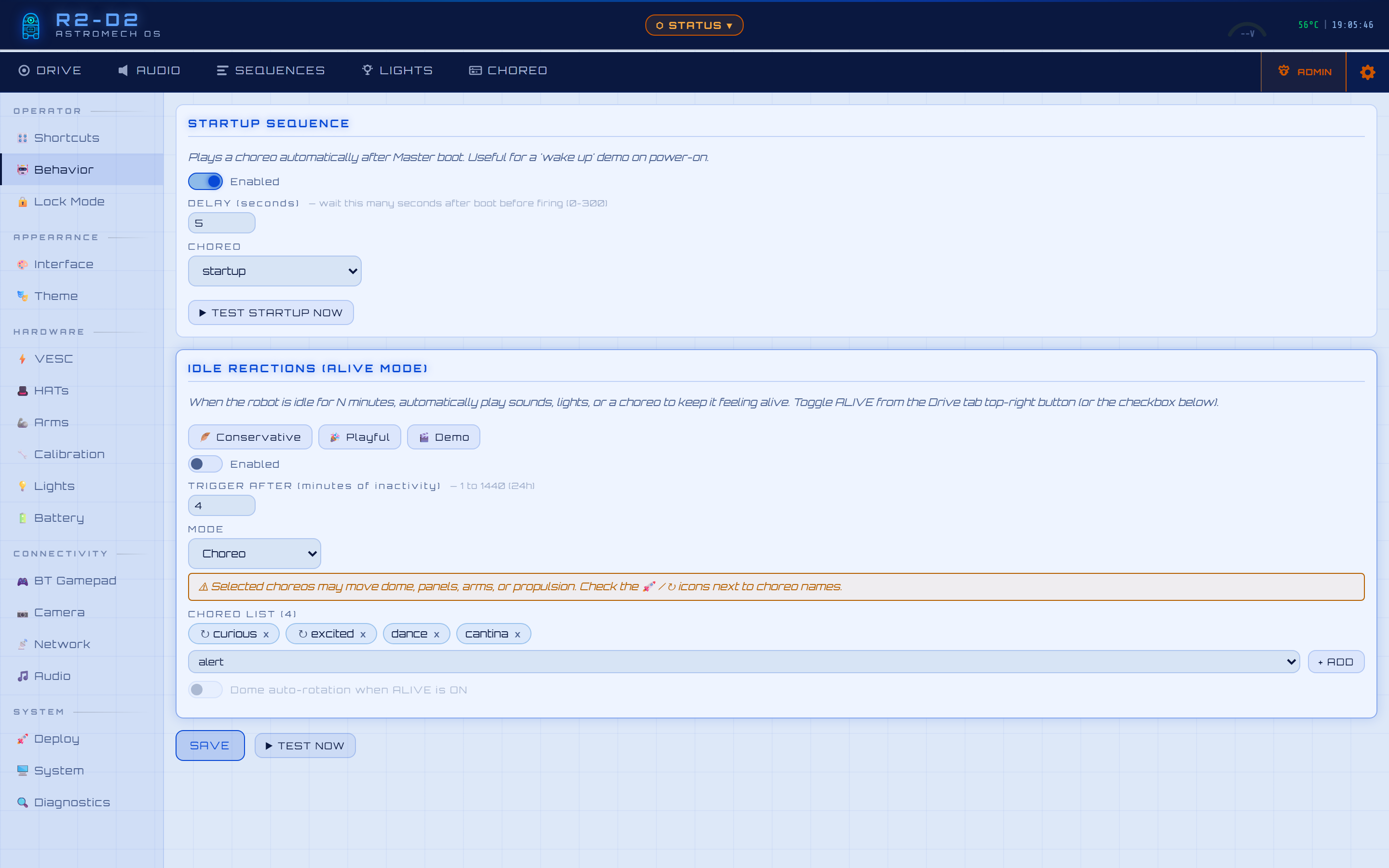 |
🔒 Lock Mode Normal / Kids / Child Lock + speed caps 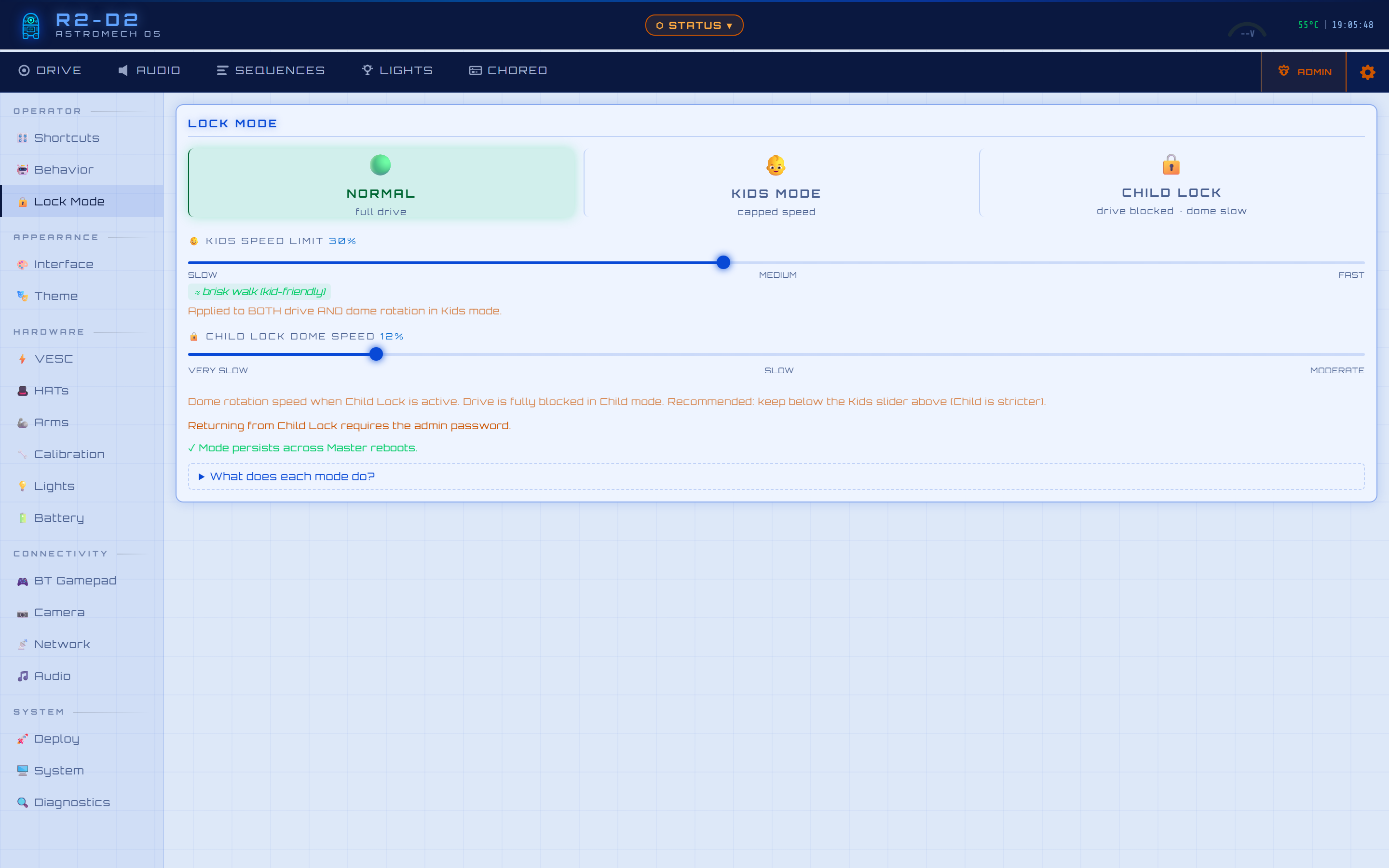 |
⚡ VESC Telemetry · power · faults · invert · bench mode 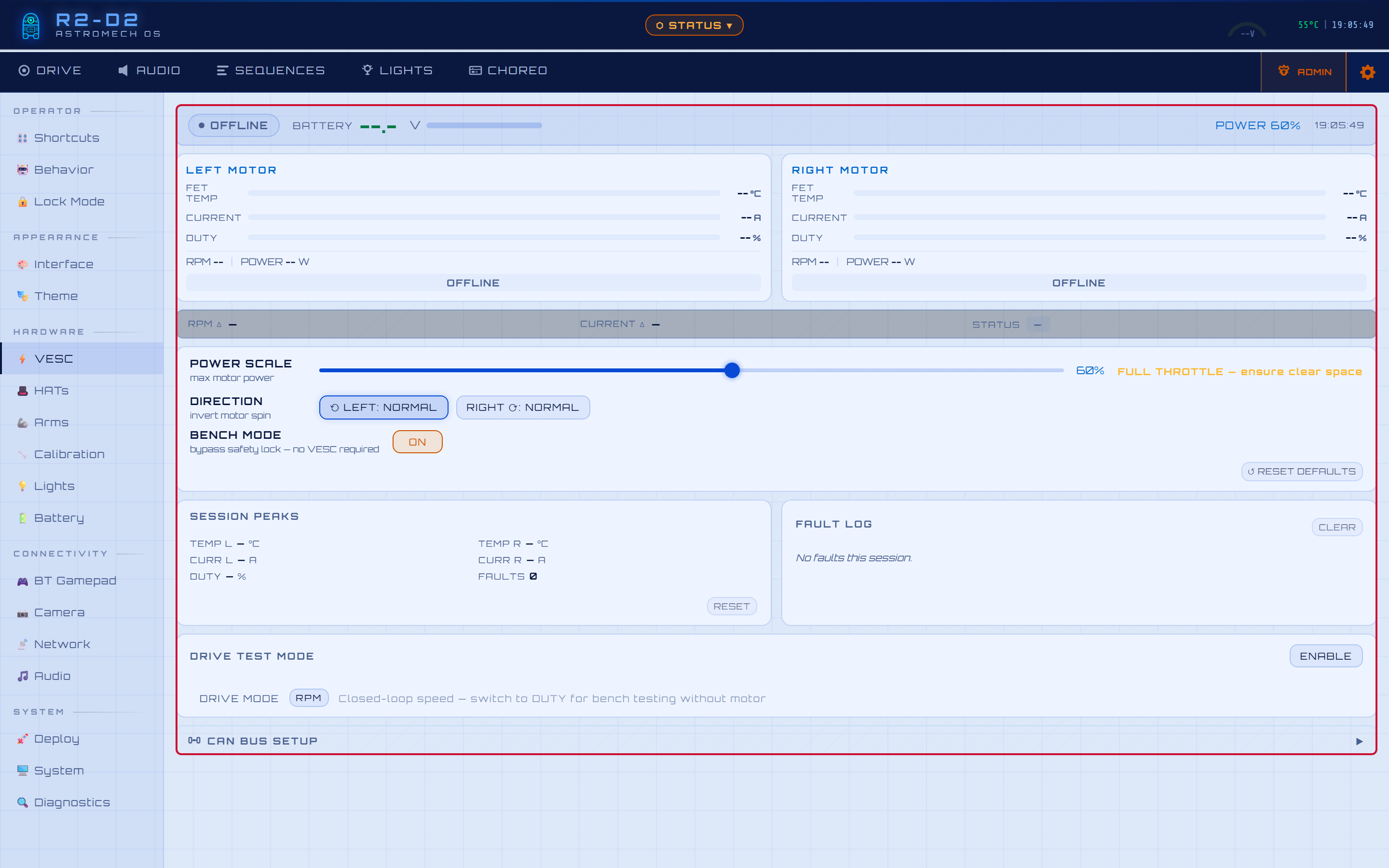 |
| 🎩 HATs Zero-config · auto-discovered · Re-Map identity ↔ address 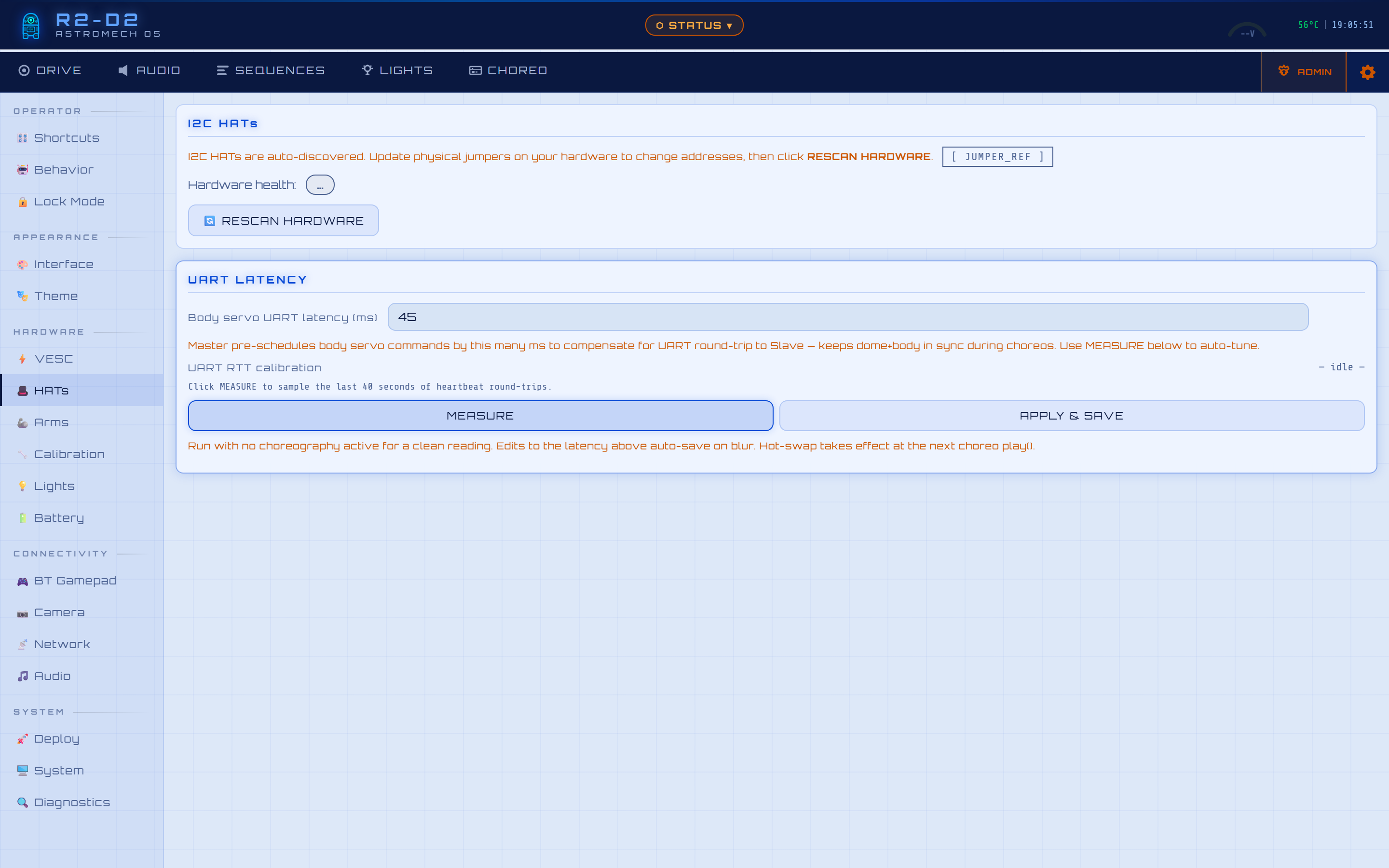 |
🦾 Arms Arm/panel mapping · per-arm open delays 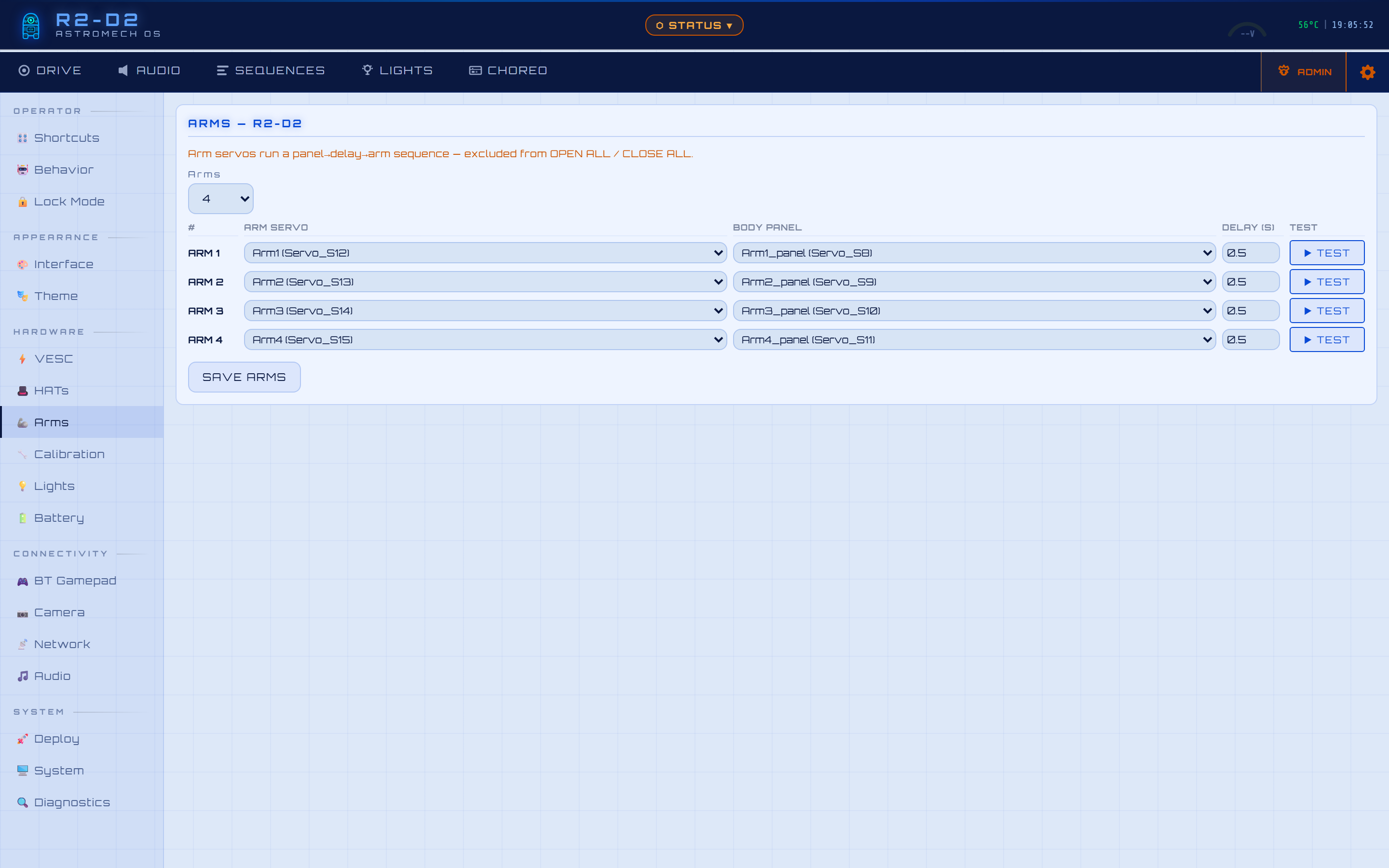 |
🔧 Calibration Per-servo label · open/close angle · speed 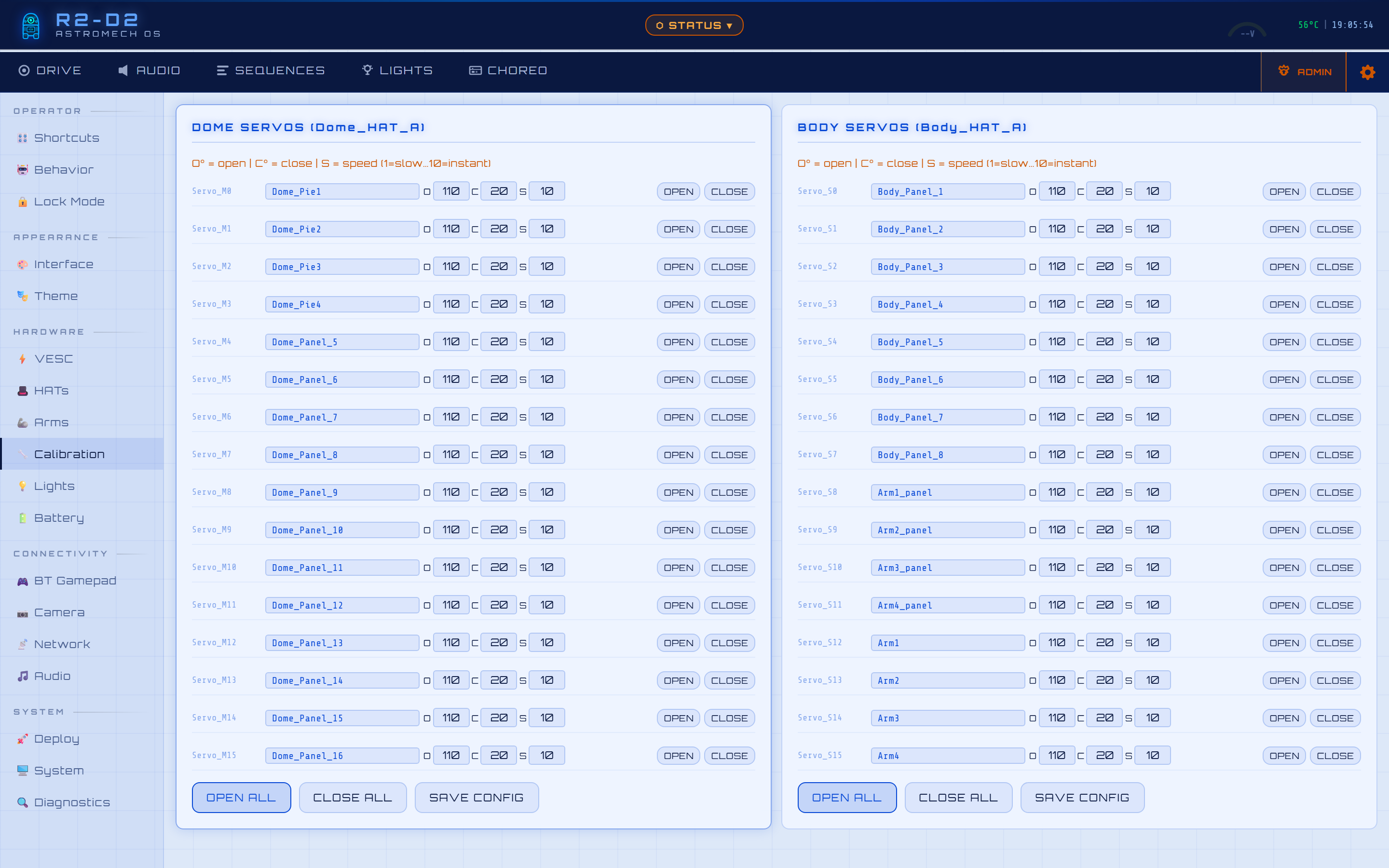 |
| 💡 Lights Backend select · dome light config 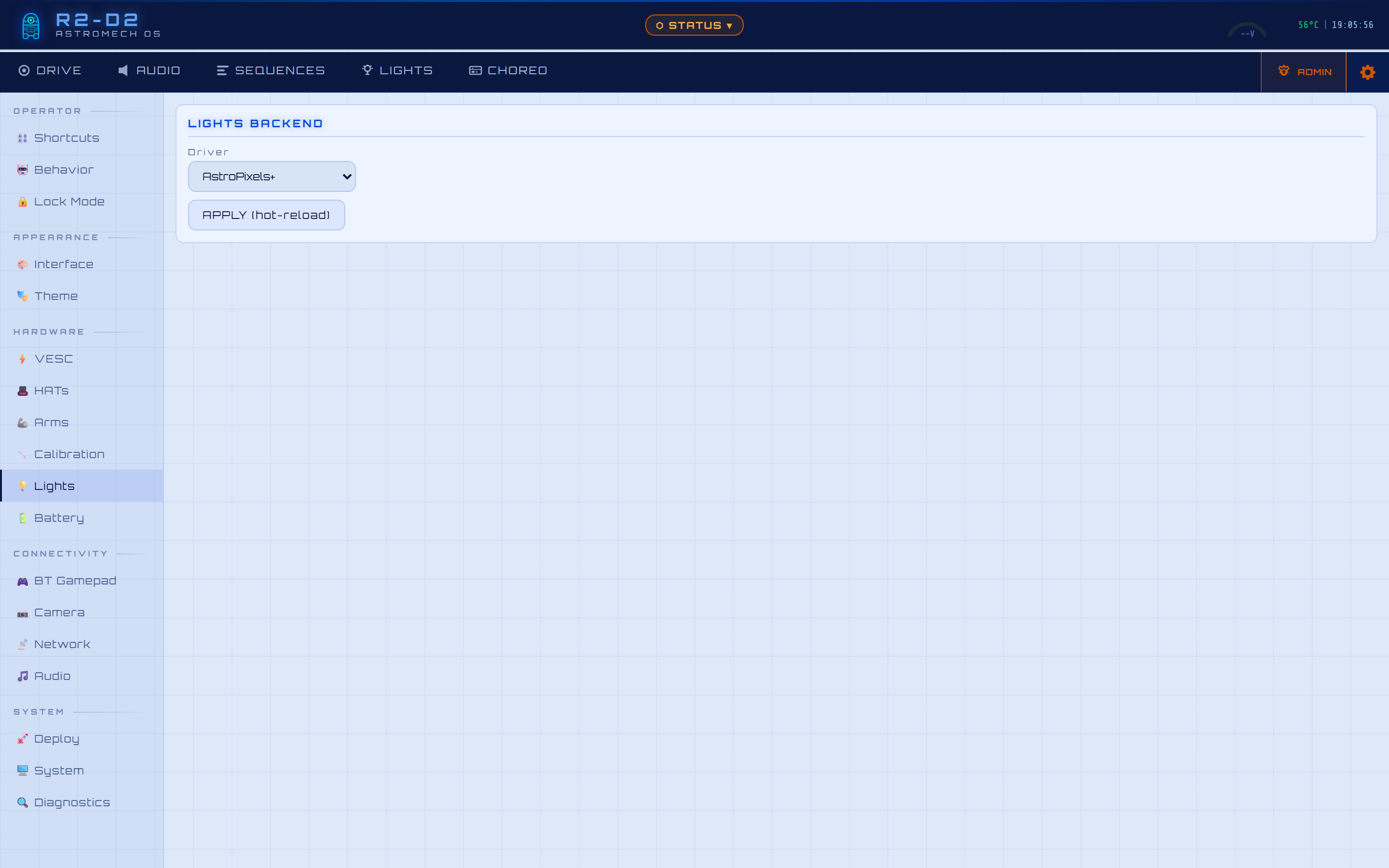 |
🔋 Battery Cell count + chemistry → live thresholds 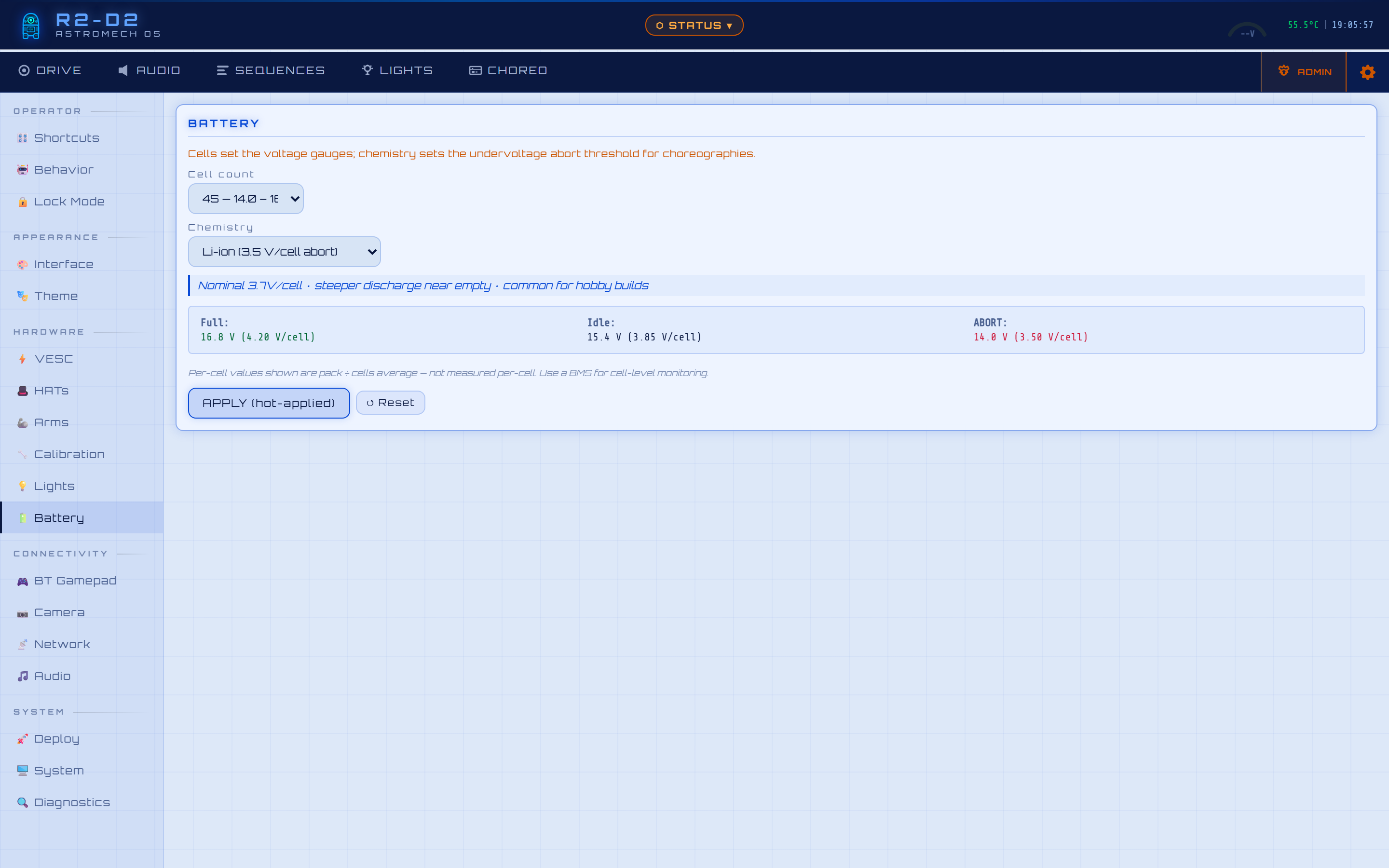 |
🎮 BT Gamepad Premium header · custom button actions · scan/pair 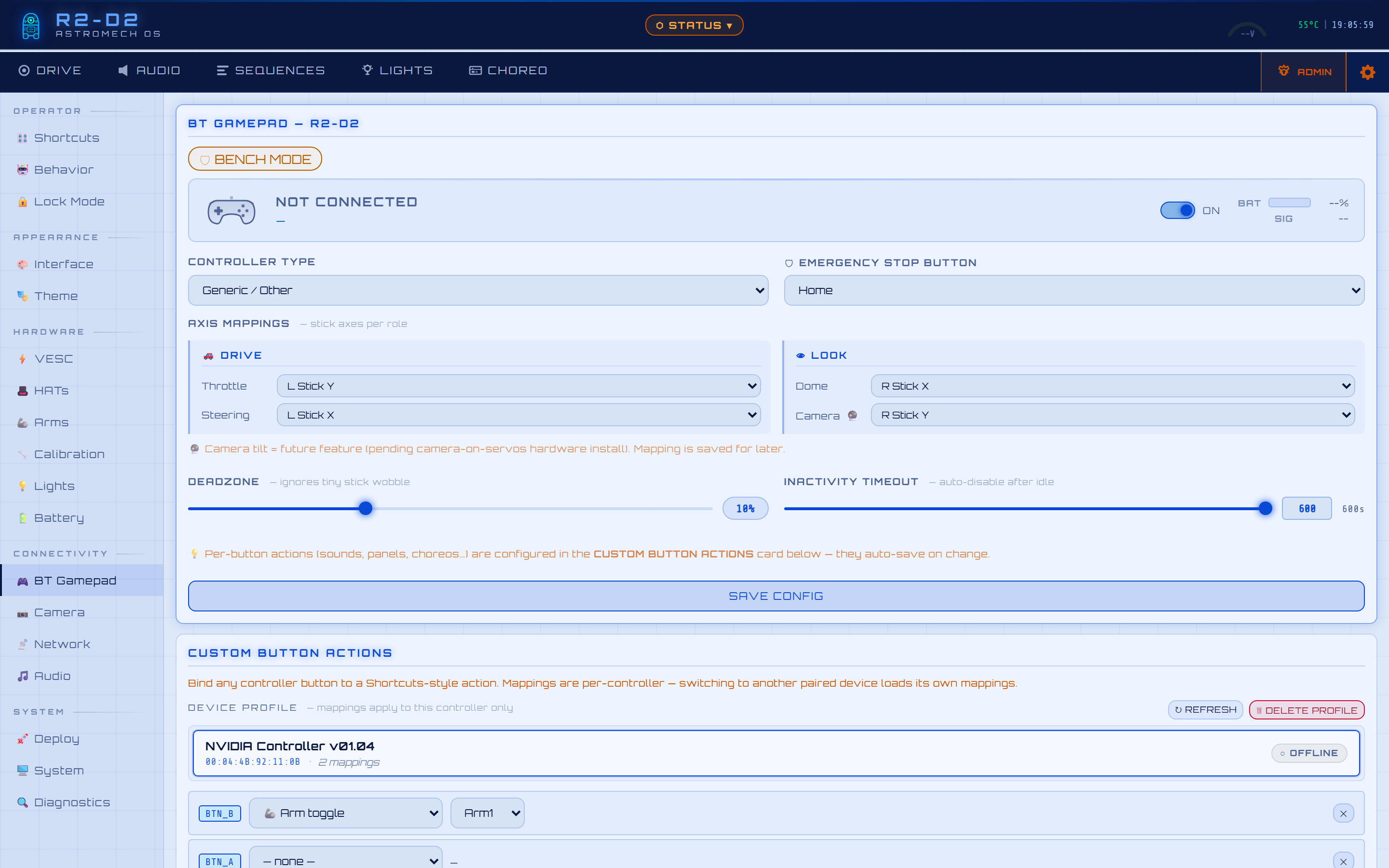 |
| 📷 Camera Resolution / bitrate with live preview 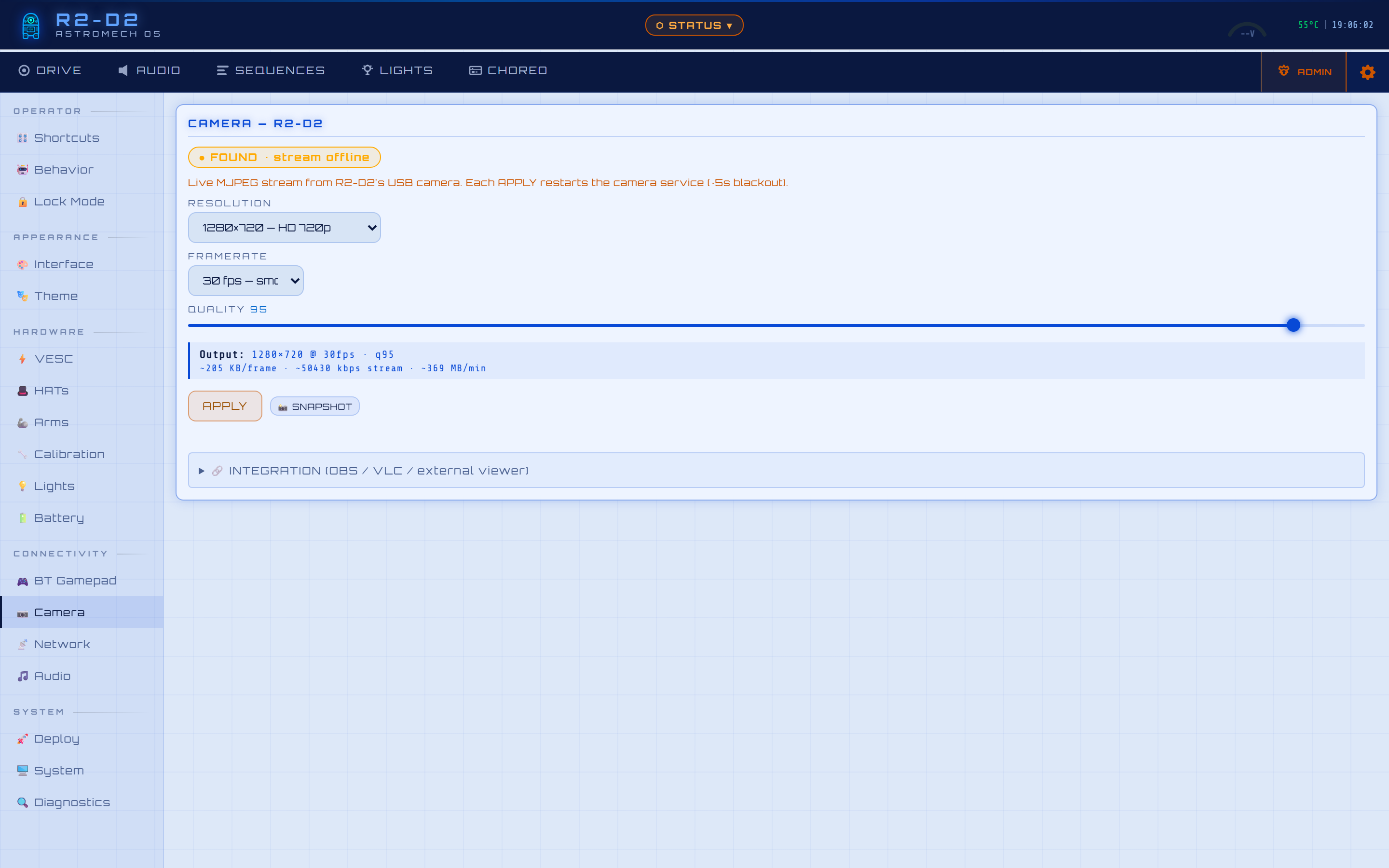 |
📡 Network Hotspot + home Wi-Fi · slave-first changes 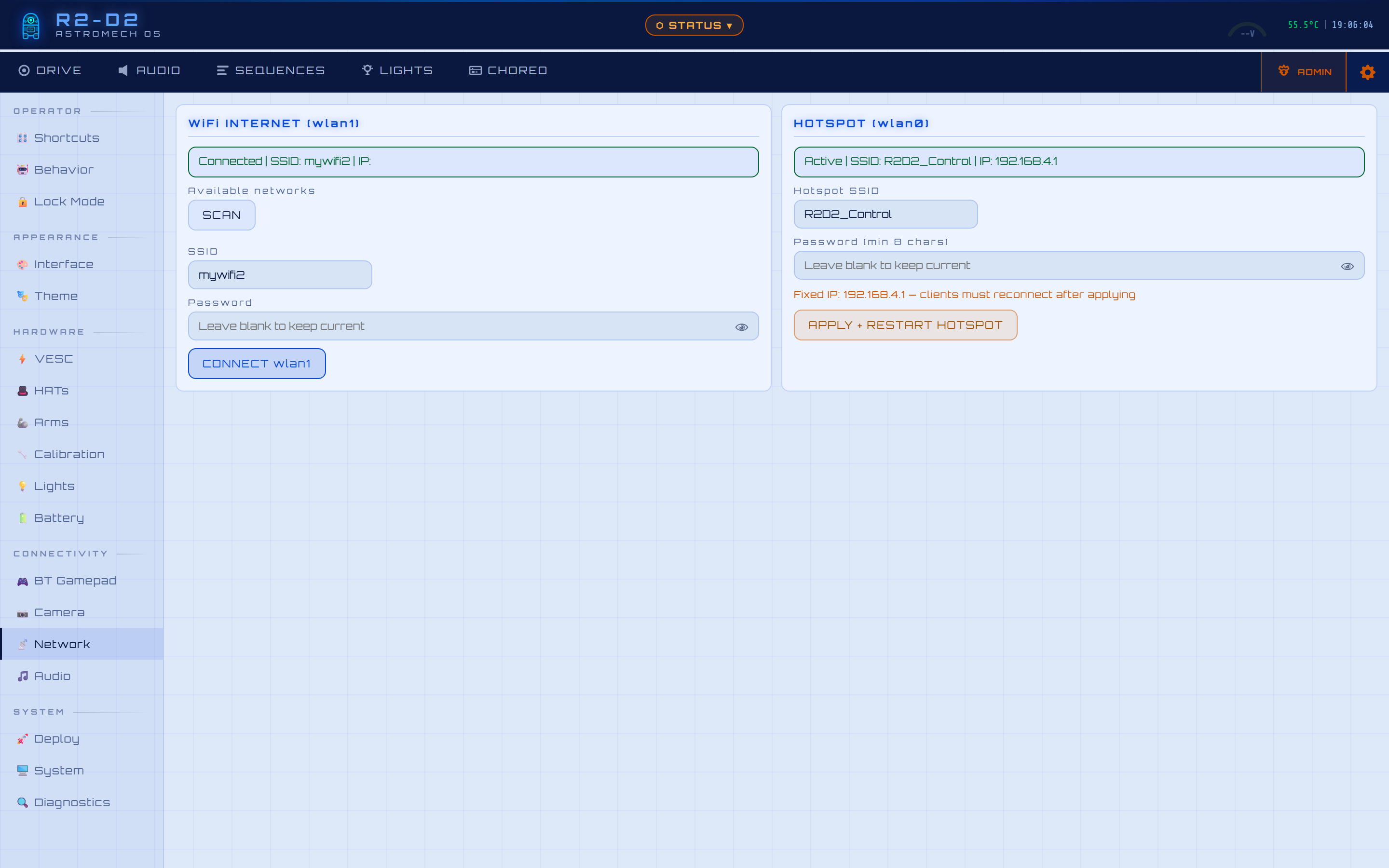 |
🎵 Audio Channels + per-channel volume profiles 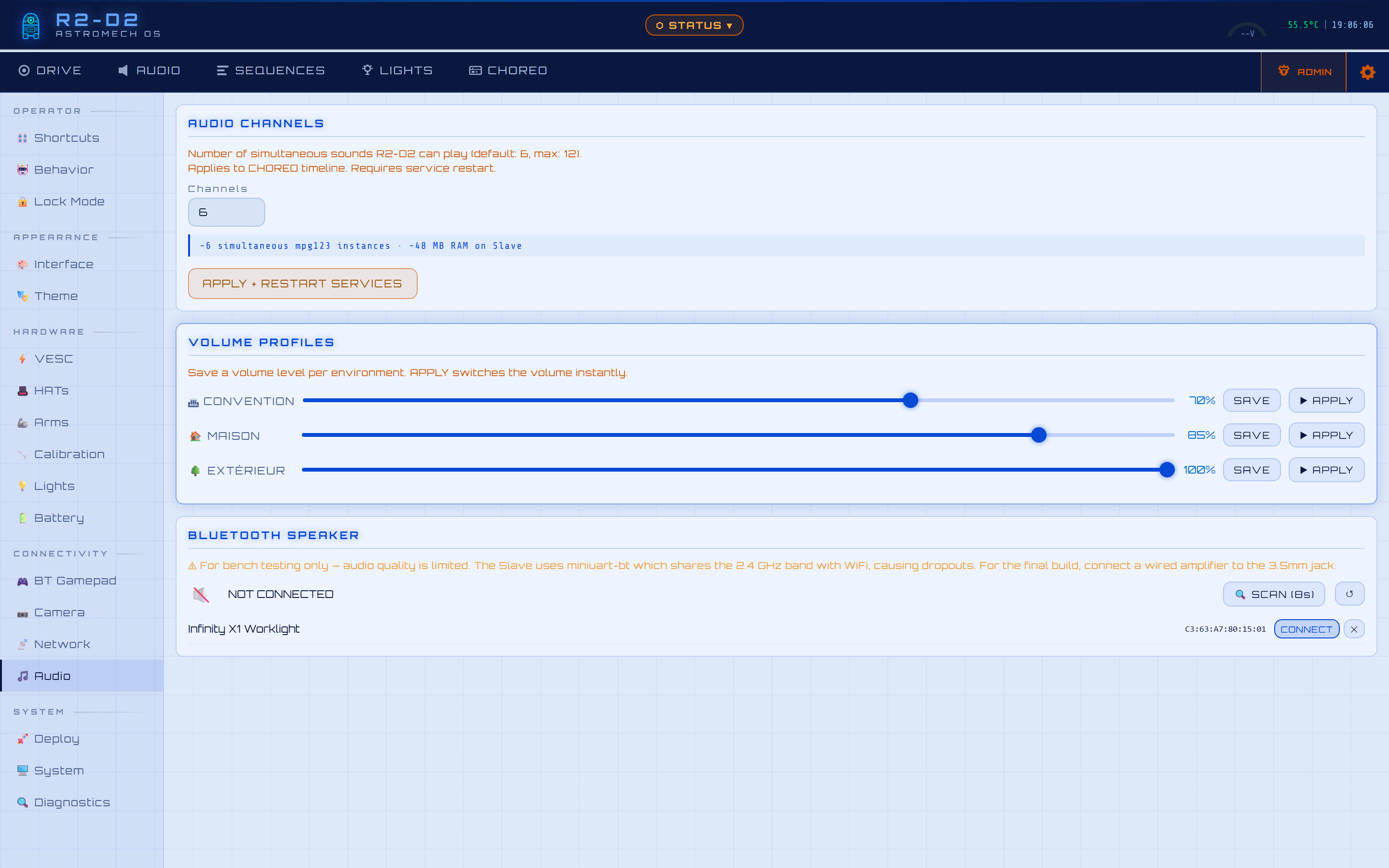 |
| 🎨 Interface 7 themes + custom colour/font editor 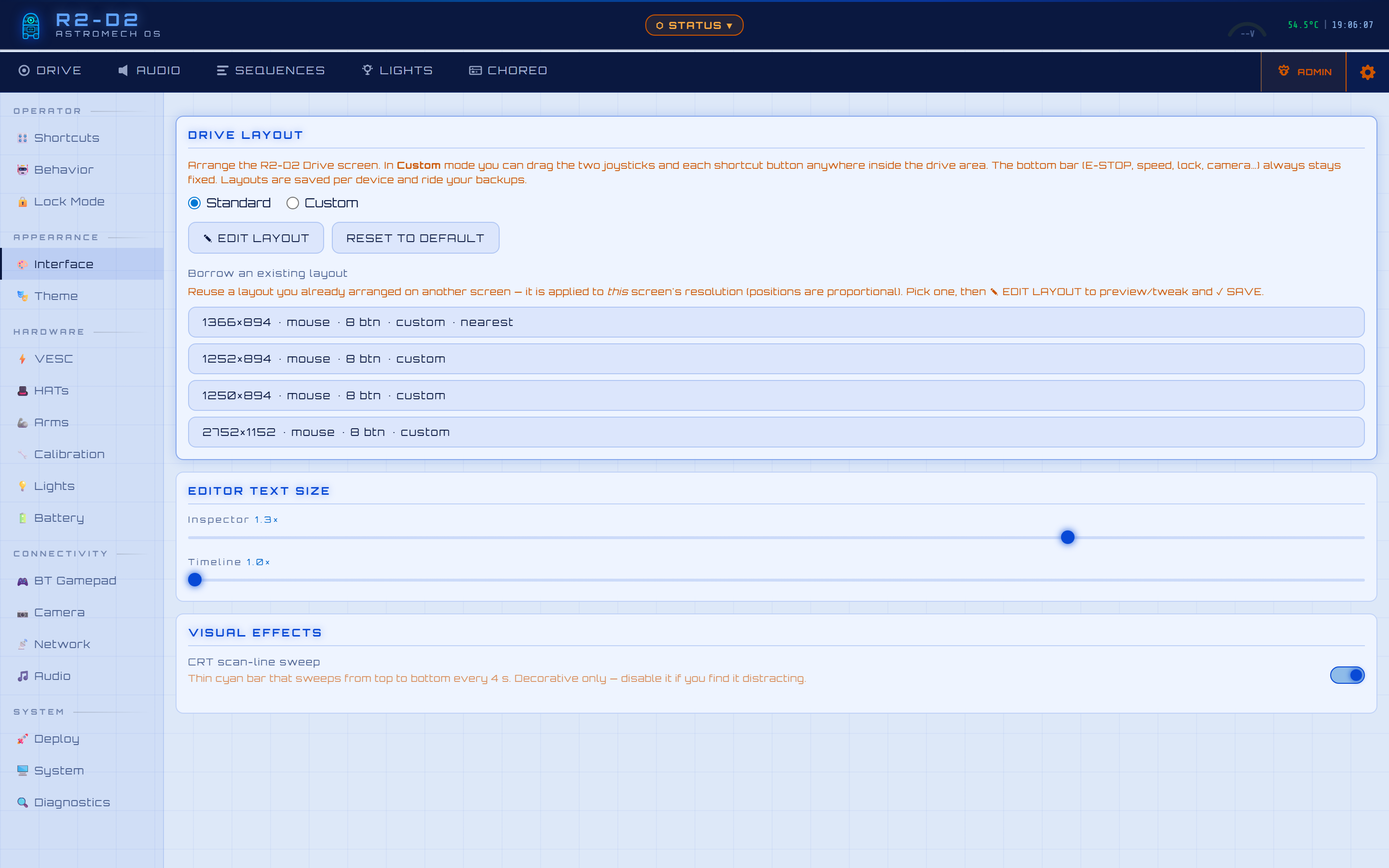 |
🚀 Deploy Commit card + one-button OTA update 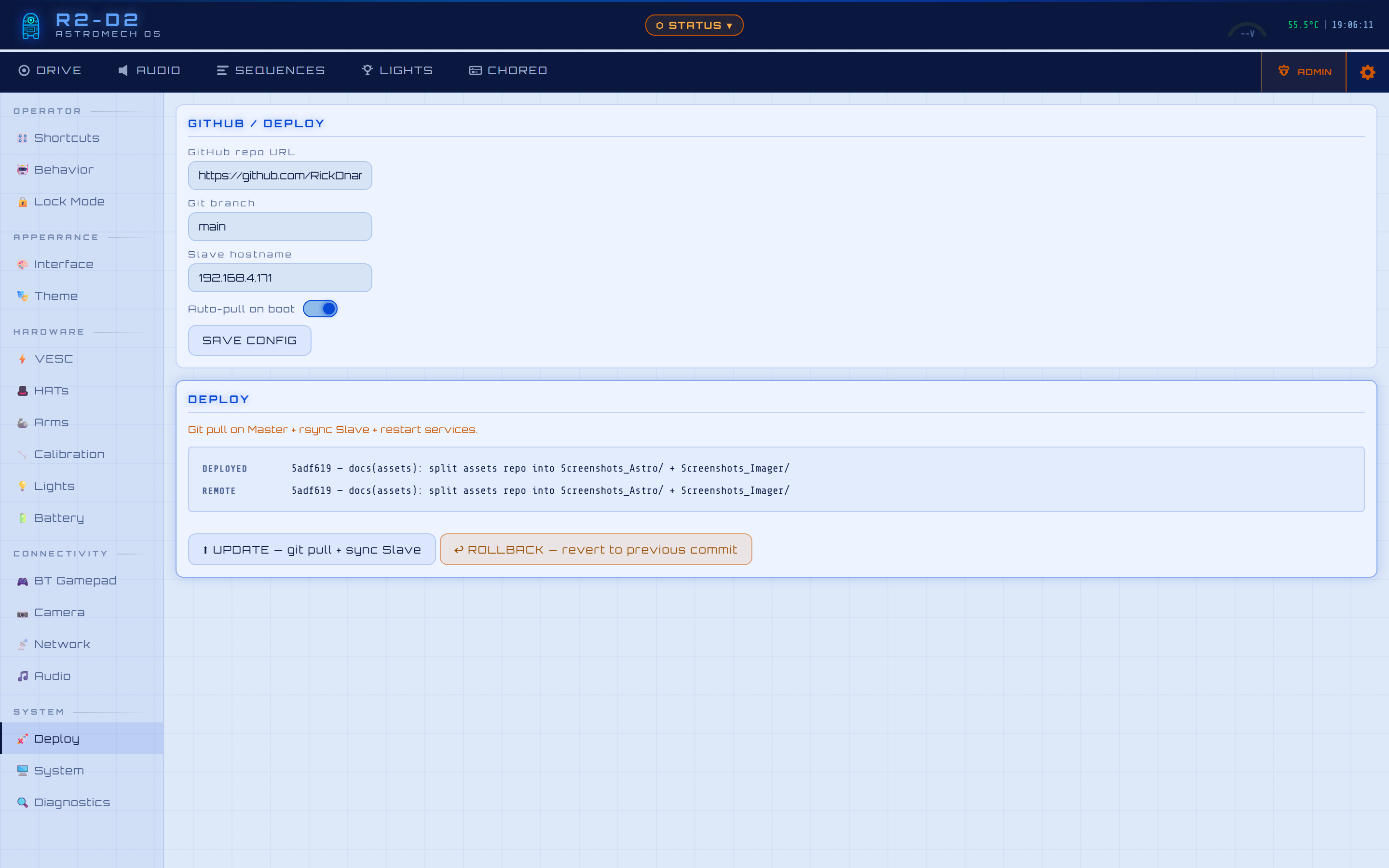 |
🖥️ System Reboot/shutdown · admin password · backup & restore 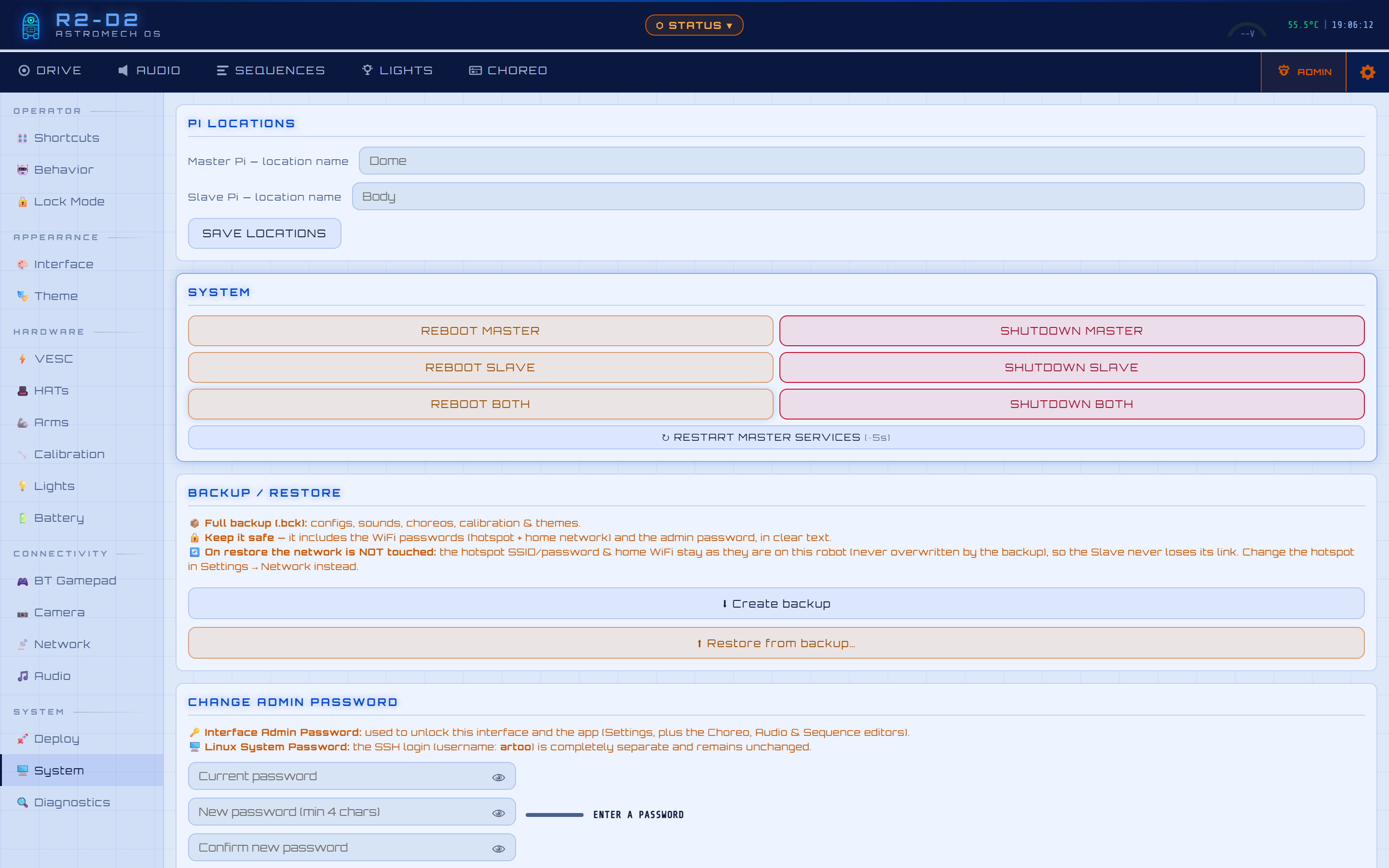 |
| 🔍 Diagnostics Live logs · UART RTT calibration 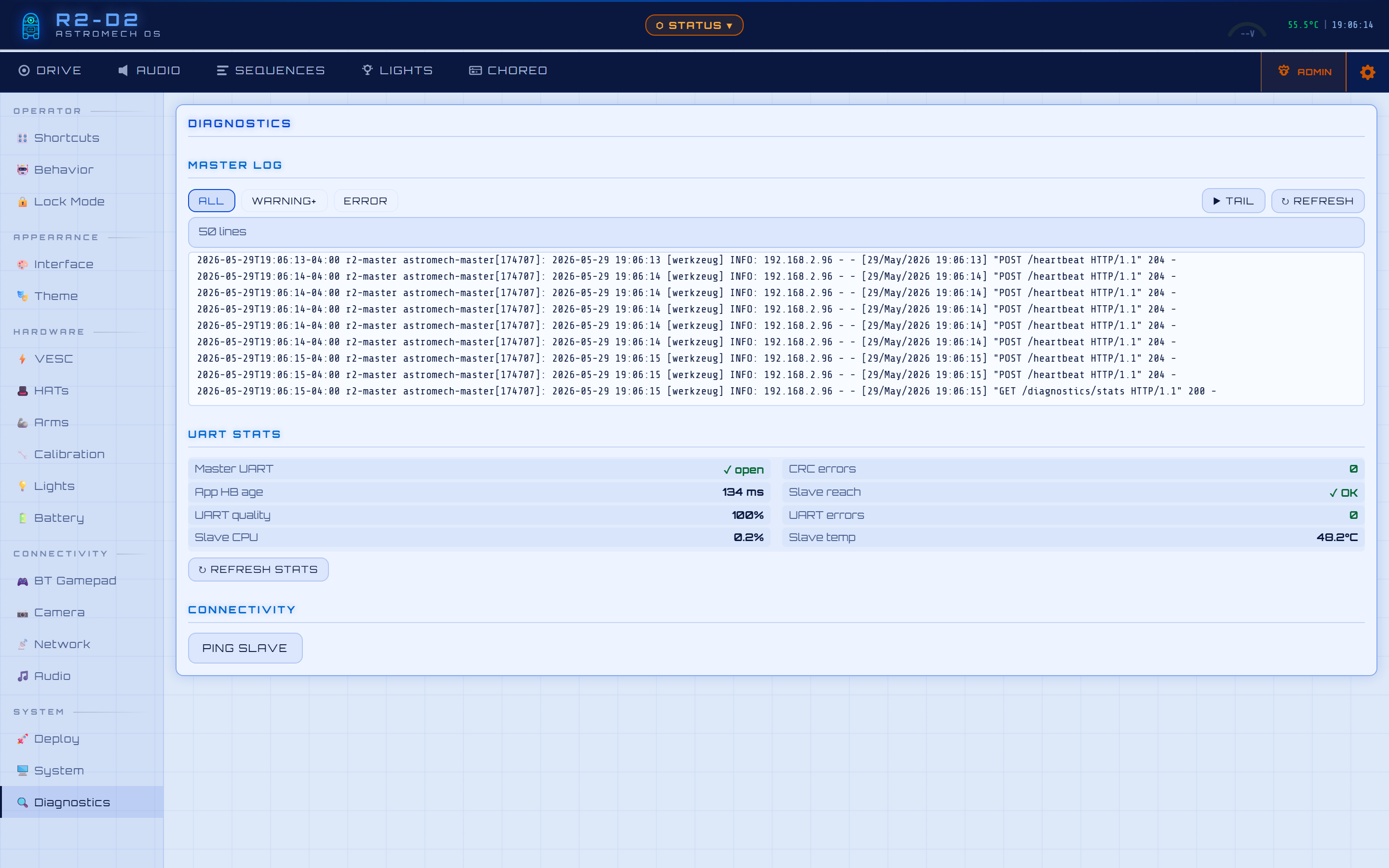 |
🌈 Theme picker 7 built-in + custom · live preview · per-device persistence 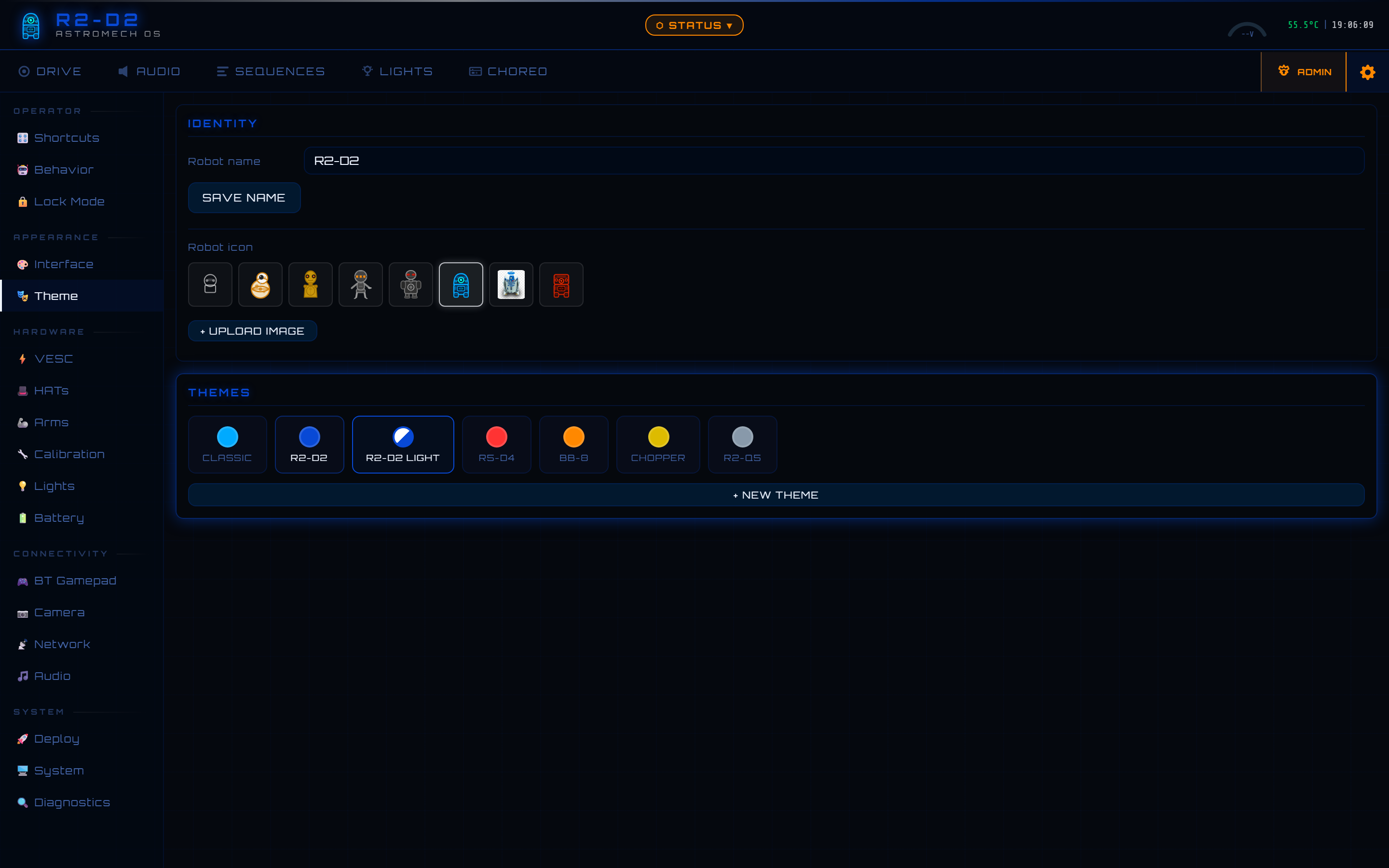 |
| 🎨 Custom Drive Layout | Operator-positionable Drive tab — drag the joysticks, every shortcut button, and the camera anywhere · adjustable 5 % snap grid (1–20 %, or free pixel placement) · resizable + movable camera panel · transparent joysticks so the feed shows through · neon, theme-coloured alignment guides + live %-position badge · saved per device — keyed by your monitor resolution, so resizing the window or running two windows side-by-side never loses the arrangement, and it survives a browser-data wipe · Borrow-a-layout picker (Settings → Interface) reuses an arrangement from another screen, applied proportionally to yours · included in the backup · edit mode is admin-gated, auto-closes on lock/inactivity, and never fires an action while you arrange |
| 🎭 48 behavioral sequences | One-click coordinated performances — sound · dome · panels · lights · loop mode |
| 🎼 Choreography timeline editor | Multi-track · VESC · audio · servos · lights · SHOW track — drop other choreographies onto the timeline to compose multi-act shows (nested .chor files expand inline at playback) · admin-guarded Save/Delete · full touch support (drag from palette to add, drag to move, drag-edge to resize — all work on a tablet, not just mouse) |
| 🎮 Bluetooth gamepad | Xbox/PS4/8BitDo/NVIDIA Shield direct to Pi · zero lag · battery % · RSSI · 2×2 axis grouping (DRIVE / LOOK) · premium header card with status LED + MAC pill |
| 🎯 BT Custom Button Actions | Per-controller profiles keyed by MAC — bind ANY button to play_choreo / play_sound / play_random_audio / arms_toggle / body_panel_toggle / dome_panel_toggle. Press-to-capture workflow: click 🎯 CAPTURE NEW BUTTON, press the physical button, it's bound. Two NVIDIA Shields plug in → each remembers its own bindings independently. MAC resolution falls back to bluetoothctl for controllers that don't expose evdev.uniq (NVIDIA Shield, several 8BitDo). Validation by action type at save AND at trigger (defense-in-depth) |
| 🔊 317 authentic astromech sounds | 14 mood categories · random by mood · drag-and-drop MP3 upload (admin) |
| 📱 Android app | Offline banner · IP auto-discovery · full-screen · APK included · tablet/touch-optimized (file picker for restore/upload, native backup download, touch drag-and-drop in the editor) |
| 🛡️ Triple safety watchdog | App 1.5s · Drive 800ms · UART 500ms · graceful decel ramp — no abrupt stops |
| 🚨 VESC safety lock | Blocks drive when ESC offline or faulted · bench mode bypass for bench testing |
| 📊 Cockpit Status Panel | Real-time robot snapshot from any tab — HAT health · VESC · RP2040 screen · Pi temps · IPs · E-STOP overlay |
| 🔒 Admin mode | Password-protected · unlocks editor/upload from any tab · 5-min inactivity lock |
| 🔌 Hot-swap light drivers | Teeces32 ↔ AstroPixels+ without reboot |
| 🚀 One-button OTA deploy | Dome button → git pull + rsync + reboot — no SSH needed |
| 📷 USB camera autodetect | MJPEG stream · hardware-compressed · auto-reconnect after restart |
| 🎨 Theme system | 7 built-in themes — R2-D2 Light (default), R2-D2, R5-D4, BB-8, Chopper, R2-Q5, Classic · up to 16 custom themes · live preview · 7 sci-fi fonts · persisted server-side — and your active theme is remembered per device so each screen reopens on its own theme (survives reboots, device changes & browser-data wipes; included in backups) |
| 🎛️ Drive-tab Shortcuts | Up to 16 operator-configurable macro buttons · toggle arms/panels · play choreo/sound/random · green pulse while playing · re-press kills · auto-fills icon+label from choreo emoji · per-axis motion lockout (drive choreo locks left, dome choreo locks dome rotation, sound-only stays free) |
| 💾 Backup & Restore | One-click full backup of all robot state (configs · sounds · choreos · calibrations · custom themes) to a downloadable .bck · Restore = total replacement + auto-reboot, recovers a dead SD card "like before" · network config preserved so master↔slave never lose each other · hardened (anti zip-slip + anti-RCE allow-list) |
| 🔄 Self-healing audio index | The sound index reconciles against the files actually on the robot (drops ghosts, files unknown ones under others) on boot + on demand — a failed upload never leaves a phantom |
| 🛜 Per-robot hotspot + safe network changes | Each robot's hotspot gets a unique SSID (Astromech_Control_XXXX from the Pi serial) so multiple droids don't collide at expos · changing the hotspot SSID/password updates the Slave first and aborts if it's unreachable, so the Slave never gets stranded — and UART keeps drive/safety alive across the WiFi micro-gap (live-tested) |
| 🔐 Clear two-password model | The admin password unlocks the web/app interface only (Settings + the Choreo/Audio/Sequence editors) and is changed in-app; the Linux/SSH login is completely separate and untouched · all UI text shows your real system username, never a hardcoded one |
48 .chor sequences in the SEQUENCES tab — organised in pill categories, each with a custom emoji. One-click launch of coordinated emotional performances. Loop mode keeps sequences running continuously. (The .chor JSON timeline format superseded the legacy .scr script format inherited from r2_control — see Credits.)
| Sequence | What the droid does |
|---|---|
scared |
Panels tremble at 35° (speed 8) — nervous micro-movements |
excited |
Panels snap open/shut at speed 9, rapid alternating combos |
curious |
Panels creep open (speed 2, ~50°) while dome turns |
angry |
Panels slam at speed 10, aggressive clack-clack |
celebrate |
Dramatic wave across panels, body + dome flowing in sequence |
patrol |
Dome wanders randomly, panels peek, random sounds |
leia |
Full Leia hologram mode — Teeces + iconic audio |
cantina |
Full Cantina Band routine |
march |
Imperial March with lights and dome movements |
malfunction |
Alarm animations + panic sounds + dome spins |
| + 30 more | evil, birthday, disco, dance, taunt, scan, startup… |
No single point of failure can leave the robot moving uncontrolled:
| Layer | Timeout | Triggers when |
|---|---|---|
| App watchdog | 1.5 s | Browser closed, phone screen off, Wi-Fi drop |
| Drive timeout | 800 ms | No drive command received while motors are spinning |
| UART watchdog | 500 ms | Master crash, slip ring disconnected, Slave offline |
All three trigger a graceful decel ramp — never an abrupt stop that could tip the robot.
E-STOP / Reset E-STOP — strict separation:
- E-STOP (red button, always visible) — freezes the robot: cuts propulsion, dome rotation, aborts any running choreography. Every servo is frozen in place — both the Master dome driver and the Slave body driver expose a
_frozenflag that aborts any in-flight ramp and rejects new commands. The PWM signal keeps holding the last commanded angle, so panels stay exactly where they are with full torque (noshutdown()/SLEEPmode that would let servos go limp and droop under load). - Reset E-STOP — runs an automated stow sequence at a slow slew rate (
speed=3, ~1 s for a 90° travel) to safely close arms, then their panels (respecting the per-arm delay), then all remaining body and dome panels. Designed to be safe around children.
Universal VESC safety lock (master/vesc_safety.py) — single source of truth used by every code path that can drive motors (web joystick, REST API, Bluetooth gamepad, choreography player). Drive is blocked if either VESC is offline, telemetry is stale (>2 s), or any fault code is active. Bench mode bypasses the check for benchtop development without VESC hardware.
Paired-side CAN liveness — if the right VESC (CAN ID 2) goes silent while the left side keeps responding, the Slave detects the asymmetry, refuses further drive commands locally, and emits a synthetic fault code so the Master's safety gate trips immediately. Prevents one-wheel runaways.
Slave reboot config resync — when the Slave reboots mid-session, it sends a BOOT:READY banner over UART. The Master reacts by re-pushing the persisted VESC scale, inversion AND bench-mode config so the Slave never resumes operating with stale defaults.
Per-axis choreo motion lockout — when a choreography is playing, the operator's joysticks are veiled with a "🎬 CHOREO" overlay ONLY on the axes the playback actually drives:
- Choreo uses
tracks['propulsion']→ propulsion joystick locked (web + Android + Bluetooth gamepad + WASD all gated) - Choreo uses
tracks['dome']→ dome rotation locked (right-joystick X clamped to 0; Y stays free for the planned camera tilt in v2) - Sound/light/panel-only choreographies → both joysticks stay free → operator can drive the droid around while it animates ("alive" effect — e.g. launch an angry choreo and walk towards the visitor while it scolds)
Cascade integrity — renaming or deleting a .chor propagates through every Drive-tab shortcut targeting it (cascade_rename / cascade_delete in shortcuts_bp). No stale shortcuts pointing at non-existent choreos.
┌────────────────────────────────────────────────────────────────────┐
│  📱 Phone / Tablet / PC  ←── Wi-Fi (192.168.4.1:5000)             │
│  🤖 Android App          ←── IP auto-discovery                     │
│  🎮 BT Gamepad           ←── Bluetooth (evdev, direct to Pi)       │
│                                                                     │
│  ┌──────────────────────────┐   ┌───────────────────────────────┐  │
│  │  MASTER (Dome)           │   │  SLAVE (Body)                 │  │
│  │  Pi 4B — 4GB             │   │  Pi 4B — 2GB                  │  │
│  │                          │   │                               │  │
│  │  Flask REST API :5000    │   │  UART listener + CRC          │  │
│  │  Web dashboard           │   │  Watchdog 500ms → VESCs       │  │
│  │  Choreography player     │   │  Body servos PCA9685 @0x41    │  │
│  │  Dome servos @0x40       │   │  Dome motor TB6612 @0x40      │  │
│  │  Lights plugin           │   │  Drive VESCs (USB+CAN, ERPM)  │  │
│  │  BT Controller (evdev)   │   │  Audio mpg123 (317 sounds)    │  │
│  │  Deploy controller       │   │  RP2040 GC9A01 LCD (USB)      │  │
│  └──────────────────────────┘   └───────────────────────────────┘  │
│              │                               │                      │
│              └── UART 115200 baud ──────────►│                      │
│                  through slip ring           │                      │
│                  heartbeat 200ms + CRC       │                      │
└────────────────────────────────────────────────────────────────────┘
The Master + Slave split is a deliberate design decision. Putting everything on one Pi means a Flask/Python GIL spike could delay motor watchdog responses. With two Pis, the Slave's 500ms UART watchdog runs independently — even if the Master crashes, the Slave cuts the VESCs automatically.
The 4GB on the Master is headroom for future local AI: face tracking, gesture recognition, contextual behavioral responses — all on-device, no cloud. The Slave stays on 2GB forever — pure real-time I/O, no AI workloads.
📐 Full electronics diagrams, power wiring & I2C/GPIO reference → 🔧 UART protocol design, repository structure, sequence format →
| Master Pi 4B 4GB (Dome) | Slave Pi 4B 2GB (Body) | |
|---|---|---|
| Servos | 11 dome panels — MG90S 180° — PCA9685 @ 0x40 | 11 body panels — MG90S 180° — PCA9685 @ 0x41 |
| Motors | — | 2× 250W hub motors via 2× FSESC Mini 6.7 PRO |
| Dome motor | — | DC motor via TB6612 HAT @ I2C 0x40 |
| LEDs | Teeces32 or AstroPixels+ via USB | — |
| Audio | — | 317 MP3 sounds · 3.5mm jack · mpg123 |
| Display | — | RP2040 Waveshare 1.28" 240×240 round LCD |
| Power | 5V/10A Tobsun buck → GPIO 2&4 | 5V/10A + 12V/10A Tobsun bucks |
| Battery | ← 24V via slip ring (3 wires parallel) | 6S LiPo 22.2V — XT90-S anti-spark |
- 2× Raspberry Pi 4B (username:
artoo— set in Raspberry Pi Imager) - Both running Raspberry Pi OS Trixie (64-bit)
- USB Wi-Fi dongle on the Master Pi (internet on wlan1 while hosting hotspot on wlan0)
Portable across any Pi username —
setup_master.sh/setup_slave.shauto-capture via$SUDO_USER. The Master and Slave must share the same Linux user (same password too — simplifies SSH + first-contact auth).~and$(slave_target)below resolve to your install dir and SSH target automatically; the AstromechOS Imager (coming) will inject the choices into/boot/astromech_init.cfgso no SSH login is needed at all.
# Step 1 — Master Pi (SSH into it, then run:)
curl -fsSL https://raw.githubusercontent.com/RickDnamps/AstromechOS/main/scripts/setup_master.sh | sudo bash

# Step 2 — Slave Pi (SSH into it, then run:)
curl -fsSL https://raw.githubusercontent.com/RickDnamps/AstromechOS/main/scripts/setup_slave.sh | sudo bash

# Step 3 — First deploy (from Master, once:)
bash ~/astromechos/scripts/setup_ssh_keys.sh         # pushes Master pubkey to the Slave (target read from local.cfg)
bash ~/astromechos/scripts/deploy.sh --first-install
Done. Open http://192.168.4.1:5000 on any device connected to the robot hotspot (Astromech_Control_XXXX).
🛡️ Git DNA paternity check — the Settings → Deploy panel (and the
/api/deploy/save-configendpoint) now refuse to pointoriginat any repo that isn't a legitimate fork of RickDnamps/AstromechOS. Agit merge-base --is-ancestortest against a frozen anchor commit blocks typos and malicious URLs beforegit pullcan touch the working tree. Architecture detail → docs/DEPLOY_SECURITY.md.⚡ First-boot Imager workflow (in progress) — a planned AstromechOS Imager PC tool will drop SSH keys, hostname, role + Wi-Fi credentials directly on the SD card's
/bootpartition. The robot'sscripts/firstboot_setup.shruns once at first boot, injects everything atomically, DNA-validates the configured remote, and self-destructs. Fully headless provisioning. Same doc → docs/DEPLOY_SECURITY.md.
📖 Full installation guide → (recommended — covers reconnecting after reboot, network options, and daily use)
bash /home/artoo/astromechos/scripts/update.shOr press the physical dome button (short press). Updates itself over-the-air — no SSH required.
Before pulling the SD card to clone a distributable image, run the
industrial cleanup script. It stops every astromech-* service, purges
caches (pip / npm / .cache), wipes /tmp/ + shell history + the
security snapshot, vacuums systemd journal + truncates active /var/log
files (NEVER rm -rf — daemons keep writing), apt-get clean + autoremove, and resets /etc/machine-id so every cloned Pi boots with
its own unique identity. Before/after disk usage is reported so you see
exactly how much was reclaimed.
# First time only — copy the script to /usr/local/bin/ (so it lives on
# the imaged card and any future operator can run it without cd-ing
# to the repo first):
sudo bash /home/artoo/astromechos/scripts/clean_for_imager.sh --install

# Then, whenever you want to produce a clean image:
sudo clean_for_imager.sh           # interactive — type 'yes' to confirm
sudo clean_for_imager.sh --yes     # scripted / CI mode (no prompt)
sudo shutdown now                   # pull the SD card and dd it.
Safety: the script refuses to run if you're not root, if /proc/device-tree/model is not a Raspberry Pi, or if no AstromechOS repo is found under /home/*/astromechos. No rm -rf /var/log/*, no recursive node_modules purge across $HOME — destructive actions are bounded to the AstromechOS repo + known cache directories only.
| Phase | Description | Status |
|---|---|---|
| 1 | UART + CRC · heartbeat watchdog · audio · Teeces32 · RP2040 display · auto-deploy | ✅ |
| 2 | VESCs · dome motor · MG90S servo panels with speed ramp | ✅ |
| 3 | Choreography engine — 48 expressive behavioral sequences (.chor) |
✅ |
| 4 | REST API + web dashboard + Android app + Choreography editor + BT gamepad + lights plugin + VESC diagnostic + camera stream + admin system + safety locks + Cockpit Status Panel + theme system + HAT/screen diagnostic | ✅ |
| 4+ | Universal VESC safety helper · Slave boot banner config resync · paired-side CAN liveness · E-STOP/Reset E-STOP separation with kid-safe stow · event-driven choreo scheduler · UART RTT calibration tool with hot-swap · service worker cache versioned per deploy | ✅ |
| 4++ | BT Gamepad Custom Button Actions (per-MAC profiles, press-to-capture) · MAC fallback via bluetoothctl for controllers without evdev.uniq (NVIDIA Shield) · premium header card refonte (icon + status LED + MAC pill + vitals) |
✅ |
| 5 | Vision — person tracking · face detection · contextual AI responses (on-device) | 🔄 |
- UART RTT calibration —
Settings → System → Hardware → MEASUREsamples the heartbeat round-trip time over a 40-second rolling window and proposes a tunedbody_servo_uart_latbased on the median latency (clamped 5–50 ms). TheAPPLY & SAVEbutton persists the value and hot-swaps the running ChoreoPlayer in one click — no reboot, no Slave restart. Re-measure and re-apply iteratively until body and dome panels open in perfect sync. - Manual override — type any value into the latency field, hit Tab/Enter, the value auto-saves with a brief
✓ savedindicator. Hot-swap takes effect at the next choreography play. /diagnostics/uart_rttREST endpoint exposes the same data (min/avg/max/p50/p95/p99ms · current vs recommended) for scripted use.
-
r2_control by dpoulson — Original
.scrscript format concept and R2-D2 sound library. The script thread idea that inspired this entire engine. -
Michael Baddeley — A special thank you to Michael for his absolutely incredible R2-D2 MK4 3D model. Without his extraordinary work and passion for the R2-D2 builder community, this project simply would not exist. His model is the physical soul of this build. 🙏⭐
-
R2-D2 Builders Club — Community knowledge on dome geometry, slip ring wiring, and hardware gotchas accumulated over decades of builder experience.
GNU GPL v3 — see LICENSE. Free to use, modify and share — keep it open source.
Built for builders who refuse to settle for half-measures.
May the Force be with you. 🌟
⭐ Star this repo · 🐛 Report an issue · 📖 Full guide → · 🔧 Technical reference →