This project is to demostrate the work of React+Electron in typescript by implementing a Simple Secure Contact Manager.
The application can let you:
- access to application data controlled by password
- decrypt and load contact file from disk, or create new file if none existing
- be able to detect if the correct password was used without displaying corrupted or garbage data
- add new contacts
- edit existing contacts
- search contacts by any field
- write encrypted modified contacts datafile to disk
The application will be able to be built as an executable Electron app without installation. For convenience, it will be also built as a web application.
- Electron app: encrypted data store in disk, with configurable path during build time
- Web application: for demo purpose, encrypted data store in sessionStorage. When user close the session the data will be gone
Electron is developed in web technology which basically a web application (with node.js access) bundled as a desktop application. It can be started with plenty of boilerplate, Electron CLI, or build from a web application with Electron.
In this project I pick the latter one, which start with Create React App, using the Redux and Redux Toolkit template.
npx create-react-app react-demo-app --template redux-typescript
The template will come with redux slice pattern.
Based on the web application, I follow the tutorial here to add Electron functionality and then convert the project to use electron-forge to run the web application as an Electron app.
While electron-forge is good, it can build the electron installation package (.rpm, .deb) as well, but are you sure you want to install the app?
When I want to build executables without installation, I am quite frustrated on electron-forge. Instead, electron-builder works like a charm without annoying configuration and with docker environment provided. I can simply build the Electron app as an AppImage app. Maybe I should use it in the first place for development.
React applications are commonly built as a SPA (Single Page Application) with URL dynamically rewriting. react-router is essential and also connected-react-router for Redux binding with react-router.
After deployed on Github page, without server-side support, the web application will get a 404 fail if user do a browser refresh on some path (non-root path). To solve this, either use HashRouter with HashHistory in react-router, or do a trick with 404 handling. This project uses the latter one.
Handy, simple and light UI framework for supporting responsive web and a11y. react-bootstrap comes with pre-defined classes and you dont need to write too much CSS for the text alignment or div position. For me it's more "raw" comparing with other frameworks. It focus more on UI instead of React logic component (like Material-UI) which is quite suitable for building prototype.
bootstrap-icons is also used.
Dont get me wrong - not a fan of bootstrap though. I use Material-UI quite heavily on other projects. It just depends on the scenario.
jest comes with CRA (Create React App) for unit testing. It also provides test converage report.
testing-library comes with CRA (Create React App) for React UI component testing.
webpack comes with CRA (Create React App) for bunlding. Also babel and other webpack plugins. You may refer to package.json for detail.
I thought I need to store the salted hashed password to somewhere but later on I found that the project doesnt actually need it (see the encryption part). But still worth to share.
bcrypt is good and promising, but it requires nodejs to run (and maybe some other dependency as well). bcryptjs should be a good alternative because it runs on browser as well since it's pure JS, although it's slower.
The application requires an encryption library to encrypt/decrypt the data. The data will only be used by this application and wont be passed around to another consumer. User is required to provide a password, which is actually the secret key. So AES should be a good choice, which is a symmetric encryption with 1 single secret key to encrypt and decrypt.
I pick crypto-js, which runs on both nodejs and browser (at least for AES). Some other encryption implementation requires nodejs or C++ which are not available on browser.
The data, which originally are JSON array and object, will be stringify as a plain string and then AES encrypted. Which also said when the application read the encrypted data, it will AES decrypt it as a plain string, and then parse it as JSON. If the JSON parsing fails, it probably means either the password (secrey key) provided is wrong, or the data file is corrupted.
fs/promises is for Electron app to store/read the data file. DO NOT USE the Synchronous API, I repeat, DO NOT USE the Synchronous API because it blocks the event loop until the operation finishes. The JS engine just halt there until your operation finishes.
The fs/promises package is available since Node.js v14. So this application is requiring Node.js v14 as dependency.
For the web build, since the aplication cannot access file system and thus cannot store the data file on disk, I pick sessionStorage as an alternative.
For sure it's fine to use localStorage or IndexedDB. But as a web application for demo, the data in sessionStorage will be cleared once you close the browser tab such that it won't "pollute" your browser. You can still test the web application by refreshing or navigating using the same browser tab, the data can be presisted within the same tab until it's closed.
is-electron is used to determine whether it's a web application or electron application. It's used to determine where does the application want to store/read the data file.
I's doing homework to find a database implementation which support both web and file without extra installation. RxDB sounds like a good choice. You can install it through npm (i.e. as a dependency in package.json) and use the provided adapters to store the data in memory/file/browser. And it comes with schema encryption.
At the end I havent't picked it. But still worth to share.
dev run:
npm run dev
Or, open 2 sessions to run them separately:
npm start
npm run electron
test run:
npm test
test run with test coverage report:
npm test -- --coverage
build for web application (on Github page, here)
npm run build:github
For linux/windows build, there are 2 scripts available to get use of docker such that we dont need to care much about the build dependency:
./docker-build-linux.sh
./docker-build-window.sh
For Windows build, the default data file will be stored at somewhere like C:\\Users\\{USER}\\AppData\\Local\\Temp\\{APP_NAME}\\contacts.data but not next to the executable. The path will be different when you open the application next time and thus the application will looks like "data loss" but it's not decause for Windows it's 2 different application running in 2 different context. To avoid this on Windows, specify datastorePath in datastore.config.ts to an absolute path like C:\\Users\\{USER}\\Downloads\\contacts.data. See Configuration for details.
The confiugration file is src/datastore.config.ts. You can have 2 configuration options:
datastorePath: the file path for the encrypted data file to be stored, default is./contacts.data. On Linux that will be next to the application, on Windows it will be located at somewhere likeC:\\Users\\{USER}\\AppData\\Local\\Temp\\{APP_NAME}\\contacts.datadefaultContacts: this is an array of contact data that will be pumped into the data file when the application initialized such that the user can play around with some data instead of nth. The data is generated, not real-life data.
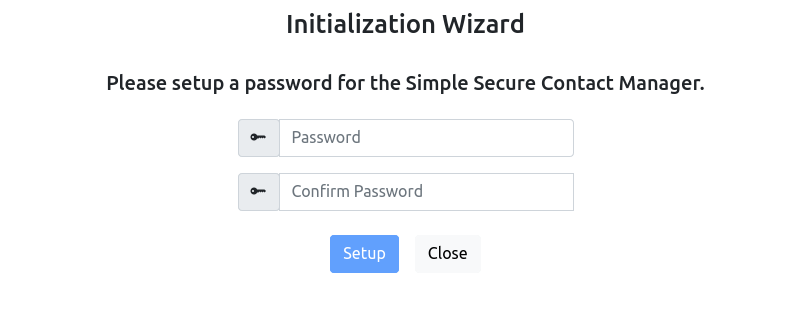
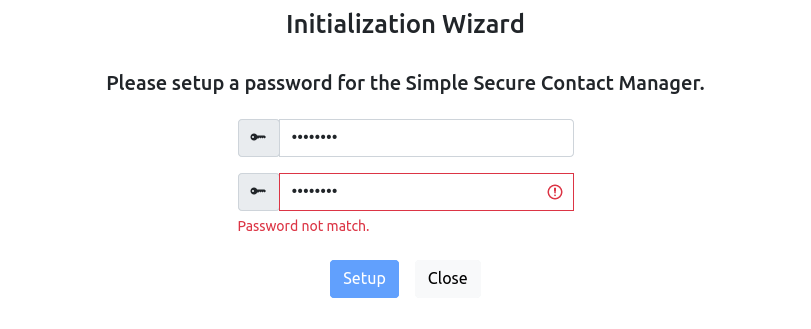
It firstly comes with an initialization page. It requires you to provide a password for the secure contacts. You need to provide a password match to enable the "Setup" button.
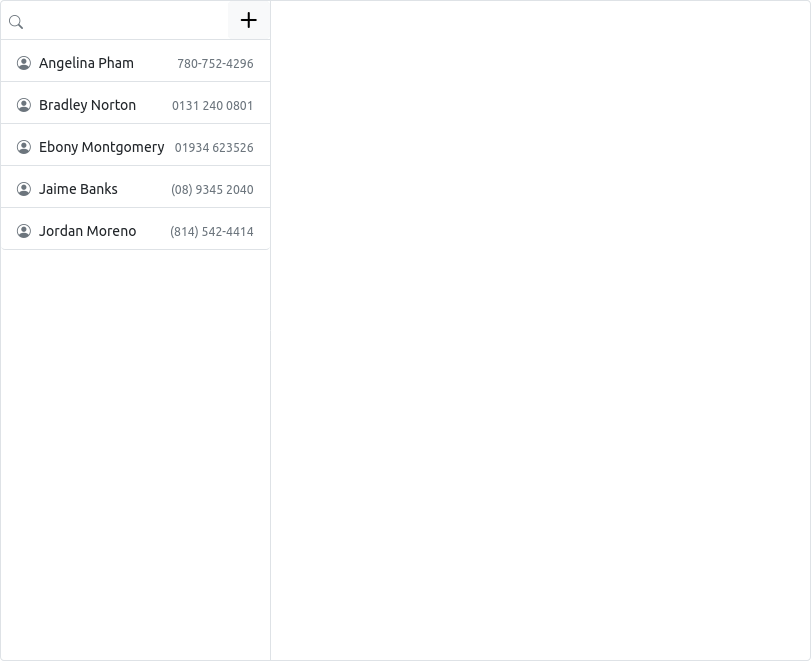
Once initialized you will be redirected to the contact view. You will see some default contacts being injected. You can configure defaultContacts for the default contacts.
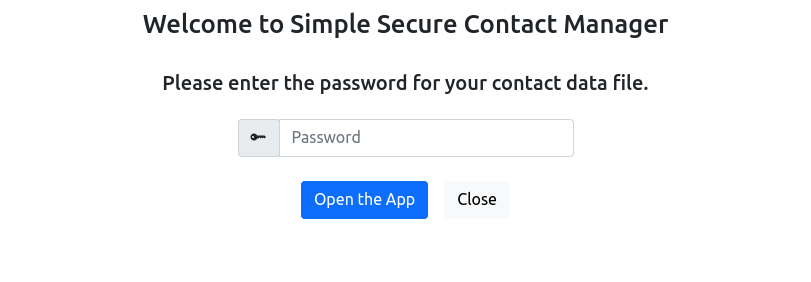
Once it's setup, when you relaunch the application, you are required to input the password you just provided.
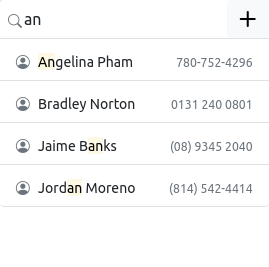
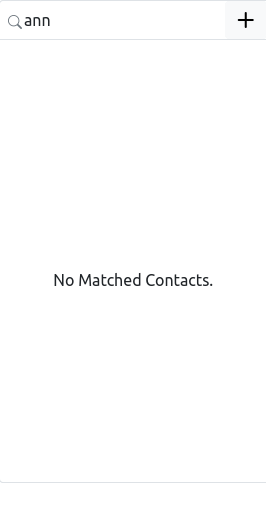
You can search/filter the contacts through the search field. If there is no matches, it will say no matches.
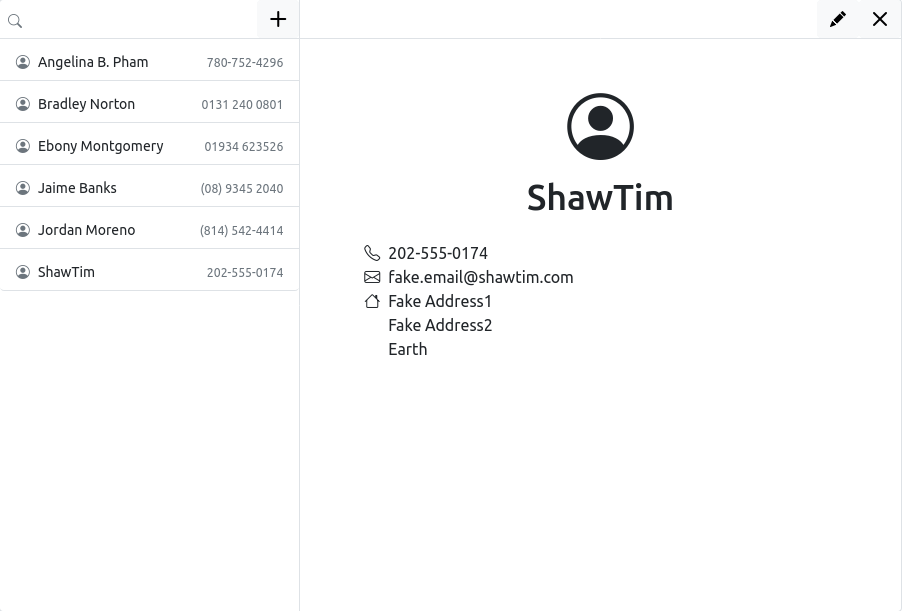
Select a contact will open the contact detail for you.
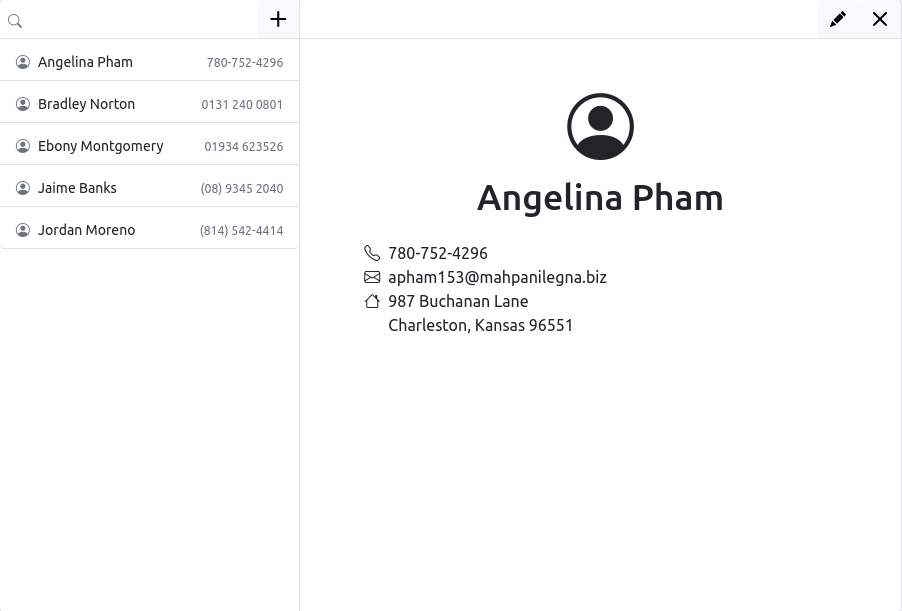
You can close the contact detail by clicking "Close" button, or edit the contact by clicking "Edit" button.
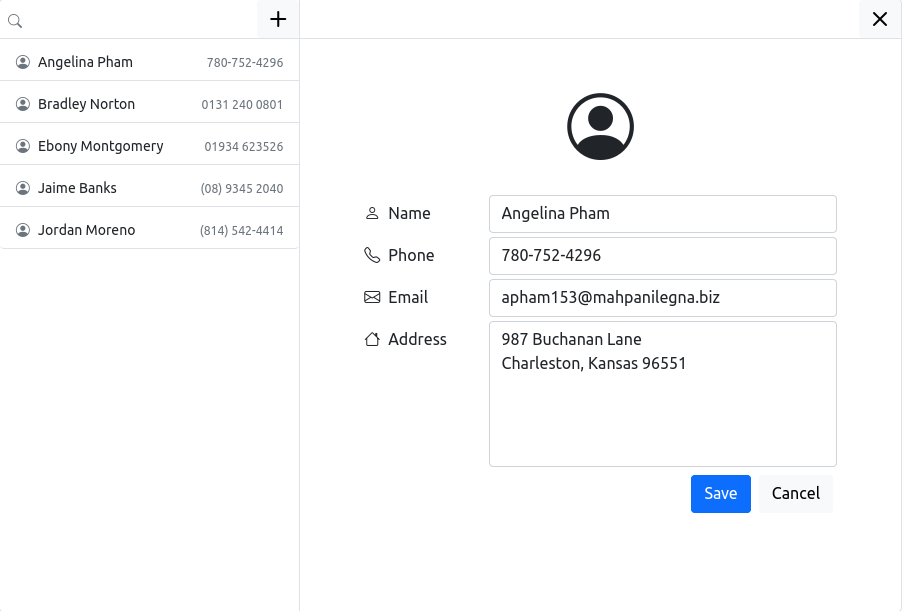
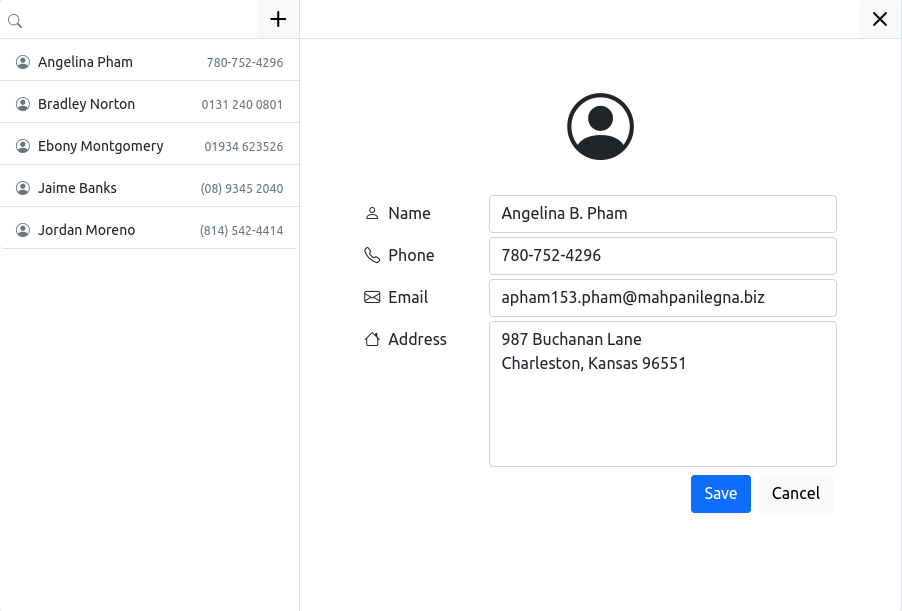
Edit the contact and then save, the changes will be applied immediately, encrypt and then save to the data file.
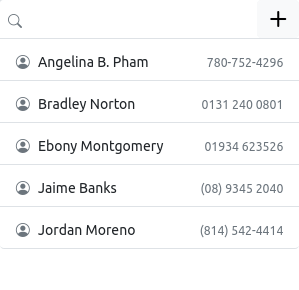
You can click the "Create" button on the top of the contact list to open a create form to create a new contact.
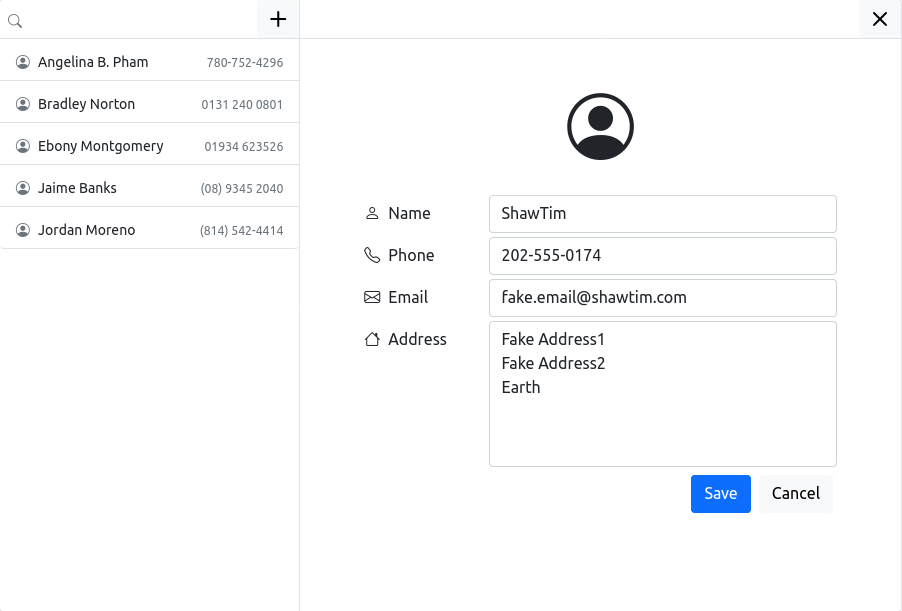
Once save it will be encrypted and store to data file immediately. And you can open the newly created contact to verify.
Password should be matched when initializing
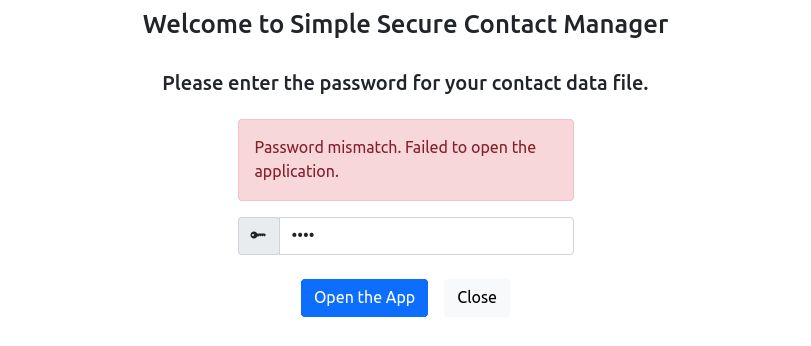
Login with a wrong password
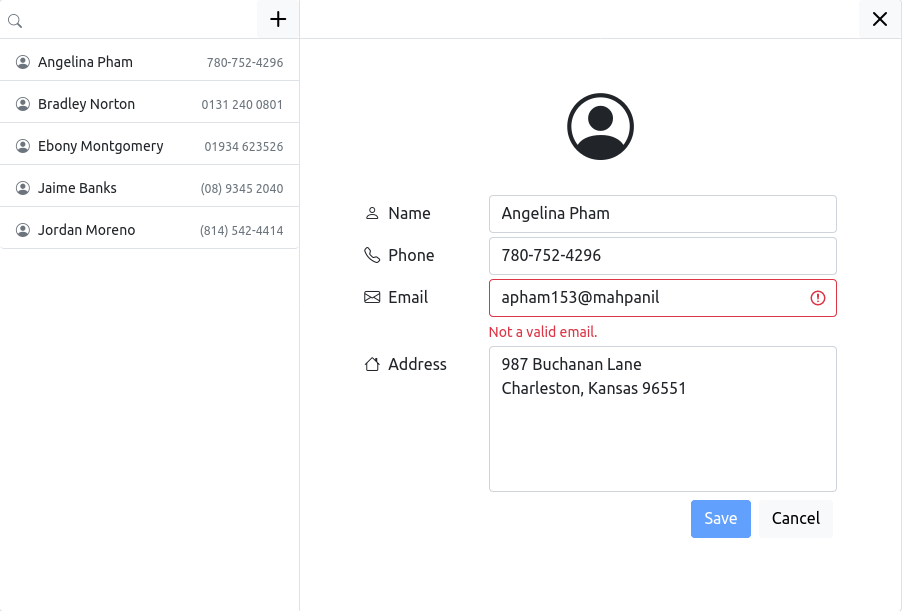
Invalid email
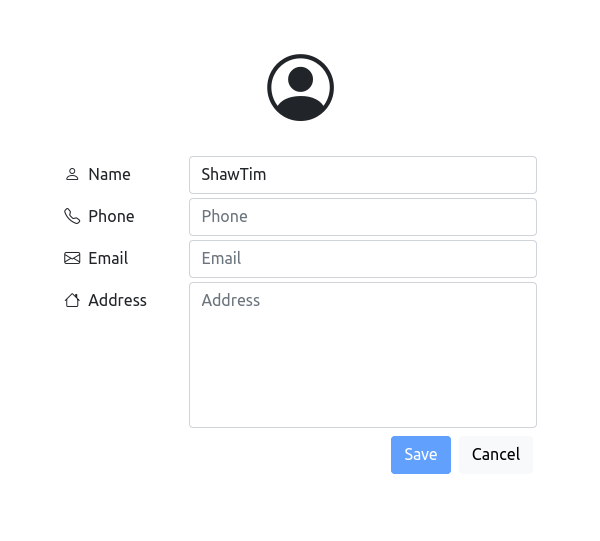
Some fields are empty, unable to click the "Save" button to continue
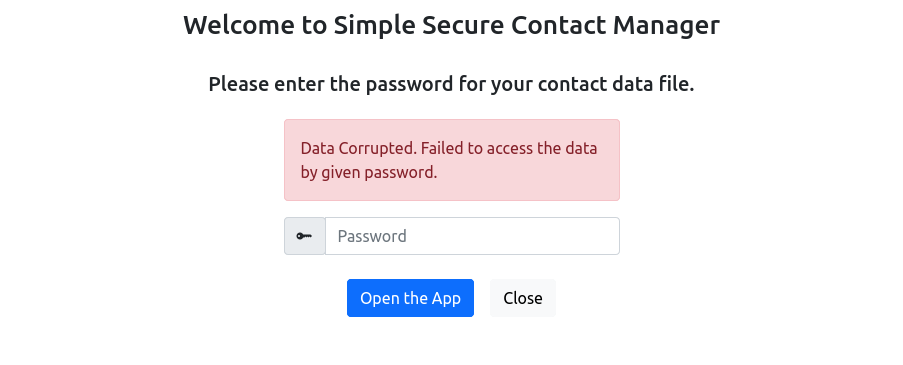
Data corrupted. This happens when you login the application already, and then manually edit the data file with some content that are not able to be decrypted with the given password
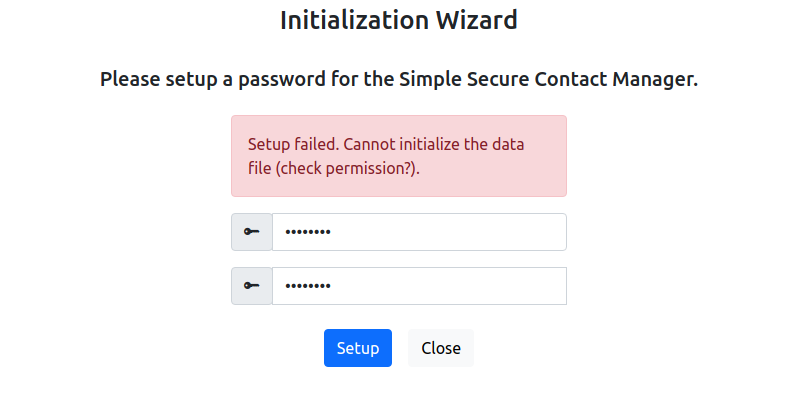
Failed to initialize. This happen when you fail to create the data file, mostly because you don't have permission to create file on the provided path
If the project needs to be continued, what can I add:
- Responsive UI: It can be done more on responsive like, when in mobile on contact view page, the contact list on the left should be hidden, and be able to access the contact list through a hamburger icon
- form dirty check: When the form is dirty (be changed), leaving the form should prompt you a warning
- ~100% unit test converage: High degree of test coverage is important such that every (or most) line of code are being tested. 100% test coverage doesnt mean 100% bug free, though. It's just referring how much lines of code are covered when running test
- e2e test: Cypress is great
- i18n: Most production-ready application requires i18n support. react-i18next can be a choice
- a11y: The current a11y support are provided mostly by bootstrap but it can be done better. For example the color color contrast of the highlighted text when search contacts is not obvious and may not be able to be accessed by user with color weakness.