A fully customized and high-performance Neovim setup designed to boost productivity and provide an IDE-like experience inside the terminal.


- 🚀 Fast & Lightweight: Optimized for speed with lazy-loading plugins via
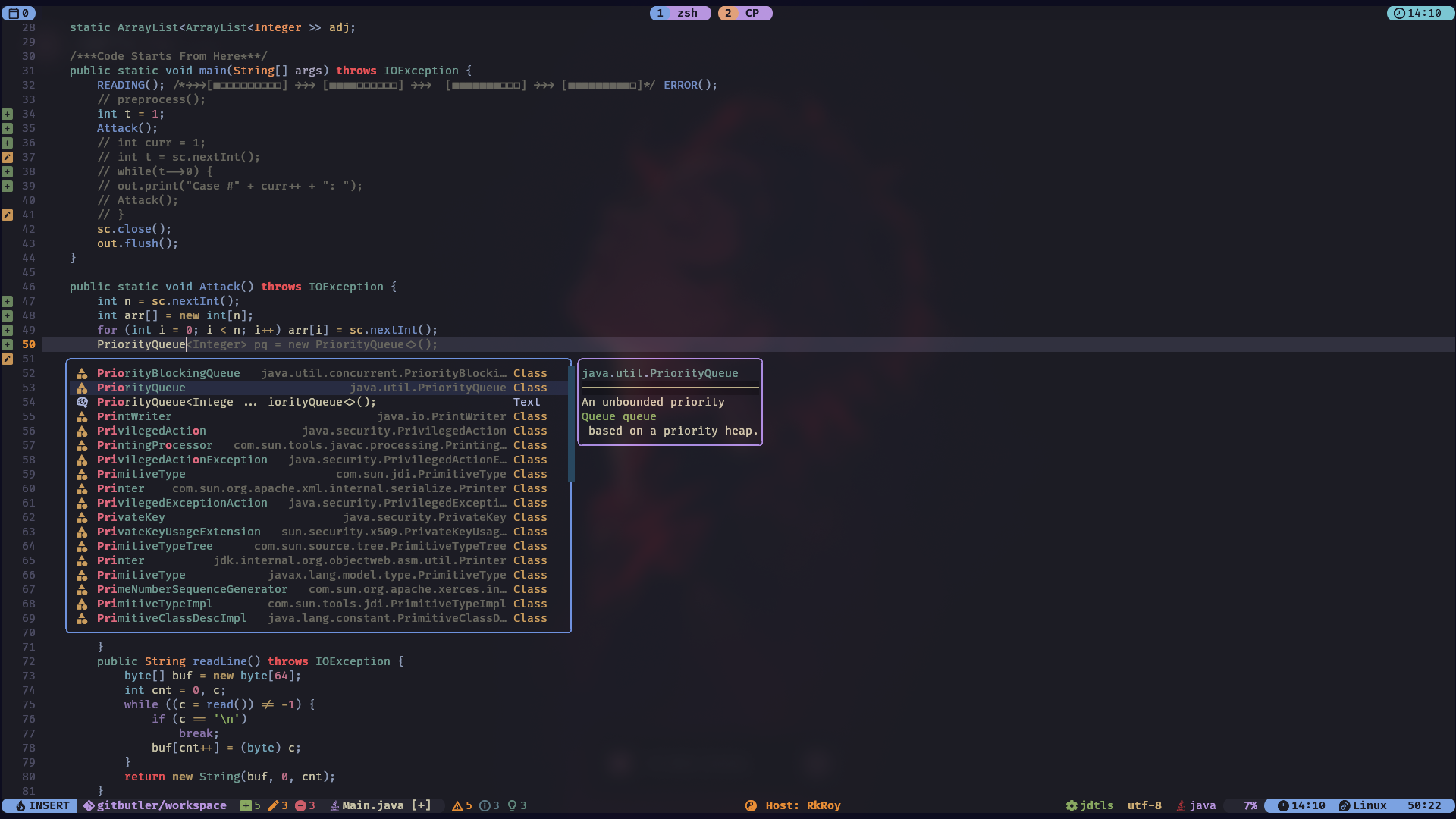
lazy.nvim. - 💡 Smart Completion: Advanced code completion with
nvim-cmp, powered by multiple sources. - 💻 Integrated Tooling: Built-in LSP, linting, formatting, and debugging support.
- 🎨 Beautiful UI: A clean and modern aesthetic with a custom color scheme, file icons, and status line.
- 🧩 Rich Plugin Ecosystem: A curated set of plugins for everything from Git integration to project management.
- ⌨️ Intuitive Keymappings: Sensible and easy-to-remember shortcuts powered by
which-key.
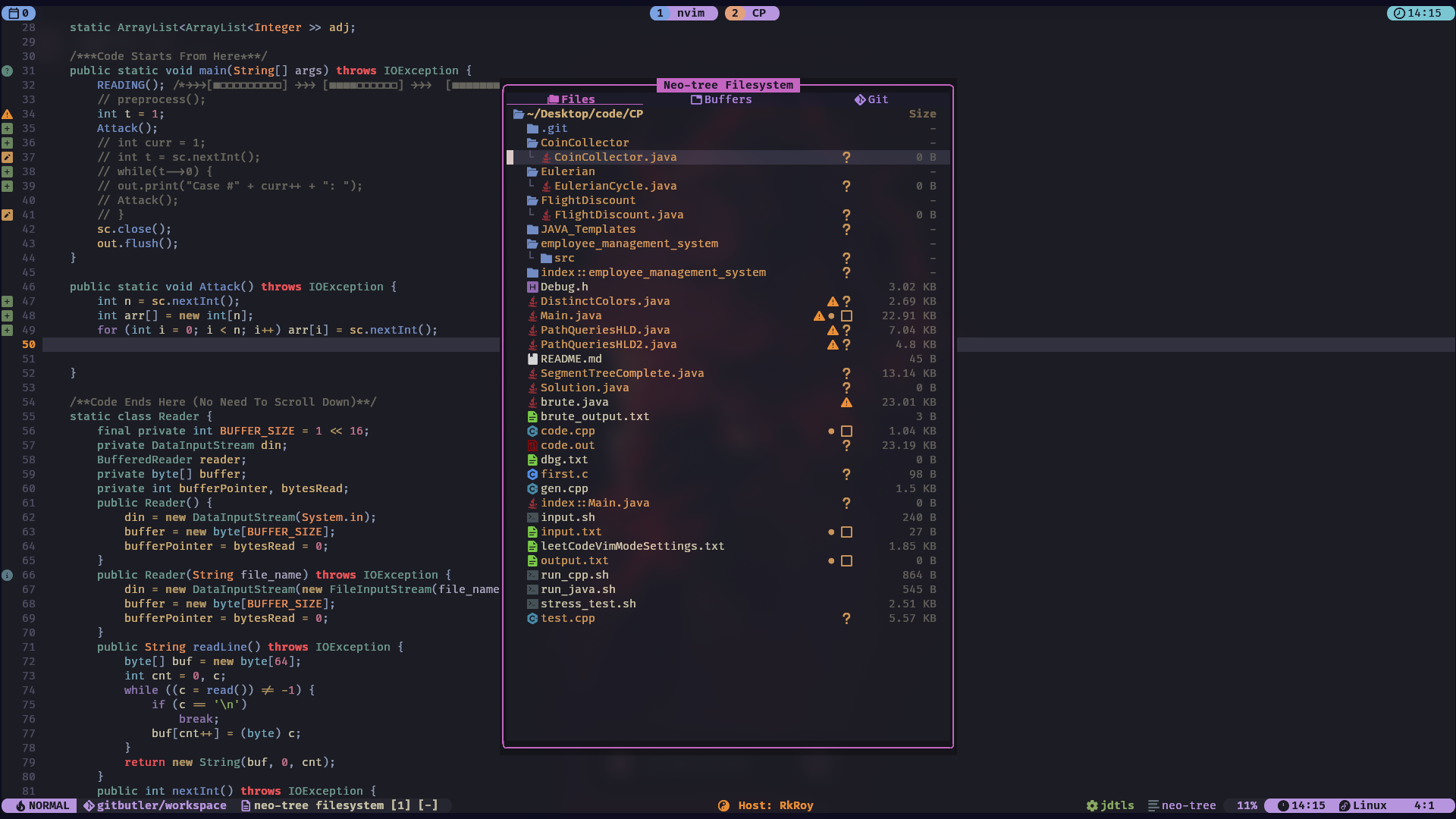
| File Tree | Editor |
|---|---|
 |
 |
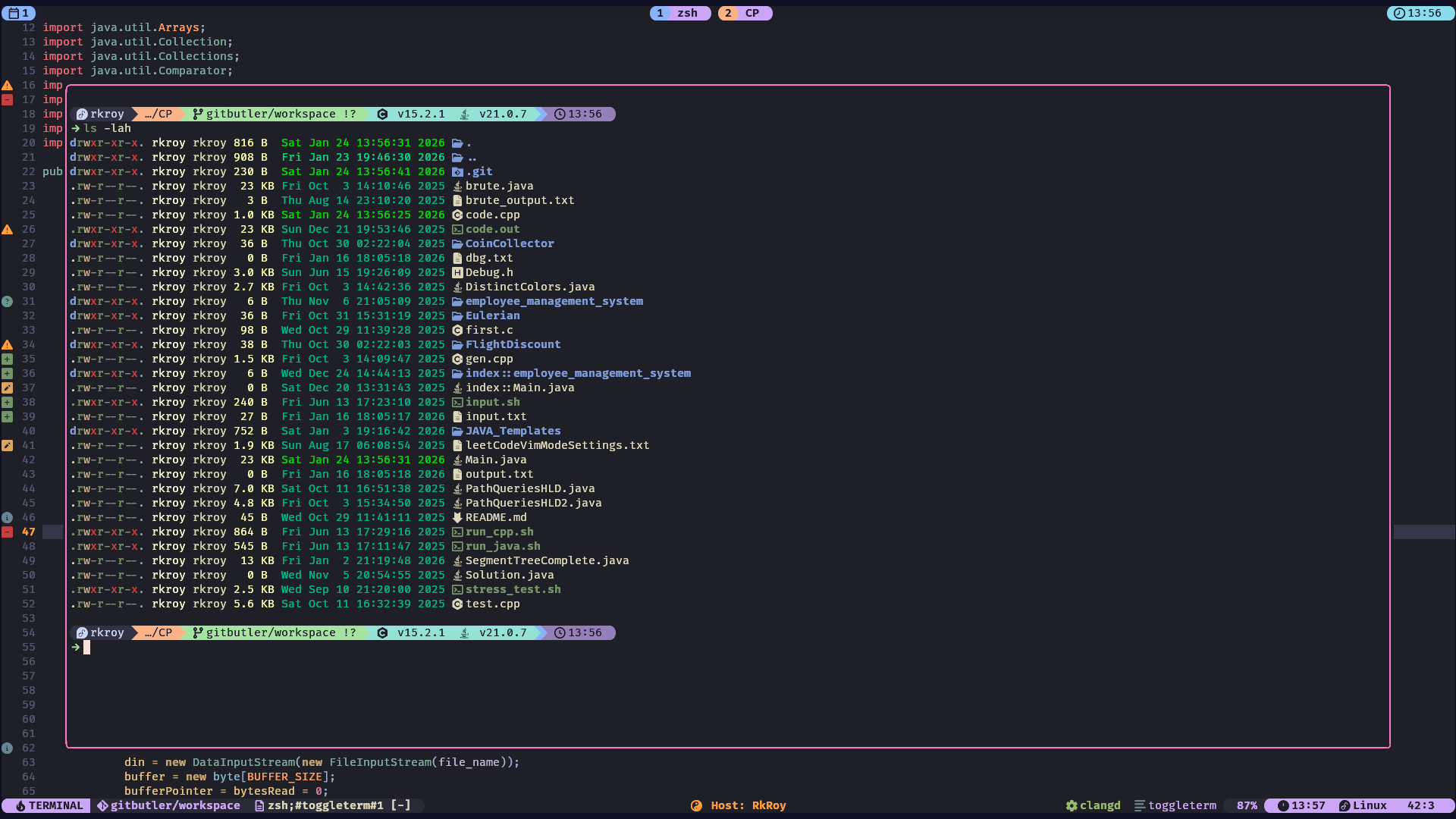
| Terminal | Terminal |
 |
 |
| Lazy Git | Editor |
 |
 |
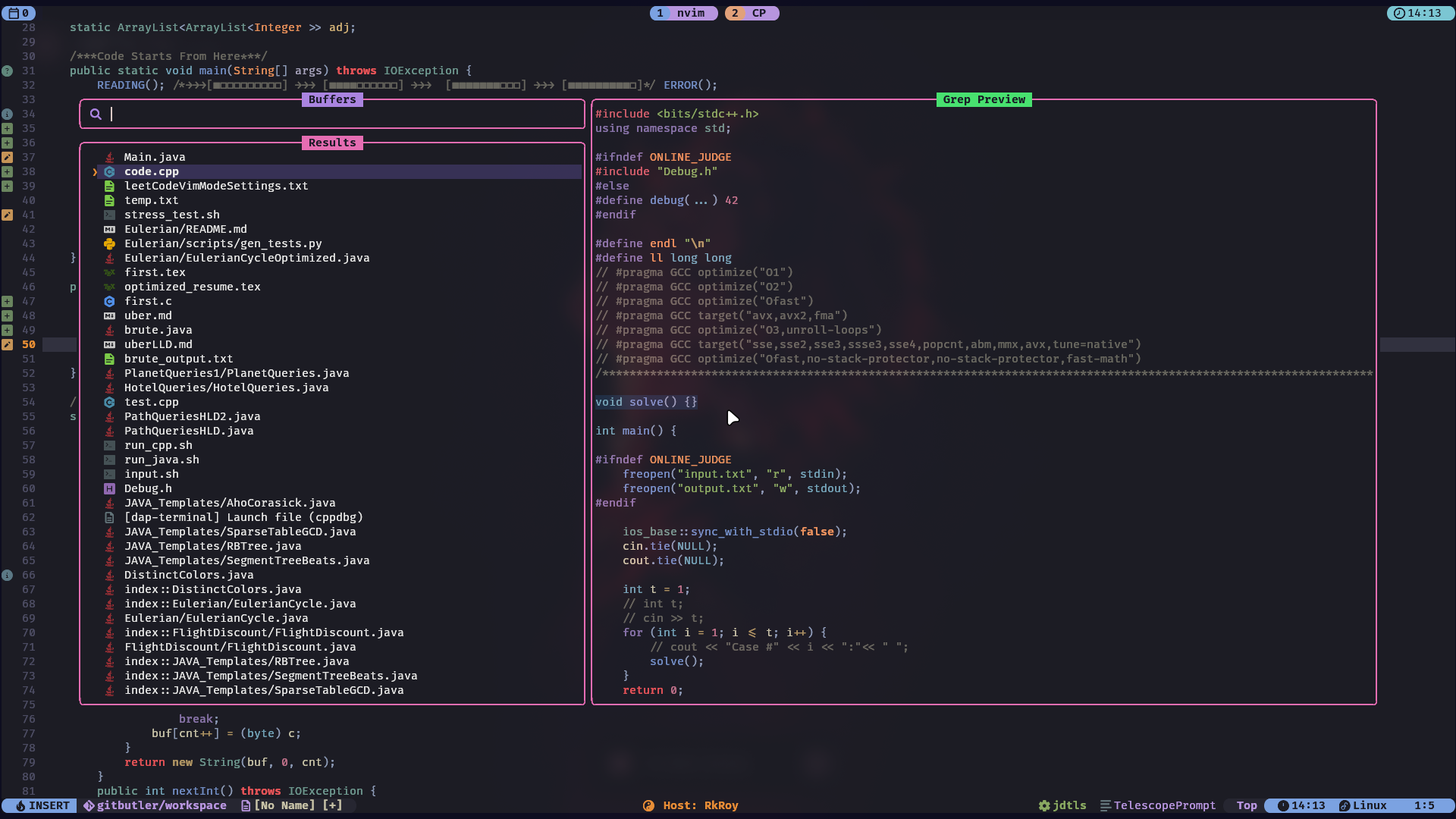
| Typr Stats | Telescope |
 |
 |
Before you begin, ensure you have the following installed:
- Neovim v0.8.0+
- Git
- A Nerd Font (for icons)
-
Clone the repository:
git clone https://github.com/RAJ8664/nvim-config.git
-
Run the installation script:
cd nvim-config chmod +x install.sh ./install.sh -
Start Neovim:
Open Neovim and the plugins will be installed automatically.
nvim
This configuration is built around a set of powerful plugins:
| Plugin | Description |
|---|---|
lazy.nvim |
The plugin manager that powers this setup. |
Kanagawa.nvim |
The primary color scheme. |
lualine.nvim |
A blazing fast and beautiful status line. |
NeoTree.lua |
A fast and feature-rich file explorer. |
bufferline.nvim |
A sleek and functional buffer line. |
which-key.nvim |
A popup that displays keybindings. |
telescope.nvim |
A highly extendable fuzzy finder. |
nvim-treesitter |
For advanced syntax highlighting and code parsing. |
dashboard-nvim |
A fancy start screen for Neovim. |
| Plugin | Description |
|---|---|
nvim-lspconfig |
The core LSP configuration plugin. |
mason.nvim |
To manage and install LSPs, linters, and formatters. |
blink-cmp |
The completion engine. |
nvim-lint |
For asynchronous linting. |
gitsigns.nvim |
Git decorations and hunks in the sign column. |
nvim-dap |
A Debug Adapter Protocol implementation. |
| Plugin | Description |
|---|---|
auto-pairs |
Automatically closes pairs of brackets, quotes, etc. |
comment.nvim |
For easy commenting and uncommenting of code. |
indent-blankline.nvim |
Adds indentation guides. |
flash.nvim |
For quick navigation within the viewport. |
This configuration has built-in support for a variety of languages through nvim-lspconfig and mason.nvim. The following LSPs are configured by default:
lua_ls(Lua)clangd(C/C++)ts_ls(TypeScript/JavaScript)jdtls(Java)phpactor(PHP)tailwindcss(Tailwind CSS)htmlsqls
You can easily add more LSPs by modifying the lsp_config.lua file.
This configuration is designed to be easily customizable. Here are some of the key files you might want to edit:
lua/core/options.lua: General Neovim settings.lua/core/keymaps.lua: Global keymappings.lua/plugins/: Plugin configurations. Add or remove files here to manage your plugins.lua/plugins/lsp_config.lua: LSP and language server settings.
- Leader key is set to
space.
🚀 Core & Navigation
| Mode | Key | Action |
|---|---|---|
n |
<C-s> |
Save file |
i |
<C-z> |
Undo |
n |
<C-a> |
Select all |
n |
<leader>sn |
Save file without auto formatting |
n |
<Esc> |
Clear search highlights |
t |
<Esc><Esc> |
Exit terminal mode |
n |
<C-h> |
Move focus to the left window |
n |
<C-l> |
Move focus to the right window |
n |
<C-j> |
Move focus to the lower window |
n |
<C-k> |
Move focus to the upper window |
n |
<Tab> |
Next buffer |
n |
<S-Tab> |
Previous buffer |
n |
<C-b> |
NeoTree reveal |
🔍 Search & Discovery (Telescope / Flash)
| Mode | Key | Action |
|---|---|---|
n |
<leader>sf |
[S]earch [F]iles |
n |
<leader>sg |
[S]earch by [G]rep |
n |
<leader>sw |
[S]earch current [W]ord |
n |
<leader>sk |
[S]earch [K]eymaps |
n |
<leader>sh |
[S]earch [H]elp |
n |
<leader>ss |
[S]earch [S]elect Telescope |
n |
<leader>sd |
[S]earch [D]iagnostics |
n |
<leader>sr |
[S]earch [R]esume |
n |
<leader>s. |
[S]earch Recent Files |
n |
<leader><leader> |
Find existing buffers |
n |
<leader>/ |
Fuzzily search in current buffer |
n |
<leader>s/ |
[S]earch [/] in Open Files |
n |
<leader>sn |
[S]earch [N]eovim files |
n, x, o |
s |
Flash |
n, x, o |
S |
Flash Treesitter |
o |
r |
Remote Flash |
o, x |
R |
Treesitter Search |
c |
<c-s> |
Toggle Flash Search |
🛠️ LSP, Logic & Development
| Mode | Key | Action |
|---|---|---|
n, v |
<leader>f |
Format file or range |
n |
gl |
View diagnostics for current line |
n |
<leader>q |
Open diagnostic [Q]uickfix list |
n |
<Leader>; |
Pick symbols in winbar |
n |
[; |
Go to start of current context |
n |
]; |
Select next context |
n |
<leader>jc |
Replace test case to input.txt |
n |
<leader>jr |
Run Java code |
n |
<leader>jf |
Run CPP code |
🐞 Debugging (DAP)
| Key | Action | Alt Key |
|---|---|---|
<leader>Dc |
Debug: Start/Continue | <F5> |
<leader>Db |
Debug: Toggle Breakpoint | <leader>b |
<leader>Dsi |
Debug: Step Into | <F1> |
<leader>DsO |
Debug: Step Over | <F2> |
<leader>Dso |
Debug: Step Out | <F3> |
<leader>DB |
Set Conditional Breakpoint | <leader>B |
<leader>Dt |
Toggle Debug UI | — |
<leader>Dl |
Run Last Configuration | — |
<F7> |
See last session result | — |
🎋 Git Integration (Gitsigns)
| Mode | Key | Action |
|---|---|---|
n, v |
<leader>hs |
git [s]tage hunk |
n, v |
<leader>hr |
git [r]eset hunk |
n |
<leader>hS |
git [S]tage buffer |
n |
<leader>hu |
git [u]ndo stage hunk |
n |
<leader>hR |
git [R]eset buffer |
n |
<leader>hp |
git [p]review hunk |
n |
<leader>hb |
git [b]lame line |
n |
<leader>hd |
git [d]iff against index |
n |
<leader>hD |
git [D]iff against last commit |
n |
<leader>gt |
[T]oggle git show [b]lame line |
n |
<leader>tD |
[T]oggle git show [D]eleted |
🤖 Sidekick AI Integration
| Mode | Key | Action |
|---|---|---|
n, v |
<leader>aa |
Sidekick Toggle CLI |
n |
<leader>as |
Sidekick Select CLI |
v |
<leader>as |
Sidekick Send Visual Selection |
n, v |
<leader>ap |
Sidekick Select Prompt |
all |
<c-.> |
Sidekick Switch Focus |
n, v |
<leader>ac |
Sidekick Claude Toggle |
💻 Terminal
| Mode | Key | Action |
|---|---|---|
n |
Alt + 1 |
Toggle 1st ToggleTerm Terminal instance. |
n |
Alt + 2 |
Toggle 2nd ToggleTerm Terminal instance. |
n |
Alt + i |
Toggle ith ToggleTerm Terminal instance. |
This configuration was inspired by the many amazing Neovim users and plugin authors in the community. A special thanks to the creators of the plugins and tools that make this setup possible.