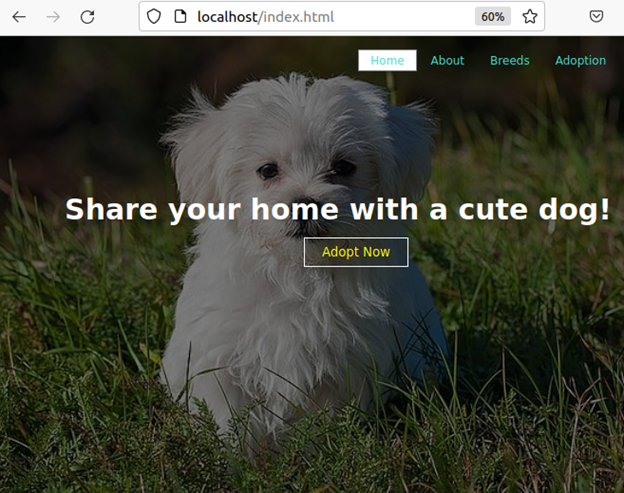
Ansible demo for absolute Beginner not only to Ansible but also Linux and VMs :)
Hello, this is a simple Ansible demo that you can use as understanding basic Ansible futures. Ansible is an open-source IT engine to automate main CI/CD subjects which are Provisioning, Configuration Management, Application Deployment, Continues Delivery, and Orchestration. In this demo, I will demonstrate how to create a LAMP Stack and deploy a Webpage, but I also want to show how to use Ansible from scratch using VMs.
Step 1: What is Ansible, and how it works?
Ansible is an open-source IT automation engine, so you can use it to automate repetitive system administration tasks. Ansible does not require an agent, it communicates via SSH hence you don’t have to install any agent into your nodes.
Simply we can say Ansible has two main components: inventory and playbook. Inventory includes your nodes, we can say it is a host file. The playbook is a YAML file that is simply put in your order to accomplish in your nodes.
Step 2: Creating Test Environment and Installing Ansible
For using Ansible you need a control machine that runs Ansible, Ansible control machine works with Linux system. For this reason, I will create a Ubuntu VM in my Windows host and I will use my new Ubuntu VM as a control machine where I install Ansible. Also, I need a slave machine to deploy my application, so I will create another VM (it can be any kind of Linux, Windows, etc.) named server1 which will run my WebPage.
I used Oracle VM to create VMs and used the below command to install ansible in my control machine, if it sounds new to you, please refer-> (https://phoenixnap.com/kb/install-ansible-on-windows)
$ sudo add-apt-repository universe
$ sudo apt-get update
$ sudo apt install ansible –y
To check is installed correctly:
$ ansible --version
Ansible works with Python, if Python is not installed in your VM before, the installation of Ansible will also install Python.
$ python3 –version
Step 3: Reaching to Nodes
Ansible uses its inventory to know which nodes will be controlled. This is a simple host file under /etc/ansible/hosts.
Use the below command to open and edit the ansible hosts file and add your nodes as IP address or hostname
$ sudo edit /etc/ansible/hosts
In my example:
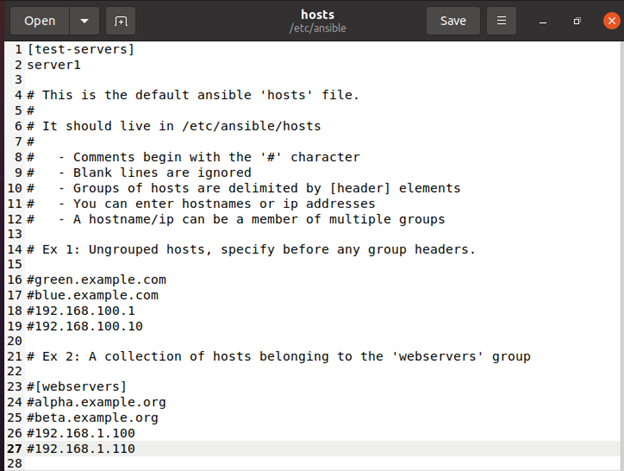
I grouped my slave machine named server1 under test-servers. Also, I defined server1 IP address under /etc/hosts but you can also define it here. Note: Creating VM with default settings applies the same IP address to every VM. To change this simply changes your VM network settings to NAT Network from VM Manager.

As I mentioned, Ansible uses SSH to connect nodes, to do this first create an SSH key:
$ ssh-keygen
Then, share this key with nodes:
$ ssh-copy-id –i server1
What can go wrong with the above command? Well, I frustrated at first :)
You have to sure that your nodes and control machine has SSH service and port 22 (connection port) is opened also firewall should allow SSH.
In both control and node machines,
Install OpenSSH :
$ sudo apt update
$ sudo apt install OpenSSH-server OpenSSH-client
$ sudo systemctl status ssh (to check ssh is active)
Then, Configure the firewall
$ sudo ufw allow ssh
$ sudo ufw enable
$ sudo ufw status (to check port 22 is allowed)
Testing your connection with your nodes:
$ ansible –m ping all
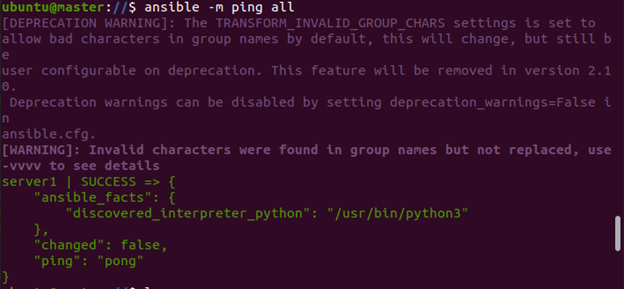
And not to forget, sending the key to nodes requires a password, so in your nodes set a password if it is not defined and use it when it is asked.
$ passwd
Step 4: Running Playbook In this repo, you will be found a static website files and a playbook. The control machine will give order to nodes to accomplish what it writes in the playbook step by step. First, it will install LAMP Stack (Provisioning) Second, it will configure apache and MySQL servers (Configuration Management) Then, it with deploy the application. (Application Deployment) To run a playbook:
$ ansible-playbook lamp.yml –K

Step 5 : Checking nodes Files copied destination folder which set in yaml.
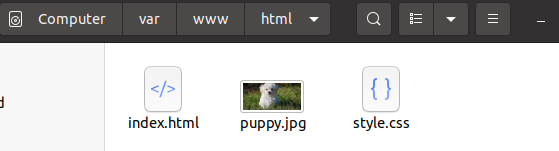
And the website is running as expected: