In this assignment, let's build an Interview Questions App by applying the react concepts we learned till now.

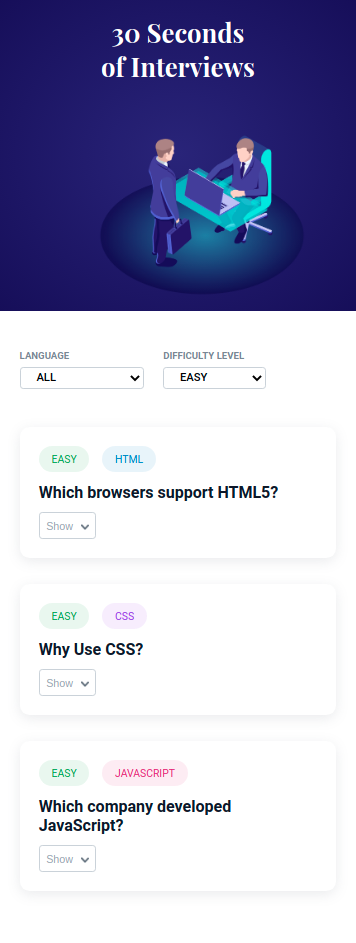
- Extra Small (Size < 576px), Small (Size >= 576px) - language selected
- Extra Small (Size < 576px), Small (Size >= 576px) - difficulty level selected
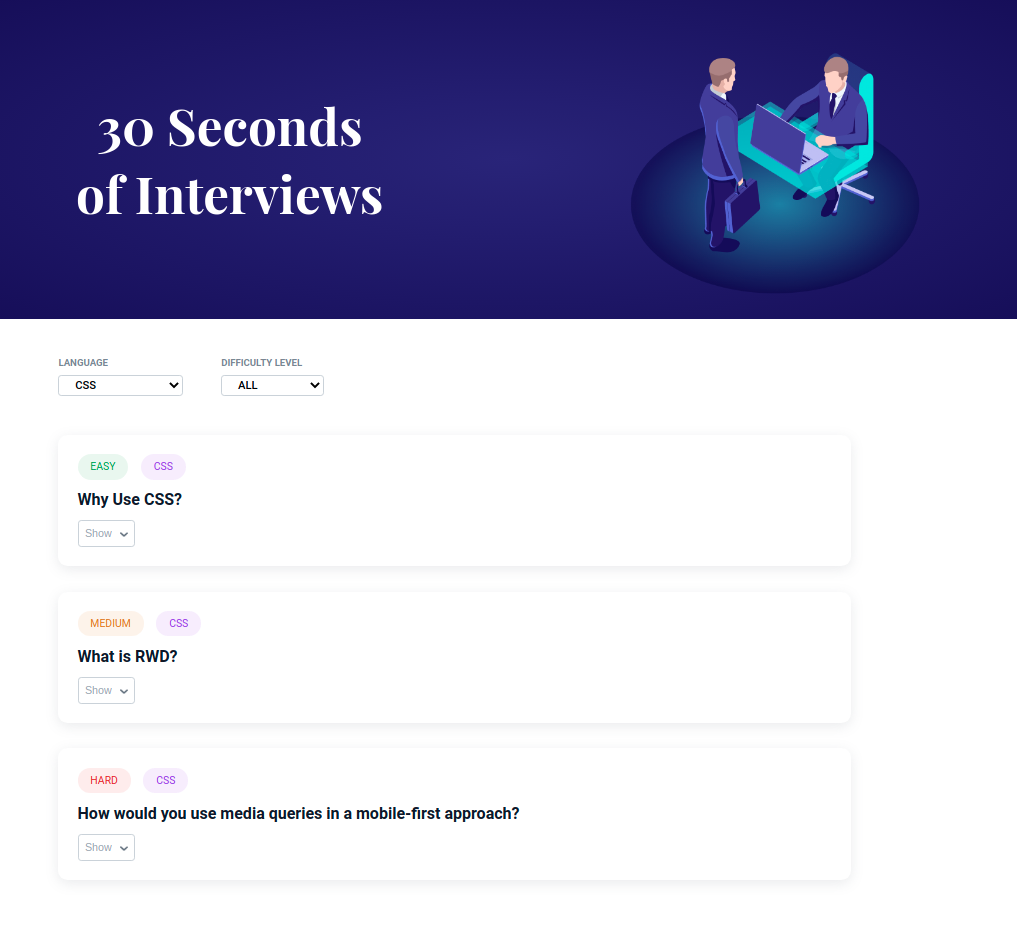
- Medium (Size >= 768px), Large (Size >= 992px) and Extra Large (Size >= 1200px) - language selected
- Medium (Size >= 768px), Large (Size >= 992px) and Extra Large (Size >= 1200px) - difficulty level selected
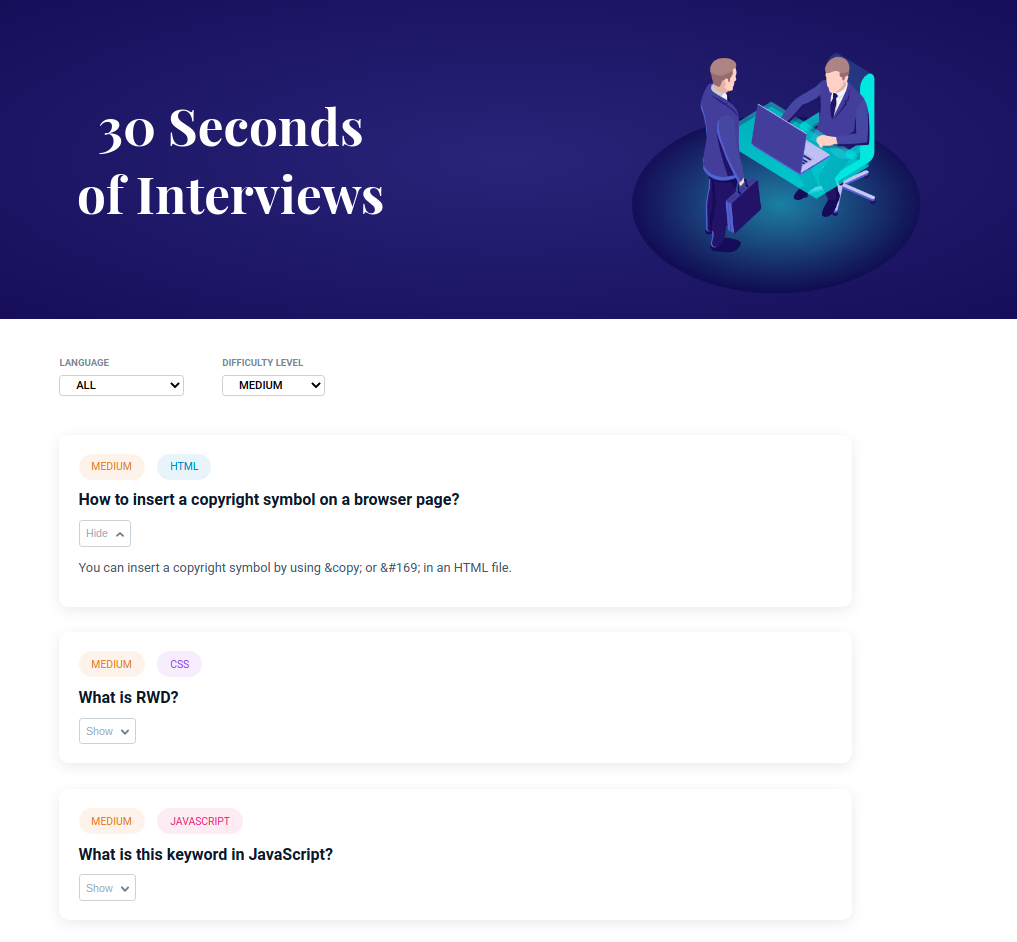
- Medium (Size >= 768px), Large (Size >= 992px) and Extra Large (Size >= 1200px) - both language and difficulty level is selected


- Download dependencies by running
npm install - Start up the app using
npm start
The app must have the following functionalities
-
By default language and level are selected as ALL then complete data should be displayed.
-
When a specific language is selected
-
Only interview questions on that language should be displayed with all the levels.
-
When a specific level is selected
- Only interview questions in that level should be displayed for all the languages.
-
When both specific language and specific level is selected
-
Only interview questions on that language should be displayed with the selected level.
-
When the Show button is clicked in each question
-
The answer to the question should be visible to the user.
-
Button text should be changed to Hide.
-
The down arrow icon should change to up arrow icon.
-
When the Hide button is clicked in each question
- The answer to the question should be hidden to the user.
- Button text should be changed to Show.
- The up arrow icon should change to down arrow icon.
-
Each interview question object will have the following properties
Key Data Type id Number questionText String answerText String language String difficultyLevel String -
Each difficulty level object will have the following properties
Key Data Type id Number level String -
Each language object will have the following properties
Key Data Type id Number language String -
Your task is to complete the implementation of
src/components/InterviewQuestionsApp/index.jssrc/components/InterviewQuestionsApp/index.csssrc/components/Filters/index.jssrc/components/Filters/index.csssrc/components/InterviewQuestion/index.jssrc/components/InterviewQuestion/index.css
The following attributes are required in the component for the tests to pass
- The
InterviewQuestioncomponent should have a Show button element in which it contains image element with HTMLaltattribute value as 'down arrow'- The
InterviewQuestioncomponent should have a Hide button element in which it contains image element with HTMLaltattribute value as 'up arrow'
- The box-shadow CSS property adds shadow effects around an element's frame. You can set multiple effects separated by commas. Check this to know more.
- The cursor CSS property sets the type of mouse cursor, if any, to show when
the mouse pointer is over an element. Use the CSS property
cursorwith the valuepointerto indicate a link. Click this to know more. - An outline is a line that is drawn around an element, outside the border. The
outline CSS shorthand property sets all the outline properties. Use the CSS
property
outlinewith valuenoneto hide all the outline properties. Click this to know more.
- https://assets.ccbp.in/frontend/react-js/interview-questions-img.png
- https://assets.ccbp.in/frontend/react-js/up-arrow.png
- https://assets.ccbp.in/frontend/react-js/down-arrow.png



- Playfair Display
- Roboto
- All components you implement should go in the
src/componentsdirectory.- Don't change the component folder names as those are the files being imported into the tests.
- Do not remove the pre-filled code
- Want to quickly review some of the concepts you’ve been learning? Take a look at the Cheat Sheets.