
md2indexhtml is a powerful Python package that converts Markdown files to beautifully styled HTML pages specifically designed for Odoo modules. It uses comprehensive Odoo frontend styling classes from web.assets_frontend.min.css to create professional, responsive documentation that integrates seamlessly with Odoo's design system.
Create stunning, professional HTML documentation from Markdown with authentic Odoo styling
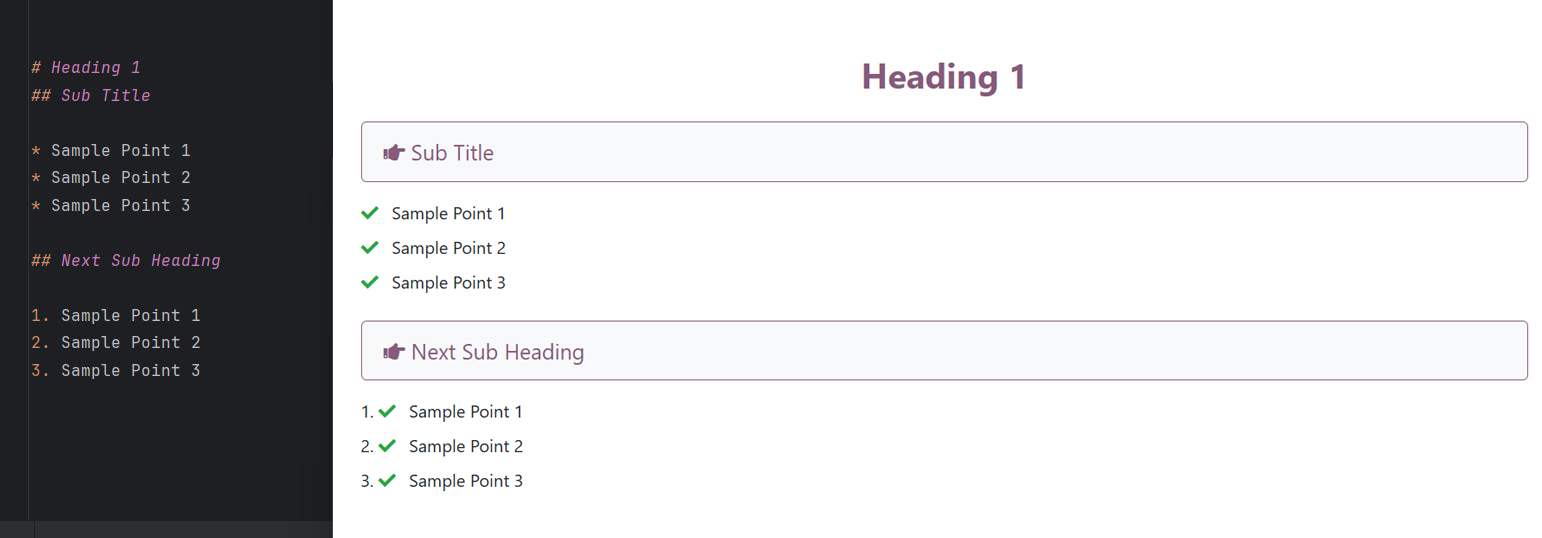
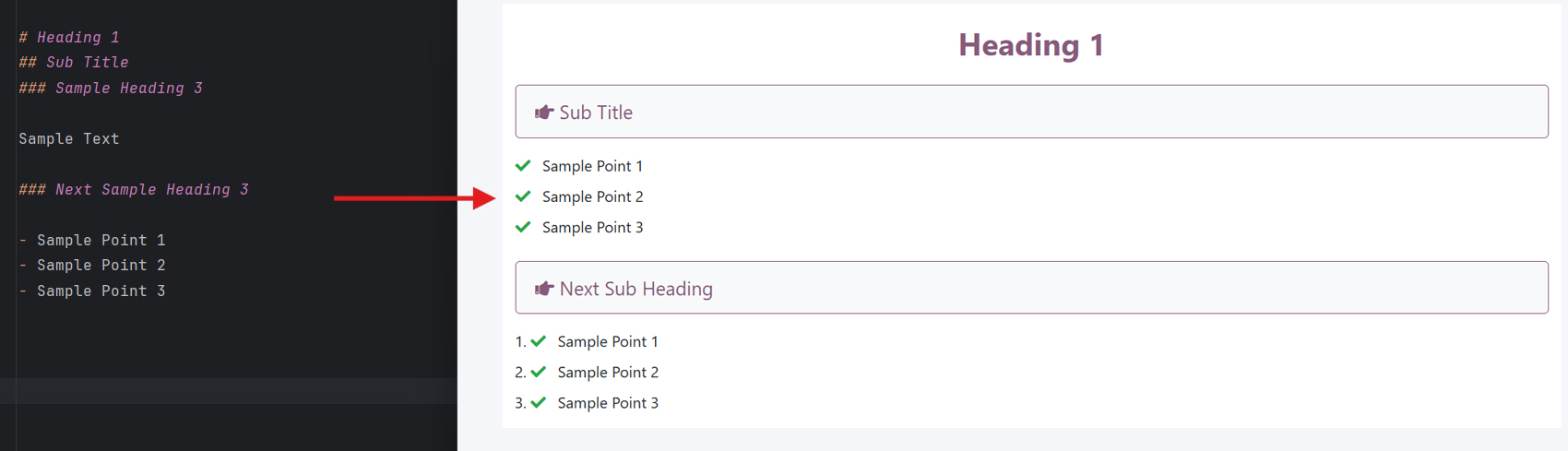
Simple command, beautiful results:
md2indexhtml README.md- Comprehensive Odoo Styling: Uses authentic Odoo frontend classes for consistent design
- Enhanced Premium Design: Modern typography (Inter font), soft shadows, and clean card layouts by default
- Semantic HTML5: Generates clean, accessible HTML with proper semantic structure
- Automatic Image Handling: Processes and copies images with responsive styling
- Custom Resource Injection: Easily inject custom CSS stylesheets and JavaScript files
- CLI Integration: Simple command-line interface with powerful options
- Responsive Design: Mobile-friendly layouts with Odoo's responsive classes
- Typography Excellence: Beautiful typography using Odoo's font system alongside Google's Inter font
- Card-Based Layouts: Automatic section organization into elegant card layouts with hover effects
- Table Enhancement: Professional table styling with striped rows and hover effects
Install the package using pip:
pip install md2indexhtmlConvert your README.md to Odoo-styled HTML:
cd your_odoo_module
md2indexhtml README.md
This creates a beautifully styled static/description/index.html file perfect for the Odoo Apps Store.
If you have a markdown file in your current directory:
md2indexhtmlIt automatically finds and converts the first .md file found.
Specify where to save the HTML file:
md2indexhtml README.md --output /path/to/docs.html
# or use the short form
md2indexhtml README.md -o /path/to/docs.htmlSet a custom title for your HTML document:
md2indexhtml README.md --title "Module Documentation"You can inject custom CSS or JavaScript files into the generated HTML. This is useful for adding google analytics, custom fonts, or specific styling tweaks.
Add Custom Stylesheet:
md2indexhtml README.md --stylesheet "https://fonts.googleapis.com/css?family=Open+Sans,custom.css"Add Custom Script:
md2indexhtml README.md --script "https://example.com/analytics.js,custom_script.js"The package intelligently converts markdown elements:
# Headersbecome full-width sections with Odoo styling## Subheadersbecome card-based feature sections- Lists are styled with Odoo's list classes
- Code blocks get syntax highlighting and proper spacing
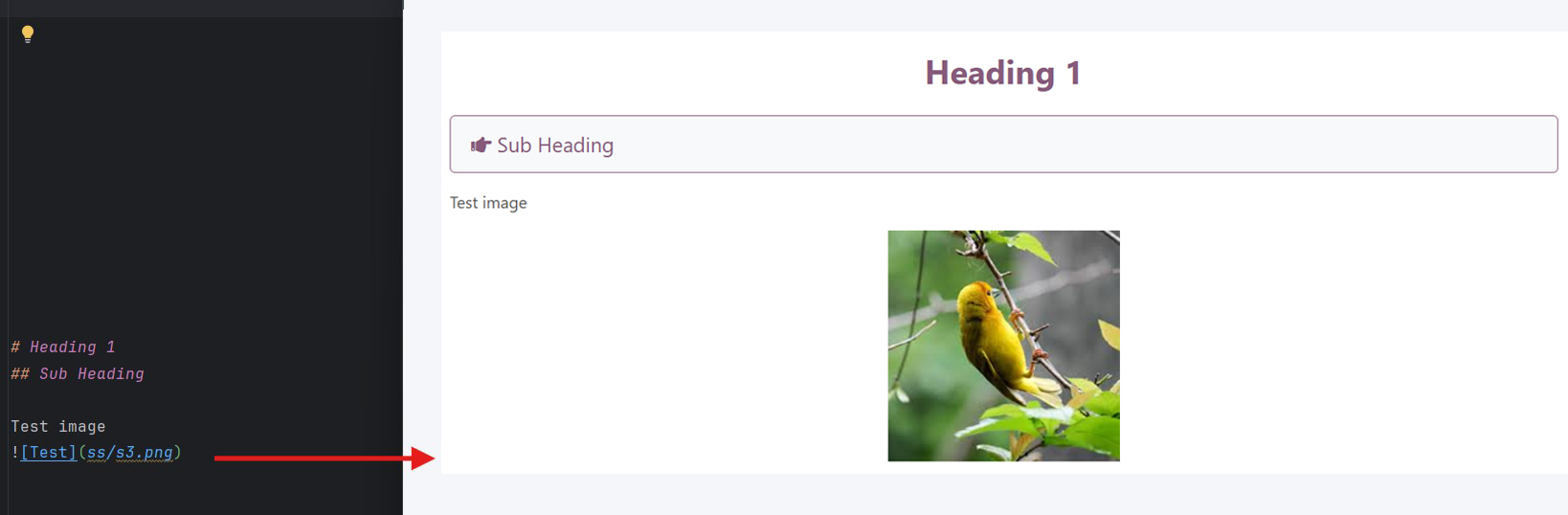
- Images are automatically made responsive and centered
- Tables receive full Odoo table styling
You can mix HTML directly in your markdown:
# My Module

<section class="py-5 bg-primary text-white text-center">
    <h2>Custom HTML Section</h2>
    <p>This will be preserved exactly as written</p>
</section>The package automatically processes images:
# Using Markdown

# Using HTML
<img src="assets/demo.jpg" alt="Demo" />Automatic Processing:
- Copies images to
images/directory in output location - Updates paths to use only filenames (flattens directory structure)
- Adds responsive classes automatically
- Preserves external URLs and base64 images
Use the package programmatically:
from md2indexhtml import convert_md_to_html

# Basic conversion
convert_md_to_html("README.md")

# With custom custom title and output
convert_md_to_html(
    md_file_path="README.md",
    title="My Documentation",
    output_path="docs/index.html"
)

# With custom stylesheets and scripts
convert_md_to_html(
    md_file_path="README.md",
    stylesheets=["https://example.com/style.css", "custom.css"],
    scripts=["https://example.com/script.js"]
)The generated HTML includes:
- Semantic Structure: Proper HTML5 semantic elements
- Responsive Design: Mobile-first responsive layout
- Odoo Integration: Native Odoo styling classes
- Typography: Professional typography with Odoo fonts
- Accessibility: ARIA labels and semantic markup
- Performance: Optimized CSS and clean HTML structure
Files generated with md2indexhtml are specifically designed for the Odoo Apps Store:
- Uses
oe_structurecontainers for proper Odoo integration - Includes proper meta tags and viewport settings
- Follows Odoo's design guidelines and color schemes
- Optimized for the Apps Store's rendering system
# Convert with defaults
md2indexhtml README.md

# Custom title and output
md2indexhtml README.md --title "My Module" --output custom.html

# Inject Custom resources
md2indexhtml README.md --stylesheet "style.css" --script "app.js"

# Get version
md2indexhtml --versionContributions are welcome! Please feel free to submit pull requests or open issues on GitHub.
git clone https://github.com/fasilwdr/md2indexhtml.git
cd md2indexhtml
pip install -e .This project is licensed under the MIT License. See the LICENSE file for details.
Fasil (@fasilwdr)
Email: fasilwdr@hotmail.com
GitHub: https://github.com/fasilwdr
Transform your Markdown documentation into professional, Odoo-ready HTML with md2indexhtml!