
Blendr lets one host control playback from YouTube while everyone else joins from a clean browser link.
Website · Chrome Extension · Demo · Runbook · Protocol
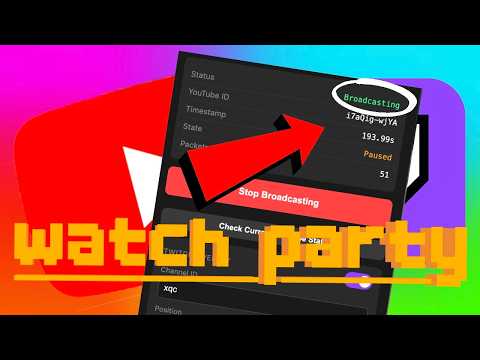


Blendr turns a normal YouTube tab into a watch party host. The admin starts a session from the Chrome extension, shares the generated Blendr link, and viewers stay locked to the host's playback state without a screenshare, meeting room, or shared account.
The current production stack is live at:
| Surface | URL |
|---|---|
| Website | https://blendr.live |
| API | https://api.blendr.live |
| Chrome extension | Chrome Web Store ID dhijdnhjdpoiegbagdcjgaokoljgdbno |
- The admin opens a YouTube video and starts broadcasting from the Chrome extension.
- The extension creates a session with
POST /api/session/create, then connects as the authenticated admin over WebSocket. - The content script reads the YouTube
<video>state and sends sync packets through the background service worker. - The API keeps session state in memory, tracks session metadata in Redis, and broadcasts state to viewers.
- Viewers open
https://blendr.live/watch?session=...; the website connects as a read-only viewer and drives the YouTube IFrame player.
blendr/
├── apps/
│   ├── website/          # Next.js viewer app deployed by Vercel
│   ├── api/              # Bun WebSocket/API server deployed on GCP
│   └── admin-extension/  # Chrome MV3 admin broadcaster extension
├── docs/
│   ├── PROTOCOL.md       # HTTP/WebSocket protocol and session lifecycle
│   └── RUNBOOK.md        # Local dev, deploy, release, and operations
├── infra/
│   ├── caddy/            # Production reverse proxy config
│   └── systemd/          # Production API service unit
├── scripts/
│   ├── dev-local.sh
│   ├── start-api.sh
│   ├── deploy-api.sh
│   └── package-extension.sh
├── AGENTS.md
├── LICENSE
├── package.json
├── pnpm-workspace.yaml
└── vercel.json
Prerequisites:
- Bun 1.1+
- Node.js 18+
- npm or pnpm
- Chrome for extension testing
Start the full local stack:
./scripts/dev-local.shAccess points:
| Service | URL |
|---|---|
| Website | http://localhost:3000 |
| API | http://localhost:6767/api/session/create |
| WebSocket | ws://localhost:6767/ws |
Manual commands:
cd apps/api && bun run dev
cd apps/website && npm run dev
For extension testing, load apps/admin-extension as an unpacked extension in Chrome. scripts/dev-local.sh temporarily points apps/admin-extension/config.js at localhost and restores production config on exit.
- Website: Vercel builds
apps/websiteusingvercel.json. - API: GCP VM
hdtrs, Caddy on ports80/443, Bun bound to127.0.0.1:6767, Redis local on127.0.0.1:6379. - Extension: packaged from
apps/admin-extension; production endpoints must stayhttps://api.blendr.liveandwss://api.blendr.live.
Operational details live in:
cd apps/api && bunx tsc --noEmit
cd apps/website && npm run build
./scripts/package-extension.sh
package-extension.sh queries the Chrome update endpoint and refuses to create blendr-admin-extension.zip unless apps/admin-extension/manifest.json is higher than the currently published version.
Apache License 2.0. Copyright 2026 Mihir Belose.