The project is from Wärtsilä, a global leader in innovative technologies and lifecycle solutions for the marine and energy markets. Each of their products contains many small elements, with a numerous data of chemical compositions, physicals parameters, standards, etc. In some cases, that might be an obstacle for any designer. For this reason, this chatbot is expected to be a solution which assists the customer and designer to get more information about the components and materials.
The main technologies we used here are Azure Cognitive Service for Language, TypeScript, React, Redux, CSS, and SASS. This project was bootstrapped with Create React App.
- Quickly and automatically reply most of the questions from customers and designers.
- Contains AI service (Azure Cognitive Service) to analyze and understand input questions.
- Provide to users either further selective options or suitable answer based on the data fetch from the material database. See also this backend server.
- Visit our product here.
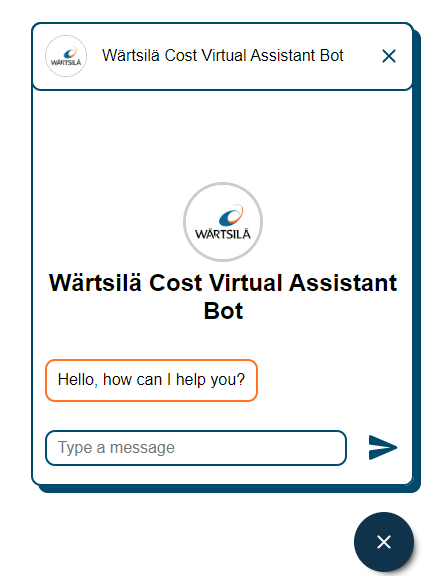
- List of available questions:
| Type | Definition | Example |
|---|---|---|
| Greeting | Hello, thank you, goodbye, etc. | |
| Direct | Fetch ID, international standards, physical quantities, remarks | What are the raw material and density of MAT0001 and MAT0002? What are materials with Cr, Mn in? |
| Equivalent | Fetch ID of simliar material | Which material is similar to MAT0005 and MAT0009? |
| Calculation | Further calculaton (mass, cost) | What is the cost for 8mm length bar MAT0010? |
| Range | Display ID satisfied with a given range | Find materials whose diameter from 200-300 |
| All params | Give an ID and the bot shows all information about that material | MAT0003 |
-Note: Unfortunately, any other questions whose content are not mentioned above and/or contain pronunciation error(s) may not be answerd correctly.
- Install the dependencies using
npmoryarn:
npm install
or
yarn install
- Create
.envfile with the correct credentials to access Azure service. (Contact me via email at hoangduongphantri@gmail.com to get the environment variables file). - Run the program by
npmoryarnin the development mode.:
npm start
or
yarn start
Open http://localhost:3000 to view it in the browser.
The page will reload if you make edits.
You will also see any lint errors in the console.