Authors: Win Thant Tin Han, Jeralson Paredes, Isabel Chen, Anthony Duong
In this application movies are organized into categories and subcategories to represent their genres and subgenres respectively. The application allows displaying movies under different genres/subgenres or listing movies using different combined ciritera (e.g. director and genre). A user can provide a name of a movie that he/she likes and the application can recommend a list of movies that the user might like. Different recommendation algorithms can be implemented (e.g. based on the movie genre, director, actors) and the resulting recommendations can also be sorted based on their rating, release date, etc.
This project will help us gain experience in creating software programs involving databases. We're interested in how we can implement a database into an algorithm that can display movies based on certain criteria. We will be using C++ as our main programming language. The user will use the keyboard to input desired movie criteria (e.g. genre, year, rating). The output will then be a list of movies that correlate with the given criteria. The movie recommender will allow users to find certain movies based on certain criteria. For example, users can provide a movie and the application will recommend a list of movies that are similar to the provided movie. Additionally, users can also sort lists of movies based on rating, release date, genre, etc.
Based on the movies that the user has viewed while using the program, and based on the movies the user has currently added to favorites, the program will generate a list of movies to recommend to the user. So far, we have set it so that the program will output and recommend 5 movies to the user every time the user asks for a recommendation. The recommender works even if the user has not viewed any movies or added any movies to favorites.
We have referred the dataset of movies from Grouplens, and revised our own dataset of movies with ratings greater than or equal to 3.5 as the basis of our program. We will make the program read from a .json file containing these movie datasets.
To read the .json files and implement it easily in our C++ based program, we have included a json library from Niels Lohmann.
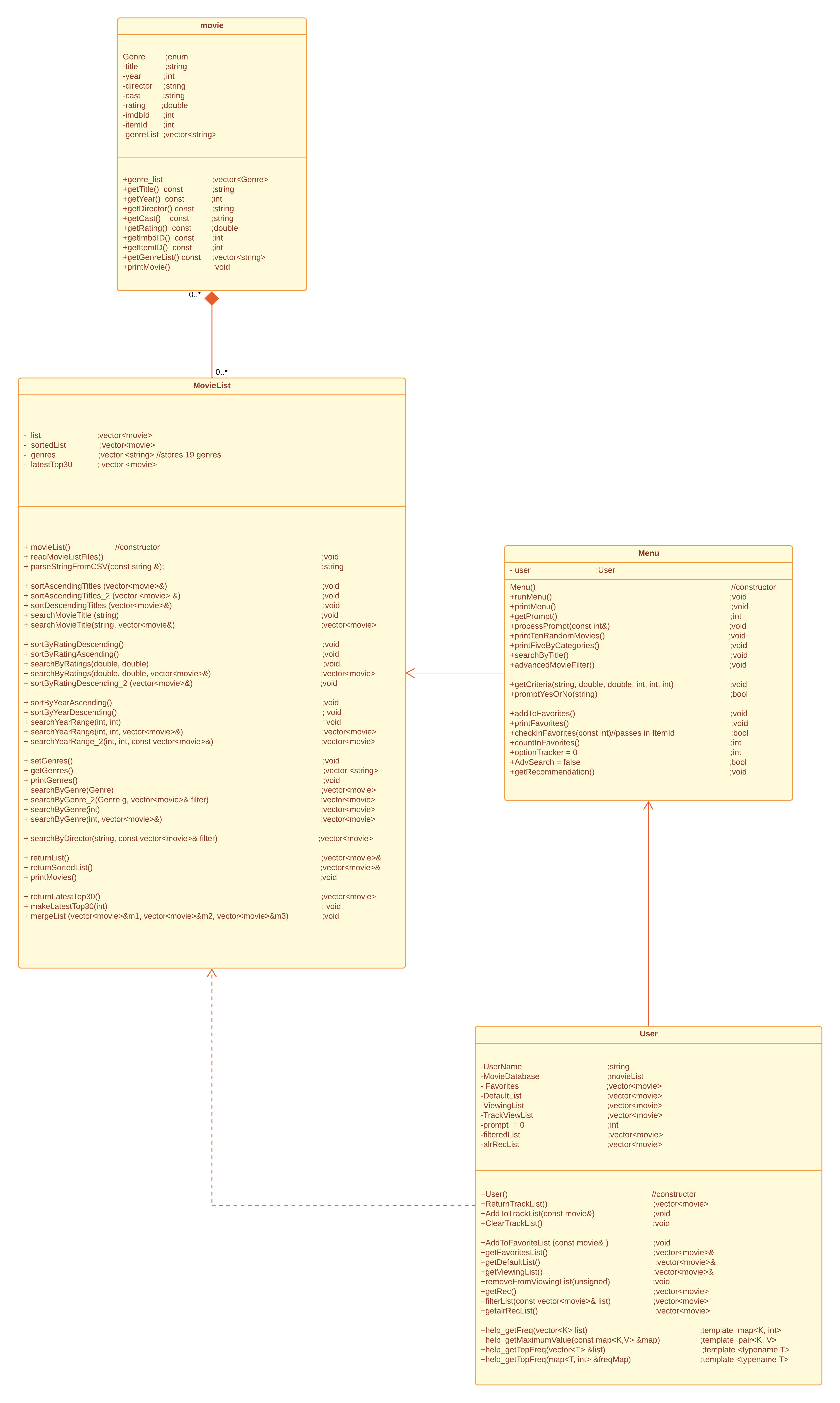
The current plan is to create four classes. The Movie class will store all the necessary categories that each movie has, such as MovieTitle, Director, Cast, Rating, ImdbID, ItemID, Genre, and Year, all of which will be set to private. There will be helper functions that can help the programmer retrieve values for each of these variables.
This brings us to the next class, MovieList. MovieList will be the class that needs the most implementation, as there will be many different functions. We will firstly have two declared vectors, namely vector<Movie>List and vector<Movie>SortedList. The difference is that the former will contain all the movies before the sorting has been done, while the latter will only contain sorted values. The third private data member is the the vector<string>genres, which stores a vector of 19 genres.Lastly, we have a vector<movie> called latestTop30, which stores the most recent highest rated movies.
As we can see from the UML Diagram included above, we have implemented several functions for the constructor of this class, creation of the movie file, and parsing as well. Then, we also have the necessary sort functions for each single category, like title, rating, year and genre. These functions will all modify the sortedList vector previously mentioned, and the vector will be used to display the output, which is called by the printMovies() function.
There will be a function called readMovieListFile() that will be used to read a database of movies and store them into the vector<Movie>List. So far, we will only implement it for .json files. There are many individual sort functions depending on user input. For example, if the user wants to sort by Movie Title, it will call the function sortByMovieTitle().
Users of this Movie Recommender can view recommended movies though the User class interface. An object of type User holds private data members UserName, Favorites, DefaultList, ViewingList, prompt and userFavList, which will all be used to help the menu class carry out its work. Since the User class is associated with the Menu class, User objects have accessor functions like getFavoritesList(), getDefaultList() and getViewingList. Additionally, it will have a AddToFavorite(const movie&) function, which will add the movie of the User's choice to the object of vector<movie>Favorites. The class will also have helper functions like removeFromViewingList(unsigned), which will help the program remove movies that have been displayed by the printTenRandomMovies() function from the Menu Class. Most importantly, the getRec() function will be used to generate movies to recommend to the User based on the User's favorite list. Templates are also implemented in the class to help streamline the getRec() function.
The Menu Class will have the necessary functions for implementing a userinterface that would serve as a guide/menu for the User. It will contain functions such as printMenu() which displays available options of the program, getPrompt(), which asks the user for their choice of option with validation checks, and processPrompt(const int&), which will call related functions according to the User's choices. Additionally, it will have a function called getCriteria(), which asks the user to choose a category for searching Movies, and printTenRandomMovies(), which can be used to display ten random movies to the User if they want to start there. The main function of this class will be the searchMovies(), which will start a process of filtering/searching for movies. The Menu class' functions will go hand in hand with the functions of the User class as the User will only be interacting with the program through the Menu class.
While using the program, the user will only need to enter input through the keyboard. They will either input the number corresponding to the menu options, choose either Yes(Y/y) or No(N/n) for certain choices, the movie name they want to search, or the itemId of the movie they would like to add to their favorites.

- View Random Recommended Movies and Add to Favorites
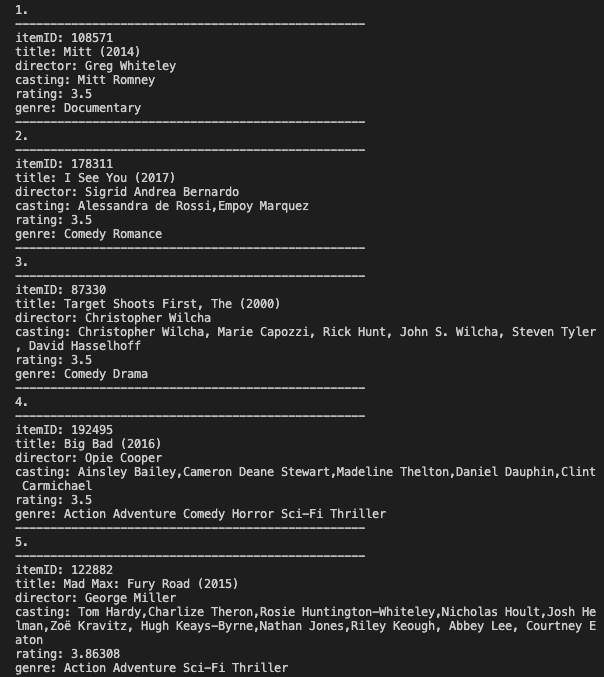
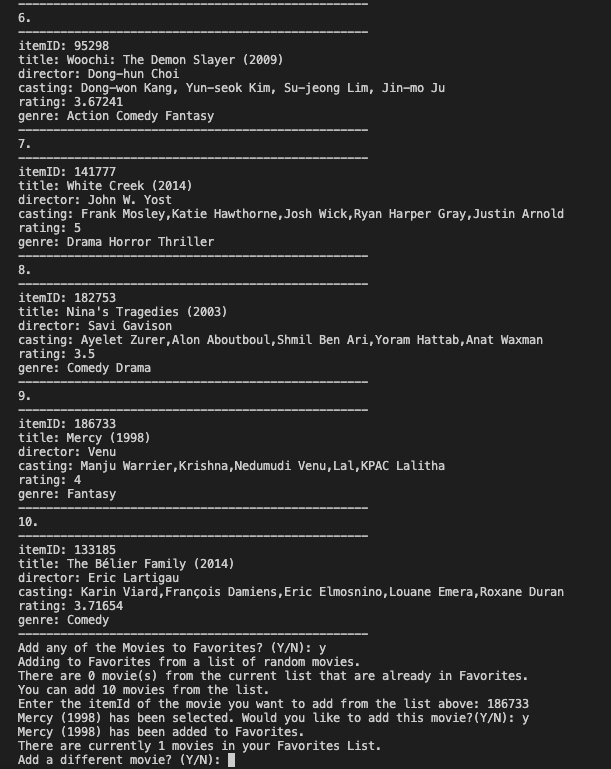
As a sample iteration, we can see the different outputs when the user chooses to output ten random movies. The user decides to add one of the movies to favorites, and then chooses to return to the main menu by entering N when prompted again.
- Browse Category and Add to Favorites

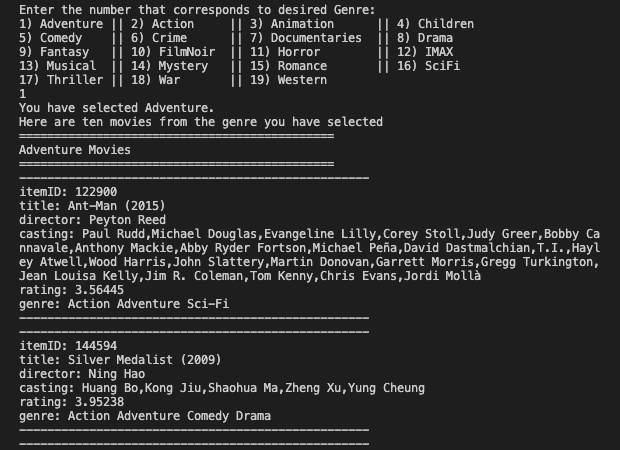
On another iteration, the user decides to choose option 2 from the main menu. There will be two options. The user decides to go with option 1 here. Here, the user decides to view some movies that have the Adventure Genre, before returning to the menu. The screenshot is cut short, but the program will output 10 movies of the genre the user has selected. If the user had decided to go with option 2, the program would have printed out 5 movies each from Action, Comedy, Drama, Horror, and Romance Genres. The screenshot has been cut short for clarity.
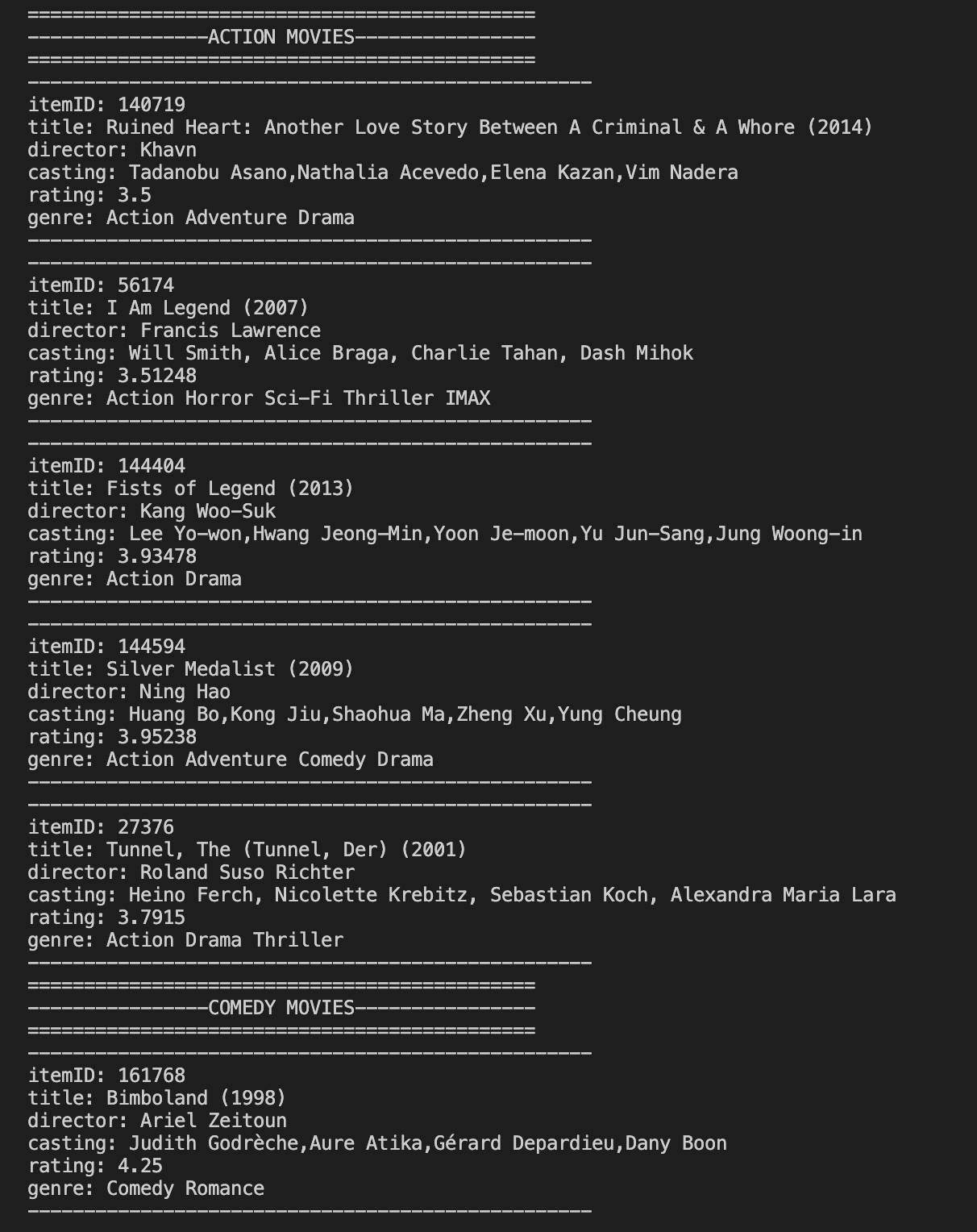
- Search By Title and Add to Favorites
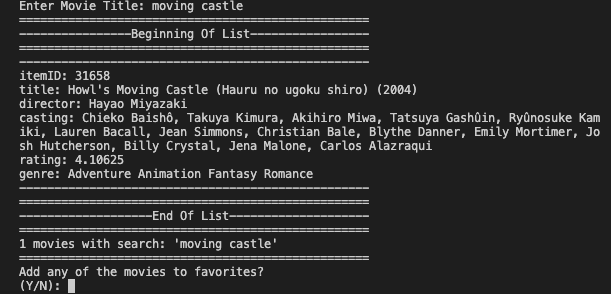
Here, the user then decides to search a movie by title, and add it to favorites, as shown above, before returning to main menu.
- Advanced Movie Search and Add to Favorites
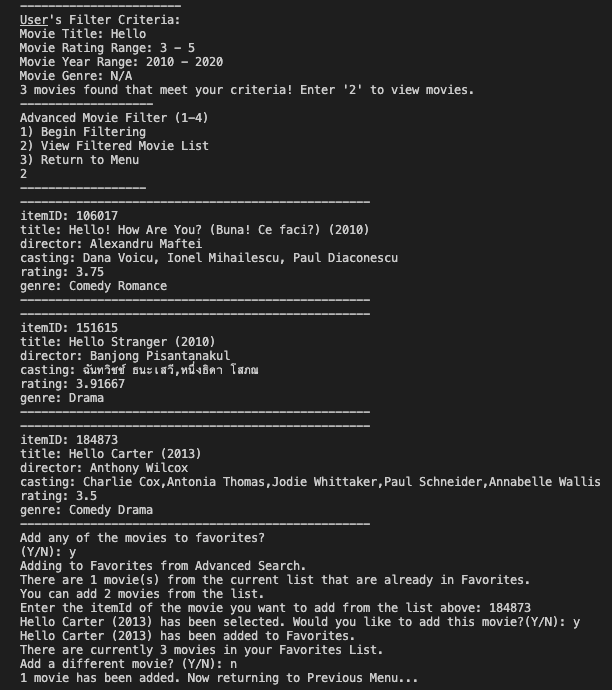
This is a sample interface for the case where the user decides to carry out an Advanced Movie Search and add one of the movies filtered by the search to favorites.
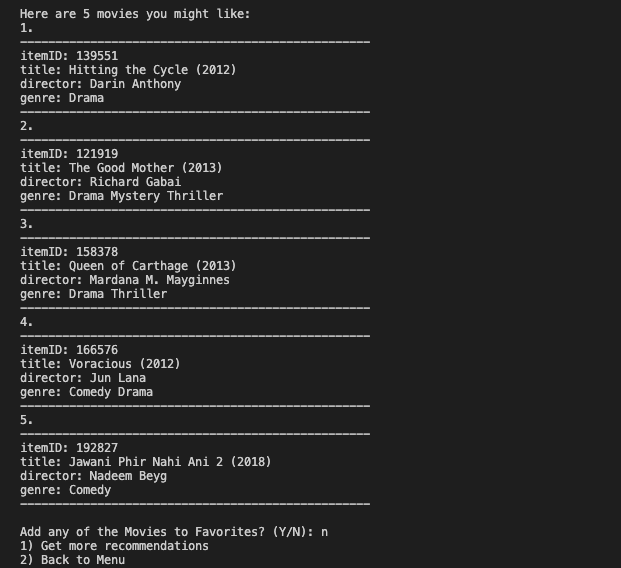
- Get Recommendation Based on Favorites
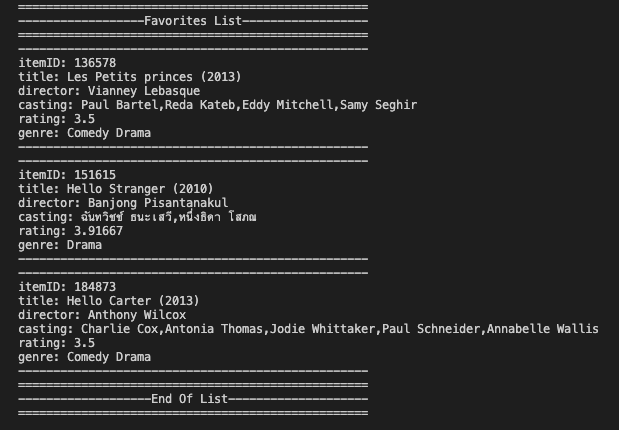
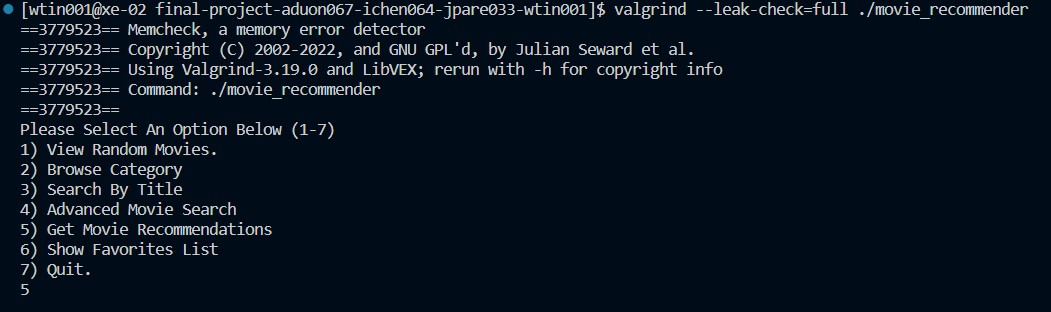
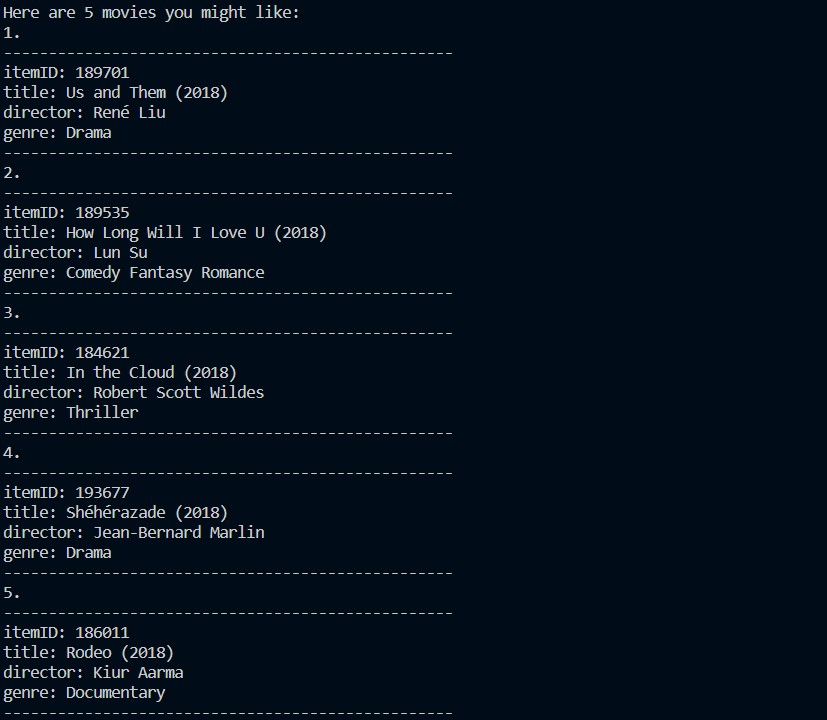
When checking the favorite list (option 6 from main menu), movies in the favorite list will be displayed. When the user decides to get some movie recommendations (option 5 from main menu), 5 movies will be recommended to the user.
-
Make sure C++ is installed and your computer can compile C++. If not, you may need to install it. See here for more info: https://www.freecodecamp.org/news/how-to-install-c-and-cpp-compiler-on-windows/
-
Make sure git has also been installed, since we will need it to clone this current repository into your local computer. See here for more info: https://git-scm.com/book/en/v2/Getting-Started-Installing-Git
-
Create a suitable folder, preferrably name it
movie_recommender. -
If you do not have a compiler, feel free to use the command prompt or the terminal.
-
Navigate to the folder you have created using the command line.
Run the following commands in terminal:
- setup directory
mkdir movie_recommender

cd movie_recommender
- clone repository
git clone --recursive https://github.com/cs100/final-project-aduon067-ichen064-jpare033-wtin001.git

cd final-project-aduon067-ichen064-jpare033-wtin001
-
build movie recommender
- either through CMake:
cmake . make- or directly using g++:
g++ -std=c++11 -o movie_recommender main.cpp movie.cpp movieList.cpp user.cpp menu.cpp -
run movie recommender
./movie_recommender

This movie recommender application is tested to make sure that movies are sorted and filtered correctly based on various criteria such as genre, rating, title, and year. The tests create a failure if two adjacent movies are not sorted in the correct order, if a movie does not belong within a filtered specification, or if there are other small errors in creating a movie list. The CI tool used is GitHub Actions, which shows a check if the cmake build and all tests pass. Alternatively, running the test executable after compiling with either cmake ., make or g++ -o test test.cpp movie.cpp movieList.cpp user.cpp menu.cpp displays the same information.
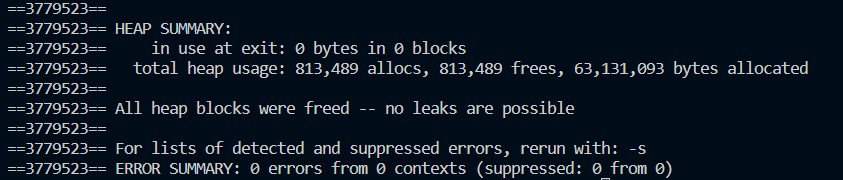
The following contains a Valgrind Memory Check Report after running the program.