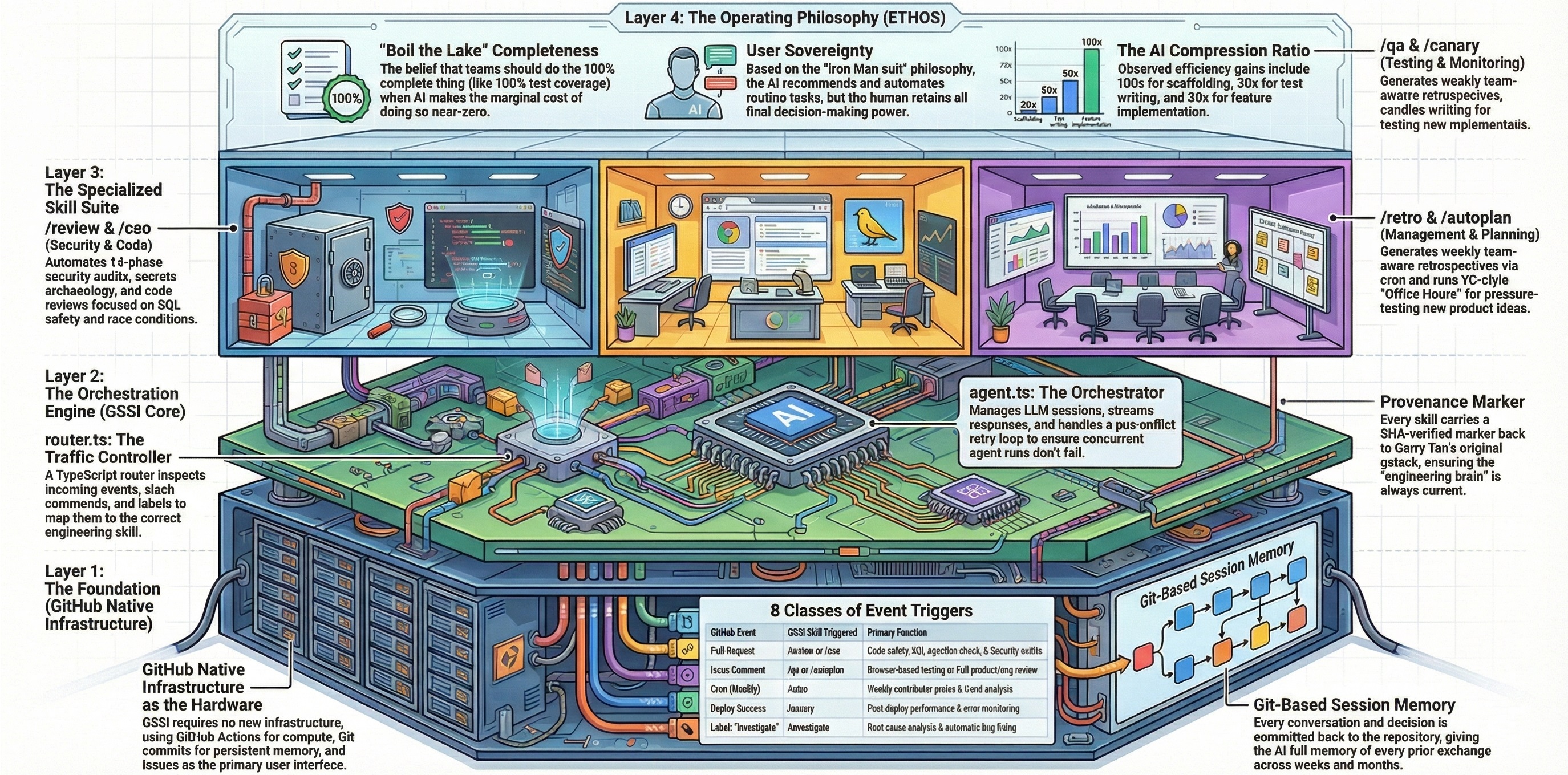
Root cause investigation following the Iron Law: "No fixes without root cause investigation first." Four-phase methodology that prevents whack-a-mole debugging by requiring evidence before action.
| Event | Condition | Manual |
|---|---|---|
issue_label |
Automatic when an issue is opened with the investigate label |
Comment /investigate on an issue |
The /investigate skill triggers automatically when the investigate label is applied to an issue. It can also be invoked manually by commenting /investigate on any issue.
Automatic: Add the investigate label to a GitHub issue describing a bug, error, or unexpected behavior.
Manual: Comment on an issue:
/investigate
Provide as much context as possible in the issue body — error messages, stack traces, reproduction steps, and when the issue started. The skill will ask clarifying questions via follow-up comments if needed.
The /investigate skill follows a strict four-phase debugging methodology with built-in guardrails against scope creep and guess-driven fixes.
Gathers context before forming any hypothesis:
- Collect symptoms — Reads error messages, stack traces, and reproduction steps from the issue
- Read the code — Traces the code path from symptom to potential causes using Grep and Read
- Check recent changes — Runs
git log --oneline -20on affected files to find regressions - Reproduce — Attempts to trigger the bug deterministically
Produces a testable root cause hypothesis: "Root cause hypothesis: ..."
After forming a hypothesis, the skill locks edits to the affected module directory to prevent scope creep. Edits outside the locked scope are blocked. Users can run /unfreeze to remove the restriction.
Checks if the bug matches a known pattern:
| Pattern | Signature | Where to Look |
|---|---|---|
| Race condition | Intermittent, timing-dependent | Concurrent access to shared state |
| Nil/null propagation | NoMethodError, TypeError | Missing guards on optional values |
| State corruption | Inconsistent data, partial updates | Transactions, callbacks, hooks |
| Integration failure | Timeout, unexpected response | External API calls, service boundaries |
| Configuration drift | Works locally, fails in staging/prod | Env vars, feature flags, DB state |
| Stale cache | Shows old data, fixes on cache clear | Redis, CDN, browser cache, Turbo |
Also checks TODOS.md for related known issues and git log for prior fixes in the same area — recurring bugs in the same files are an architectural smell, not a coincidence.
Before writing ANY fix, the hypothesis is verified:
- Confirm — Adds temporary logging or assertions at the suspected root cause, runs reproduction
- If wrong — Returns to Phase 1 for more evidence. Does not guess.
- 3-strike rule — After 3 failed hypotheses, the skill stops and presents options:
- A) Continue with a new hypothesis
- B) Escalate for human review
- C) Add logging and wait to catch it next time
Red flags that trigger a slowdown:
- "Quick fix for now" — there is no "for now"
- Proposing a fix before tracing data flow — that's guessing
- Each fix reveals a new problem elsewhere — wrong layer, not wrong code
Once root cause is confirmed:
- Fix the root cause, not the symptom — smallest change that eliminates the actual problem
- Minimal diff — fewest files touched, fewest lines changed
- Write a regression test that fails without the fix and passes with it
- Run the full test suite — no regressions allowed
- Blast radius check — if the fix touches >5 files, flags for review before proceeding
Fresh reproduction of the original bug to confirm it's fixed. Produces a structured debug report.
DEBUG REPORT
════════════════════════════════════════
Symptom:         "session not found" errors under load (Issue #31)
Root cause:      Race condition in src/auth/session.ts:112 — token refresh
                 and session validation run concurrently without mutex
                 protection. Under load, the refresh overwrites the session
                 while validation reads stale data.
Fix:             Added mutex lock around token refresh (commit abc1234).
                 src/auth/session.ts:112-118
Evidence:        Reproduced locally with concurrent requests. Fix verified:
                 1000 concurrent logins, zero "session not found" errors.
Regression test: tests/auth/session-race.test.ts:15
Related:         TODOS.md item #7 (concurrent session handling)
Status:          DONE
════════════════════════════════════════
| Status | Meaning |
|---|---|
DONE |
Root cause found, fix applied, regression test written, all tests pass |
DONE_WITH_CONCERNS |
Fixed but cannot fully verify (e.g., intermittent bug, requires staging) |
BLOCKED |
Root cause unclear after investigation, escalated for human review |
In config.json:
{
  "investigate": {
    "enabled": true,
    "trigger": "issue_label",
    "label": "investigate"
  }
}| Field | Type | Description |
|---|---|---|
enabled |
boolean |
Set to false to disable the skill |
trigger |
string |
GitHub event type — issue_label (triggers on label application) |
label |
string |
The label that activates the skill — investigate |
| Requirement | Details |
|---|---|
| Browser | ❌ Not needed |
| Model | Default model from config (gpt-5.4) recommended |
| Permissions | admin, maintain, or write on the repository |
| Tools | Bash, Read, Write, Edit, Grep, Glob, WebSearch |
Durable outcomes are persisted to:
.github-gstack-intelligence/state/results/
The debug report is posted as a comment on the originating GitHub issue.
| File | Purpose |
|---|---|
skills/investigate.md |
Skill prompt definition |
config.json |
Skill enablement and trigger configuration |
lifecycle/router.ts |
Event routing — maps GitHub events to skills |
/review— PR code review (catches issues before they become bugs)