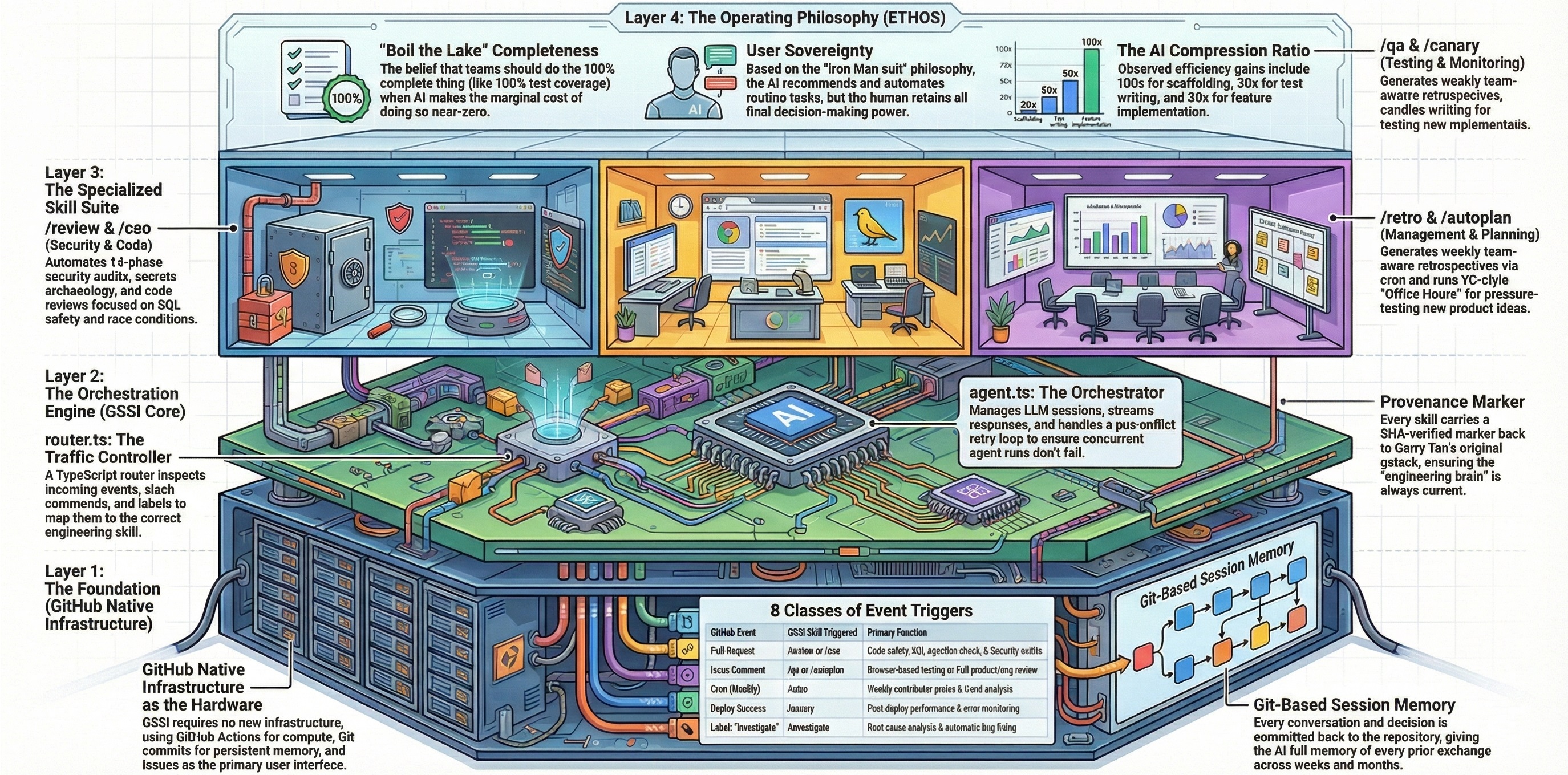
Systematically tests a web application like a real user — clicks everything, fills forms, checks states — finds bugs, then iteratively fixes them in source code with atomic commits and re-verifies. Produces before/after health scores with fix evidence and ship-readiness summary.
| Event | Condition | Manual |
|---|---|---|
issue_comment |
Comment /qa or /qa <url> on an issue |
— |
The /qa skill is invoked by commenting on a GitHub issue. It does not trigger automatically on pull requests.
Basic: Comment on an issue:
/qa
If no URL is provided and you're on a feature branch, the skill auto-enters diff-aware mode — it focuses testing on pages affected by the branch changes.
With a URL:
/qa https://myapp.com
With options:
/qa https://myapp.com --exhaustive
/qa --quick
/qa https://staging.myapp.com --regression .github-gstack-intelligence/state/local/qa-reports/baseline.json
| Parameter | Default | Override Example |
|---|---|---|
| Target URL | Auto-detect or required | https://myapp.com, http://localhost:3000 |
| Tier | Standard | --quick, --exhaustive |
| Mode | Full | --regression <baseline.json> |
| Output dir | .github-gstack-intelligence/state/local/qa-reports/ |
— |
| Scope | Full app (or diff-scoped) | Focus on the billing page |
| Auth | None | Sign in to user@example.com |
| Tier | What Gets Fixed | Use When |
|---|---|---|
| Quick | Critical + high severity only | Fast pre-merge check |
| Standard (default) | + medium severity | Normal QA pass |
| Exhaustive | + low/cosmetic severity | Pre-launch polish |
The /qa skill is both a QA engineer and a bug-fix engineer. It tests the live application, fixes bugs it finds, and produces evidence of each fix.
- Navigate every page — follows links, checks navigation, verifies routing
- Fill every form — tests validation, error states, success paths
- Click every interactive element — buttons, dropdowns, toggles, modals
- Check console — captures JavaScript errors, warnings, failed network requests
- Verify responsive layouts — tests at multiple viewport sizes
- Test edge cases — empty states, boundary inputs, rapid interactions
For each bug found:
- Take a before screenshot
- Fix the bug in source code
- Commit the fix atomically (one commit per bug)
- Re-verify the fix with an after screenshot
- Run regression checks to ensure the fix didn't break other things
The skill includes a WTF-likelihood heuristic — if a fix seems risky or the confidence is low, it stops and asks before applying. Caps at 50 fixes per session to prevent runaway changes.
- Full mode (default): Tests the entire application
- Diff-aware mode: When on a feature branch with no URL provided, automatically scopes testing to pages affected by the branch's code changes
- Regression mode: Compares against a previous baseline report to detect regressions
## QA Report — myapp.com
**Date:** 2026-03-12 | **Tier:** Standard | **Health Score:** 72 → 91

### Top 3 Issues
1. 🔴 **Critical** — Login form submits with empty password (fixed ✅)
2. 🟠 **High** — Settings page 500 error on save (fixed ✅)
3. 🟡 **Medium** — Mobile nav overlay doesn't close on backdrop click (fixed ✅)

### Console Health
- 2 JavaScript errors resolved
- 1 failed network request (404 on `/api/v1/deprecated`) — flagged

### Fixes Applied (8)
| # | Severity | File | Fix | Commit |
|---|---|---|---|---|
| 1 | Critical | src/auth/login.ts:45 | Added password validation | abc1234 |
| 2 | High | src/api/settings.ts:112 | Fixed null reference on save | def5678 |
| 3 | Medium | src/components/nav.tsx:89 | Added backdrop click handler | ghi9012 |
| ... | | | | |

### Ship Readiness
✅ 8/8 fixes verified with before/after screenshots
⚠️ 1 known issue deferred (cosmetic — button alignment on 320px viewport)
**Recommendation:** Ship with confidence
In config.json:
{
  "qa": {
    "enabled": true,
    "trigger": "issue_comment"
  }
}| Field | Type | Description |
|---|---|---|
enabled |
boolean |
Set to false to disable the skill |
trigger |
string |
GitHub event type — issue_comment (activated by slash command) |
| Requirement | Details |
|---|---|
| Browser | ✅ Required — Playwright Chromium (npx playwright install chromium) |
| Model | Default model from config (gpt-5.4) recommended |
| Permissions | admin, maintain, or write on the repository |
| Tools | Bash, Read, Write, Edit, Glob, Grep, WebSearch |
| Working Tree | Must be clean (git status --porcelain returns empty) |
QA reports and screenshots are saved to:
.github-gstack-intelligence/state/results/qa/issue-{N}.json
Local report output:
.github-gstack-intelligence/state/local/qa-reports/
├── qa-report-{domain}-{YYYY-MM-DD}.md    # Structured report
├── screenshots/
│   ├── initial.png                        # Landing page
│   ├── issue-001-before.png               # Before fix
│   ├── issue-001-after.png                # After fix
│   └── ...
└── baseline.json                          # For regression mode
| File | Purpose |
|---|---|
skills/qa.md |
Skill prompt definition |
skills/references/qa-issue-taxonomy.md |
Issue severity levels and categories (Visual/UI, Functional, UX, Content, Performance, Console, Accessibility) |
skills/references/qa-report-template.md |
Report template with health score, fixes table, and ship readiness metrics |
config.json |
Skill enablement and trigger configuration |
lifecycle/router.ts |
Event routing — maps GitHub events to skills |
/qa-only— Same testing methodology but report-only, no code changes/design-review— Visual design audit with fixes (complementary to QA)