

Turn any website into an API.
Browse (or let an agent browse), and get a clean, typed client for the endpoints the site actually uses.
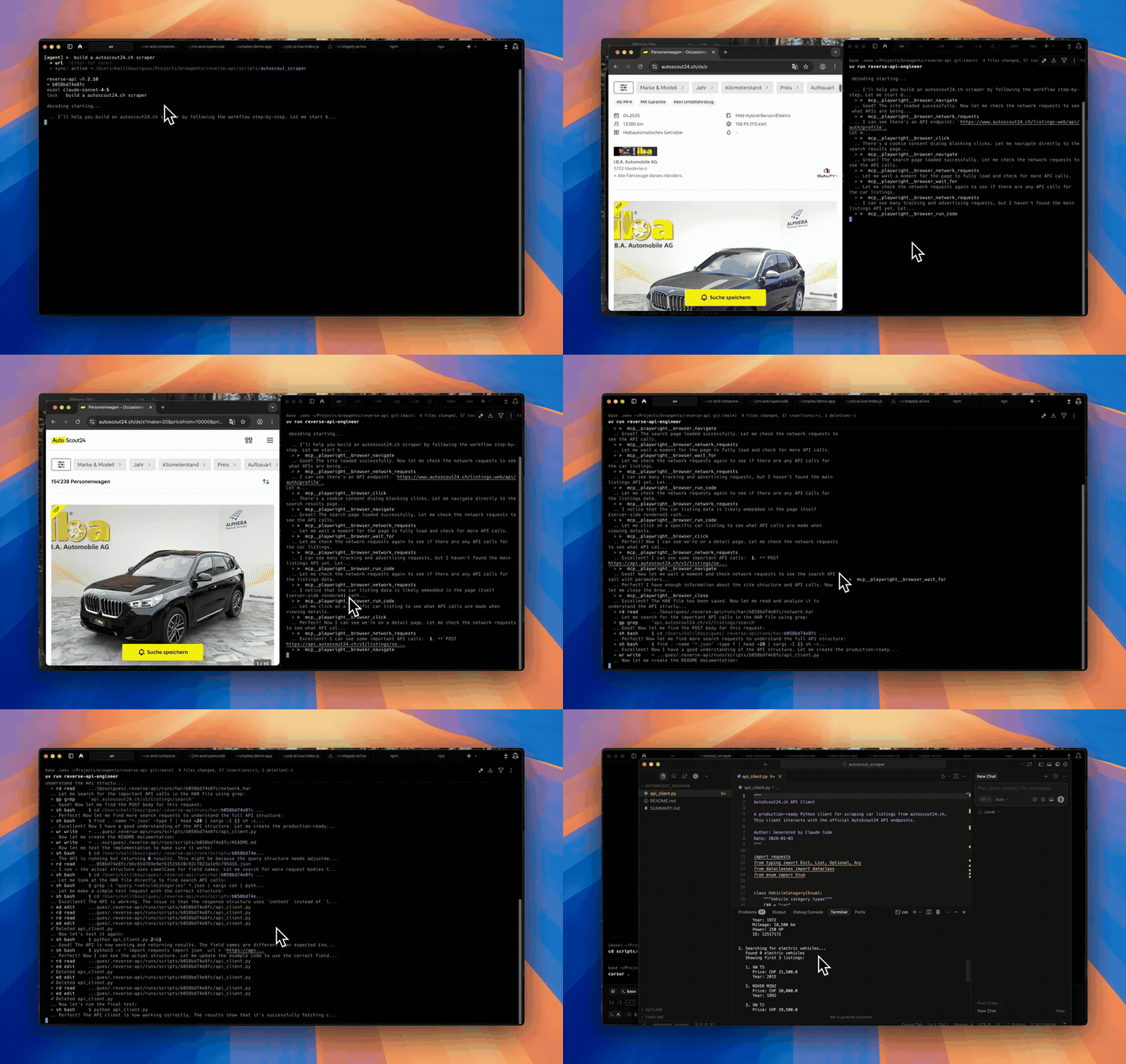
Agent mode
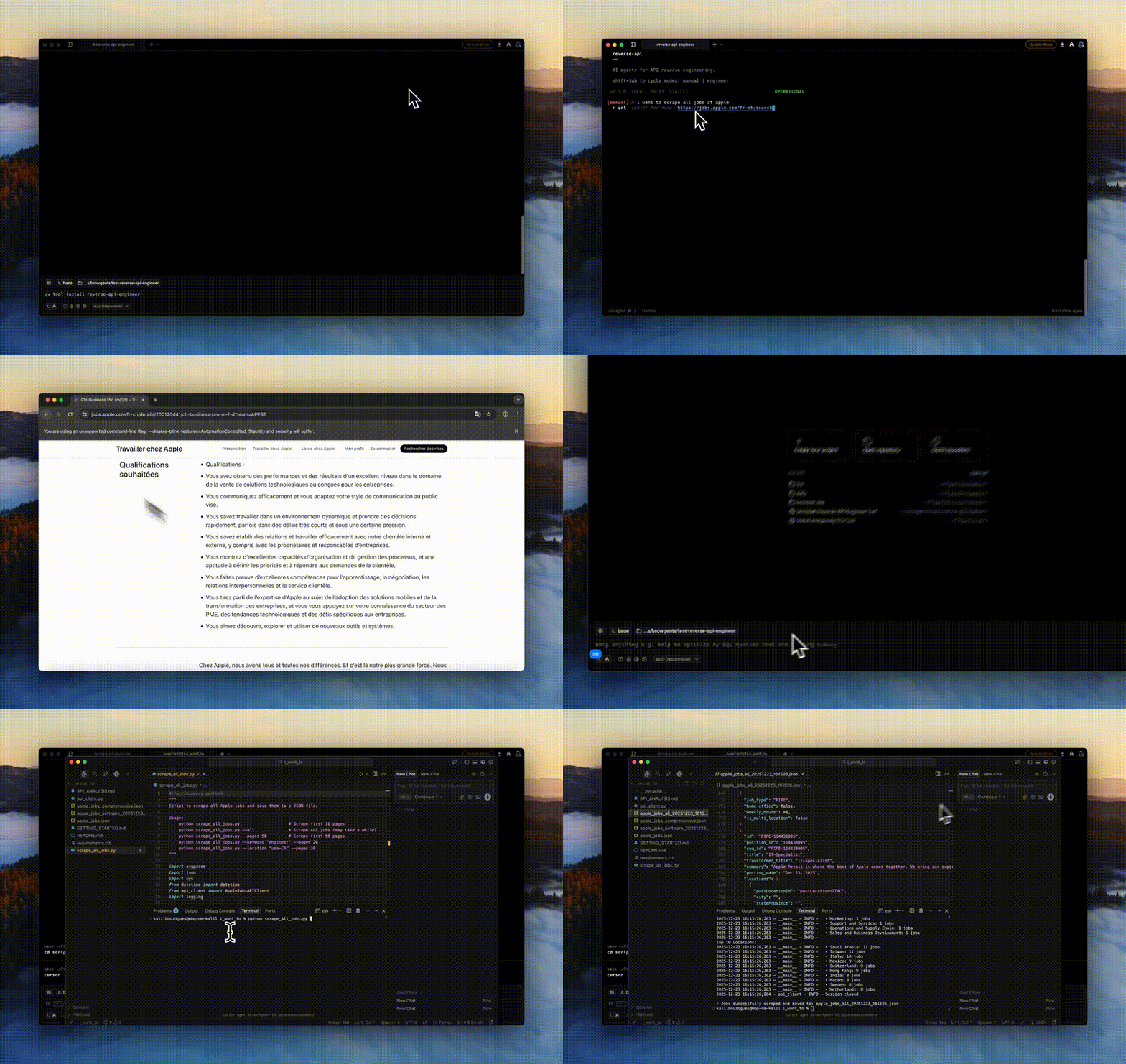
Manual mode
- You give it a website and a goal ("fetch all Apple jobs").
- A browser visits the site, either driven by you or by an AI agent.
- Network traffic is captured to a HAR file.
- Claude reads the traffic and writes you a working API client (Python, JS, or TS).
No more manually opening DevTools, copying cURL commands, and gluing together a client.
uv tool install reverse-api-engineer   # or: pip install reverse-api-engineer
playwright install chromiumreverse-api-engineer
> fetch all apple jobs from their careers page
# Browser opens. Navigate, interact, close when done.
# → ./scripts/apple_jobs_api/ (api_client.py, README.md, example_usage.py)Cycle modes with Shift+Tab:
| Mode | What it does |
|---|---|
manual |
You drive the browser; AI generates the client from captured traffic. |
agent |
An AI agent drives the browser autonomously (Playwright MCP or Chrome DevTools MCP). |
engineer |
Re-run generation on a previous capture (engineer <run_id>). |
collector |
Agent collects structured data (JSON/CSV) using web search + fetch. |
Agent mode providers:
- auto (default): Playwright MCP, single workflow for browsing + reverse engineering.
- chrome-mcp: drives your real Chrome so you keep existing sessions/cookies. Requires Chrome 146+ and Node.js 20.19+.
Settings live in ~/.reverse-api/config.json and can be edited via /settings in the CLI:
{
  "agent_provider": "auto",
  "claude_code_model": "claude-sonnet-4-6",
  "collector_model": "claude-sonnet-4-6",
  "opencode_model": "claude-sonnet-4-6",
  "opencode_provider": "anthropic",
  "copilot_model": "gpt-5",
  "cursor_model": "composer-2",
  "output_dir": null,
  "output_language": "python",
  "real_time_sync": true,
  "sdk": "claude"
}- Models: Sonnet 4.6 (default), Opus 4.6 (most capable), Haiku 4.5 (fastest). For OpenCode see models.dev.
- SDK:
claude(default),opencode,cursor, orcopilot(GitHub Copilot). - Output language:
python,javascript, ortypescript.
Slash commands inside the CLI:
/settings: configure model, SDK, agent provider, and sync settings./history: list past runs with timestamps, costs, and status./messages <run_id>: view detailed message logs for a run./help(alias:/commands): show the command list./exit(alias:/quit): leave the CLI.
Scriptable subcommands (pipe to jq):
reverse-api-engineer agent --prompt "capture the public jobs api" \
  --url https://example.com/jobs --json | jq

reverse-api-engineer list --json
reverse-api-engineer show <run_id> --json
reverse-api-engineer run <run_id> --file api_client.py \
  --no-interactive --auto-install -- --org acme
Pass --no-interactive (and/or --json) to skip prompts. With --json, stdout is one JSON document and logs go to stderr.
| Field | Type | Notes |
|---|---|---|
schema_version |
int |
Currently 1. |
status |
"ok" | "error" |
Top-level result. |
run_id |
string | null |
Use with show / engineer / run. |
prompt |
string |
|
url |
string | null |
|
mode |
string | null |
"auto" or "chrome-mcp". |
har_path |
string | null |
Captured HAR. |
script_path |
string | null |
Generated client. |
usage |
object |
{input_tokens, output_tokens, total_cost}. |
error |
string | null |
When status == "error". |
| Code | Meaning |
|---|---|
0 |
Success. |
1 |
Runtime error. |
2 |
Missing required arg under --no-interactive / --json. |
For run, the exit code is the underlying script's return code on success, 1 if no script was found, or non-zero if --no-interactive would have had to prompt.
~/.reverse-api/runs/scripts/{run_id}/: permanent storage./scripts/{descriptive_name}/: local copy with a readable name- Collector:
./collected/{folder_name}/(items.json,items.csv,README.md)
- Generated code runs locally via Claude Code, so review before executing.
- Sites with aggressive bot detection may block capture or require manual interaction.
git clone https://github.com/kalil0321/reverse-api-engineer.git
cd reverse-api-engineer
uv sync
uv run reverse-api-engineer
Build: ./scripts/clean_build.sh. Requires Python 3.11+, Playwright browsers, and an API key for agent mode.
MIT. See LICENSE.