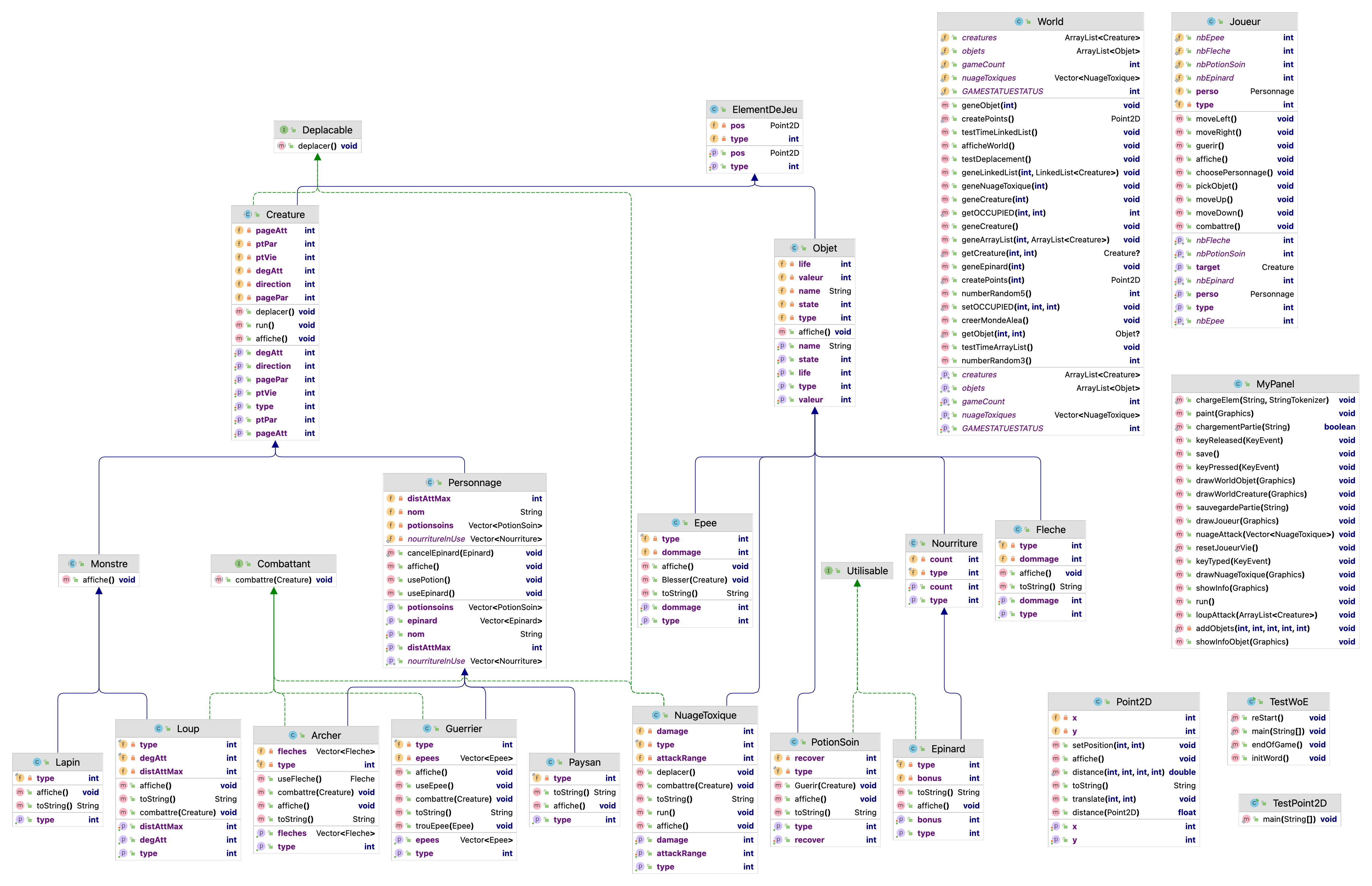
This project is the TP for the OBJET course in ECN 2022 S7.
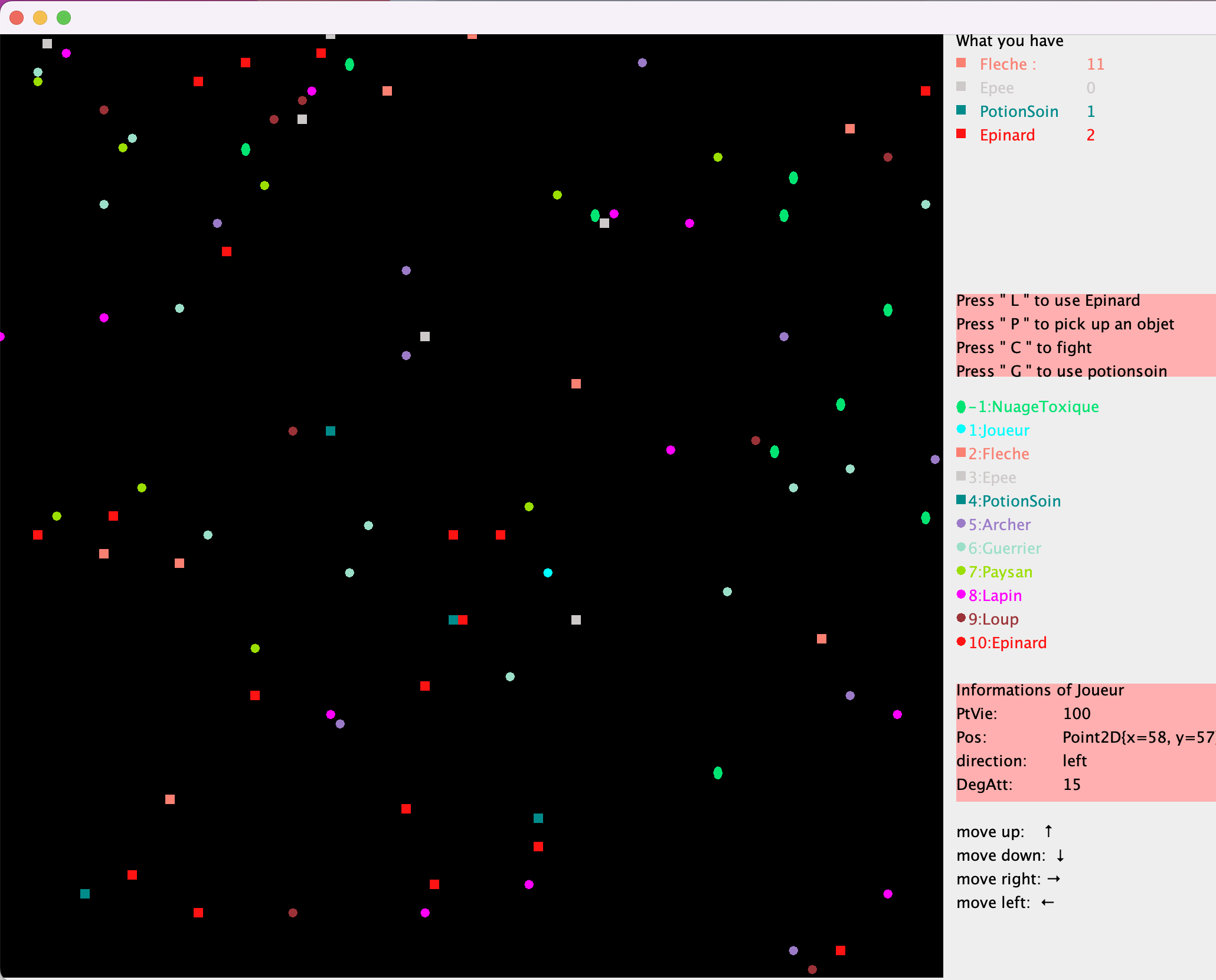
To mark different creature or object information on the world map OCCUPIED, we use the following markers:
-1 : NuageToxique : Players in range of NuageToxique's attack are subject to a continuous attack.
1 : Joueur;
2 : Fleche : Can only be picked up and used by Archer.
3 : Epee : Can only be picked up and used by Guerrier.
4 : PotionSoin : Can restore the player's life value
5 : Archer : A role that can be choosen by player.
6 : Geurrier : A role that can be choosen by player.
7 : Paysan : Can not be choosen by player.
8 : Lapin : Randomly generated, can not attack player.
9 : Loup : There is a certain probability that it will attack the player.
10: Epinard : Can increase a player's attack value in certain rounds.
0 : is not occupied;
This information is displayed on the game panel.
All creatures will move randomly for a certain period of time.
We assume that each element of the world occupies a position on the map and cannot move to an occupied position (even if it is occupied by an object).
The game contains a total of creatures and items from the above categories. The system generates creatures and items randomly, each creature is a thread that enables automatic movement at regular intervals.
Players within a certain range of NuageToxique will take continuous damage.
Players within a certain range of Loup have a chance of receiving an attack
-
The user first selects whether they want to start a new game or resume from an existing record (done at the terminal)
-
The user then selects the player type: Archer or Guerrier
Archer can not pick up Epee, Archer initially has 10 fleche.
Guerrier can not pick up Fleche.
Both can pick up PotionSoin and Epinard.
-
The game ends when the player has less than 0 lives and is prompted to save the game and whether to restart it.
Keyboard up, down, left and right to control the movement of the player.
-
P key:Pick up the object directly in front of the player (the player has the direction attribute to determine if it is directly in front of the player).
-
G key:Use of medicines to restore ptVie.
-
C key:Attack, can only attack creatures directly in front of it (judged by the direction attribute), close combat or remote combat.
Remote combat: Archer with Fleche; Guerrier with Epee.
Each attack consumes one fleche, regardless of whether it hits or misses.
Each attack with Epee reduces the life of the Epee.
-
K key:To test the use of PosionSoin, use the K key to make the player -10 life directly.
-
L key: Using Epinard.