

Implements the MPRIS2 interface for Chrome and Firefox.
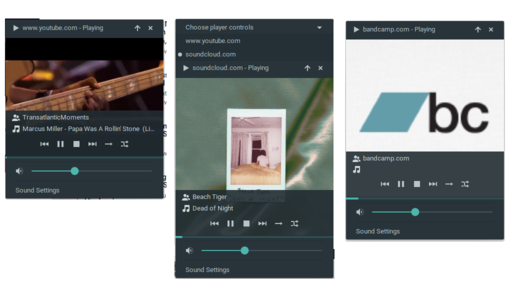
Currently, all sites should be supported with reduced capabilities (play, pause, stop, volume, seek, cover art).
And the following sites are supported with almost all of the capabilities MPRIS2 allows:
Pull requests are welcome.
Go to the latest release and download the .deb artifact.
Install the .deb file. ie:
dpkg -i browser-mpris2-v[latest-version]-native.debThis will make browser-mpris2 from the command line available.
If not on Debian, you can grab the browser-mpris2 script from the
.zipfile. Put it somewhere in your path and then run:for chrome or chromium:
browser-mpris2 --init-chrome "mcakdldkgmlakhcpdmecedogacbagdba"for firefox:
browser-mpris2 --init-firefox "browser-mpris2@lt-mayonesa.github.io"
Then, go to Tools > Extensions (or chrome://extensions) and enable Developer mode.
Download the .crx artifact from the latest release and drop it on the Extensions page (if "Drop to install" doesn't show up try reloading the page).
Download the .xpi artifact from the latest release and drop it on Firefox.
Try it (if the player is not detected try restarting your browser).
If on Cinnamon, GNOME, or similar you should be able to take advantage of your new powers immediately. Otherwise, you can use something like playerctl, perhaps bind it to a key or XF86AudioPlay and the like if your keyboard has them.
The following commands can be configured as browser shortcuts (ie: in chrome go to chrome://extensions/shortcuts)
- Play
- Pause
- Play/Pause
- Stop
- Next
- Previous
- plasma-browser-integration
- shwsh/web-mpris2 A port of otommod's extension to Tampermonkey/Greasemonkey (and WebSockets).
- Cinnamon's "Launch Player" functionality.
- Settings: Global & Per Provider
- Tests per provider
- Providers:
- Amazon Music
- Google Music