
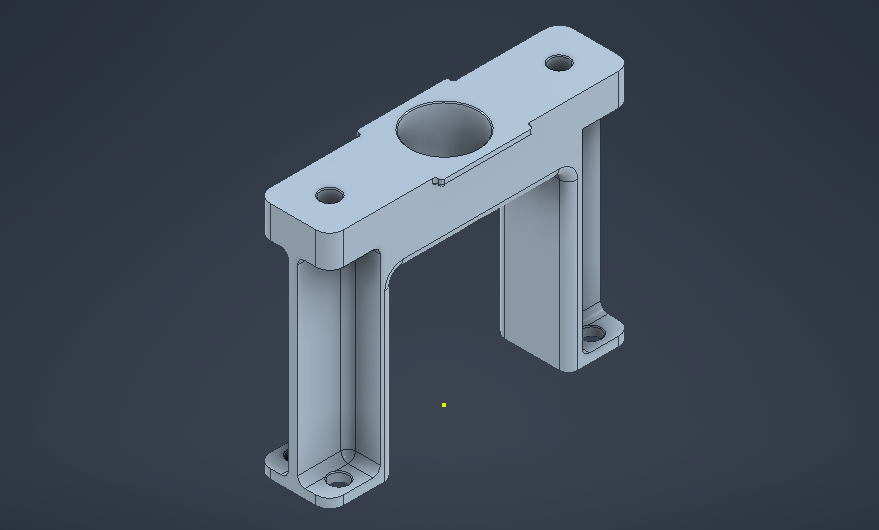
This repository contains a 3D model of a mounting frame / support bracket recreated from an image found on the Autodesk website. The model was built from scratch in Autodesk Inventor, then shaded and rendered in Blender for improved presentation.
The part is a structural support bracket/frame designed to hold or elevate a component. It features:
- A wide top plate with a central circular cutout
- Two vertical support legs
- Mounting holes on both the top plate and the bottom feet
While the specific purpose of the original reference is unknown, this type of part is generally used in:
- Machine assemblies
- Robotics and automation
- Custom jigs or fixtures
- Prototype mechanical structures
- Autodesk Inventor — Used for modeling the part, including sketches, extrusions, fillets and holes.
- Blender — Used for shading and materials.
This project was part of ongoing self‑driven learning with a focus on:
- Recreating geometry from reference images
- Understanding proportions and modeling without provided dimensions
- Improving Inventor workflow: sketches, constraints, multi-body structure, and finishing features
- Exporting models for rendering
- Applying materials and lighting in Blender
- Open
MountingFrame.iptin Inventor to inspect or modify the model. - Optional: Export to Blender via
.objor.fbxto reapply shading or create new renders. - Use the project as reference for learning, experimentation, or further mechanical design exercises.
- This model was created for practice and may not reflect real-world engineering constraints.
- Dimensions and proportions were approximated by eye from a static image.