English | 中文
mdi(Markdown indexer) is a command line tool used to recursively generate markdown indexes in directories.
go install github.com/poneding/mdi@latestGenerate markdown index:
mdi gen-dor--workdir: Specify the directory to generate markdown index.-tor--index-title: Specify the title of markdown index, default is title of markdown index file or current directory name.--home-title: Specify the title of home link in markdown index, if not specified, useindex-title.-for--root-index-file: Specify the markdown root index file, default iszz_gneratered_mdi.md.--sub-index-file: Specify the markdown sub index file, default iszz_gneratered_mdi.md.--inherit-gitignore: Use.gitignorefile as ignore file, default istrue.--override: Override markdown existing index file, default isfalse.--no-header-link: Do not generate header link in index file, default isfalse.-ror--recursive: Recursively generate markdown index in subdirectories, default isfalse.--nav: Generate navigation in markdown file, default isfalse.-vor--verbose: Show verbose log, default isfalse.
Use
.mdiignorefile as ignore file by default.
Other commands:
# Print version
mdi version

# Print help
mdi help

# Auto Complete
mdi completion
# Example:
# source <(mdi completion zsh)Markdown folder:
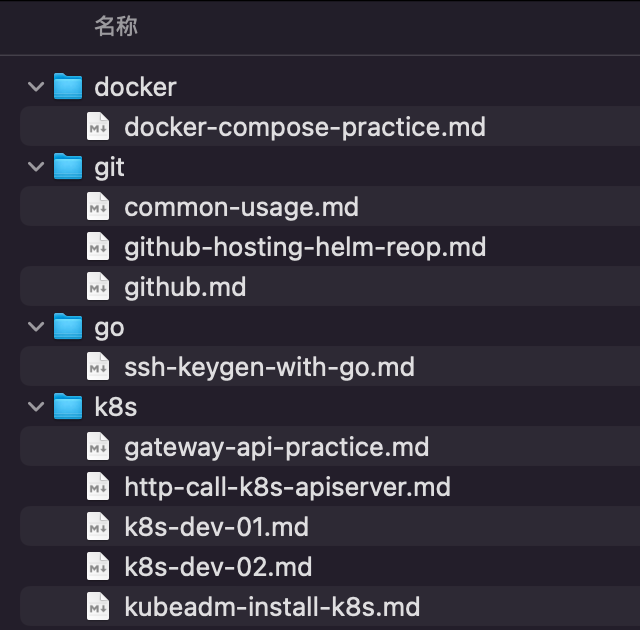
Generate markdown index:
mdi gen -f README.md -t "My Notes"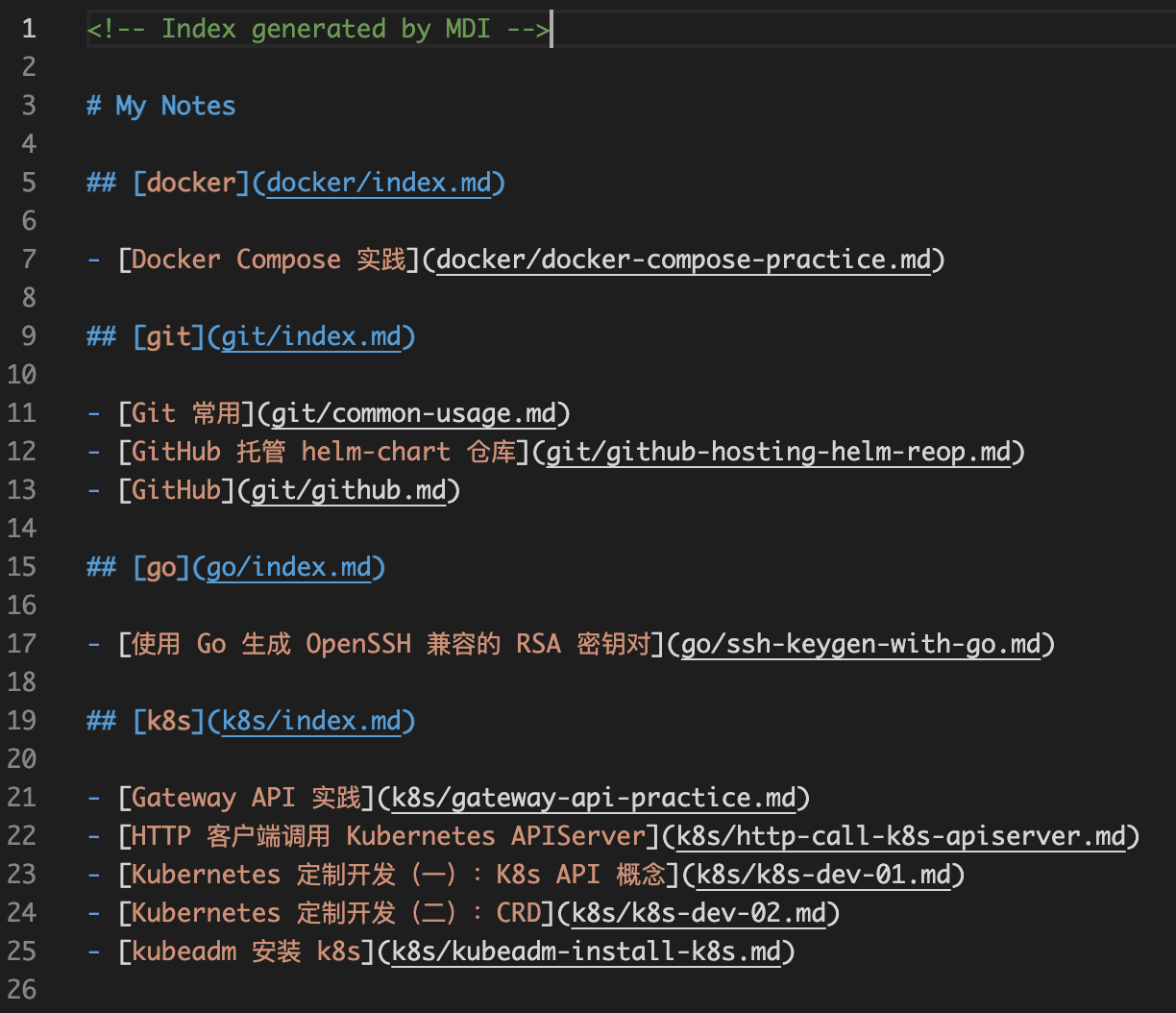
As the same time, the index file will be generated in the subdirectory recursively.
Generate nav in markdown file:
mdi gen -f README.md -t "My Notes" --nav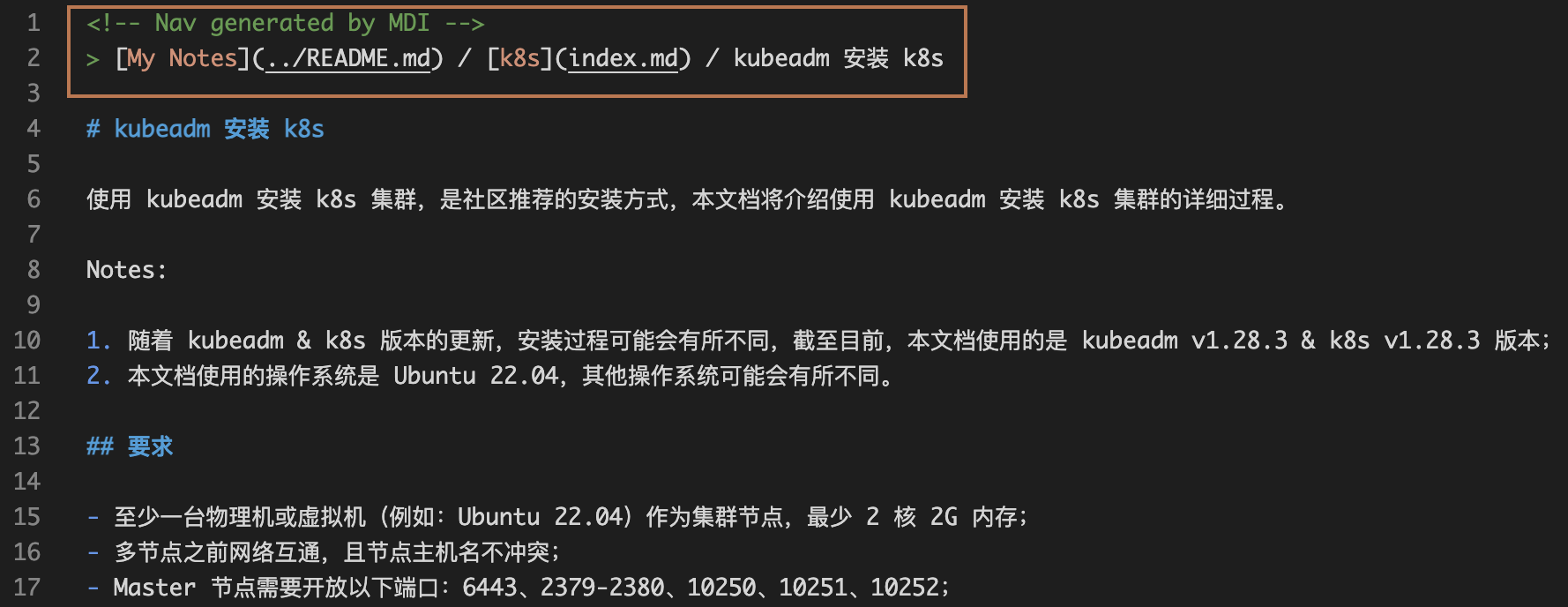
Customize sub index title:
You can customize the sub index title by modifying the first-level title of the sub markdown index file generated in the subdirectory.