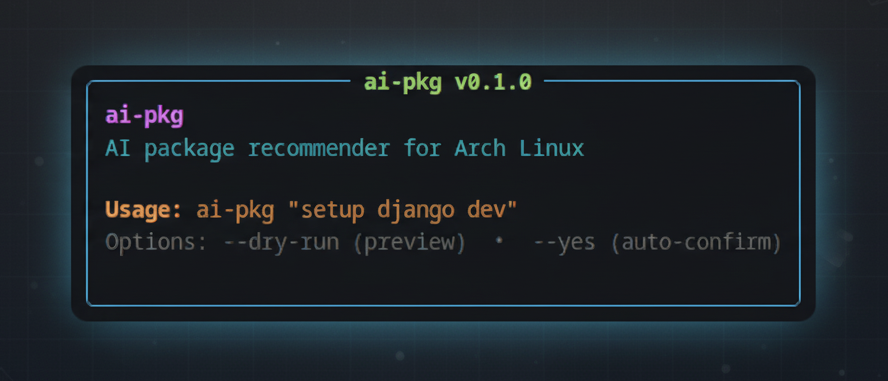
Your AI-Powered Development Environment Wizard for Arch Linux
Transform plain English into perfectly crafted development environments ✨
Just tell it what you want to build, and let the AI magic happen! 🪄


Installation • Setup • Usage • Options • Features • Updating
- 🧠 AI-Powered Intelligence: Understands context and recommends the perfect package combinations
- 🎯 Smart Package Selection: No more manual package hunting - AI picks the right tools for your needs
- 🛠️ Instant Environment Setup: Turn ideas into ready-to-code environments in seconds
- � Project Bootstrapping: Creates and configures new projects with industry best practices
- ⚡ AUR Superpowers: Seamless integration with both official repos and AUR
- 🤝 Flexible Installation: Works with both
yayandparu- your choice! - 🧪 Safe Preview Mode: See exactly what will happen before making any changes
- 🎨 Framework Agnostic: Works with any tech stack - React, Vue, Django, Express, you name it!
Install directly from the AUR using your preferred helper:
# Using yay
yay -S ai-pkg-bin

# Using paru
paru -S ai-pkg-binClone and install from source:
# Clone the repository
git clone https://github.com/rohankrsingh/ai-pkg.git
cd ai-pkg

# Run the installation script
./install.sh
To uninstall:
./uninstall.shSet up your Gemini API key (required):
export GEMINI_API_KEY=your_api_key_hereFor permanent setup, add the above line to your ~/.bashrc or ~/.zshrc.
Experience the future of development setup - where your words become working environments instantly! 🚀
# Create a new React project with modern stack
ai-pkg "set up a react js app as test-app with tailwind, zod, react hook form"

# Set up a data science environment
ai-pkg "create a python data science environment with jupyter, pandas, and scikit-learn"

# Set up a development environment for backend
ai-pkg "set up nodejs backend environment with express, typescript and mongodb"

# Preview mode (shows what would be installed)
ai-pkg "set up a vue.js development environment" --dry-run
The AI will:
- 📋 Analyze your requirements
- 🎯 Select the appropriate packages
- ⚙️ Configure the environment
- 🚀 Set up the project structure (if requested)
- 📝 Provide any necessary post-installation instructions
| Option | Description |
|---|---|
--dry-run |
Preview commands without executing them |
--yes |
Auto-confirm all prompts |
--run-env |
Run environment setup steps automatically |
--aur-helper |
Choose AUR helper (yay or paru) |
Environment variables:
AI_PKG_AUR_HELPER: Set default AUR helper (yay/paru)GEMINI_API_KEY: Your Gemini API key
Keep ai-pkg up to date using your AUR helper:
# Using yay
yay -Syu ai-pkg-bin

# Using paru
paru -Syu ai-pkg-binMIT License • View License