
Download the latest desktop installer from the ESP Board Vault latest release.
Open the release, download the installer or package for your operating system from the release assets, then run it to install ESP Board Vault.
ESP Board Vault is a local desktop inventory for ESP32 makers. It helps you keep track of ESP boards, hardware details, projects, firmware notes, physical locations, and recovery information without using a cloud service.
The app is designed for the common maker problem: months later, you can answer "what is this board, where is it used, what firmware did I put on it, and how do I get it working again?"
- Keep a local inventory of ESP boards.
- Search boards and projects from the app header.
- Use dashboard charts to understand board status, memory, projects, and flash layouts.
- Scan connected ESP boards over Web Serial.
- Detect board metadata such as chip model, revision, MAC address, flash size, flash chip details, PSRAM when available, security flags, and bootloader offset.
- Scan more than one selected serial port in sequence.
- Copy the scan log when you need to paste diagnostics elsewhere.
- Save detected boards into the vault or update an existing saved board.
- Group boards into projects.
- Track project checklist items for build, firmware, testing, enclosure, documentation, install, and repair follow-up work.
- Assign and remove boards from a project from either the board editor or the project view.
- See project health, assigned boards, board status, hardware metadata, and locations in one place.
- Add cover images to board and project records.
- Open curated ESP32 maker tools from inside the app.
- Export a local backup and import it later.
- Switch between light and dark mode.
- View and change the app data location from Settings.
- Reset the remembered app window size from Settings.
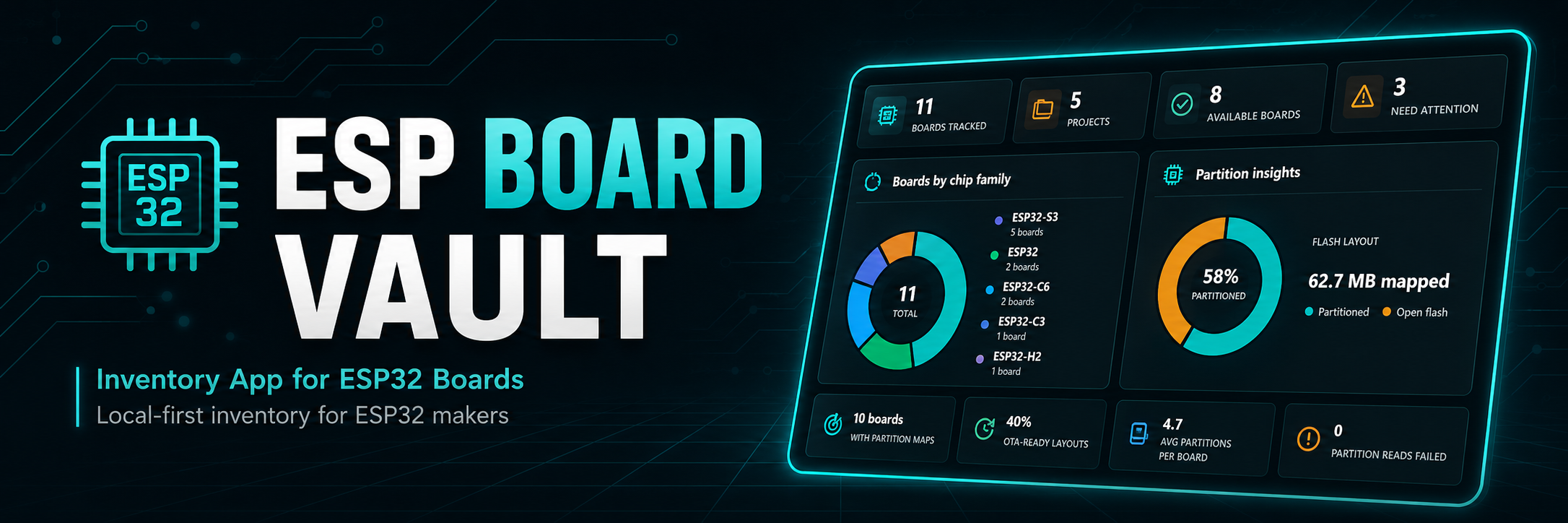
The Dashboard is the quick overview for your ESP board vault. It highlights total boards, projects, available boards, and boards that need attention.
Dashboard charts help you understand the lab at a glance:
- board mix by chip family
- known flash and PSRAM capacity
- board status distribution
- project assignment and unassigned boards
- project status, assigned-board coverage, and open checklist tasks
- partition layout, open flash, OTA readiness, and filesystem footprint when partition maps are available
The Project insights panel summarizes project status, assigned-board coverage, open checklist tasks, and projects that need review. It also highlights the project focus list so you can quickly spot builds with repair pressure, open tasks, or boards needing attention.
The Dashboard also shows scan freshness, PSRAM readiness, top-capacity boards, and recent board activity so you can quickly spot stale records or hardware that needs follow-up.
The Boards view is the main inventory table. It shows the board name, status, chip, MAC address, flash, PSRAM, location, and last update time.
Each board can store:
- name and notes
- cover image
- status
- chip and revision
- MAC address
- flash size and flash chip ID
- PSRAM state
- security information
- bootloader offset
- physical location
- project assignment
- purchase or manufacturer details
The Scan board view is the easiest way to add an ESP board with its hardware details already filled in. Connect a board in bootloader mode, run a scan, then save the detected board into the vault or update an existing board record using its MAC address.
Scanning is read-only: it does not flash, erase, or modify the board. When available, the app records useful details such as chip model, MAC address, flash, PSRAM, security state, and bootloader information.
If multiple boards are connected, the app lets you choose which serial ports to scan.
Projects group related boards together. Use them for installed devices, experiments, customer builds, home automation nodes, test rigs, or any hardware set that should be remembered as one unit.
The Projects view shows:
- project status
- assigned board count
- checklist progress and open project tasks
- project health
- assigned boards with MAC, chip, flash, PSRAM, status, and location
- quick open actions for board records
- controls to assign or remove boards from the current project
Each project can include a local checklist for the work needed to finish, repair, install, or reproduce the build. Checklist items can be categorized, linked to a board, marked complete, reordered, edited, or created from ESP maker templates such as flashing firmware, recording a MAC address, verifying pin assignments, testing Wi-Fi, fixing known problems, and saving device config.
Deleting a project does not delete its boards. It only clears their project assignment.
The app header includes quick actions for adding a board, scanning connected boards, refreshing app data, and switching between light and dark mode. The global search field opens matching board and project records directly.
The Tools page links to curated ESP32 and maker utilities, including ESPConnect, ESP32 Partition Builder, Video Conversion Studio, and Arduino Maker Workshop.
ESP Board Vault is local-first. There are no accounts, cloud sync, telemetry, payments, or hosted services.
Backup & Restore exports one ZIP file containing the vault database, project checklists, and copied images. Importing a backup replaces the current local vault only after you review and confirm the backup summary.
Settings includes tools to:
- export a backup
- import a backup
- switch appearance mode
- see the current app data location
- copy the app data location
- move the app data location
- reset the remembered window size
Changing the app data location moves the Electron app data needed by the vault, not just a single plain database file.
Your inventory stays on your machine. Serial scans, board metadata, backups, and project notes remain local unless you explicitly export or share them.
