
Personal memory engine for AI — extracts, ages, and resolves your memories from every conversation. Runs locally. Works with any LLM.








📖 Full documentation: wangjiake.github.io/riverse-docs
Two months ago you mentioned changing jobs. You just said you've been having headaches.
| Without Riverse | With Riverse |
|---|---|
|
🤖 I'm sorry to hear that. Common causes of headaches: dehydration, screen time, stress... No connection to your life context. |
🤖 You started the new management role about two months ago, and your sleep got worse around the same time — you mentioned staying up past 1am several times. The headaches might be linked. How's the work pressure been? Causal chain: job change → sleep disruption → headaches. Timeline-aware, personally weighted. |
mkdir jkriver && cd jkriver
curl -O https://raw.githubusercontent.com/wangjiake/JKRiver/main/docker/docker-compose.yaml
docker compose pull && docker compose up -d
docker logs jkriver-jkriver-1 2>&1 | grep "Token:"
Open http://localhost:1234, enter the token, set your API key in System. Done.
| Service | URL | What it does |
|---|---|---|
| JKRiver | http://localhost:1234 | Web chat + system config |
| RiverHistory | http://localhost:2345 | Profile viewer |
| API Docs | http://localhost:8400/docs | REST API reference |
Full Docker guide (bots, data import, demo): docker/README.md
After each conversation, Riverse runs an offline consolidation pipeline (Sleep) that builds a structured personal profile:
- Multi-type extraction — facts, relationships, and time-bounded events are each tracked separately with their own lifecycle
- Confidence progression — facts start as
suspected, get promoted toconfirmedthenestablishedthrough multi-turn verification - Time decay — each fact carries a
decay_daysTTL; stale facts expire automatically without manual cleanup - Invalidation — when a fact changes, the old record is closed with an
end_timeand superseded by the new one; the full history is preserved - Contradiction resolution — conflicting facts are detected and resolved through LLM arbitration
- Evidence chains — every fact links back to the conversations that produced it
- Knowledge graph — facts connect to each other through typed edges (causal, temporal, hierarchical)
All data lives in a local PostgreSQL database. Nothing leaves your machine.
The entire pipeline runs atomically inside a single database transaction. If any step fails, everything rolls back.
| Phase | Step | What it does |
|---|---|---|
| Extract | 1. Load initial | Load existing profile and life trajectory |
| 2. Extract sessions | LLM extracts observations, tags, relationships, and events from each unprocessed conversation | |
| Analyze | 3. Analyze behavior | LLM infers behavioral patterns from observations (e.g. "sends messages late at night" → "night owl"); generates clarification strategies |
| 4. Classify & integrate | LLM classifies each observation as support, contradict, evidence_against, or new relative to existing facts; integrates results into the profile |
|
| 5. Cross-verify | Suspected facts with stated source + mention count ≥ 2 auto-confirm; remaining suspected facts undergo LLM cross-verification with timeline and conversation history |
|
| 6. Resolve disputes | LLM arbitrates contradicting fact pairs (supersede chains) — accept new or reject new | |
| Maintain | 7. Extract edges | Build knowledge graph edges between affected facts |
| 8. Expire facts | Close facts past their expires_at date; generate verification strategies for next conversation |
|
| 9. Maturity decay | Adjust decay_days based on fact age and evidence count — long-standing, well-evidenced facts live longer (up to 2 years) |
|
| Output | 10. User model | LLM analyzes communication style dimensions from conversations |
| 11. Trajectory | Update life-phase trajectory when significant changes are detected | |
| 12. Consolidate | Deduplicate the profile | |
| 13. Snapshot | Pre-compile a memory snapshot (profile + model + events + relationships + knowledge graph) for fast context injection | |
| 14. Finalize | Mark conversations as processed |
After the transaction, non-critical post-processing runs: vector embedding and memory clustering.
Riverse's memory pipeline is architecturally designed beyond what current general-purpose LLMs can fully deliver. The 14-step Sleep consolidation requires precise structured judgment at each stage — observation extraction, fact classification, cross-verification, contradiction resolution — and cascading errors from imprecise LLM outputs are currently the primary accuracy bottleneck, not the algorithm itself.
No LLM today is purpose-trained for personal memory consolidation. The ideal path would be a dedicated memory LLM optimized for structured profile extraction and multi-fact reasoning. The author has a clear design for what that model should look like, but training it requires compute and data resources beyond what an individual can access.
If your company is building a memory-focused model or working on personal AI and you have a role that fits — I'd love to hear from you: mailwangjk@gmail.com
Until then, the algorithm rides on general-purpose models and improves automatically with each stronger generation, with zero code changes required. The pipeline is also a practical benchmark: if extraction errors are high, the cause is almost always LLM capability, not a bug. Try a stronger model and watch the difference.
Query memory from any external system, agent, or LLM:
| Endpoint | Description |
|---|---|
GET /profile |
Current confirmed profile (category, field, value) |
GET /hypotheses |
Full profile with confidence levels and status |
POST /chat |
Send a message; response uses full memory context |
POST /sleep |
Trigger memory consolidation manually |
GET /health |
Service health |
Authentication: X-Device-Token: <token> header on every request.
| RAG / Existing AI Memory | Riverse | |
|---|---|---|
| Retrieval | Vector similarity — finds text that "looks similar" | Profile weighting — ranked by relevance to you |
| Timeline | No timeline — 3 years ago and yesterday weigh the same | Temporal evolution — facts have momentum and decay |
| Reasoning | No causal inference — facts stay as isolated fragments | Causal chains — connects related facts automatically |
| Confidence | All facts have equal weight | suspected → confirmed → established |
| Invalidation | No mechanism — old facts persist forever | Facts expire, get superseded, or are rejected |
| Data ownership | Cloud-dependent, platform-owned | Local-first — your device, your data |
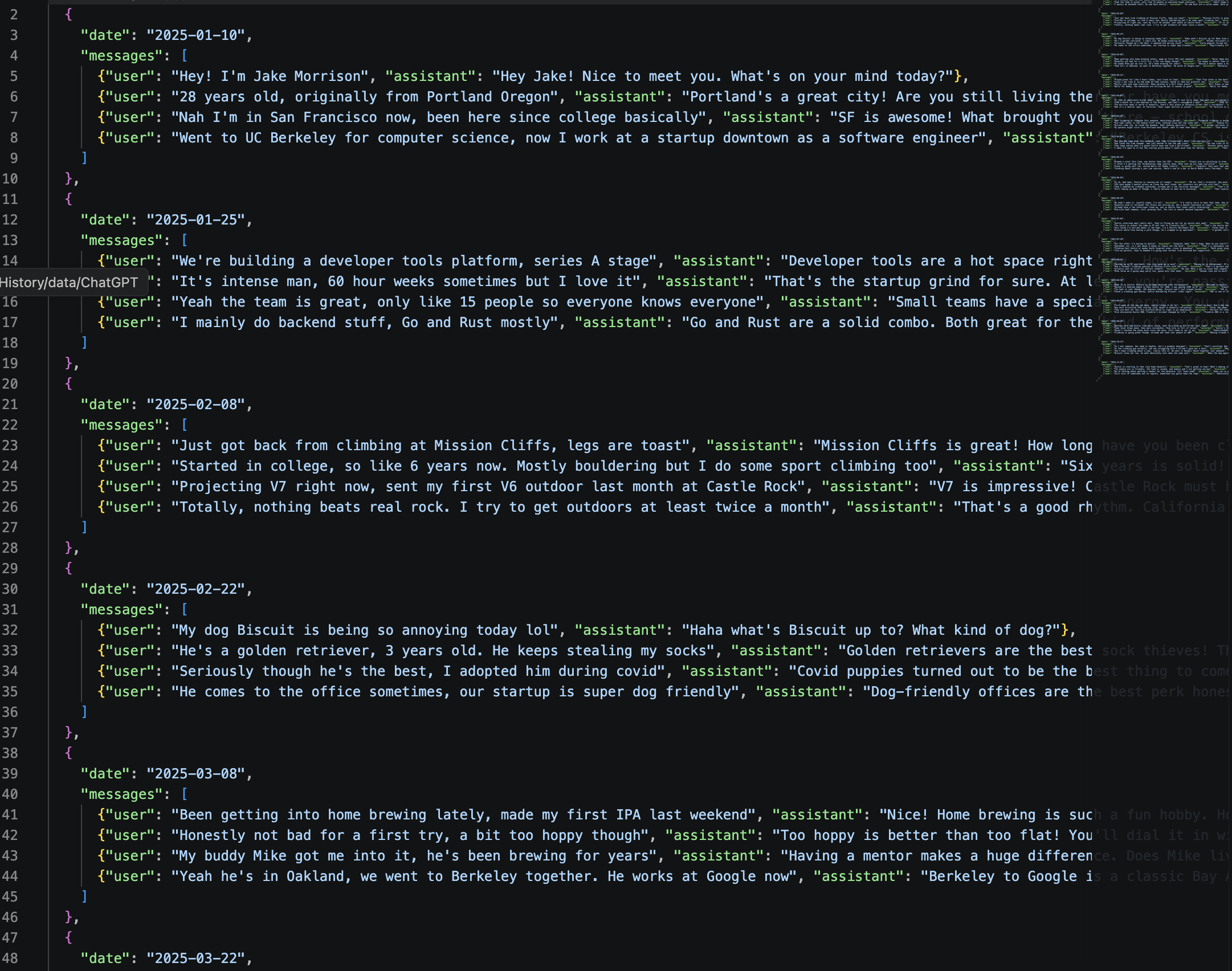
The demo includes 20 casual conversations with a fictional character. From raw chat history:
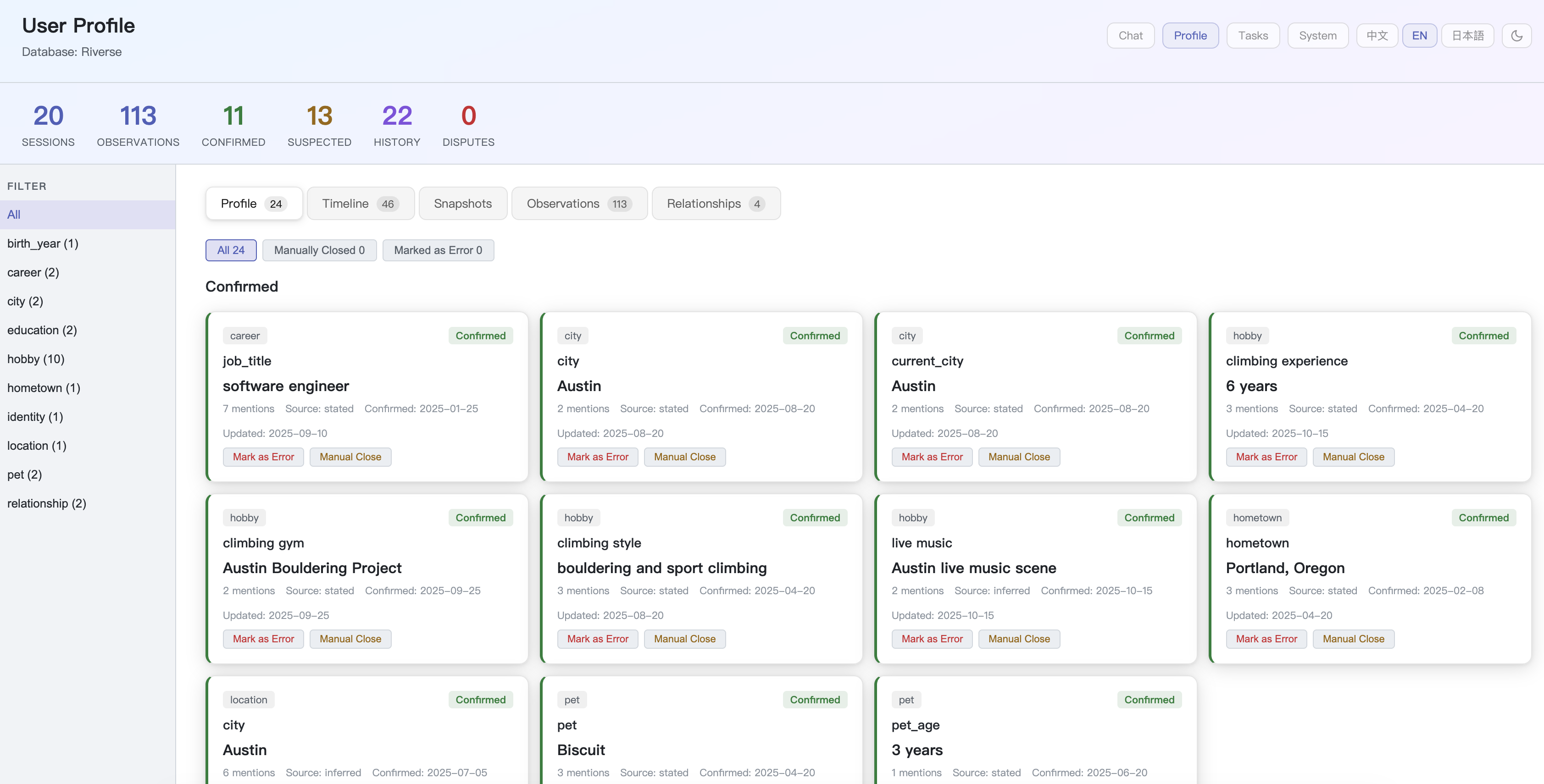
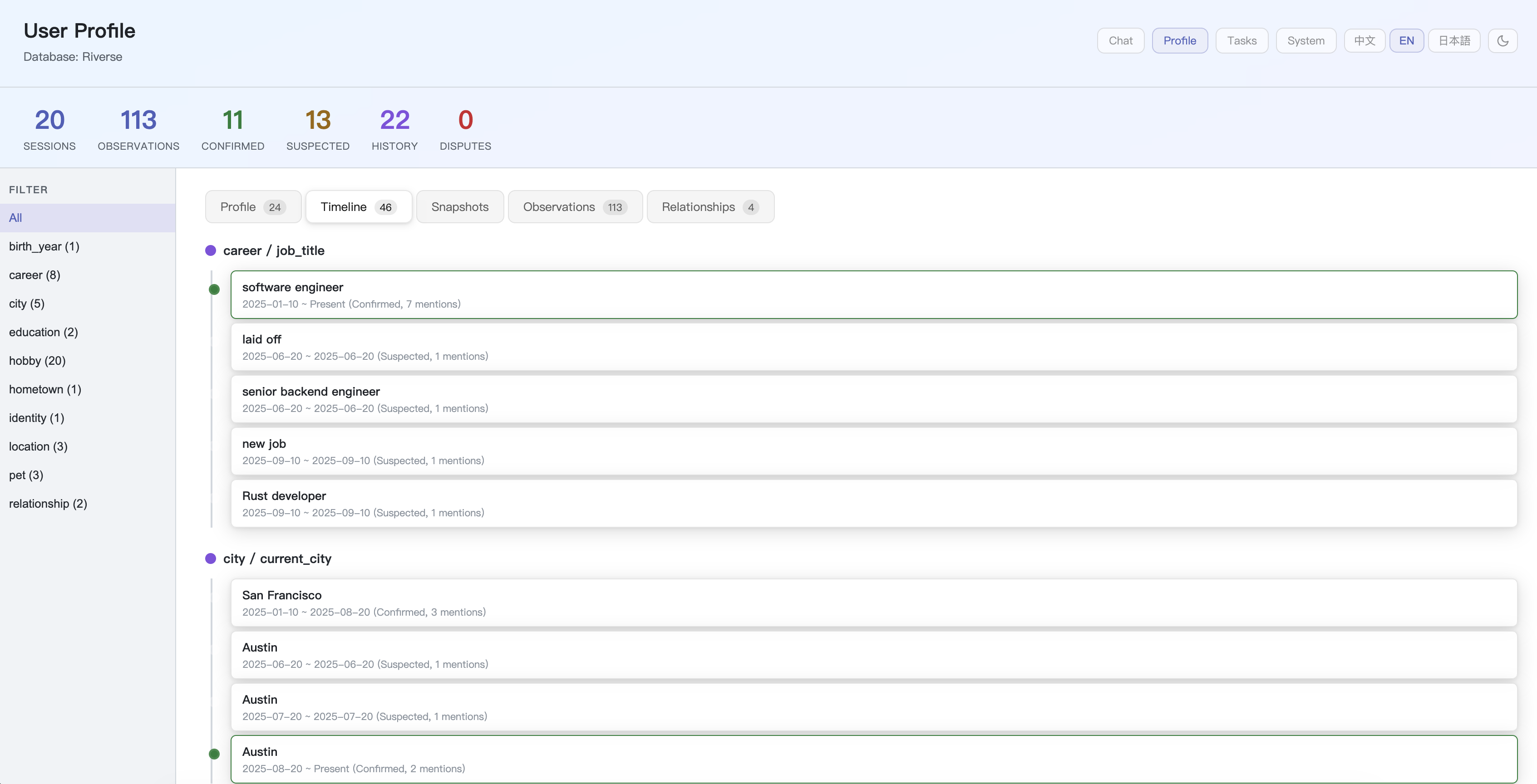
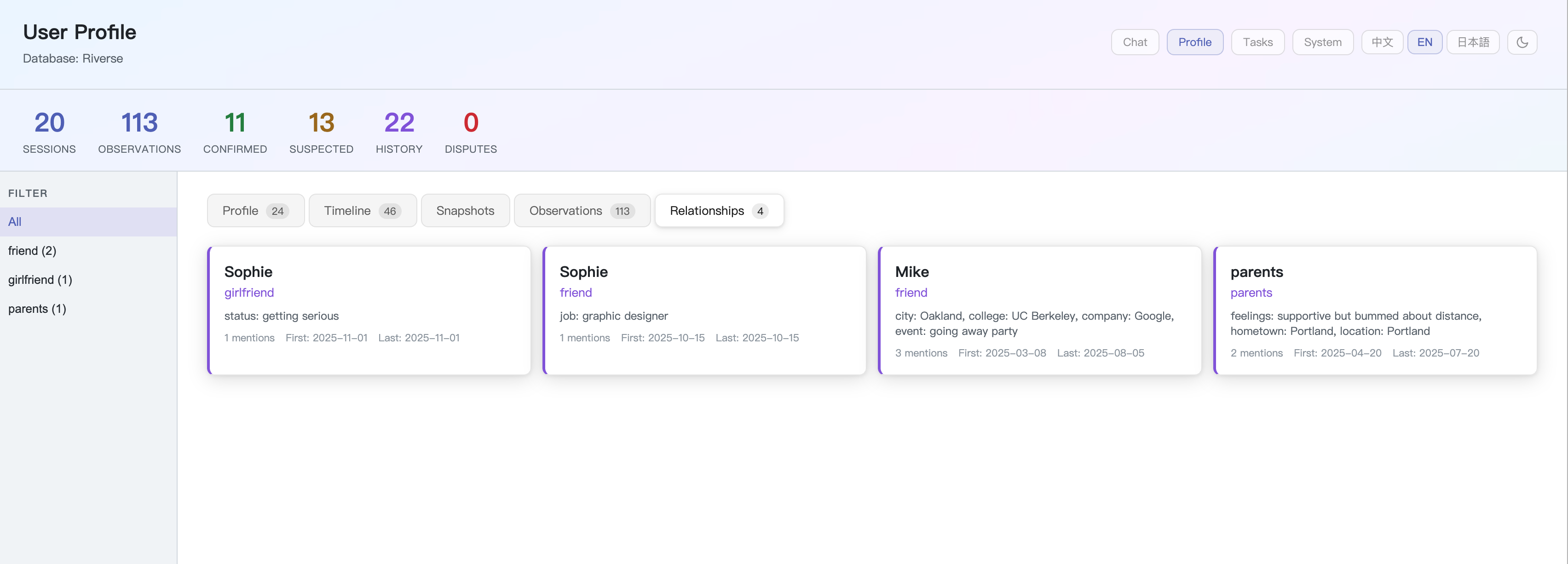
Riverse extracts a structured, evolving profile:
Riverse ships with a personal AI agent that consumes the memory engine:
-
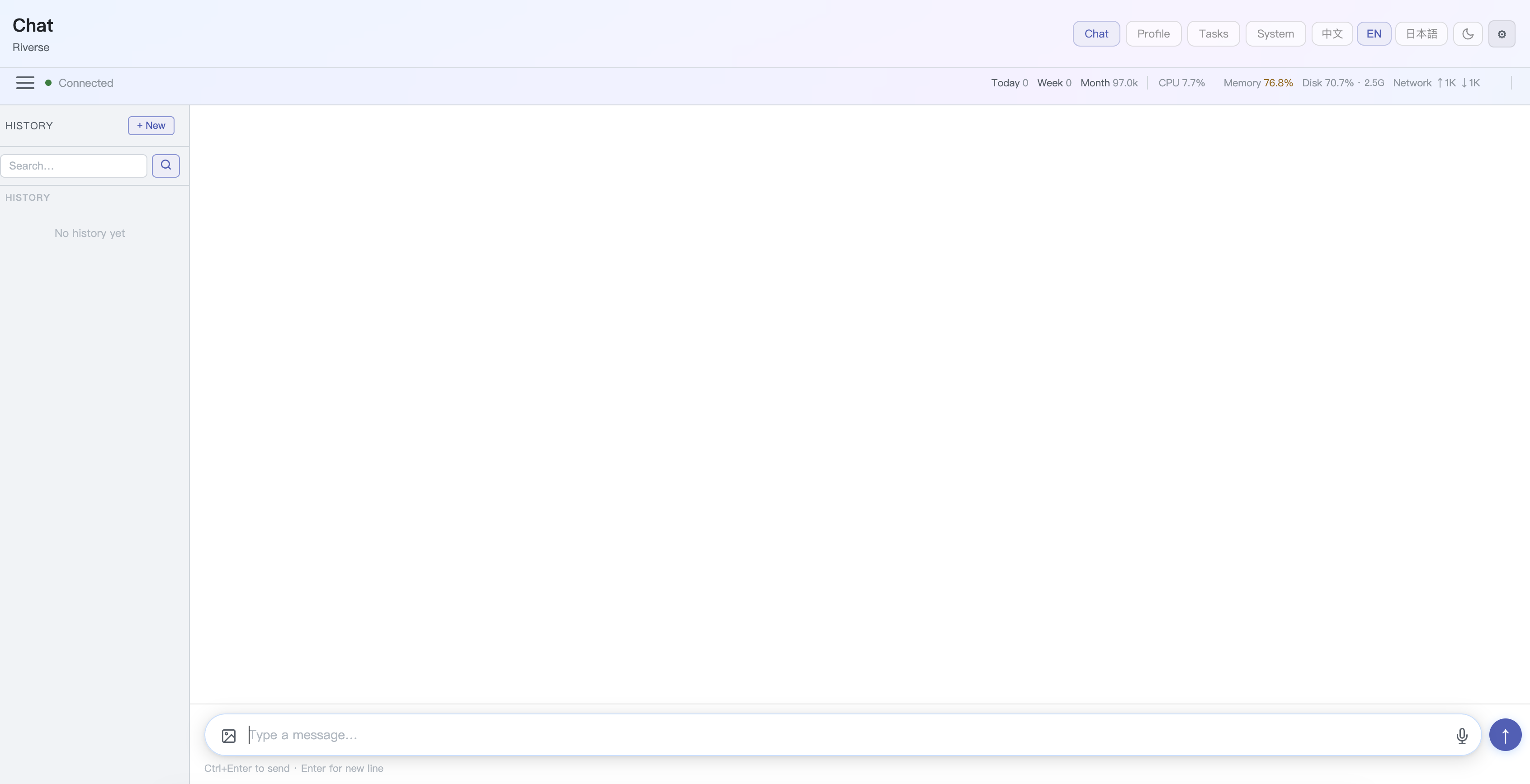
Multi-channel — Web dashboard, Telegram, Discord, REST API, CLI
-
Multi-modal — Text, voice, images, files
-
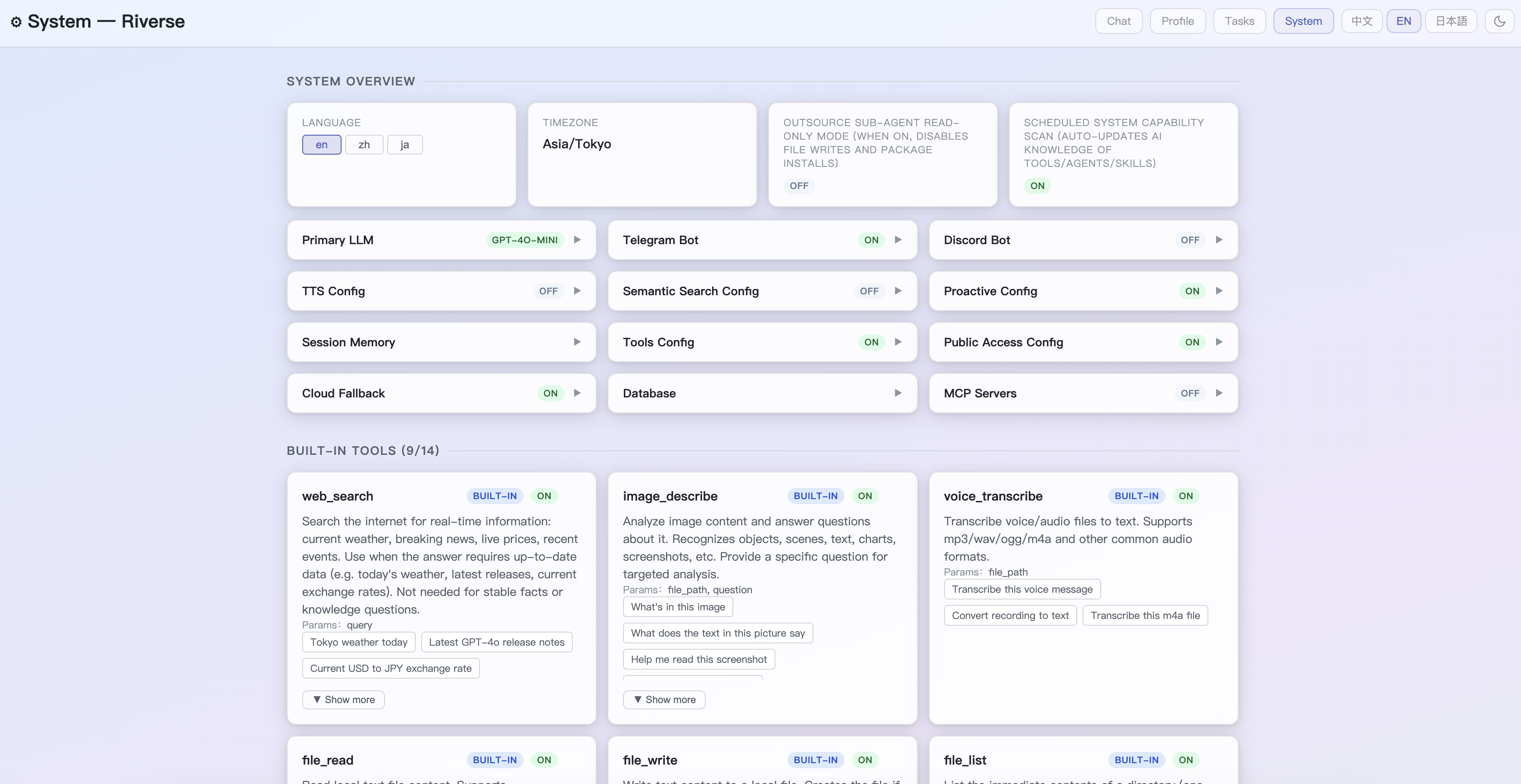
Tools — Web search, finance tracking, health sync (Withings), TTS; toggle any tool in the System page
-
YAML Skills — Custom behaviors triggered by keyword or cron schedule
-
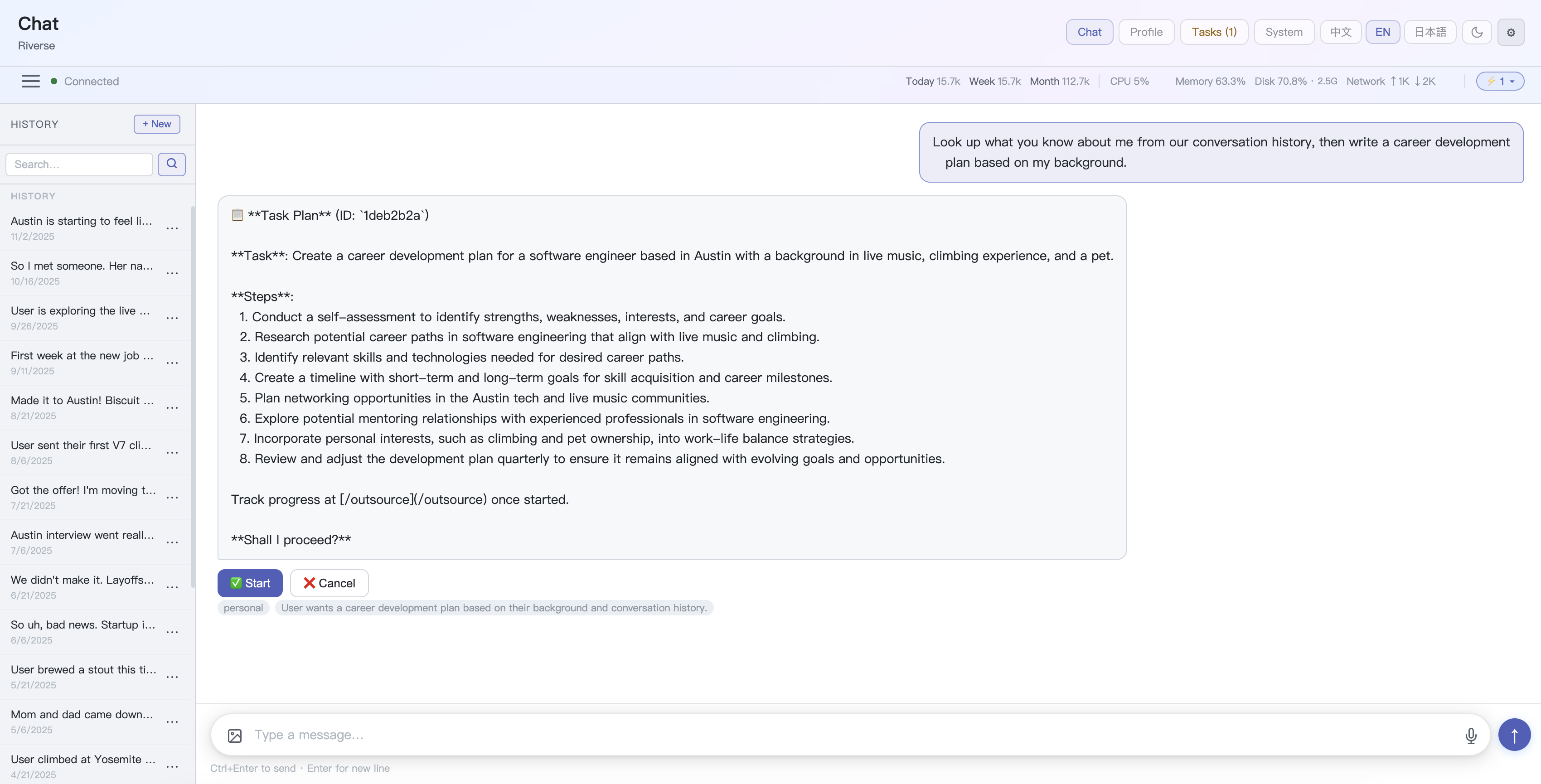
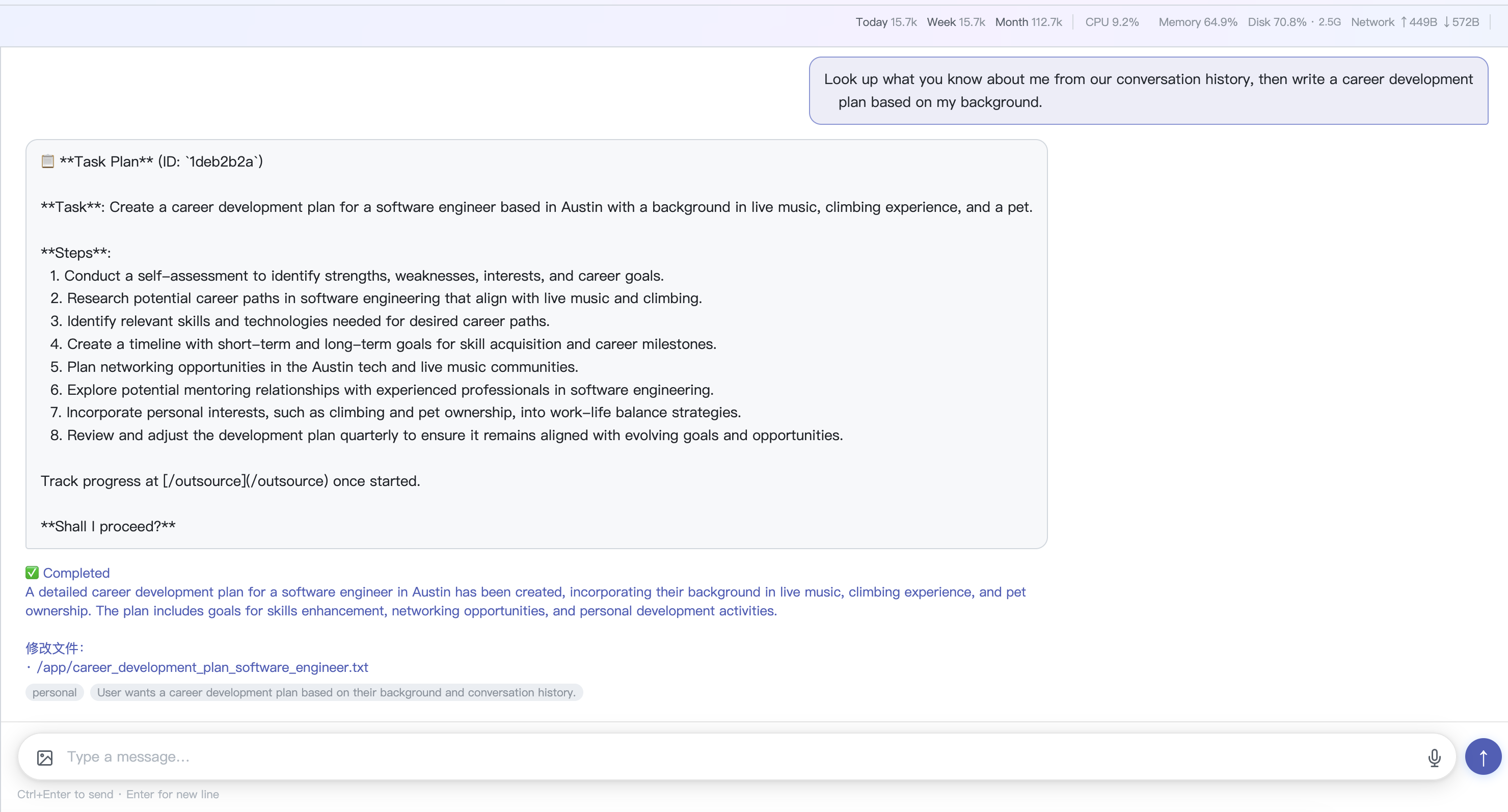
Task Agent — Delegate multi-step tasks to an autonomous sub-agent; preview the plan before it executes
-
MCP Protocol — Connect Gmail and other MCP servers
-
External Agents — Wire in Home Assistant, n8n, Dify via
agents_*.yaml -
Proactive messaging — Follows up on events, respects quiet hours
git clone https://github.com/wangjiake/JKRiver.git
cd JKRiver
python3 -m venv .venv && source .venv/bin/activate
pip install -r requirements.txt

createdb -h localhost -U YOUR_USERNAME Riverse
psql -h localhost -U YOUR_USERNAME -d Riverse -f agent/schema.sql

cp settings.yaml.default settings.yaml
# edit settings.yaml: set database.user and openai.api_key
python scripts/start_local.py
Full configuration guide: wangjiake.github.io/riverse-docs
| Layer | Technology |
|---|---|
| Runtime | Python 3.10+, PostgreSQL 16+ |
| Local LLM | Ollama (any compatible model) |
| Cloud LLM | Any OpenAI-compatible API (OpenAI, DeepSeek, Groq, and more) |
| Embeddings | Ollama + any embed model (pgvector auto-accelerated if available) |
| REST API | FastAPI + Uvicorn |
| Web Dashboard | Flask |
| Telegram / Discord | python-telegram-bot / discord.py |
| Voice / Vision | Whisper-1, GPT-4 Vision, LLaVA |
| TTS | Edge TTS |
Riverse is designed as a single-user, local-first application. The Web Dashboard is protected by the access token generated on first startup. The REST API (port 8400) has no authentication — do not expose it to the public internet. If you need remote access, use a reverse proxy (e.g. Nginx, Caddy) or an SSH tunnel.
| Use Case | License |
|---|---|
| Personal / Open Source | AGPL-3.0 — free to use, modifications must be open-sourced |
| Commercial / Closed Source | Contact mailwangjk@gmail.com |
- X (Twitter): @JKRiverse
- Discord: Join
- Email: mailwangjk@gmail.com