


A Node.js module for sending cross platform system notification. Using Notification Center for Mac, notify-osd for Linux, Toasters for Windows 8/10, or lovely taskbar Balloons for earlier Windows versions. If none of these requirements are met, be it older version of Windows or OS X, Growl is used.

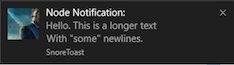
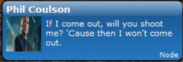
Show native notifications on Mac, Windows, Linux or using Growl!
var notifier = require('node-notifier');
notifier.notify({
  'title': 'My notification',
  'message': 'Hello, there!'
});- Mac OS X: >= 10.8 or Growl if earlier.
- Linux: notify-osd installed (Ubuntu should have this by default)
- Windows: >= 8, task bar balloon if earlier or Growl if that is installed.
- General Fallback: Growl
Growl takes precedence over Windows balloons.
See documentation and flow chart for reporter choice
$ npm install --save node-notifier
Standard usage, with cross-platform fallbacks as defined in the reporter flow chart. All of the options below will work in a way or another on all platforms.
var notifier = require('node-notifier');
var path = require('path');

notifier.notify({
  title: 'My awesome title',
  message: 'Hello from node, Mr. User!',
  icon: path.join(__dirname, 'coulson.jpg'), // absolute path (not balloons)
  sound: true, // Only Notification Center or Windows Toasters
  wait: true // wait with callback until user action is taken on notification
}, function (err, response) {
  // response is response from notification
});

notifier.on('click', function (notifierObject, options) {
  // Happens if `wait: true` and user clicks notification
});

notifier.on('timeout', function (notifierObject, options) {
  // Happens if `wait: true` and notification closes
});
You can also specify what reporter you want to use if you want to customize it or have more specific options per system. See documentation for each reporter below.
Example:
var NotificationCenter = require('node-notifier/notifiers/notificationcenter');
new NotificationCenter(options).notify();

var NotifySend = require('node-notifier/notifiers/notifysend');
new NotifySend(options).notify();

var WindowsToaster = require('node-notifier/notifiers/toaster');
new WindowsToaster(options).notify();

var Growl = require('node-notifier/notifiers/growl');
new Growl(options).notify();

var WindowsBalloon = require('node-notifier/notifiers/balloon');
new WindowsBalloon(options).notify();
Or if you are using several (or you are lazy): (note: technically, this takes longer to require)
var nn = require('node-notifier');

new nn.NotificationCenter(options).notify();
new nn.NotifySend(options).notify();
new nn.WindowsToaster(options).notify(options);
new nn.WindowsBalloon(options).notify(options);
new nn.Growl(options).notify(options);- Notification Center documentation
- Windows Toaster documentation
- Windows Balloon documentation
- Growl documentation
- Notify-send documentation
Same usage and parameter setup as terminal-notifier.
Native Notification Center requires Mac OS X version 10.8 or higher. If you have earlier versions, Growl will be the fallback. If Growl isn't installed, an error will be returned in the callback.
It is a wrapper around terminal-notifier, and you can
do all terminal-notifier can do through properties to the notify method. E.g.
if terminal-notifier say -message, you can do {message: 'Foo'}, or
if terminal-notifier say -list ALL you can do {list: 'ALL'}. Notification
is the primary focus for this module, so listing and activating do work,
but isn't documented.
var NotificationCenter = require('node-notifier').NotificationCenter;

var notifier = new Notification({
  withFallback: false, // use Growl if <= 10.8?
  customPath: void 0 // Relative path if you want to use your fork of terminal-notifier
});

notifier.notify({
  'title': void 0,
  'subtitle': void 0,
  'message': void 0,
  'sound': false, // Case Sensitive string of sound file (see below)
  'icon': 'Terminal Icon', // Set icon? (Absolute path to image)
  'contentImage': void 0, // Attach image? (Absolute path)
  'open': void 0, // URL to open on click
  'wait': false // if wait for notification to end
}, function(error, response) {
  console.log(response);
});
For Mac OS notifications, icon and contentImage requires OS X 10.9.
Sound can be one of these: Basso, Blow, Bottle, Frog, Funk, Glass,
Hero, Morse, Ping, Pop, Purr, Sosumi, Submarine, Tink. If
sound is simply true, Bottle is used.
See specific Notification Center example.
Note: There are some limitations for images in native Windows 8 notifications:
The image must be a PNG image, and cannot be over 1024x1024 px, or over over 200Kb.
You also need to specify the image by using absolute path. These limitations are
due to the Toast notification system. A good tip is to use something like
path.join or path.delimiter to have cross-platform pathing.
Windows 10 Note: You might have to activate banner notification for the toast to show.
From mikaelbr/gulp-notify#90 (comment)
You can make it work by going to System > Notifications & Actions. The 'toast' app needs to have Banners enabled. (You can activate banners by clicking on the 'toast' app and setting the 'Show notification banners' to On)
toaster is used to get native Windows Toasts!
var WindowsToaster = require('node-notifier').WindowsToaster;

var notifier = new WindowsToaster({
  withFallback: false, // Fallback to Growl or Balloons?
  customPath: void 0 // Relative path if you want to use your fork of toast.exe
});

notifier.notify({
  title: void 0,
  message: void 0,
  icon: void 0, // absolute path to an icon
  sound: false, // true | false.
  wait: false, // if wait for notification to end
}, function(error, response) {
  console.log(response);
});var Growl = require('node-notifier').Growl;
var notifier = new Growl({
name: 'Growl Name Used', // Defaults as 'Node'
host: 'localhost',
port: 23053
});
notifier.notify({
title: 'Foo',
message: 'Hello World',
icon: fs.readFileSync(__dirname + "/coulson.jpg"),
wait: false, // if wait for user interaction
// and other growl options like sticky etc.
sticky: false,
label: void 0,
priority: void 0
});See more information about using growly.
For earlier Windows versions, the taskbar balloons are used (unless fallback is activated and Growl is running). For balloons a great project called notifu is used.
var WindowsBalloon = require('node-notifier').WindowsBalloon;

var notifier = new WindowsBalloon({
  withFallback: false, // Try Windows 8 and Growl first?
  customPath: void 0 // Relative path if you want to use your fork of notifu
});

notifier.notify({
  title: void 0,
  message: void 0,
  sound: false, // true | false.
  time: 5000, // How long to show balloons in ms
  wait: false, // if wait for notification to end
}, function(error, response) {
  console.log(response);
});
See full usage on the project homepage: notifu.
Note: notify-send doesn't support the wait flag.
var NotifySend = require('node-notifier').NotifySend;

var notifier = new NotifySend();

notifier.notify({
  title: 'Foo',
  message: 'Hello World',
  icon: __dirname + "/coulson.jpg",

  // .. and other notify-send flags:
  urgency: void 0,
  time: void 0,
  category: void 0,
  hint: void 0,
});
See flags and options on the man pages
You can also use node-notifier as a CLI (as of v4.2.0).
$ notify -h

# notify
## Options
   * --help (alias -h)
   * --title (alias -t)
   * --subtitle (alias -st)
   * --message (alias -m)
   * --icon (alias -i)
   * --sound (alias -s)
   * --open (alias -o)

## Example

   $ notify -t "Hello" -m "My Message" -s --open http://github.com
   $ notify -t "Agent Coulson" --icon https://raw.githubusercontent.com/mikaelbr/node-notifier/master/example/coulson.jpg -m "Well, that's new. "
   $ notify -m "My Message" -s Glass
   $ echo "My Message" | notify -t "Hello"
You can also pass message in as stdin:
➜ echo "Message" | notify

# Works with existing arguments
➜ echo "Message" | notify -t "My Title"
➜ echo "Some message" | notify -t "My Title" -sA very special thanks to all the modules node-notifier uses.


When using node-notifier within a tmux session, it can cause a hang in the system. This can be solved by follwing the steps described in this comment: julienXX/terminal-notifier#115 (comment)
See more info here: mikaelbr#61 (comment)
If packaging your Electron app as an asar, you will find that node-notifier will fail to load. Due to the way asar works, you cannot execute a binary from within asar. As a simple solution, when packaging the app into an asar please make sure you --unpack the vendor folder of node-notifier so the module still has access to the notification binaries. To do this, you can do so by using the following command:
asar pack . app.asar --unpack "./node_modules/node-notifier/vendor/**"