Fully automated, non-interactive shipping workflow that merges, tests, reviews, versions, and creates a PR — all in one command.
| Property | Value |
|---|---|
| Trigger | Comment /ship on an issue |
| Browser Required | ❌ No |
| Default State | ✅ Enabled |
| Results Path | state/results/{slug}/{branch}-reviews.jsonl |
Comment on an issue from your feature branch:
/ship
That's it. The skill runs end-to-end without further interaction. The next thing you see is a PR URL.
You do NOT need to:
- Stage or commit changes (uncommitted changes are always included)
- Choose a version bump (auto-picks PATCH/MICRO)
- Write CHANGELOG entries (auto-generated from the diff)
- Approve commit messages (auto-committed)
- Run tests manually (tests run automatically on merged code)
- Sync documentation (auto-invokes
/document-releaseafter PR creation)
The skill WILL stop for:
- Merge conflicts that can't be auto-resolved
- In-branch test failures (pre-existing failures are triaged, not blocking)
- ASK items from the pre-landing review that need human judgment
- MINOR or MAJOR version bumps (asks — auto-picks PATCH/MICRO only)
- AI-assessed coverage below the minimum threshold
- Plan verification failures or incomplete plan items
The /ship workflow executes a rigorous, multi-step pipeline:
Checks the current branch (aborts if on the base branch), runs git status, and gathers the diff stat and commit log. Reviews readiness by checking for prior /review results. If no prior review exists, notes that a pre-landing review will run in Step 3.5.
If the diff introduces a new standalone artifact (CLI binary, library package), verifies that a release/publish CI/CD pipeline exists. Prompts to add one if missing.
Fetches and merges the base branch into the feature branch so tests run against the merged state. Auto-resolves simple conflicts (VERSION, CHANGELOG ordering). Stops on complex conflicts.
Detects the repository's existing test framework. If no test framework is found, notes it and continues.
Runs all test suites in parallel on the merged code. Applies Test Failure Ownership Triage to distinguish pre-existing failures from regressions introduced by the current branch. Only in-branch failures block the ship.
If prompt-related files changed, runs affected eval suites at EVAL_JUDGE_TIER=full (Sonnet structural + Opus persona judges). Skips silently if no prompt files are in the diff.
Uses the diff and existing tests to assess coverage gaps. Generates tests for uncovered code paths when possible.
Verifies the implementation matches the stated plan by comparing the diff against plan artifacts, issue descriptions, or PR bodies. Flags scope drift.
Reads the review checklist and performs a two-pass code review:
- Pass 1 (CRITICAL): SQL & Data Safety, LLM Output Trust Boundary
- Pass 2 (INFORMATIONAL): All remaining categories
Each finding is classified as AUTO-FIX or ASK. Auto-fixable issues (dead code, stale comments, N+1 queries) are fixed immediately. ASK items are presented for human decision. If frontend files changed, a lite design review is also included using the design checklist.
If a PR already exists with Greptile review comments, triages them using the Greptile triage guide — classifying each as valid, already-fixed, or false positive.
Reads the VERSION file (4-digit format: MAJOR.MINOR.PATCH.MICRO). Auto-picks MICRO for trivial changes (<50 lines) or PATCH for standard changes. Only asks for MINOR/MAJOR bumps. Bumping a digit resets all lower digits to 0.
Auto-generates a CHANGELOG entry from the diff and commit history using the repository's existing format.
Cross-references open TODOs against the shipped diff. Automatically marks completed items. Prompts if TODOS.md is missing or disorganized.
Groups changes into logical, independently-valid commits ordered for git bisect:
- Foundation (migrations, config, routes)
- Models & services (with their tests)
- Controllers & views (with their tests)
- VERSION + CHANGELOG + TODOS.md (final commit)
Iron law: no completion claims without fresh verification evidence. If any code changed after Step 3, re-runs the test suite. Stale results are never accepted.
Pushes to the remote with upstream tracking. Idempotent — skips if already pushed.
Creates a pull request with a structured body containing: Summary, Test Coverage, Pre-Landing Review, Design Review, Eval Results, Greptile Review, Scope Drift, Plan Completion, Verification Results, and TODOS sections. Idempotent — updates the existing PR body if one already exists.
Automatically runs the /document-release workflow to sync project documentation with the shipped changes. No confirmation needed.
Logs coverage, plan completion, and verification data to the results JSONL so /retro can track trends.
## Ship Report — Issue #45

### Pipeline
1. ✅ Base branch detected: `main`
2. ✅ Merged origin/main — no conflicts
3. ✅ Tests passing (47/47)
4. ✅ Evals: skipped (no prompt files changed)
5. ✅ Pre-landing review: clean (from prior `/review`)
6. ✅ Version bumped: 1.0.3 → 1.0.4
7. ✅ CHANGELOG updated
8. ✅ TODOS.md: 2 items marked complete
9. ✅ Commits created (3 bisectable commits)
10. ✅ Pushed to origin/feature/auth-middleware
11. ✅ PR opened: #46
12. ✅ Documentation synced — no updates needed

### PR: https://github.com/org/repo/pull/46
In config.json:
{
  "ship": {
    "enabled": true,
    "trigger": "issue_comment"
  }
}| Field | Type | Description |
|---|---|---|
enabled |
boolean |
Set to false to disable the skill |
trigger |
string |
GitHub event type — issue_comment for slash command invocation |
| Requirement | Details |
|---|---|
| Browser | ❌ Not needed |
| Model | Default model from config (gpt-5.4) recommended |
| Permissions | admin, maintain, or write on the repository |
| Tools | Bash, Read, Write, Edit, Grep, Glob, Agent, WebSearch |
| Sensitive | sensitive (preamble-tier 4) |
Ship metrics are persisted to:
.github-gstack-intelligence/state/results/{slug}/{branch}-reviews.jsonl
Each JSONL entry includes:
skill—"ship"timestamp— ISO 8601 datetimecoverage_pct— test coverage percentage (or-1if undetermined)plan_items_total/plan_items_done— plan completion trackingverification_result—"pass","fail", or"skipped"version— the shipped version stringbranch— the feature branch name
Pre-landing review results are also saved to state/results/review/review-log.json with a "via": "ship" field to distinguish from standalone /review runs.
| File | Purpose |
|---|---|
skills/ship.md |
Skill prompt definition |
skills/references/review-checklist.md |
Two-pass review checklist used in Step 3.5 |
skills/references/review-design-checklist.md |
Design review lite checklist for frontend changes |
skills/references/review-greptile-triage.md |
Greptile comment triage and reply templates |
skills/references/review-todos-format.md |
Canonical TODOS.md format reference |
config.json |
Skill enablement and trigger configuration |
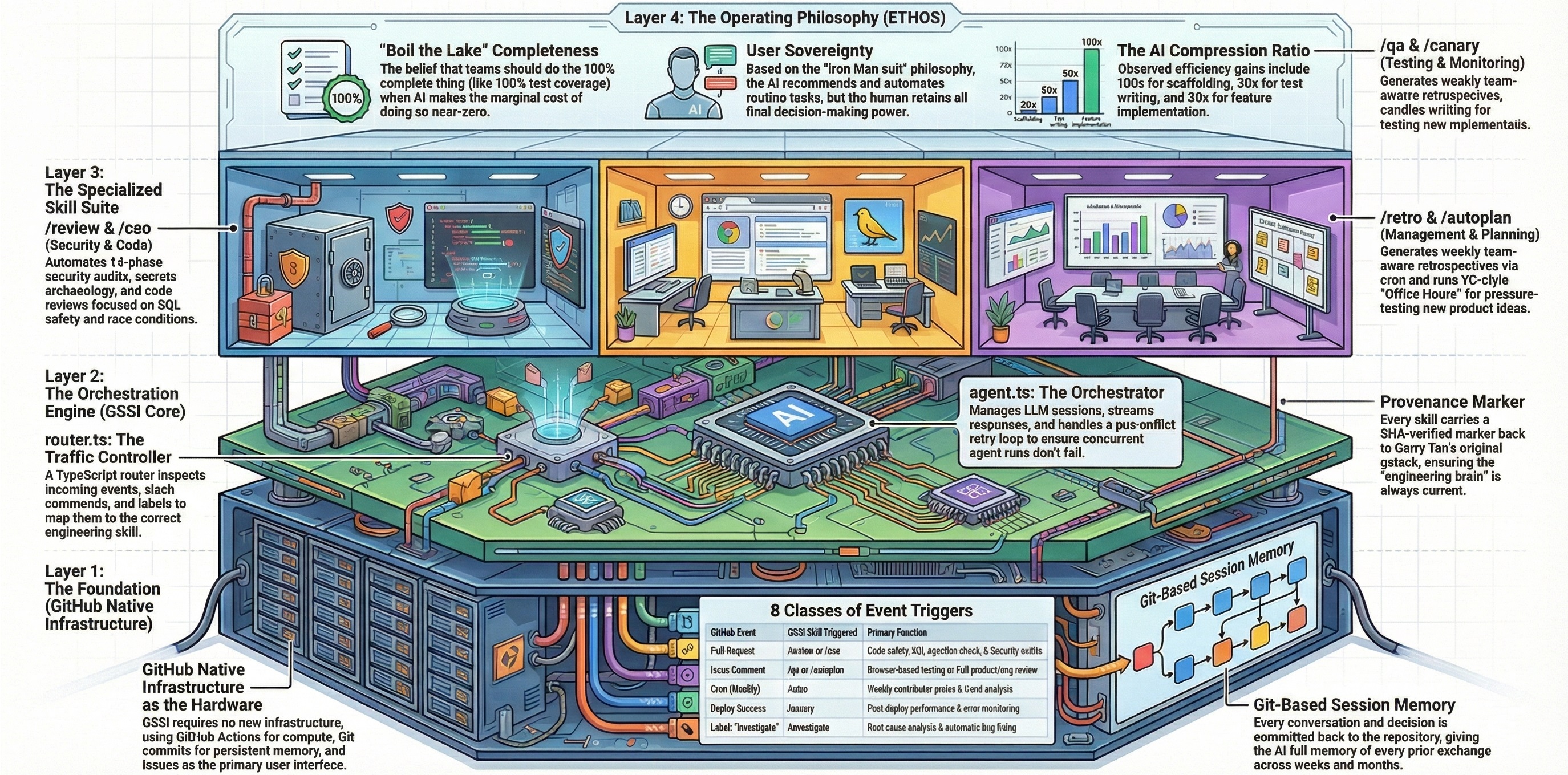
lifecycle/router.ts |
Event routing — maps issue_comment events to /ship |
/review— Standalone pre-landing code review (ship runs its own review if none exists)/document-release— Post-ship documentation update (auto-invoked by/ship)/autoplan— Auto-generate implementation plans before shipping/retro— Weekly retrospective that reads ship metrics for trend tracking