Deployment
There are two ways you can deploy the resources
-
One by cloning/forking the Notification Service repository, creating build pipeline and pointing those build artifacts in your release definition or You could create a release definition that points to the artifacts from our build definition.
-
Create the resources using Deploy to Azure button from here or clone the ARM Templates from here and create a Azure Pipelines or Github Actions release to deploy. Please check a reference release here (Microsoft Employees only) or you could Export that reference release pipeline and create a new release pipeline by selecting Import release pipeline and editing the release definition as per your choice.
Your ARM Template deployment Release in Azure Pipelines would look like this.
- Use ARM template deployment task
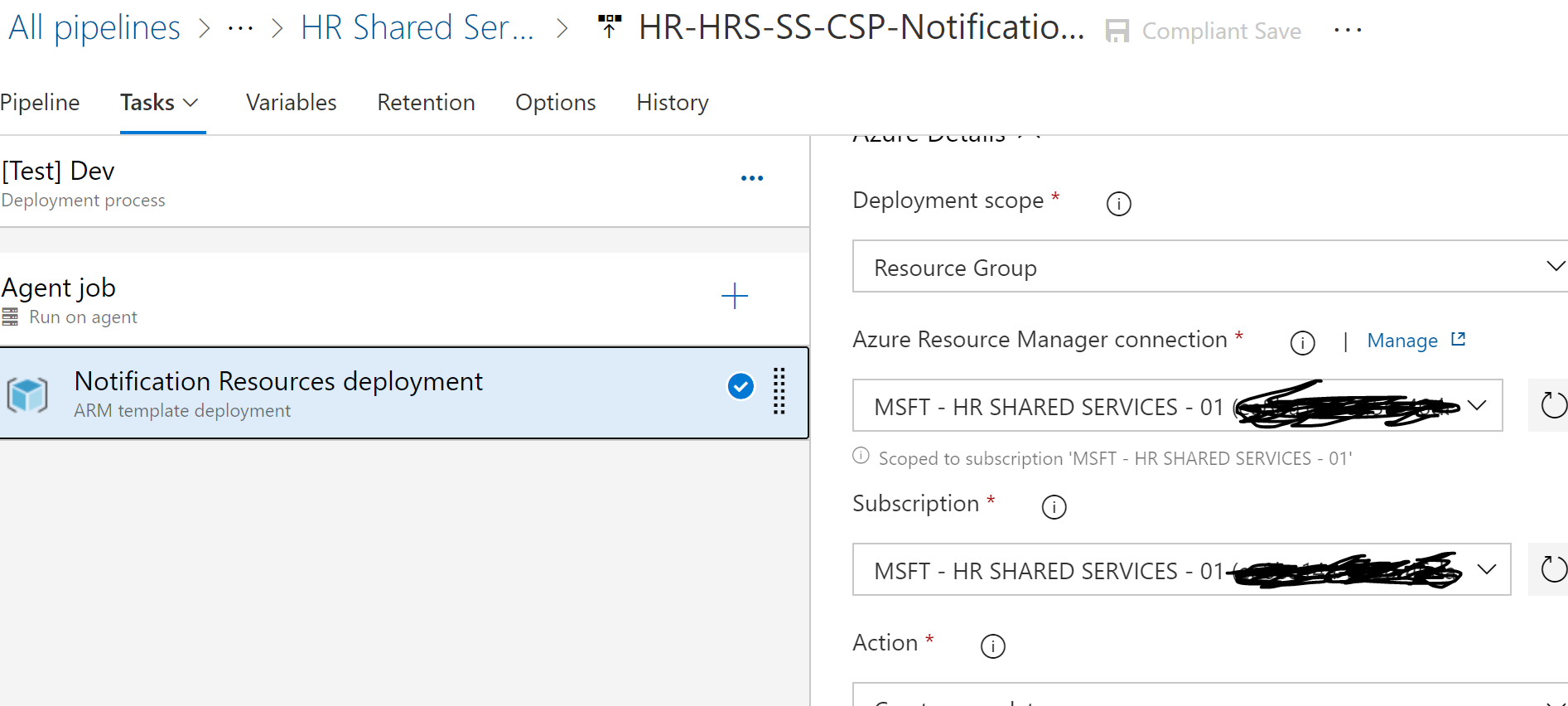
- Select Azure Resource Manager Connection, Subscription, Resource group and Location as shown below.
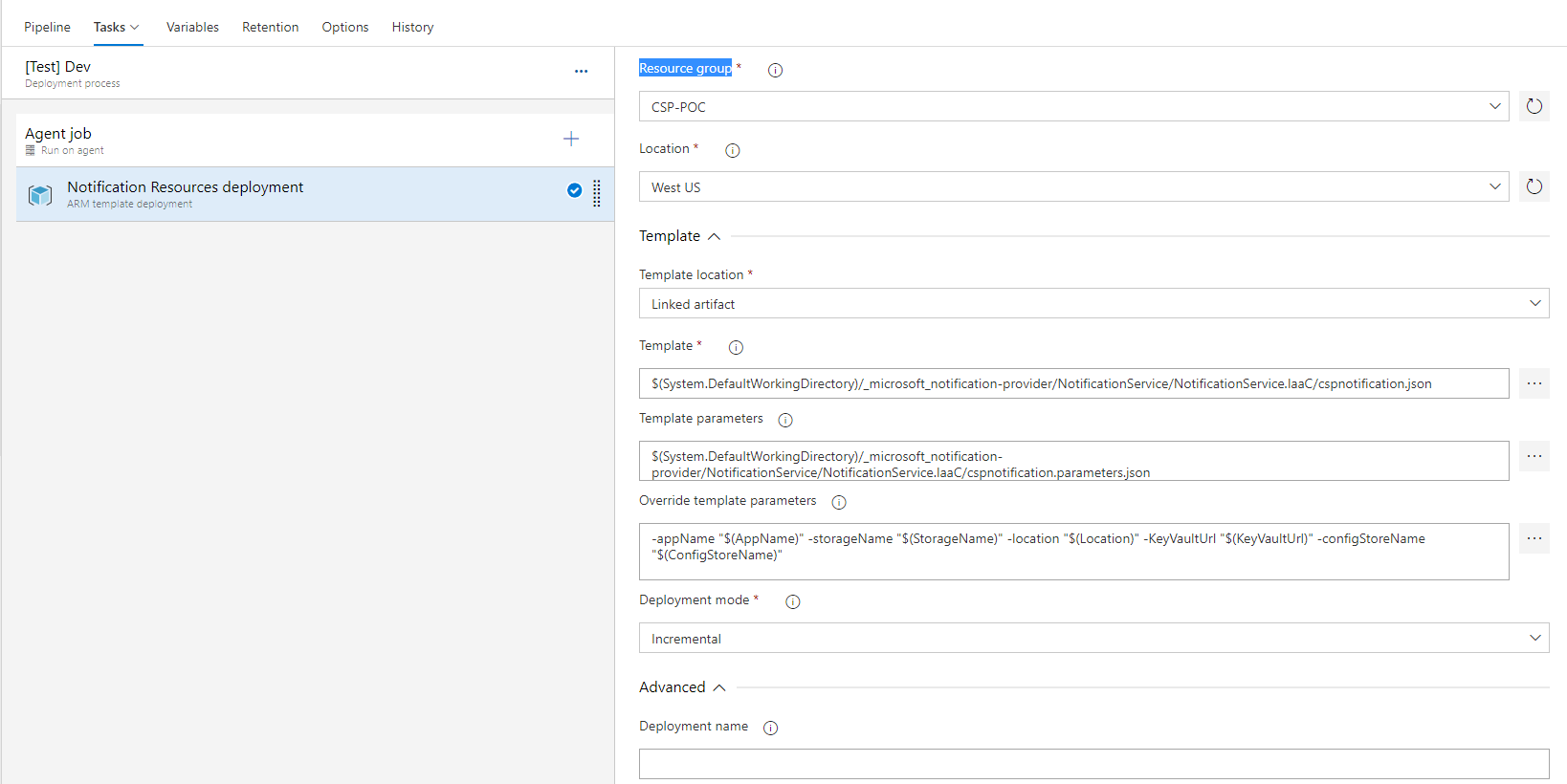
- Browse the Template and template json and provide the values for ARM Template parameters ash shown below(Here it is reading from Release Variables, but you can hard code too) and edit the release definition variables as per your choice.
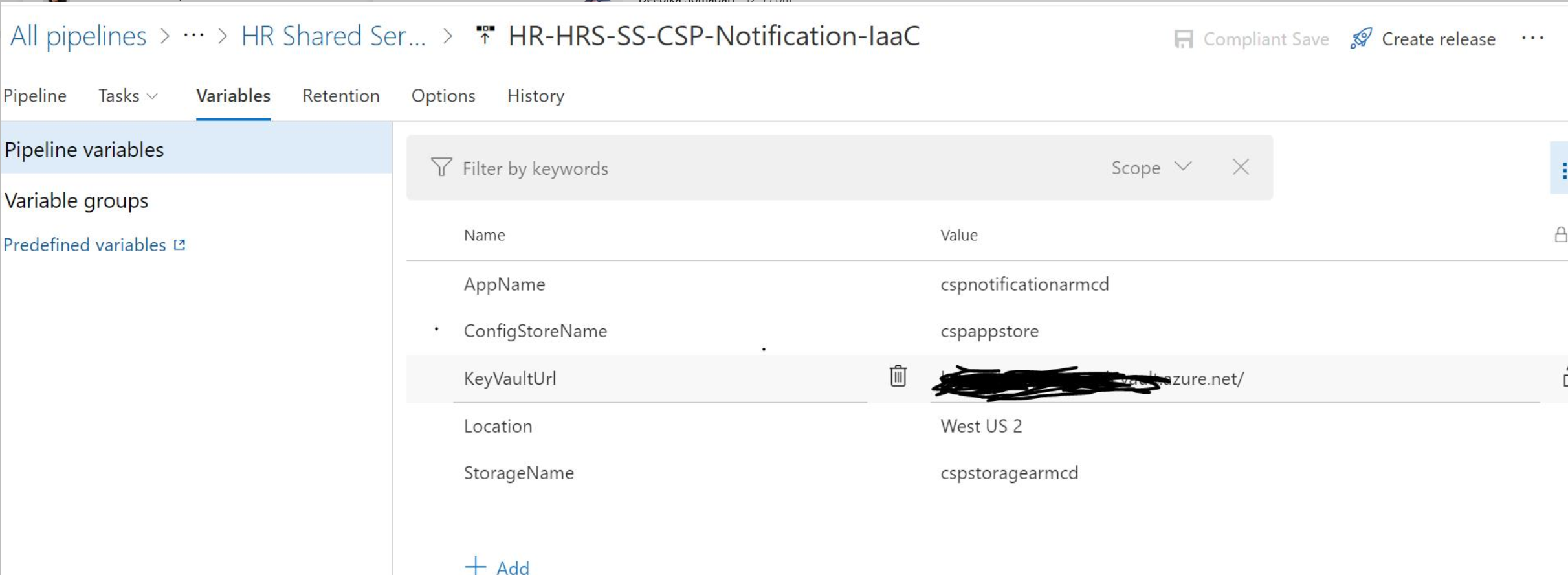
The resources will be prefixed with the value present in AppName variable. For example if the AppName is given as cspnotificationarmcd, then following resources will be created:
cspnotificationarmcd-NotificationHandler
cspnotificationarmcd-NotificationService
cspnotificationarmcd-Function
cspnotificationarmcd-NotificationAppPlan
cspnotificationarmcd-appInsights
Apart from the above, one storage account and one azure app configuration will be created with the name given in variable section for StorageName and ConfigStoreName respectively. Please note that the storagename should be unique and has 3-24 characters. The variables are:
After the Azure Resources are created from the ARM Template above, please follow the below steps to deploy the Notification Service to the resources.
- Create a Azure DevOps Build/Github Action using the YML Template here. Please check this build here for reference. (Microsoft Employees only). Refer to this link for creating a AzureDevOps Build pipeline pointing to this repo.
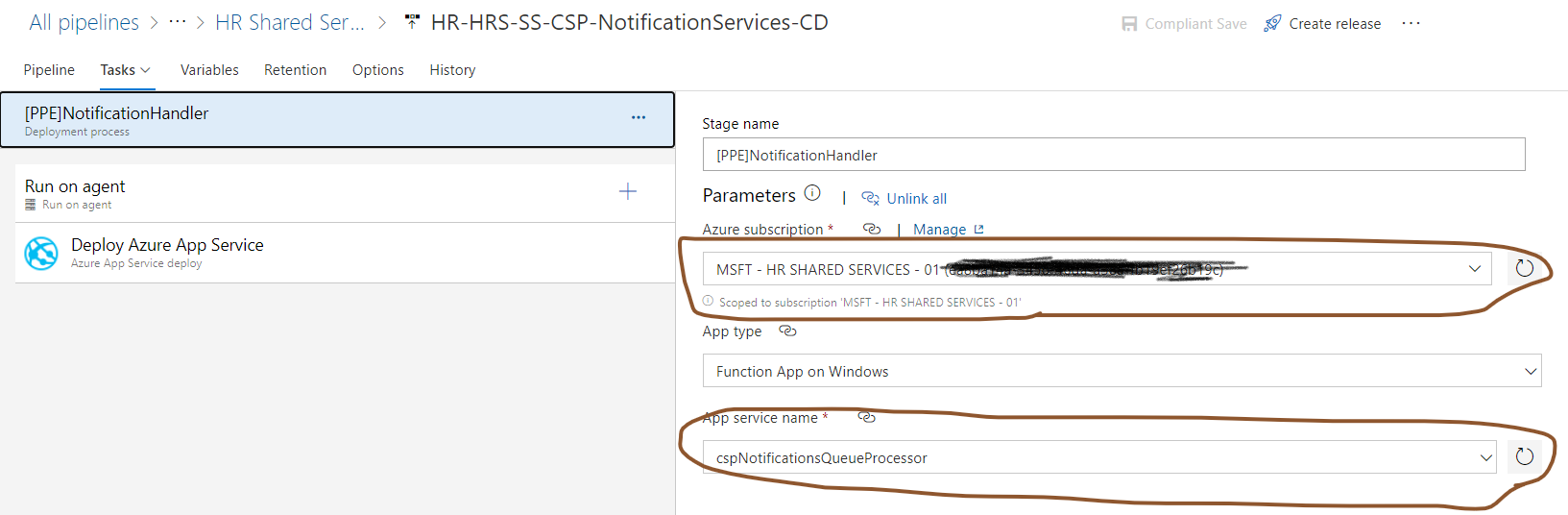
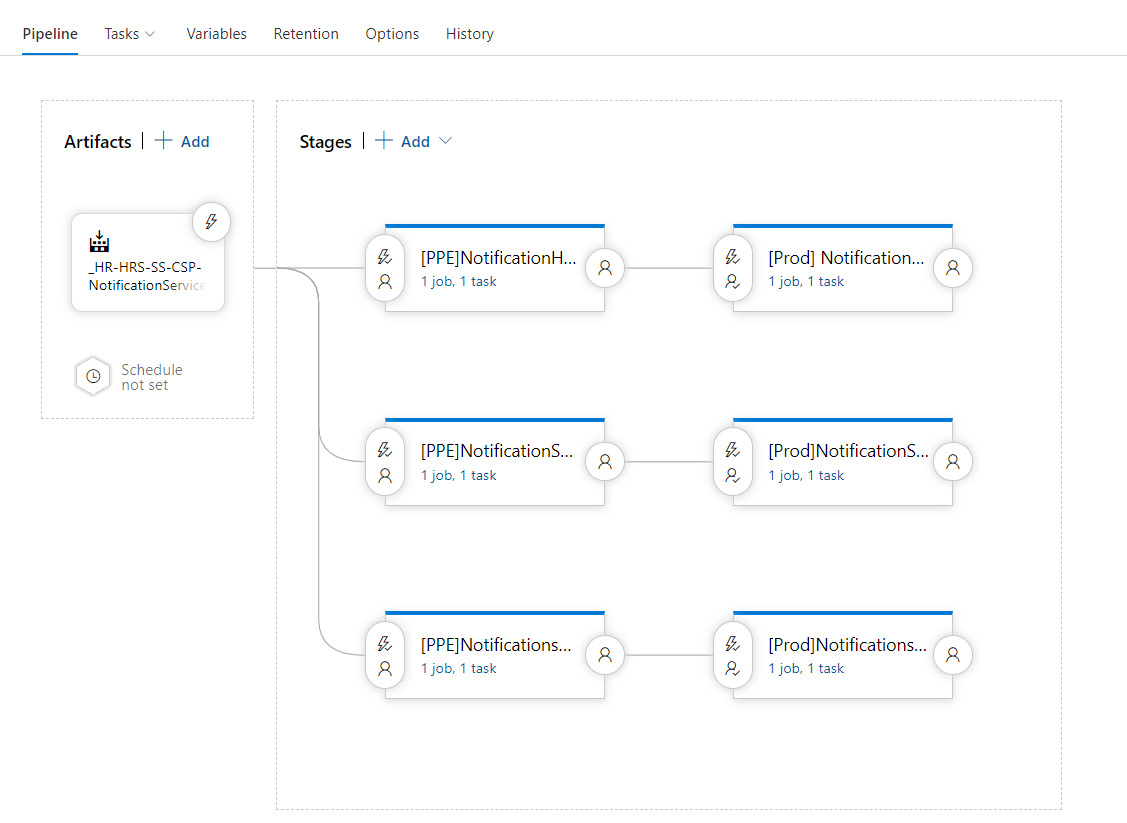
- Create a release to deploy the artifacts created from the build above. Refer to the Release pipeline here (Microsoft Employees only) for Reference or Export that reference release pipeline and create a new release pipeline by selecting Import release pipeline and editing the release definition as per your choice. Please provide the Service connection to your Azure Subscription. There would be 6 stages of the pipeline as shown below(3 for Pre-Prod and 3 for Prod):
- Once the release is configured, build and deploy the artifacts.
Please follow Configuration after the above steps have been completed.