Notification Provider Client
Notification Provider Client is an user interface for notification history, filters on notifications displayed, Resend functionality to resend selected notifications, view email content.
Note This notifications service is limited for Microsoft Tenants.
- AAD app registration. Note: do not use the same AAD app used while onboarding Notification Provider Service.
- Requires AAD V2 App Registration for both Notification Provider Service and Notification Client AAD Apps.
- A Storage Account with static-website hosting capability.
Please do the following changes to enable AADv2 in Notification-Service
-
Update AAD App registration version to 2. Steps
-
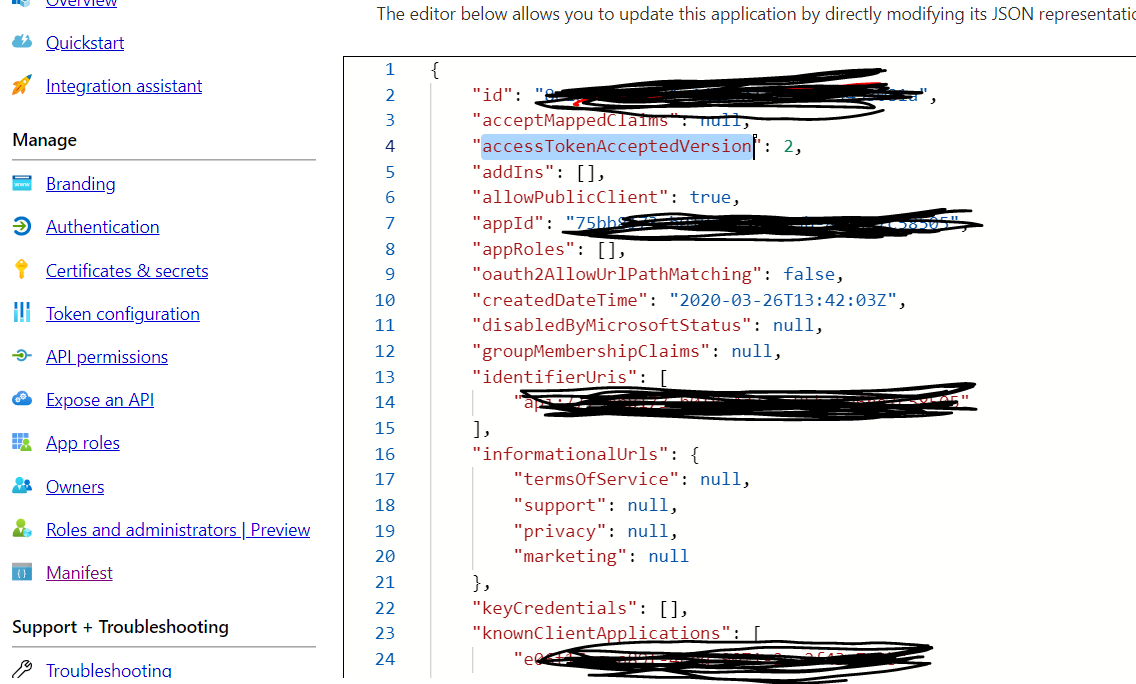
Go to AAD App for Notification-Service -> Manifest
-
Update value against key "accessTokenAcceptedVersion" to 2. please see the below screenshot.
-
-
Update configuration for notification-service Steps
- Go to Azure App Configuration -> Configuration Explorer
- Append "/v2" to value against key "BearerTokenAuthentication:Issuer"
-
Configuration for Notification Service AAD app
- Go to "Expose an Api" and add a scope by clicking on '+ Add a Scope'. This scope will be used for Authorizing the Notification ui requests at Notitication service level.
- Add ClientID of the Notification Service Client to the scope by clicking on '+ Add a Client Application'.
- Go to Manifest and add the cliendId of the Notification Service Client in "knownClientApplications".
-
Configuration for Notification Client AAD App.
- Go to "API Permissions", click on "+ Add a Permission".
- Go to "My APIs" Tab and select the AAD App for Notification Provider Service and Add this permission.
- Go to Authentication and add Notification Client URL in Redirect URL list under Single-page Application.
Please add the AAD App CliendId used in Notification Service Client, to ValidAppIdList under the respective Application in ApplicationAccounts setting in keyvault.
-
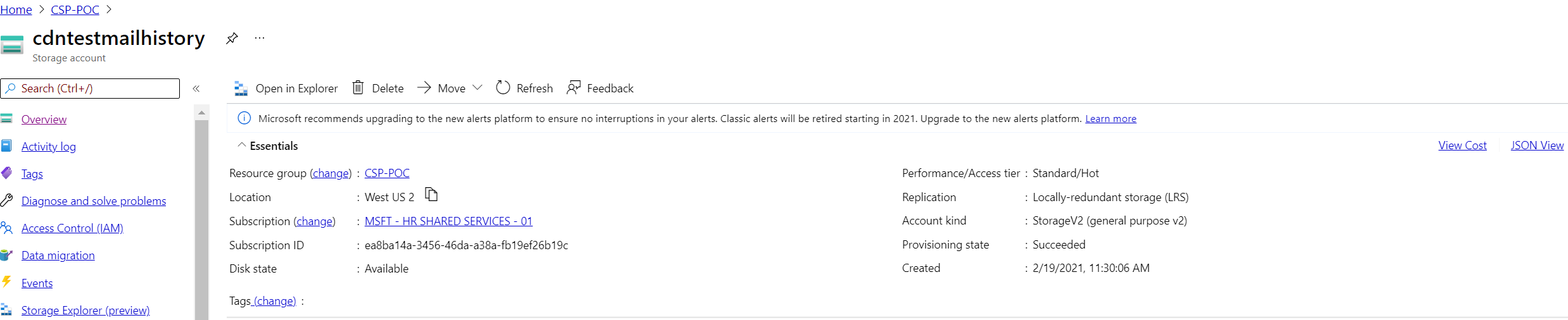
For static website deployment, please create a Storage Account with Account Kind as StorageV2 as shown in the below screenshot.
-
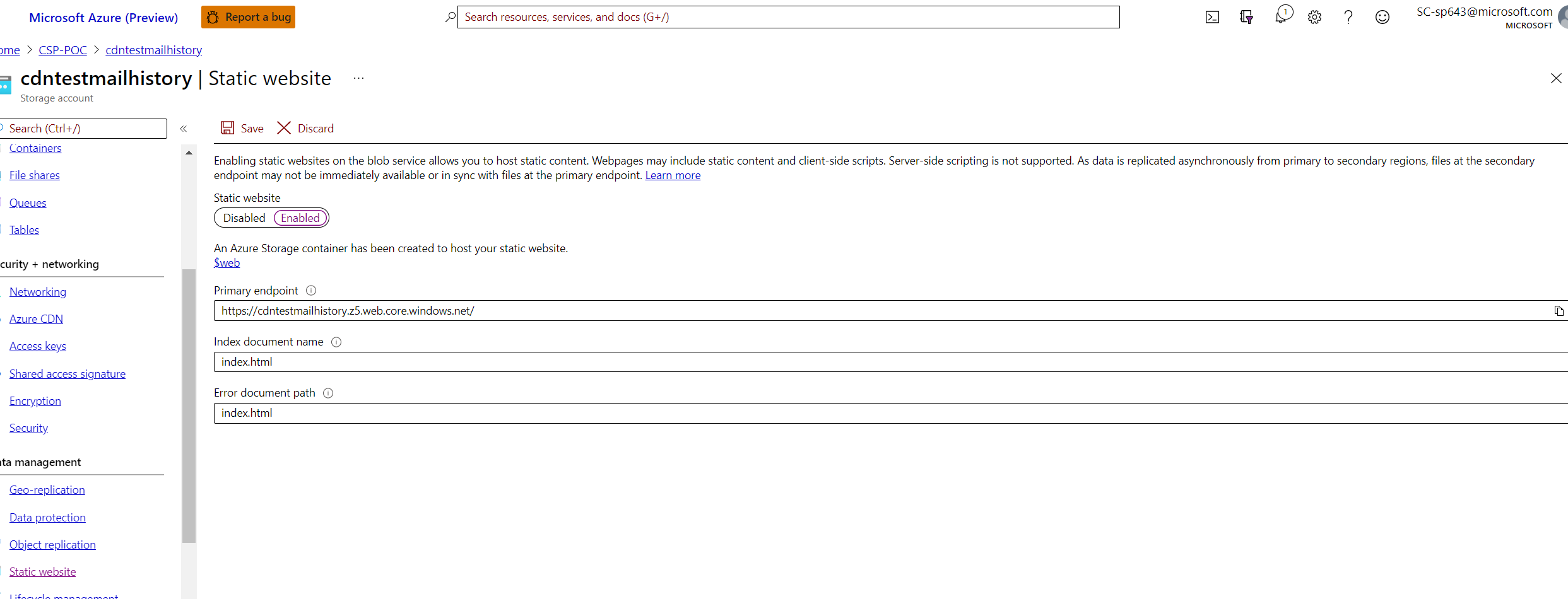
Go to static website in left navigation and provide the "Index document name" and "Error document path" as index.html as shown in the below screenshot.
-
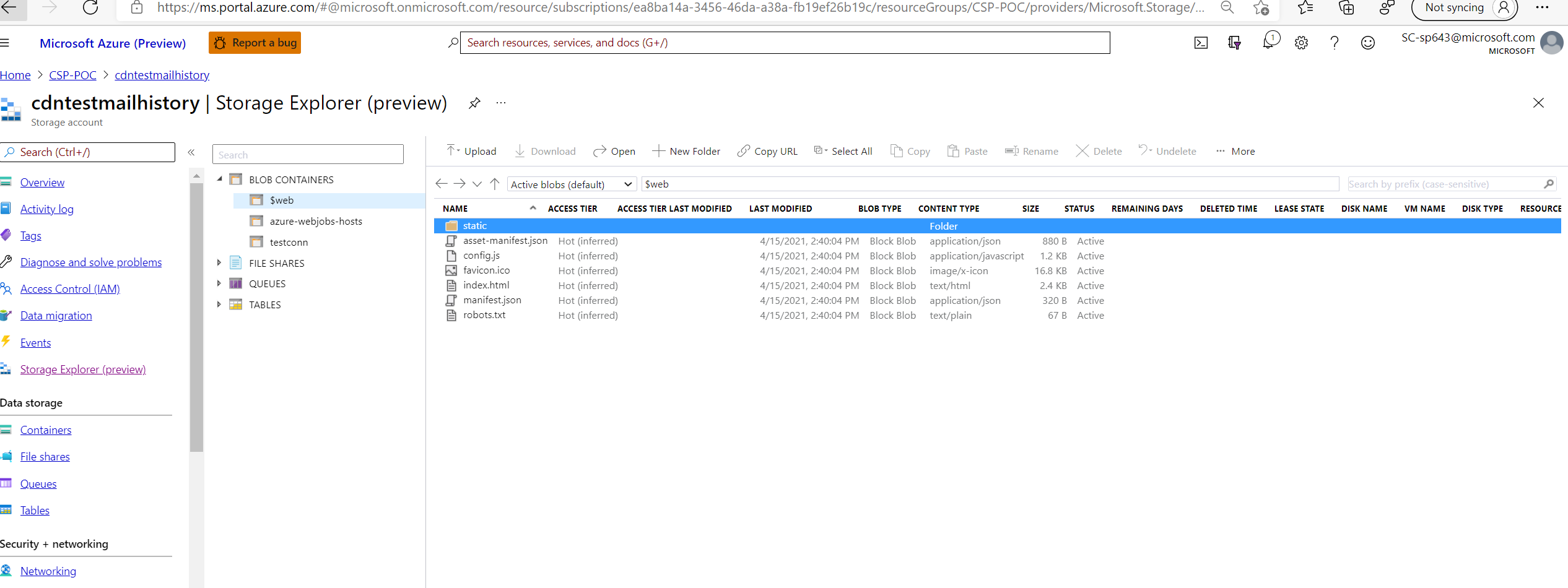
The deployment will should go to $web container with top level file structure as shown in the below screenshot.